The best keyboards for large hands cannot be selected from ‘full size’ marketing alone. Wrist angle, reach to modifiers, key spacing and the room needed for a mouse can matter more than the presence of a numpad. Most keyboards use similar individual key spacing, so buying a wider board rarely gives each finger more room. People with broad shoulders, long fingers or larger palms may benefit from different changes: a split layout, a more accessible thumb cluster, tenting, or a less cramped navigation arrangement. Also consider how much desk width the board takes away from your mouse and whether the wrist position stays comfortable over long sessions. Compare physical dimensions and reach rather than relying on ‘large’ or ‘full size’ product labels.
Quick verdict: key spacing, posture and wrist fit
A larger keyboard does not automatically provide more space between individual keys or a more relaxed wrist position. For players with large hands, layout width, modifier reach, split spacing and the space left for the mouse can shape comfort more than the number of keys. These recommendations consider ergonomic fit alongside gaming-specific functions rather than assuming full size is always preferable.
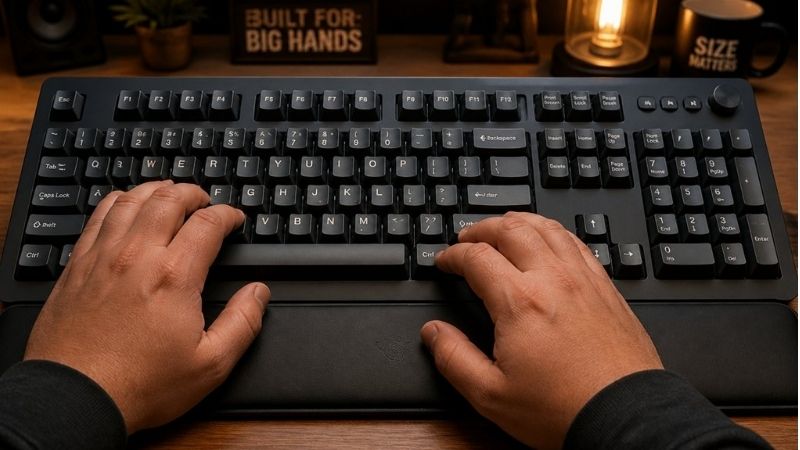
For large hands, prioritize wrist angle, hand separation and thumb reach rather than simply selecting the widest keyboard. A split board can be more comfortable than a full-size slab even when key pitch is nearly standard.
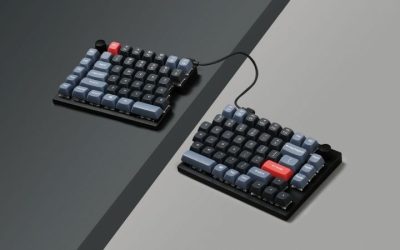
For the primary use case: Kinesis Freestyle Edge RGB Plus. The shortlist describes it as adjustable split spacing for broad shoulders/wrist position; ordinary individual key pitch, not oversized keycaps. Its distinguishing evidence is Split wired gaming mechanical keyboard, 20-inch linking cable, included tenting lift and RGB. The limiting check is wired cable between halves limits separation; software feature support varies by OS. These are model-specific factors, not a promise of independent testing or verified U.S. checkout.
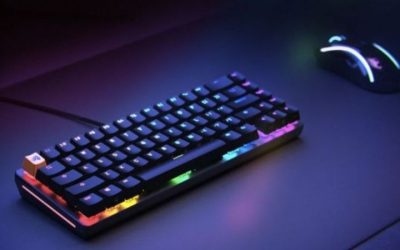
A contrasting option: Lemokey L3. The shortlist describes it as a heavier customizable keyboard for combined games and productivity. Its distinguishing evidence is 80% TKL QMK board, knob and macro column, double-gasket mount, 1000Hz 2.4GHz/wired. The limiting check is not 75%, heavy, and 1000Hz rather than wireless 8k. These are model-specific factors, not a promise of independent testing or verified U.S. checkout.
Comparison table: keyboards, features, and trade-offs
| Product / exact family | Verified feature or evidence boundary | Best fit | Major caveat | US price — exact variant, checked Oct 31, 2026 | Stock status — exact variant, checked Oct 31, 2026 |
|---|---|---|---|---|---|
| Kinesis Freestyle Edge RGB Plus | Split wired gaming mechanical keyboard, 20-inch linking cable, included tenting lift and RGB | Adjustable split spacing for broad shoulders/wrist position; ordinary individual key pitch, not oversized keycaps | Wired cable between halves limits separation; software feature support varies by OS | $199.00 (Kinesis MSRP) | Retail price/stock not independently verified |
| Lemokey L3 | 80% TKL QMK board, knob and macro column, double-gasket mount, 1000Hz 2.4GHz/wired | A heavier customizable keyboard for combined games and productivity | Not 75%, heavy, and 1000Hz rather than wireless 8k | $194.99 (Keychron/Lemokey selected barebone variant) | Backordered (selected Navy Blue barebone) |
| Keychron V1 Max | 75% knob mechanical keyboard, gasket mount, 2.4GHz 1000Hz and Bluetooth | A less specialized compact mechanical option with web-based remapping | Conventional mechanical switches do not support magnetic Rapid Trigger | $114.99 list (Keychron, selected switch) | Out of stock (backordered) |
| Keychron Q1 HE | 75% ANSI keyboard with knob, magnetic Rapid Trigger and 0.2–3.8mm adjustable actuation | Balances compact editing and gaming functions | Switch hot-swap supports specified Gateron magnetic family only; not ordinary MX switches | $239.99 (Keychron, selected switch) | Out of stock (backordered) |
US price and inventory observations are tied to the named seller, selected SKU, color or memory configuration where specified. “Buy Now” and “Add to Cart” describe purchase buttons, not a completed checkout or guaranteed warehouse stock. Family-level pricing, obsolete variants, and conflicting source badges are explicitly qualified. Unresolved rows are not assumed purchasable.
Additional comparisons and purchase considerations
| Situation | Recommended evaluation or next action |
|---|---|
| Need number pad and many shortcuts | Full-size layout for function, not hand size |
| Large mouse sweep in shooters | 75% or TKL with standard key pitch |
| Outward wrist deviation | Consider a true split layout with adjustable spacing |
Shortlisted keyboards and the differences that matter
Kinesis Freestyle Edge RGB Plus — fit and limitations
Kinesis Freestyle Edge RGB Plus is on this shortlist for a specific reason: split wired gaming mechanical keyboard, 20-inch linking cable, included tenting lift and RGB. That makes it relevant when adjustable split spacing for broad shoulders/wrist position; ordinary individual key pitch, not oversized keycaps. Layout and switch technology affect desk space, finger travel, and typing feel in different ways. A knob or gaming mode is useful only when the software and physical controls support your own workflow.
The main qualification is wired cable between halves limits separation; software feature support varies by OS. Verify the layout, switch compatibility, wired/wireless mode, and profile storage on the exact revision before deciding. This is a specification-led comparison, not a claim that we measured this model in a controlled hands-on test.
Lemokey L3 — fit and limitations
Lemokey L3 is on this shortlist for a specific reason: 80% TKL QMK board, knob and macro column, double-gasket mount, 1000Hz 2.4GHz/wired. That makes it relevant when a heavier customizable keyboard for combined games and productivity. Layout and switch technology affect desk space, finger travel, and typing feel in different ways. A knob or gaming mode is useful only when the software and physical controls support your own workflow.
The main qualification is not 75%, heavy, and 1000Hz rather than wireless 8k. Verify the layout, switch compatibility, wired/wireless mode, and profile storage on the exact revision before deciding. This is a specification-led comparison, not a claim that we measured this model in a controlled hands-on test.
Keychron V1 Max — fit and limitations
Keychron V1 Max is on this shortlist for a specific reason: 75% knob mechanical keyboard, gasket mount, 2.4GHz 1000Hz and Bluetooth. That makes it relevant when a less specialized compact mechanical option with web-based remapping. Layout and switch technology affect desk space, finger travel, and typing feel in different ways. A knob or gaming mode is useful only when the software and physical controls support your own workflow.
The main qualification is conventional mechanical switches do not support magnetic Rapid Trigger. Verify the layout, switch compatibility, wired/wireless mode, and profile storage on the exact revision before deciding. This is a specification-led comparison, not a claim that we measured this model in a controlled hands-on test.
Buying guide: fit, switches, and software checks
Model eligibility and buying decisions
Split boards solve angle and width problems: Kinesis Freestyle Edge RGB Plus separates two modules and allows adjustable shoulder-width placement. Dygma Raise 2 adds an alternative physical split workflow. The critical trial is whether forearms sit neutral without forcing outward wrist deviation.
When a TKL or 75% still makes sense: Lemokey L3 and Keychron Q1 HE leave more or less room for a mouse depending on their cases. Larger fingers do not automatically mean a 75% board is cramped; test arrow, Enter, Backspace, thumb spacebar and shortcut reach, not just keyboard percentage.
Fit and design trade-offs
Large-hand check: split positioning is not oversized key spacing: Two separate PC Gamer in-depth reviews provide a useful check against overstating Kinesis for large hands. The original Freestyle Edge RGB review says the compact layout suited a reviewer who did not have especially large hands. The newer KB975 Plus review confirms practical split-half and included-lift benefits but also reports stiff connecting cables and tent-leg movement. That is not evidence that the RGB Plus has larger letter keys or spacing. A split board can improve hand separation while preserving ordinary typing-key center distance; users with unusually wide fingertips must test keycap shape, thumb access and accidental adjacent presses separately.
| Large-hand complaint | Hardware action that may help | What not to infer |
|---|---|---|
| Both wrists bend inward with keyboard centered | Try KB975 split halves at shoulder-width spacing, with 0° and modest tenting | Do not infer an increased pitch between W, A, S and D |
| Large fingertips press adjacent keys | Test keycap top width/profile, physical switch position and remapping on a demo unit | A larger 100% case or split link does not automatically fix the fingertip problem |
| Numpad pushes the mouse far right | Mark mouse-pad and keyboard footprints before choosing a full-size board | More total keys cannot be called more ergonomic without desk measurement |
| Need portable multi-PC gaming | Check wired USB Type-A/adapter and actual 15.5-inch assembled width from KB975 specification | Do not assume wireless or that the original RGB model included the Plus lift kit |
Hands-on rejection rule for the buyer: record whether your problem is forearm angle, finger collision or mouse reach; then perform the same 10-minute WASD/Shift/number-row sequence with halves together, shoulder-width apart and modestly tented. Recheck accidental presses and the mouse location. If finger collisions remain unchanged, a split layout alone fails your objective. Neither PC Gamer test is a clinical study or a recommendation measured for a defined hand circumference, and GeekGamingTricks has not carried out its own hand-fit experiment.
Split-keyboard check: Kinesis RGB Plus is an ergonomic option, not a cure for cramped key pitch
A new PC Gamer hands-on review of Kinesis Freestyle Edge RGB Plus corroborates the material upgrades to the exact KB975 Plus revision: hot-swappable Gateron switches, included 0/5/10/15-degree Lift Kit, and comfortable independent halves. Unlike a manufacturer ergonomics claim, the reviewer also reports stiff connecting cables, loose tent-leg behavior, warm/sweaty wrist pads and the lack of Hall-effect Rapid Trigger or Snap Tap. These are meaningful rejection factors at a crowded gaming desk, not laboratory proof of health improvement.
The manufacturer’s KB975 specification confirms a 20-inch inter-half cable, wired USB Type-A connection, and included tenting hardware. The quick-start guide says basic keyboard operation supports Linux, while the named SmartSet programming application targets Windows and macOS. That is not a promise of an equivalent full Linux configuration GUI. More important: separating halves changes the distance and angle between hands ; it does not change the standard physical spacing of W/A/S/D or the letter keys.
| Actual larger-hand problem | Potential fit | Why to say no |
|---|---|---|
| Hands feel pinched toward keyboard center; shoulders crowded | Kinesis Freestyle Edge RGB Plus two-piece spread and modest tenting | Reject if the 20-inch inter-half link, stiff wires, desk shelf or foot instability defeats the wanted spacing. |
| Fingertips collide on adjacent WASD keys | Try a different switch/keycap profile or change technique before buying | RGB Plus split does not increase standard key pitch; no ordinary full-size board promises larger letter centers. |
| Need Rapid Trigger for high-level competitive movement | Evaluate separate adjustable-actuation keyboard category | KB975 conventional mechanical switches lack the specific Hall-effect Rapid Trigger feature. |
| Linux workstation, remap complex macros | Basic KB975 typing supported | Do not assume the Windows/macOS SmartSet app natively runs on Linux; check on-board programming path and manual. |
Desk-fit procedure: place two paper rectangles approximately keyboard-half width apart with actual mouse-pad footprint, choose three 0/5/10-degree tent positions, and check forearm alignment before purchasing. On receipt, test WASD-to-Shift reach, macro access, cable pull, tent-leg stability and keycap touch for two normal sessions. If the complaint is finger overlap rather than wrist angle, reject the purchase and reconsider key-spacing assumptions. This is a practical consumer test, not a clinical claim or an internal hands-on benchmark.
Split-board bundle correction for larger hands: RGB Plus is not the old RGB
Kinesis now sells an exact Freestyle Edge RGB Plus (KB975) revision with hot-swappable Gateron Pro v1 switches, included Mac modifier keycaps and a Lift Kit already included . The Kinesis accessory documentation says the Lift Kit arrives pre-installed on Plus and offers 5°, 10° and 15° tent settings only when the palm supports remain attached. That is a real bundled-cost and fit distinction versus the older Freestyle Edge RGB independently reviewed by RTINGS, which required buying its lift accessory separately. Do not transfer the older Cherry MX model’s measured response times or switch options to the untested Plus edition.
| What feels cramped | Practical response | Important stop condition |
|---|---|---|
| Wrists turn inward because shoulders are broad | Separate RGB Plus halves, use included Lift Kit on both modules with palm supports attached | 20-inch interconnect cannot span your intended station or tenting cannot fit under desktop shelf |
| WASD finger gaps too narrow | Check regular ANSI keycap center-to-center spacing before purchasing split keyboard | Two halves do not enlarge the pitch between W, A, S and D; a wider external case alone does not fix that |
| Mouse arm stretched by a full-size numpad | Try placing right keyboard half away for a low-DPI FPS session | Game binds require frequent right-hand key access; separate halves need extra desk plan |
| Linux gaming plus custom lighting | Keyboard works plug-and-play on Linux according to Kinesis; confirm onboard commands needed | Do not assume its separate SmartSet software app is offered on Linux; software support is Windows/macOS-focused |
15-minute station-fit method: trace each split half and its 20-inch connecting cable on the desk, place mouse and a cup or microphone where they usually sit, then trial a 5°, 10° and 15° tent angle (with palm supports) and compare repeated WASD-to-number-row reaches. Take note of actual reach and comfort; this is not a clinical ergonomic efficacy claim. The official manufacturer product page establishes packaging, not independent measured RGB Plus latency or a U.S. address-specific checkout.
Large-hand check: separation and key reach beat a full-size label: The term large hands is too imprecise to identify a winner from the number of keys on the keyboard. What usually matters to a purchase is whether the home-row fingers feel crowded, the thumb can reach modifiers without twisting the wrist, and both hands can rest at comfortable angles. A 100% keyboard has more controls, not necessarily larger individual keys or wider key-to-key spacing. Do not imply that full-size legends or a numpad produce extra finger room.
The US Kinesis Freestyle Edge RGB+ page establishes physically separated modules with an adjustable linking cable (manufacturer specification: 12–21.5 inches ), and says the revised Plus package includes a Lift Kit, palm supports and Mac modifier keys . Older Edge or third-party listings can omit those accessories; compare the actual SKU and box contents rather than pricing an add-on twice. Kinesis describes the product as plug-and-play for Linux but its graphical SmartSet editor is advertised for Windows and macOS; do not promise full Linux graphical customization.
The Dygma Raise 2 has two split halves, multiple connectivity configurations and add-on options. A separation-based fit advantage should not be conflated with a promise that every base configuration includes wireless or a tenting kit. Confirm the chosen package and its included hardware before comparing cost. Keychron’s V1 Max is a conventional 75% case measuring 328.5 × 148.7mm ; it shortens the right-side desk footprint, but does not automatically make normal keys further apart for larger fingers.
| Observed fit problem | More relevant buying feature | Rejected shortcut |
|---|---|---|
| Shoulders or wrists feel squeezed by a fixed keyboard angle | Adjustable left/right half spacing (Kinesis or a configured Dygma split) | Simply buying a wider one-piece numpad keyboard |
| Mouse collides with the keyboard during low-DPI play | 75% or TKL case width, repositioning, or one-handed split placement | Assuming a full-size board gives a larger mousepad area |
| Thumb stretch to Space, Shift or Ctrl | Layout diagram, palm support, layers and remapping trials | Assuming every “ergonomic” layout reduces thumb strain equally |
| Hands need both split and tenting | Read the exact bundle contents and available tenting angles | Assuming all split keyboards include tenting without an accessory |
Two-minute desk measurement before checkout: Place two hands at shoulder width on the desk, measure the comfortable horizontal gap, then compare that separation against the split product’s actual cable range and the space needed for a mouse and HOTAS. With your current keyboard, check whether the problem is finger spacing, wrist rotation, keycap profile or lack of mouse clearance; these require different solutions. For a 75% board like V1 Max, measure the exact left-to-right case width before ordering rather than extrapolating from the percentage label.
Evidence and safety limit: manufacturer dimensions and included accessories are verifiable; pain reduction , sustained comfort and improved gaming performance are not established without individual ergonomic assessment. No physical fit panel or medical effectiveness study was conducted, and current US seller inventory was not independently confirmed for all variants.
Hand size does not dictate keyboard size: Typical full-size letter-key spacing is similar across ordinary mechanical layouts. What changes more is desk reach for a mouse, modifier placement and the angle your wrists must assume. A wide full-size keyboard may actually push the mouse too far to the right.
A simple fit experiment: Place hands naturally on a table and measure preferred center-to-center hand distance, then compare with your existing keyboard. Try typing for 15 minutes, followed by your game’s most repeated commands. If discomfort persists, adjust tenting, chair height and mouse placement before replacing switches.
Large hands do not automatically demand full-size keyboards: Keyboard size labels describe the number and arrangement of keys, not the pitch between keycaps. Many 60%, 75% and full-size boards use essentially standard spacing on the letter keys. What changes is access to navigation, function and numpad keys, wrist angle, front height and the available mouse area. If the user consistently hits adjacent keys, inspect keycap profiles and resting posture before assuming a 100% keyboard will spread the alpha cluster. Large hands may benefit more from a gently separated split layout or deeper palm support than from extra chassis width. Avoid claiming a keyboard medically corrects hand pain.
Measure reach rather than relying on hand size alone: Mark the neutral wrist line and observe whether the user flexes inward to reach modifiers, number row and function keys. Check the length of the resting palm pad, angle of the case and room for forearms. A board with a large front lip can elevate the wrist unnaturally; a shallow low-profile board may be more comfortable for some. For MMO and programming workflows, frequent modifiers and macros can be moved to layers or thumb keys when the firmware supports it. A full-size board is useful when a numpad is genuinely needed, not because large hands require more keycaps.
Gaming desk space is an ergonomic constraint: A wide keyboard reduces right-side mousing room on a standard desk. Someone with a low-sensitivity aim style may prefer a tenkeyless or 75% board even with very large hands. Consider a detachable wrist support or two-piece split keyboard if the shoulders are broad and the wrists bend when typing. For a shared gaming/office setup, a programmable layout can offer separate profiles for keybinds and work. Ask for actual exterior measurements and front height of each candidate; ergonomic labels are descriptive, not controlled clinical evidence. An adjustable chair and desk may produce a bigger comfort change than a new keyboard.
Large-hand fit: extra keyboard width is not extra room between letters: Buyers with larger hands often ask for a ‘full-size’ board expecting wider-spaced letter keys. Most conventional ANSI keyboards keep approximately standard switch center-to-center spacing regardless of whether they include a number pad. Adding a numpad expands total board width , not the separation of W/A/S/D, Shift and the number row. If your fingers feel cramped because your wrists point inward, two physically movable halves can address shoulder and wrist positioning while a bigger conventional board might simply push the mouse farther to the side.
The Kinesis Freestyle Edge RGB Plus provides a concrete adjustable-width alternative: a 20-inch half-to-half cable, wrist rests, SmartSet and a Lift Kit included for new Plus units. Its configurable tenting does not enlarge the individual keycap pitch. The unit remains USB wired, so measure cable routing and whether you can park the right half away during FPS play. The U.S. vendor’s store listing supports a current listed product, but no exact shipping ZIP or final checkout was completed for this guide.
The Keychron Q11 offers a different 75% split layout, wired Type-C connectivity and standard MX-style hot-swap switches. It has a 1,000Hz specified polling rate and a metal body. Because the right and left sides can be moved, it can relieve a narrow shoulder posture even though the individual alphanumeric key spacing is conventional. The Dygma Raise 2 offers optional wireless (+$90) and built-in tenting (+$80) in its product configurator; those extras should be counted in the final U.S. quote rather than inferred from premium marketing photographs.
| Problem during long gaming sessions | Meaningful design change | What not to confuse it with | Trial before keeping |
|---|---|---|---|
| Wrists forced inward at rest | Move split halves apart and angle them | Full-size keyboard with identical key pitch | Wrist angle, key reaches, desk support |
| Pinky overreaches Shift/Ctrl | Remap modifiers to reachable layer or thumb position | More macro buttons at far left | Reach without stretching while in-game |
| Mouse shoulder stretched outward | Try TKL/75% or move right split half away | Adding a numpad to ‘make it larger’ | Mouse centerline versus shoulder center |
| Wrist extension from high front edge | Test front height, palm supports and tenting | Advertised switch actuation depth | Natural wrist rest with actual desk height |
Three measurements beat a made-up ‘XL keyboard’ designation: Measure hand span and comfortable keyboard-half separation, the distance from seated elbow to desktop, and available mouse-side desk width. Then compare the exact keyboard’s front height and stand footprint. A short return-window trial with your actual keybinds beats a ‘large hands’ star rating: if the fit makes common shortcuts harder, return it even when its chassis is wide. This is ergonomic shopping guidance, not a clinical claim that a keyboard cures pain or injury.
Large-handed players need spacing, not bigger legends
Freestyle Edge split geometry and actual US price: Kinesis publishes separately positioned halves with a 12–21.5 inch connection span, user-adjustable rotation and detachable palm supports. The official gaming shop lists the RGB Plus at $199.
US buying evidence at this checkpoint: Official Kinesis gaming store $199 for Freestyle Edge RGB Plus. This is a page observation, not completed checkout, and must not be presented as universal stock or delivery availability.
Ergonomic fit experiment for wide shoulder spacing: Large hands are not a keyboard size category with fixed key pitch. Many 60% boards retain near-standard key spacing; the real friction can be mouse crowding, cramped thumb access or a wrist angle made worse by desk height.
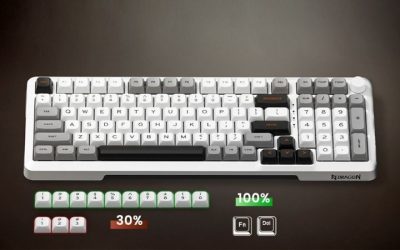
check: adding a numpad does not automatically create roomier alphanumeric keys: Large hands often need reduced finger collision, better wrist orientation or extra spacing between hands—not necessarily a full-size gaming keyboard. The Keychron Q6 Max specifications give a full-size chassis about 446mm wide with a separate numpad, wireless 2.4GHz/wired 1,000Hz modes and Bluetooth 90Hz. These are verifiable size and connection details, but a 100% layout primarily adds clusters and desk footprint. It is not evidence that the letters WASD, E and R sit farther apart than on an ordinary 75% layout.
RTINGS tested the full-size SteelSeries Apex Pro Gen 3 and found strong latency and a provided wrist rest, but also confirms the model is wired-only and has the physical width and bulk of a 100% board. Neither the low latency nor the wrist rest is a medical or ergonomic guarantee for larger palms. A large-hand gamer who sits at a narrow desk may lose more comfort from pushing the mouse outward than they gain from the extra numpad.
| Problem you feel | What to try before buying | Wrong shortcut |
|---|---|---|
| Pinky and ring finger collide on WASD | Test actual keycap profile/height, key mapping, and hand angle | Assume a 100% board changes letter-key pitch |
| Wrists rotate inward during long play | Trial a split keyboard with adjustable half spacing | Increase typing-board width without changing hand separation |
| Mouse arm extends uncomfortably | Measure desk space with a 446mm cardboard board footprint | Buy full-size when a TKL would free valuable mousing area |
| Need dedicated numpad binds and macros | Compare Q6 Max or a full-size analog board to key layers | Claim a compact 75% has the same physical key count |
The 15-minute reach test: Trace a rectangle equal to the prospective keyboard on your desk, keep your mouse pad in its actual position, and test a 15-minute movement/shortcut routine without lifting the palm. Note any shoulder abduction or wrist bend. If considering Keychron, verify exact-model Launcher configuration support rather than assuming software is interchangeable among generations. This is a proposed return-window test, not a completed anthropometric study; no universal hand-size cut-off, medical claim, or actual US checkout is implied.
How we selected these options and checked evidence
We prioritized split positioning, reach and adjustable hand placement over keyboard marketing sizes. The practical fit test is reach to modifiers and mouse space, not the presence of a numpad.
The comparison is based on the exact configuration and technical limitations recorded in this draft, with model identities, connection requirements, and purchase conditions treated separately. Published manufacturer specifications are not substitutes for independent long-duration measurements. Prices and stock are seller-, date-, and region-specific; where no current U.S. checkout was verified, that uncertainty remains visible instead of being presented as a live offer. The recommendations are therefore shortlists for further verification, not accounts of our own hands-on lab tests.
Frequently asked questions
Are full-size keycaps physically larger?
Usually not. Full-size refers to the presence of a numpad and more keys, not enlarged alphanumeric key spacing.
Is a split keyboard always better for large hands?
It can add adjustability, but benefits vary by layout, desk and user. Test natural forearm alignment before paying a premium.
Final thoughts
For broad shoulders or large hands needing more room, physically separated halves can change wrist spacing more than a full-size keyboard. If the issue is keycap crowding, test regular MX-size spacing before paying for an oversized gaming board.
Measure palm width, shoulder width and desk surface; move halves in one-inch increments; test F-row reach, number-row binds and mouse travel; confirm whether palm supports and tenting accessories are included in the US SKU.
Do not prescribe an extra-wide board solely from a “large hands” label; no universal hand-size-to-keyboard chart was independently validated.