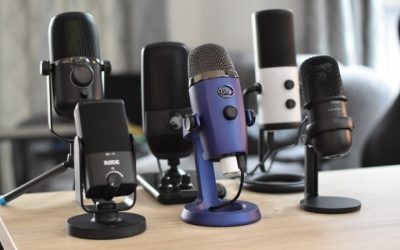
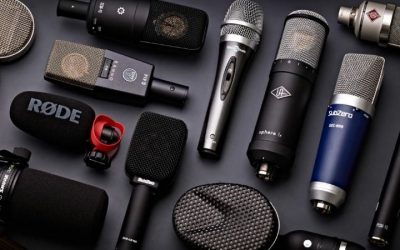
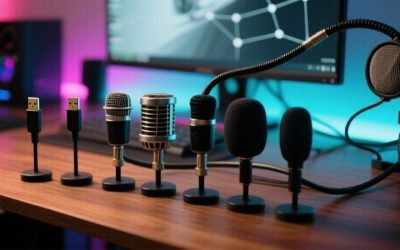
The best push to talk microphones are not ordinary desktop mics with a mute button. A real integrated push-to-talk (PTT) solution either opens microphone transmission only while a hardware control is held or sends a clearly defined keypress that the voice application uses for that same hold-to-speak behavior. The US market for complete, gaming-ready USB mics with this function is extremely narrow. The VEC GN-USB-PT and ECS-MWPTT-MIC-USB are true integrated PTT gooseneck candidates; the PRYME DMC-1F3-USB combines a real mic with programmable PTT buttons but carries the voice through a separate 3.5mm plug. None has been independently researched here with Discord, Steam or console parties.
Push-to-talk microphone choices: real hardware switches versus app shortcuts
Best documented physical USB-audio PTT candidate: VEC GN-USB-PT (conditional). CDW listed exact part GN-USB-PT (CDW 7761342) at $84.99, Add to Cart when checked October 30, 2026. Its base switch is held to talk and released to stop, according to its distributor. A specialist US retailer, DictationOne, additionally says this unit appears to Windows as a USB audio device, not a keyboard/HID controller; do not expect the VEC button to register as F3 in Discord or TeamSpeak. This is a reported hardware-audio PTT design, not independently verified electrical isolation or an app integration test.
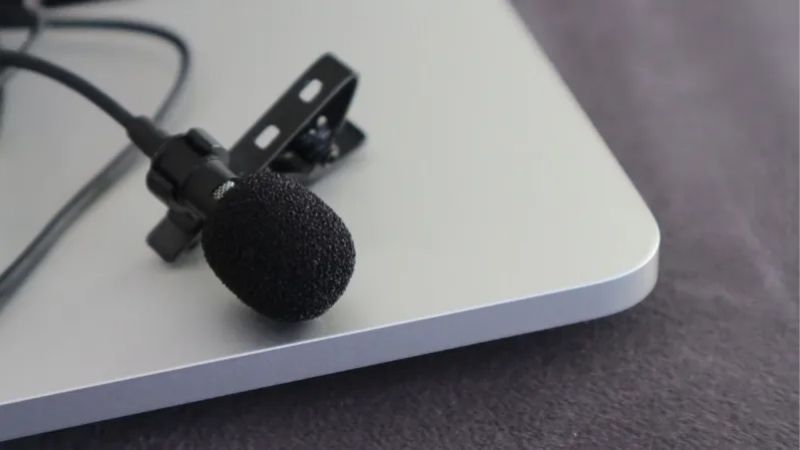
Best programmable dispatch-style USB choice, conditional: ECS-MWPTT-MIC-USB. TVPS lists $190, a USB audio path and options for emulated mouse, keyboard or gameport controls. Its seller describes press-and-hold transmission for Motorola WAVE OnCloud. Current Stock appears as a field without a confirmed numeric quantity in the inspected extract; a cartable page is not an authenticated in-stock promise. Confirm the chosen emulation triggers the exact game’s or chat app’s hold-to-talk binding before buying.
Best hybrid mic with physical PTT keys, not USB-audio-only: PRYME DMC-1F3-USB. PRYME lists $135 and Add to Cart. Its instruction manual specifies USB-A for power and keypress emulation, with the actual microphone audio traveling through a 3.5mm microphone plug. Both buttons default to the F3 keyboard command, and holding a button is the intended transmit action in supported dispatch software. You may need an audio interface if your PC has only a combined headset jack.
There are not four distinct, newly verified, ready-to-buy, all-in-one gaming USB microphones here. That market shortage is the decisive fact. A standard streaming microphone plus a Discord or game keyboard push-to-talk binding is usually easier to implement, but it is an alternative workflow, not a fourth integrated PTT mic product.
Comparison: what the hardware button actually does
| Product | Microphone audio signal | PTT trigger / intended app | US list price and checked status, Oct. 30, 2026 | Critical limitation |
|---|---|---|---|---|
| VEC GN-USB-PT, CDW 7761342 | USB microphone | Physical hold-to-speak USB audio gate; no HID keypress per specialist reseller | CDW $84.99, Add to Cart | Do not bind the base button as Discord F3; local recording and remote-listener test required |
| ECS-MWPTT-MIC-USB | USB microphone with built-in USB audio circuit | Configurable HID-like key/mouse/gameport; CTI documents RadioPro Solo/Dispatch 8.3.4+, seller targets WAVE | TVPS $190, product offered; exact stock count not verified | Specify emulation option before order; RadioPro support is not Discord/TeamSpeak certification |
| PRYME DMC-1F3-USB | 3.5mm microphone input; USB is HID/power | Two buttons default to keyboard F3 | PRYME $135, Add to Cart | Needs a compatible analog MIC IN and matching application keybind |
| Generic USB stream mic + keyboard PTT | USB microphone; control is keyboard/software | App’s PTT binding, not mic-integrated | Price varies; not counted as a PTT microphone product | Separate PTT control; does not meet the literal product requirement |
The term “push-to-talk” is sometimes used by sellers to describe push-to-toggle mute, push-to-lock or a talk button on a standalone control box. Those are not mechanically equivalent. We excluded a VEC GN-USB model without the -PT suffix because its page does not document the same press-to-transmit function. A sales listing for an inline PTT switch without a microphone also does not count as a complete mic.
Three questions to answer before spending money
First, what is being switched? There are at least three plausible implementations. A hardware electrical gate can interrupt or connect the mic audio only while depressed. A USB HID button can send a keystroke while the sound input remains available to software. A software or firmware “mute” switch may toggle a state that persists after the press. For privacy or a walkie-talkie workflow, these distinctions matter: a user should not assume a transmitted-key event physically disconnects the microphone from the operating system.
Second, which application receives the event? Motorola WAVE, a Windows push-to-talk client, Discord and an in-game voice channel may have different keybinding rules. A product advertised for dispatch is not automatically compatible with Discord’s focus, anti-cheat input rules, exclusive fullscreen behavior or controller mapping. Even if a keyboard PTT field accepts F3, two simultaneous voice apps may react differently. Test with the target software before relying on it during competition or work.
Third, what is the audio interface? A USB Type-A plug can provide a digital microphone, a USB keyboard, electrical power, or any combination. PRYME’s USB plug does not transport audio. A single modern laptop combo headset jack may not accept its dedicated three-conductor mic plug without the proper interface, whereas the VEC and ECS products describe USB audio microphone paths. Buy the audio adapter that matches the device, not one that merely looks similar.
VEC GN-USB-PT: a straightforward USB gooseneck with hold button
CDW identifies exact manufacturer SKU GN-USB-PT (not plain GN-USB), CDW product 7761342, with an 18-inch flexible neck, weighted base and 10-foot USB cable. The seller describes button-down audio transmission and release-to-stop. DictationOne independently clarifies no HID event is generated; this matters more than the word “USB” on the box. For Discord/TeamSpeak, test the VEC as the selected USB audio input with the application in an appropriate mode, not by attempting to capture its button as a keyboard shortcut. A local Windows recording while pressing and releasing the button is a useful prospective test; we did not perform one. Neither retailer statement confirms the mic is electrically disconnected when not held.
A key limitation: the product’s “transmit” wording comes from speech/communications use. The exact driver behavior and whether Discord sees a separate HID keyboard event, a changed USB microphone mute state or only an audio gate are not verified from the cited seller page. For a user whose requirement is a Discord keyboard PTT bind, ask the seller for the event specification or test within the return window. Do not tell shoppers that every game will recognize the microphone’s button automatically.
Advantages: a real complete USB microphone and explicit hold/release claim; relatively accessible listed price. Disadvantages: desk space, dispatch-like appearance, no demonstrated stream-mic frequency/latency advantage, no verified game chat key integration. Product evidence: https://www.cdw.com/product/vec-gn-usb-pt-push-to-talk-gooseneck-usb-microphone/7761342
ECS-MWPTT-MIC-USB: configurable hardware for a particular PTT ecosystem
ECS-MWPTT-MIC-USB is a separate product family, not a VEC color variant. TVPS describes programmable USB microphone hardware with different PTT emulations (keyboard, mouse or gameport), primarily configured for Motorola WAVE OnCloud. A CTI Products RadioPro accessory sheet identifies the exact ECS-MWPTT-MIC-USB model (CTI part 99-12696) and lists RadioPro Solo/Dispatch version 8.3.4 and later. That is positive software-specific compatibility evidence, but it is not a Discord or TeamSpeak validation. Before ordering, obtain written confirmation of the chosen emulated event and the Windows app that will receive it; factory/custom programming may differ between orders.
This flexibility makes it interesting for specialist Windows deployments, but also creates a pre-purchase task: pick the emulation that the destination application actually supports. “Gameport Button 1” does not prove that a modern game will enumerate or respond to the device. A custom “continuous spacebar” setting can interact badly with text boxes or other hotkeys if used outside the intended dispatch environment. Ask the vendor which USB HID usage page and hold/release event the chosen configuration exposes. We did not find a verified stock count or an independent game integration test, so availability and gaming compatibility remain conditional.
Advantages: complete USB audio mic, genuine physical PTT button, configuration options. Disadvantages: higher price, seller configuration complexity, application specificity, current quantity unverified. Product evidence: https://www.tvps.com/push-to-talk-usb-gooseneck-microphone-for-use-with-motorola-wave-oncloud/ecs-mwptt-mic-usb/
PRYME DMC-1F3-USB: two PTT keys, separate analog microphone audio
PRYME’s own product page and PDF manual are unusually valuable because they resolve an easy buyer mistake. Despite the model name containing “USB,” the DMC-1F3-USB connects to a Windows PC with two separate plugs: USB-A supplies power and programmable keypresses, while a 3.5mm MIC IN carries the voice. This is a genuine complete microphone body with physical PTT buttons. It is not a USB digital audio microphone, and buyers with a headset-only combo jack may need an external sound card with a proper microphone input.
The manual describes both PTT buttons as defaulting to the F3 key and explains that they can be remapped. It instructs the user to hold either button while speaking and release when finished. Its Windows setup guide uses the Sound input selector to choose Jack Mic. Thus this is a plausible device when a Windows PTT client lets you bind the activation key to F3, but it does not prove that a console or every PC game accepts it.
Advantages: manufacturer documentation for exact connectors and key behavior; two programmable physical PTT keys. Disadvantages: analog MIC IN dependency, Windows/dispatch orientation, game-specific key test needed. Manufacturer listing: https://www.pryme.com/index.php?l=product_detail&p=2759 ; manual: https://www.pryme.com/files/manuals/MANUAL-DMC-1F3-USB.pdf
A practical gaming alternative: microphone plus app push-to-talk
Most gamers already own a serviceable microphone in a USB headset or desktop USB mic. If your actual goal is to prevent open-mic broadcasting, the simplest validated category of solution may be the microphone you already use plus your chat application’s keyboard PTT option. This is deliberately not listed in the table as a qualifying integrated PTT product. It solves the behavior in software without claiming a hardware button exists on the mic.
For Discord on desktop, open User Settings > Voice & Video, locate Input Mode, choose Push to Talk, open the shortcut/keybind control and record an unused key, then test the resulting activation in a private voice call. Discord officially documents the Voice & Video input-mode path and keybind; desktop and browser-focus behavior differ. Do not use a binding already assigned to an important game action; change it if it triggers both chat and in-game controls. Check the microphone input selection and speaking indicator while holding the shortcut, then release and confirm the other participant no longer hears your voice. If the app remains muted after release, inspect focus, keybind and input-mode settings before buying new hardware.
An independent USB foot pedal or hotkey keypad can provide a physical actuator in this workflow, but it is not itself a microphone. A software mute toggle can also leave the mic permanently on or off after one press; it is not equivalent to continuous hold-to-speak unless the app explicitly supports that mode.
Evidence ledger: documented compatibility versus untested gaming integration
| Exact model | Official or seller-confirmed behavior | Confirmed software scope | Discord / TeamSpeak on Windows |
|---|---|---|---|
| PRYME DMC-1F3-USB | Physical button generates default F3 USB keyboard event; 3.5mm analog microphone audio | PRYME manual supports PTT apps accepting F3 or remapping; PRYME cites dispatch apps | Mechanically plausible but device pairing NOT TESTED; requires MIC IN + usable F3 binding |
| VEC GN-USB-PT | USB audio microphone with physical hold-to-transmit switch; specialist seller explicitly says not HID | VEC/CDW document general desk/dispatch/paging operation | NOT TESTED; no keyboard hotkey generated by PTT button per reseller |
| ECS-MWPTT-MIC-USB | USB mic plus configured keyboard/mouse/gameport-style emulation option | CTI RadioPro Solo/Dispatch v8.3.4+; TVPS Motorola WAVE-oriented options | NOT TESTED; matching programmed event and app acceptance unverified |
Evidence hierarchy: a model-specific manufacturer manual documents the physical connectors and control path; software help documents the application’s generic input capability; a named reseller may clarify what its own stocked model does. None of these alone is equivalent to a recorded, reproducible same-device/same-app test. We found no attributable independent Discord or TeamSpeak bench test of these exact models. Do not mark any as “Discord certified.”
Windows setup: keep hardware audio gating separate from the app shortcut
Discord documents two input modes: Voice Activity and Push to Talk. In Push to Talk mode, a held keyboard shortcut must be captured; the Discord browser tab must have focus, while the desktop app can work system-wide subject to game privileges and bindings. TeamSpeak documents a Push-To-Talk audio mode and a configurable key under Key Bindings. The software documentation confirms those controls, not any third-party mic’s actual recognition.
| Device | Discord procedure to attempt | TeamSpeak procedure to attempt | Do not assume |
|---|---|---|---|
| PRYME DMC-1F3-USB | Select the analog Jack Mic; choose Push to Talk; bind F3 (or program another nonconflicting key); verify remote receive | Select analog microphone input; select Push-To-Talk; bind F3; verify held versus released | USB-A provides microphone audio (it does not); device/app pairing was not tested |
| VEC GN-USB-PT | Select VEC USB audio mic. To evaluate the hardware gate, try Voice Activity in a private call and record on/off behavior while physically holding/releasing | Select VEC USB input; test audio gating with a local recording; if using TeamSpeak’s own PTT mode, supply a separate software keybind | Physical button emits an F3 or other HID key (specialist seller says it does not) |
| ECS-MWPTT-MIC-USB | First verify the purchased unit’s exact configured keyboard or mouse event; then attempt to bind it in the app | Confirm emulation type and available app shortcut; test the actual key-down/key-up cycle | RadioPro or WAVE compatibility means Discord/TeamSpeak will work |
Three-layer acceptance test: audio input, button event, remote transmission
- Audio-layer check: In Windows Input settings, select the exact microphone endpoint. For PRYME that should be the motherboard/interface 3.5mm analog MIC IN; for VEC, the USB microphone input. Make a local recording with the physical button held and released. Compare whether the input is silent in each state; this establishes observed audio gating, not electrical isolation.
- Control-layer check: For PRYME, observe F3 down/up with a trusted local keyboard test tool or the app’s shortcut-capture interface. For ECS, confirm the preprogrammed keyboard/mouse/joystick event; the correct event depends on the purchased variant. Skip key-event tests for VEC’s base button, because that model is not sold as a HID button.
- Application-layer check: In a private Discord call and then a separate TeamSpeak session, have a second participant confirm intelligible audio during a held press and silence after release. Test once with app foreground and once with the game foreground; verify Discord PTT release-delay and game/admin privilege behavior. Record results against the exact software version and microphone SKU.
Failure interpretation: If the recorder captures PRYME mic audio before button press but Discord does not transmit, software PTT may be working as designed; F3 is not an electrical mute. If VEC produces silence in Windows before press but never sends a key event, that is consistent with a physical USB-audio gate rather than keyboard PTT. If an ECS keybind cannot be captured, request the seller’s programmed emulation specification instead of installing arbitrary “USB mic drivers.” These are diagnostic scenarios to test, not results of in-house experiments.
Safety, privacy, and purchase checks
- Define your requirement precisely: must the microphone signal be electrically gated, or is a PTT hotkey sufficient? Those are different privacy models.
- Verify two-way operation: connect the device and select the correct audio input in Windows or the supported communication application. Make a local recording independent of the PTT app to learn whether the mic input is physically gated.
- Check the hardware event: if the unit sends a keyboard/mouse command, use a key-event checker or a harmless text field to observe press and release. Do not type sensitive information into unknown testing sites.
- Test the target program: bind the intended control in the actual Discord/game/dispatch app and have a second person confirm the voice stops after release. Repeat once with a game window in focus.
- Inspect buying conditions: verify the requested ECS emulation option, PRYME analog audio adapter requirements or VEC’s exact -PT suffix, plus seller shipping and return conditions.
For a console like Xbox Series X|S or PS5, do not assume that plugging a third-party PC USB microphone into a console yields native party-chat microphone support. Console voice routing and licensing are product-specific. None of these three should be advertised as a supported Xbox or PlayStation party microphone without explicit platform verification.
How we selected: no mute-button inflation
We used a functional definition: a complete microphone with a physical button designed for momentary talk activation, plus a documented audio path. We prioritized original manufacturer manuals and seller pages identifying the exact SKU. We did not treat an inline PTT amplifier, external foot pedal, keyboard key, plain mute switch or multiple vendors reselling the same VEC model as separate microphones. We did not fabricate fourth and fifth products to meet a typical roundup quota.
The remaining evidence limitations are material: no four US-stocked integrated gaming mic models, no independently confirmed real-time Discord/OBS/game compatibility for the specialist devices, no controlled mic response or noise measurement, and no confirmed ECS stock count. A publisher must retain EDITORIAL_REVIEW_REQUIRED and either document a narrow-market exception or gather more genuine models before declaring the article ready to publish.
FAQ
Is a tap-to-mute button the same as push-to-talk?
No. Tap-to-mute usually changes a persistent state; press-and-hold PTT is active only while a control is held or while its binding is active. A toggle may be useful but it does not satisfy someone who needs momentary behavior.
Does PRYME’s DMC-1F3-USB send microphone audio over USB?
No. PRYME’s manual says the USB-A plug supplies power and keypress emulation; the voice microphone uses the separate 3.5mm MIC IN plug. A compatible Windows analog input or sound-card adapter is required.
Does any of these specialist microphones have proven Discord or TeamSpeak integration?
No exact model-level independent pairing test was located. PRYME’s default F3 shortcut may be bindable on Windows, VEC is a hardware-level USB audio gate without HID, and ECS has documented RadioPro software support only. Each needs separate on-device testing for the chosen app. Do not treat these routes as the same form of compatibility.
Why not buy a normal streaming mic with a mute switch?
That may be a better microphone for recording and streaming, but it does not automatically provide a physical hold-to-talk control. Use an app keybind or an external input device if software PTT, rather than mic-integrated hardware, is acceptable.
Final thoughts
For best push to talk microphones, the decision is the control path, not the marketing label. VEC GN-USB-PT is a reported USB audio-gated gooseneck without a HID shortcut; PRYME DMC-1F3-USB supplies a real analog mic and programmable F3 keyboard button; ECS-MWPTT-MIC-USB has documented RadioPro dispatch support and seller-defined emulation options. For someone simply trying to talk to teammates on Discord or TeamSpeak, an existing USB mic plus a held keyboard shortcut remains the lower-risk, software-documented route. None of the three specialist models has an independent, repeatable Discord/TeamSpeak pairing test cited here, so publication must keep a compatibility warning and avoid calling them plug-and-play gaming solutions.