Key takeaways
- 16:9, 21:9, or 32:9? Learn how each aspect ratio fits work, gaming, and editing, and how to pick the right monitor shape for your desk and setup.
As an Amazon Associate we earn from qualifying purchases.
A monitor’s aspect ratio shapes everything you do on it, from how many documents fit side by side to how wide a game world feels. The ratio is simply the width of the screen compared with its height, so a 16:9 display is wider than it is tall, while a 21:9 ultrawide stretches much further sideways. Picking the wrong shape means living with black bars, cramped windows, or a desk that never quite fits, even when the panel itself is excellent.
This guide is for office workers comparing a standard screen with an ultrawide, gamers weighing immersion against compatibility, and editors who need room for timelines and toolbars. It explains what each common ratio does well, where each one falls short, and how to match the shape to your work, your room, and the way you actually sit at your desk.
How to Choose
Match the Ratio to Your Main Work
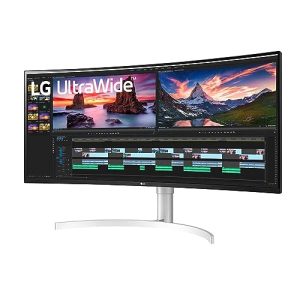
Start with the task you do most, because no single ratio wins for everyone. A 16:9 screen suits general office work, browsing, and video calls, since almost every app and video is designed for it. A 21:9 ultrawide shines when you keep two windows open at once, such as a spreadsheet beside an email client or a code editor beside a browser. A 32:9 super ultrawide replaces two monitors entirely and suits traders and editors who live in three or four panels. A 16:10 screen adds a little vertical room, which writers and coders often prefer for long documents. List your top three tasks before choosing, and let the ratio serve those tasks rather than the other way around.
Screen Size and Viewing Distance
Ratio and size work together, so never judge one without the other. A 21:9 screen only feels roomy once it reaches a generous diagonal, while a small ultrawide can feel short and letterboxed. Sit at your normal distance and picture the screen in front of you: a wide display needs more desk depth and a bit more distance, or you will turn your head constantly to see the far edges. Measure the space between your eyes and the wall, then check the screen width against your desk. A display that forces you to lean back or swivel your chair will tire you out long before its extra width pays off.
Resolution, Scaling, and Text Clarity
A wide screen spreads its pixels across more space, so resolution matters more as the ratio grows. A 21:9 display with too few horizontal pixels makes text look soft and windows feel cramped, while a higher resolution keeps fonts crisp across the whole width. Check how your operating system scales text on wide panels, since some older apps render poorly at unusual widths and leave menus stretched or squashed. If you read small text all day, favour a combination of ratio and resolution that keeps characters sharp at your normal viewing distance. A screen that looks impressive in a showroom can still strain your eyes after eight hours of reading.
Desk Space, Curve, and Multi-Monitor Plans
Think about the desk before the display, because an ultrawide demands a wide, stable surface and a mount or stand that can hold its weight. Curved panels help on very wide screens by pulling the edges toward you, which reduces head turning and glare from the sides. If you already own a second monitor, a 16:9 main screen pairs neatly with it, while a 32:9 panel usually works best alone. Consider cable length, arm reach, and whether the screen will block a window or a shelf. A setup that fits your furniture will feel better every day than a wider screen squeezed onto a desk that cannot hold it.
Which One Fits Your Situation
Everyday Work and Video Calls
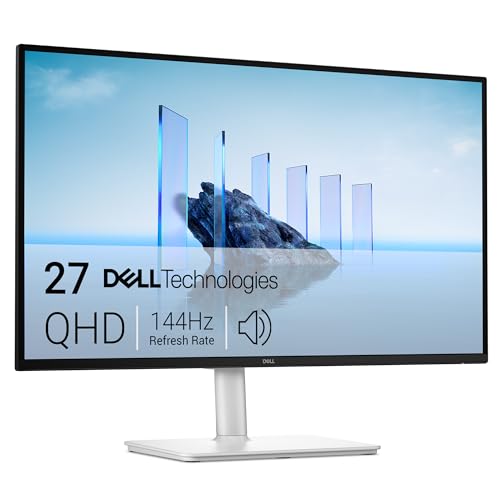
Choose 16:9 if your day is email, documents, and video meetings. Every conferencing app frames you correctly, shared screens look natural to colleagues, and you never fight with an app that assumes a standard width. A 16:10 screen is a fine alternative when you read long pages, since the extra height shows more lines of text at once.
Gaming and Movies
Choose 21:9 if you play modern games and watch films, since many recent titles and movies fill the wider frame beautifully. The extra width pulls the edges of the world into your peripheral vision, which makes racing and open-world games feel more immersive. Keep a 16:9 screen as a fallback for older titles that do not support ultrawide, since those games show black bars at the sides.
Editing, Coding, and Spreadsheets
Choose 21:9 or 32:9 if your work means timelines, large sheets, or several panels at once. Video editors can stretch a timeline across the full width while keeping preview and tool panels visible. Coders can keep an editor, a terminal, and a browser open without switching windows. The wider the ratio, the fewer window switches your workflow needs.
Small Desks and Shared Spaces
Choose 16:9 if your desk is narrow or the monitor sits in a shared room. A standard screen fits on most desks, leaves room for speakers or notebooks, and does not dominate the space. It also suits a second screen later, since two matching 16:9 panels sit neatly side by side.
Common Mistakes
- Buying the widest screen available without checking whether your games and apps actually support that ratio.
- Ignoring desk width and depth, then discovering the screen overhangs the edges or sits too close to your face.
- Choosing a wide screen with low resolution, which makes text soft and wastes the extra width.
- Forgetting that a curved ultrawide needs more distance, so a small room makes the curve feel overwhelming.
- Assuming one ratio fits every task, instead of matching the shape to the work you do most.
Frequently Asked Questions
What is the best aspect ratio for a computer monitor?
There is no single best ratio, because the right choice depends on your work. A 16:9 screen suits general use and video calls, a 21:9 ultrawide suits multitasking and immersive gaming, and a 32:9 super ultrawide suits people who want two screens in one panel. Start from your main daily task and choose the ratio that serves it.
Is a 21:9 ultrawide better than 16:9 for work?
A 21:9 screen is better when you regularly keep two or three windows open, since it shows them side by side without a bezel in the middle. It is not better for video calls or apps designed around a standard frame, where the extra width goes unused. If your work is mostly documents and meetings, a 16:9 or 16:10 screen is the simpler choice.
Do all games support ultrawide monitors?
No, support varies by title. Many modern games offer ultrawide modes that fill a 21:9 screen, while older games and some competitive titles lock the picture to 16:9 and show black bars at the sides. Check the games you play most before buying, and be ready to run a few titles at the standard ratio.
Should I buy a curved or flat ultrawide monitor?
A gentle curve helps on wide screens by bringing the far edges closer to your eyes, which reduces head turning and makes the picture feel more even. A flat panel suits shared viewing and work where straight lines matter, such as photo editing. If you sit close to the screen, a curve is usually more comfortable.
FAQ
What is the best aspect ratio for a computer monitor?
Is a 21:9 ultrawide better than 16:9 for work?
Do all games support ultrawide monitors?
Should I buy a curved or flat ultrawide monitor?
More from Amazon
Programs that pair well with the guide above. Offers and eligibility are set by Amazon and may change.
Free shipping on eligible items, Prime Video and more. Eligible new members can start with a free trial.
Start a Prime free trialAd-free music streaming. Eligible new subscribers can start with a free trial.
Try Music Unlimited freeA Prime membership for ages 18-24 with a trial period. Eligibility is set by Amazon.
See Prime for Young AdultsAudiobooks and podcasts to listen to on the go. Eligible new members can start with a free trial.
Try Audible freeAs an Amazon Associate we earn from qualifying purchases.