The best controllers for Steam Deck docked gaming are those that connect reliably to SteamOS, fit the way you play on a TV, and offer buttons you can configure through Steam Input. For most people starting fresh, the 8BitDo Pro 2 is the most balanced choice: it costs $49.99 on the official US store, has comfortable grips and rear buttons, and comes with an explicitly documented SteamOS compatibility requirement. An Xbox Wireless Controller is an easier recommendation if you already prefer Xbox-style controls; a DualSense makes sense if you value PlayStation ergonomics and Steam Input mapping. The crucial detail is that a controller working on Windows does not automatically mean every connection mode works on Steam Deck.
This guide covers Steam Deck LCD and OLED units connected to an external screen, not a Windows handheld running Steam. We compare six real models, their US listing prices, supported connection paths, published firmware floors, and their compromises when used from the couch. Prices reflect the specified US listings checked October 27, 2026, and may change before checkout.
Quick verdict: Which docked Steam Deck controller should you buy?
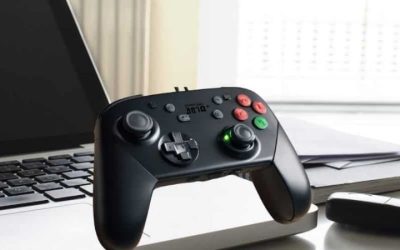
Best overall for a new purchase: 8BitDo Pro 2 (Hall Effect Joystick), $49.99 at 8BitDo US. It combines Bluetooth, wired USB, rear buttons, a rechargeable battery, and explicit SteamOS 3.7.13+ support when the controller has firmware v3.06 or newer. The symmetrical-stick layout is not for everyone; players who want the left stick higher should compare the Xbox and Ultimate 2 Wireless designs.
Best familiar Xbox layout: Xbox Wireless Controller, $64.99 regular US list price for Carbon Black. Its widespread Steam controller support and AA-battery flexibility are useful on a shared TV. Bluetooth pairing can fail with older controller firmware, though, and Valve advises using Microsoft’s updater on a Windows computer when that happens. The model has no rear paddles.
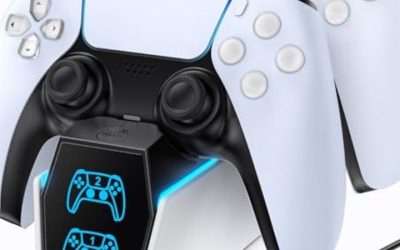
Best Steam Input customization for a PlayStation-style setup: Sony DualSense, from $74.00 through PlayStation US. Its built-in touchpad and motion controls make it an interesting alternative to a conventional gamepad. Do not buy it expecting every PlayStation haptic effect or adaptive trigger to work wirelessly in SteamOS: advanced feedback varies by game, software path, and connection.
Best dock-and-charge desk accessory: 8BitDo Ultimate 2 Wireless, $59.99 at the official US store. It includes a charging dock and offers Bluetooth operation on SteamOS 3.7.13+ with controller firmware v1.05+. Its advertised 2.4GHz receiver is documented primarily for Windows, not as its prescribed SteamOS connection method.
Best extra controls in a symmetrical layout: 8BitDo Pro 3, $69.99 at 8BitDo US. It offers TMR sticks, additional programmable controls, a charging dock, and a SteamOS-specific mode. The heavier feature set is not necessary for games that only need standard buttons.
Best compact spare for guests: 8BitDo SN30 Pro (Hall Effect Joystick), $44.99 at 8BitDo US. It takes little space and supports SteamOS 3.7.13+ with firmware v2.06+. Its short gripless body is less comfortable for many adults during long sessions than the full-size options.
Comparison: Price, controller technology, connections, and minimum software
| Product | Price (USD, retailer, date) | Key verified specs | Min. firmware / OS | Best for / compatibility | Main drawback |
|---|---|---|---|---|---|
| 8BitDo Pro 2 (Hall Effect Joystick) | $49.99; official 8BitDo US eShop; Oct. 27, 2026 | Hall sticks; Bluetooth 4.0 / USB-C; two rear buttons; 1,000mAh rechargeable battery; up to 20 hours manufacturer claim | Controller v3.06+; SteamOS 3.7.13+ | Versatile symmetrical-layout couch play through Steam Input | Less natural for players who strongly prefer offset Xbox sticks |
| Xbox Wireless Controller, Carbon Black | $64.99 regular US list; Xbox US accessories; Oct. 27, 2026 | Conventional thumbsticks; Bluetooth / USB-C; two AA batteries; up to 40 hours manufacturer claim | SteamOS numerical minimum not published by Microsoft; exact controller firmware floor not published | Familiar offset-stick layout and flexible replaceable batteries | No rear paddles; old firmware can disrupt Bluetooth pairing |
| Sony DualSense Wireless Controller | From $74.00; PlayStation US accessories; Oct. 27, 2026; color-specific pricing | Conventional sticks; Bluetooth / USB-C; touchpad, motion controls; rechargeable battery | SteamOS numerical minimum and controller firmware floor not published by Sony for Steam Deck | PlayStation layout, touchpad inputs and Steam Input configurations | Game-dependent advanced haptics and adaptive triggers |
| 8BitDo Ultimate 2 Wireless Controller | $59.99; official 8BitDo US eShop; Oct. 27, 2026 | TMR sticks; Bluetooth for SteamOS; USB-C charging dock; 2 rear buttons plus L4/R4 extra bumpers; 2.4GHz receiver included for supported modes | Controller v1.05+; SteamOS 3.7.13+ | Offset-stick layout with a dedicated charging home | Do not presume bundled 2.4GHz receiver is the supported SteamOS mode |
| 8BitDo Pro 3 Bluetooth Gamepad | $69.99; official 8BitDo US eShop; Oct. 27, 2026 | TMR sticks; Hall triggers; Bluetooth / USB-C on SteamOS; rear buttons and L4/R4; dock and customizable ABXY caps | SteamOS 3.7.13+; manufacturer says latest firmware, no fixed minimum number published | Feature-rich symmetrical pad for customizable Steam Input layouts | Extra controls and settings create more setup work |
| 8BitDo SN30 Pro (Hall Effect Joystick) | $44.99; official 8BitDo US eShop; Oct. 27, 2026 | Hall sticks; Bluetooth 4.0 / USB-C; 114g manufacturer specification; 480mAh rechargeable battery; up to 18 hours claim | Controller v2.06+; SteamOS 3.7.13+ | Compact guest pad and retro or 2D games | Small gripless shape can tire hands in long sessions |
Prices were checked on October 27, 2026 and can change; confirm the exact variant at checkout.
The 8BitDo prices above are official US store listings, not automatically verified delivered costs. Shipping, tax, stock, available colors, and account-specific offers can change the total. Xbox’s Carbon Black price is the regular list price shown by Microsoft; temporary promotions may be lower. PlayStation publishes a starting US price rather than one universal color-specific checkout price.
How we selected controllers for a docked Steam Deck
We prioritized official compatibility statements and written manuals over broad claims such as “works with PCs.” Valve documents Steam Input support for official Xbox, Sony, and Nintendo controllers, while 8BitDo provides model-by-model Steam support and numerical software requirements. We cross-checked available US manufacturer-store pricing for each listed product. This is a specifications- and documentation-based comparison, not a claim that Geek Gaming Tricks performed hands-on latency testing or long-term durability trials.
Connection method matters more than an inflated polling-rate figure for most living-room use. The Steam Deck already provides Bluetooth; a compatible controller may pair directly without occupying a USB port on the dock. In contrast, 2.4GHz dongles can require a suitable port and platform-specific receiver support. We do not treat a manufacturer’s Windows wireless polling rate as a measured SteamOS figure. Button arrangement, a reliable way to recharge, firmware upgrade access, and whether Steam Input recognizes additional controls are more useful shopping criteria.
The six selections intentionally include familiar mainstream controllers and newer models with direct manufacturer SteamOS documentation. We did not include the older Nintendo Switch Pro Controller in this shortlist: it has Steam support, but Nintendo’s US store showed the original Pro Controller as sold out at the time of this check, making it a weaker new-purchase recommendation. Someone who already owns one can still try it in Steam Input without buying a replacement.
8BitDo Pro 2: Best overall balance of compatibility and price
The Pro 2 is the least complicated place to begin when you need a second controller rather than trying to adapt a specialized Windows gamepad. Its handles have a classic symmetrical thumbstick arrangement, and the Hall Effect edition uses magnetic stick sensors. A rear-button pair gives additional inputs without reaching for combinations while playing on a TV. The mode switch and Bluetooth/USB-C options are useful if you alternate between portable and docked use.
More importantly, 8BitDo’s Compatibility with Steam page actually specifies SteamOS 3.7.13 or newer and controller firmware v3.06 or later for the Pro 2 Bluetooth Gamepad. Those numbers are part of an explicit platform support statement, not firmware versions guessed from a review. If you have an older Pro 2, updating it through 8BitDo’s official updater may be necessary before following the current Steam integration guide. Verify you own the Bluetooth variant and not a similarly named wired Xbox edition.
The manufacturer’s tech specs list a 1,000mAh rechargeable battery and up to 20 hours of use, with charging taking approximately four hours. That claim is a product specification under the manufacturer’s conditions, not a measured Steam Deck endurance test. For a living-room station, the absence of an included charging dock means you need to remember to connect USB-C after playing, though it remains usable over a cable when convenient.
Buy if: you want a full-size controller with rear inputs, predictable direct pairing, and a documented SteamOS/firmware floor. Skip if: you dislike PlayStation-style symmetrical stick placement or specifically want a controller that lives on a bundled charging cradle. At $49.99, it saves $10 versus the Ultimate 2 Wireless, but the latter adds a dock and a more Xbox-like shell. It costs $5 more than the compact SN30 Pro and is the much better fit for long sessions for most users.
Xbox Wireless Controller: Best familiar couch-gaming layout
Microsoft’s standard Xbox Wireless Controller remains a sensible choice for players who already understand its button arrangement. Valve lists official Microsoft Xbox controllers among the controller families supported by Steam’s Big Picture experience. Modern models include Bluetooth alongside Microsoft’s proprietary console wireless system, so Steam Deck owners should pair through Bluetooth rather than assuming an Xbox console’s radio pairing process applies to SteamOS.
Its major practical advantage is the battery system. Microsoft’s specifications describe two AA batteries and up to 40 hours of life under its testing conditions; actual results depend on accessories and usage. A pair of rechargeable AA cells and a separate charger can be convenient if a group frequently uses the controller and wants to swap batteries instead of waiting for a built-in cell. The standard controller lacks the programmable rear paddles found on the 8BitDo Pro 2 and Pro 3.
Firmware is the key catch. Valve’s December 2025 Steam Deck client notes describe warning users when Xbox controllers have older firmware that cannot properly connect to the Deck. Valve recommends connecting the affected controller to a Windows PC and updating it using the Xbox Accessories app. Microsoft does not give a general numeric minimum Xbox controller firmware version for Steam Deck in its public product specification, so it would be inaccurate to present one as mandatory for every revision. You may need access to another machine for the update.
Buy if: offset sticks, replaceable AAs, and instantly recognizable Xbox button prompts matter most. Skip if: you want built-in gyro controls, rear paddles, or a rechargeable battery in the box. The regular $64.99 Carbon Black list price is $15 above the Pro 2; pay the difference for a familiar grip and battery preference, not because Bluetooth alone is inherently more compatible than a documented 8BitDo SteamOS mode.
Sony DualSense: Best for PlayStation-style controls and Steam Input
The DualSense is especially appealing when you already have a PlayStation controller, since buying another may be unnecessary. Steam supports Sony’s DualSense family, and many Steam games can accept its inputs through Steam Input or their own game-specific controller implementations. Its central touchpad also gives you an additional surface to assign inputs in compatible Steam configurations, a useful characteristic when the docked Deck is being used like a living-room PC.
The important caveat concerns the marketing features most closely associated with the PS5. Sony states that haptic feedback and adaptive triggers in PC games are available only in supported titles and can require USB. That does not establish feature parity for the Linux-based SteamOS environment, and Bluetooth pairing does not magically reproduce every PS5-specific effect. Treat advanced feedback as a conditional bonus rather than a reason to pay extra over an Xbox or 8BitDo pad.
Charging is through USB-C with a built-in rechargeable battery. Sony’s US accessories site lists DualSense controllers from $74.00, but that figure is a starting price across configurations and colors; the precise color you select may be priced differently. SteamOS-specific minimum firmware and OS numbers are not published by Sony as a universal Deck compatibility requirement, so follow official update instructions if pairing or inputs behave incorrectly without inventing a numbered cutoff.
Buy if: you already enjoy PlayStation ergonomics or plan to assign the touchpad and motion inputs for particular Steam games. Skip if: you expect guaranteed adaptive triggers in every SteamOS title or simply need a conventional wireless gamepad at the lowest cost. At a starting price about $24 above the Pro 2 and $14 above the Ultimate 2 Wireless, its differentiated inputs must be useful to you to justify the difference.
8BitDo Ultimate 2 Wireless: Best for a charging-dock setup
The Ultimate 2 Wireless is a strong choice when the controller will live beside a television rather than in a drawer. Its charging dock gives it an obvious home, and the offset-stick shape feels closer to an Xbox-style pad than the Pro 2. The model also includes TMR magnetic stick technology, two back buttons and extra L4/R4 inputs, making it attractive to players who regularly customize control schemes.
Compatibility requires reading the mode table carefully. The official Ultimate 2 Wireless manual instructs SteamOS 3.7.13+ users to switch the controller to Bluetooth mode, put it in pairing mode and select “8BitDo Ultimate 2 Wireless” in the Deck’s Bluetooth settings. On 8BitDo’s Steam compatibility page, the controller has a published minimum controller firmware requirement of v1.05. If your model has old firmware, update it using the correct official tools before assuming the new Steam support features will appear.
Although a 2.4GHz adapter comes in the box, the same manufacturer manual describes that pathway for Windows. It is misleading to imply that plugging the dongle into any dock automatically gives the officially documented SteamOS experience. Bluetooth is the supported route used for this recommendation. Similarly, Windows advertised high polling-rate figures should not be carried into a Steam Deck benchmark without a SteamOS-specific test.
Buy if: you want a charging dock, magnetic sticks, and an offset-stick layout while keeping the price at $59.99. Skip if: you require a manufacturer-promised 2.4GHz SteamOS link or would rather have simple conventional buttons. Compared with the $49.99 Pro 2, the extra $10 buys a dock and extra controls but not an officially documented performance guarantee over Bluetooth.
8BitDo Pro 3: Best for extra inputs and modern magnetic sticks
The Pro 3 takes the general shape of the Pro 2 and adds more hardware ways to control a game. It combines TMR sticks, configurable extra bumpers, back buttons, switchable trigger feel, replaceable magnetic ABXY button caps, and a charging dock. The extra controls can help with games that have several actions on the keyboard: rather than reaching for a couch-side keyboard, you can experiment with Steam Input mappings that expose useful combinations on the gamepad itself.
8BitDo explicitly lists SteamOS 3.7.13+ and Bluetooth or wired USB connection for this product. The company’s Steam compatibility statement asks owners to use the latest firmware but does not attach a stable numbered minimum to the Pro 3 entry. That distinction matters: a current firmware release number is not always the same thing as a documented minimum compatibility requirement. If you need to update or customize the controller with the manufacturer’s software, the official Pro 3 page describes using a Windows or macOS machine over USB or the supported dongle path.
The included 2.4GHz adapter should not be mistaken for a broadly advertised SteamOS route. On 8BitDo’s product comparison, Bluetooth and wired USB are the SteamOS modes, while 2.4GHz is indicated for Windows and Switch. The advantage of Pro 3 for a docked Deck is therefore the combination of extra assignable controls and an official Steam-specific connection mode, not its theoretical wireless polling rate on another OS.
Buy if: you want configurable controls for complex PC games and like symmetrical sticks, a dedicated dock, and the option of swapping physical button legends. Skip if: you primarily play simple platformers, only use standard gamepad actions, or dislike setup menus. At $69.99, the Pro 3 is $20 over the Pro 2 and $10 over the Ultimate 2 Wireless. It makes sense if you will actually use its distinct additional inputs, not just because it has the longer specification sheet.
8BitDo SN30 Pro: Best compact controller for occasional guests
Not every controller needs a large ergonomic shell. The SN30 Pro is a deliberately compact, SNES-inspired design with full dual thumbsticks and modern gamepad controls. Its manufacturer lists a weight of 114g, a 144-by-63.5-by-33mm body, Bluetooth and USB-C connections, and Hall Effect sticks on the current Hall Effect edition. For a home with occasional multiplayer sessions, it can be easier to keep one available in a small drawer than to dedicate another charging spot to a large pad.
8BitDo publishes SteamOS 3.7.13+ support and a firmware floor of v2.06+ for the SN30 Pro Bluetooth Gamepad in its Steam compatibility documentation. This is not a license to assume every similarly labeled SN30 model or older edition has the same sensors. Confirm the exact Hall Effect joystick listing when buying, especially when retailers display old stock or alternate colorways. The official US store lists the Hall Effect model at $44.99.
Battery expectations also need context. 8BitDo lists a 480mAh battery, around 18 hours of gameplay, and approximately one to two hours to recharge. Those are manufacturer figures and depend on actual use. More importantly, its flat-ish gripless form can lead to hand discomfort in lengthy action sessions. It is a handy guest or retro-game controller, not necessarily the right primary controller for marathon RPG nights.
Buy if: small size, straightforward Bluetooth support, and occasional shared gaming are your main priorities. Skip if: you want rear paddles, large hand-filling grips, or a dedicated charging dock. Saving $5 versus the Pro 2 is modest; choose the SN30 for its compact form rather than treating it as the best ergonomic deal.
Bluetooth versus USB versus 2.4GHz on a docked Steam Deck
Docked mode changes where you sit, not Steam Deck into a standard Windows machine. A Bluetooth controller talks to the Deck’s own radio whether the handheld is docked or undocked. In a typical television setup, this is the simplest option because it avoids reaching into the dock’s USB ports. Valve also warns that physical placement matters: a Deck hidden behind a TV or inside a cabinet may have more wireless problems, and a clearer line of sight is a safe first adjustment.
A USB cable provides a useful fallback when you are updating a controller, troubleshooting a pairing problem, or playing near the dock. The controller’s USB-C connector does not by itself certify compatibility; the manufacturer must support a usable input mode for the host. Some controllers offer 2.4GHz USB receivers for certain platforms, but vendor mode tables decide whether those receivers are a supported SteamOS method. Specifically, 8BitDo documents Bluetooth for the Ultimate 2 Wireless on SteamOS and Bluetooth/USB for the Pro 3. Do not substitute their Windows dongle directions for Steam Deck instructions.
Bluetooth and 2.4GHz are not universal stand-ins for precise latency figures. Distance, interference, controller firmware, game frame rate, display processing and connection mode all affect feel. Manufacturer polling figures may be recorded in a desktop Windows mode and say little about Steam Input delay on a particular Deck. If competitive latency is a major buying criterion, seek an independent test conducted on SteamOS with the same controller, firmware, radio path and game setup; this roundup does not make an unsupported winner-by-milliseconds claim.
How to connect your new controller when Steam Deck is docked
For a Bluetooth model, begin by confirming the Deck is running an appropriate SteamOS version. In Gaming Mode open Steam > Settings > Bluetooth and enable Bluetooth, following Valve’s Steam Deck Basic Use and Troubleshooting Guide. Put the controller into pairing mode using its official instructions. For the Ultimate 2 Wireless, specifically select BT on its mode switch; 8BitDo’s manual instructs you to hold its pairing button for three seconds. Wait for the model name to appear, select it, and let pairing complete before starting a game.
For the Pro 2, SN30 Pro and Pro 3, consult 8BitDo’s Steam compatibility instructions and keep the supported SteamOS mode selected. A generic XInput pairing shortcut from an older Windows tutorial may expose fewer Steam-specific inputs than the supported D-input/Bluetooth path. The manufacturer’s compatibility page is the right reference for the firmware floors; update only your exact model with the official updater, without interrupting power or switching to a different model’s firmware file.
Once connected, open a game and check that it responds to the external controller. If a layout feels wrong, Valve’s controller guide explains that you can open a game’s control settings from its library page using the gamepad icon, edit the layout, and browse Community Layouts. Games identified as having partial controller support may still ask for a keyboard or mouse at certain menus. That is not necessarily evidence that your controller failed to pair.
If the controller works in Steam menus but not in a particular game, inspect that game’s controller settings and Steam Input layout before deleting Bluetooth devices or resetting the Deck. For two-player local multiplayer, check the game’s actual local multiplayer capabilities first; having two paired controllers does not create split-screen support in a game that lacks it. Keep a keyboard or access to the Deck’s touchscreen available for account prompts or unusual launchers.
Buying checklist for Steam Deck LCD and OLED owners
Check the exact OS and controller revision before paying
Steam Deck runs SteamOS rather than Windows by default. For the specific current 8BitDo Steam compatibility program, SteamOS 3.7.13+ is the published baseline. Older Deck installations may support other conventional controllers but cannot be assumed to provide those newer manufacturer-promised features. You can view your system software version through the Deck’s system settings. Product family names alone can be deceptive: a Bluetooth Pro 2 is not the same accessory as a wired Xbox Pro 2, and 8BitDo has both Ultimate 2 Wireless and Ultimate 2 Bluetooth model families with different connection tables.
Decide whether magnetic sticks and back buttons actually matter
Magnetic Hall or TMR sticks are appealing if you want to avoid some forms of potentiometer wear, but they are not a guarantee against every possible failure or calibration issue. They also do not inherently reduce the game’s end-to-end latency. Rear paddles can be genuinely useful for mapping keyboard shortcuts, but they take time to configure and may not matter in games that already fit comfortably within ordinary controller inputs. Pick ergonomics and confirmed Steam Input compatibility before buying on the basis of sensor marketing.
Consider how the controller recharges between TV sessions
A dedicated dock looks tidy, particularly if the Steam Deck itself also lives on a TV stand, but check whether the controller needs a separate power outlet or cable. The Pro 2 and SN30 Pro charge over USB-C without an included desktop cradle. The Xbox Wireless Controller instead uses AA batteries; that can be either convenient or annoying depending on whether you own rechargeable AAs. Rechargeable built-in batteries are practical, but you will need to remember to charge them before inviting friends over.
Do not assume Bluetooth wake behaves the same on LCD and OLED
Valve says the Steam Deck OLED improves Bluetooth hardware and includes Bluetooth-controller wake support, whereas LCD behavior has depended more on updates and the particular connected accessory. Even on OLED, not every controller’s power button is guaranteed to wake every sleeping setup: compatibility depends on firmware, SteamOS build and pairing. Purchase for reliable input once the Deck is awake, then treat remote wake as a feature to verify with your own hardware rather than a promise attached to all six picks.
Common docked-controller problems and low-risk checks
| Symptom | Likely issue | First safe check |
|---|---|---|
| Controller never appears during pairing | Wrong mode, previous host still connected, or controller not discoverable | Use the model’s documented SteamOS/Bluetooth mode, re-enter pairing, move the Deck into clearer view |
| Xbox controller appears but disconnects | Older firmware or radio interference | Check Valve’s Xbox firmware advisory and update via official Xbox Accessories on Windows if required |
| 8BitDo connects but extra buttons do not behave correctly | Old firmware, wrong mode, or Steam Input mapping | Verify SteamOS 3.7.13+ and the stated model firmware floor, then inspect the game’s Steam Input layout |
| Controller works in menus but not in the game | Game-specific controller support or layout conflict | Open the individual game’s controller settings and check whether it offers full or partial controller support |
| Bluetooth feels unstable from the couch | Deck hidden behind TV, cabinet, or nearby interference | Move the Deck into clearer line of sight; consider wired Ethernet for network traffic if your dock supports it |
| Included 2.4GHz adapter does not connect on SteamOS | Receiver intended for another supported platform | Review the manufacturer’s platform-specific connectivity chart; select supported Bluetooth mode instead |
Stop once the controller works. Avoid reflashing firmware repeatedly, resetting the Deck, or installing unfamiliar third-party drivers as a first step. If a controller fails across more than one compatible host after completing the official setup, check the manufacturer’s warranty and support documentation rather than forcing undocumented fixes.
Frequently asked questions
Do I need a separate Bluetooth adapter when my Steam Deck is docked?
Normally no. Both Steam Deck LCD and OLED have built-in Bluetooth radios, so a compatible Bluetooth gamepad can connect directly to the Deck even while its USB-C port is feeding a dock. Adding a generic Bluetooth USB dongle is not a default requirement and may create more configuration work. Begin with Valve’s built-in Bluetooth pairing settings and make sure the controller is set to the platform mode described by its manufacturer.
Will an Xbox Wireless Controller work without installing Windows?
Yes, a modern Bluetooth-capable Xbox Wireless Controller can be used with Steam’s controller support on SteamOS. You do not need to replace SteamOS with Windows to play. The exception is a troubleshooting dependency: Valve says certain older Xbox controller firmware versions can cause failed pairing and directs affected owners to use the Xbox Accessories app on a Windows PC to update controller firmware. This is a controller-maintenance step, not a Deck OS replacement.
Can the 8BitDo Ultimate 2 Wireless use its 2.4GHz dongle on Steam Deck?
Do not count on the dongle as the manufacturer-supported SteamOS connection. 8BitDo’s published Ultimate 2 Wireless manual specifies Bluetooth for SteamOS 3.7.13 or newer, while its 2.4GHz directions apply to Windows. Pair the controller in BT mode for the documented experience. If you need 2.4GHz for a specific reason, seek a firmware- and SteamOS-specific compatibility statement or independent validation before purchasing for that feature.
Is the 8BitDo Pro 3 worth $20 more than the Pro 2 for couch play?
It can be if you will use its extra bumpers, advanced triggers, TMR sticks, swappable ABXY caps, or included charging dock. Both models have an officially documented SteamOS path, so the extra expense is not simply a ticket to basic compatibility. For ordinary single-player games, the $49.99 Pro 2 has the essential capabilities with fewer setup choices; the $69.99 Pro 3 makes more sense for players who intentionally build customized Steam Input configurations.
Final thoughts
For a new docked Steam Deck setup, start with the $49.99 8BitDo Pro 2 if you like symmetrical sticks and want two rear buttons with explicit firmware support. Choose the $59.99 8BitDo Ultimate 2 Wireless when you prefer offset sticks and want an included charging cradle; use its documented Bluetooth SteamOS mode. At the mainstream end, a $64.99-list Xbox Wireless Controller is still a comfortable choice if you value its familiar layout and replaceable AA cells.
The DualSense starts at $74.00 for buyers who value its distinctive inputs; the Pro 3 costs $69.99 for those who need several extra assignable controls, while the $44.99 SN30 Pro is a convenient compact spare. All pricing is US-market, model- and availability-dependent. Check your Deck’s SteamOS version and the controller’s supported mode before checkout, and do not pay extra for wireless or haptic features that the manufacturer documents only on another platform.