Key takeaways
- Are the sticks actually Hall effect? Check the exact product and revision, particularly 8BitDo’s older and upgraded Ultimate 2.4G controllers.
- Is the input path right for Windows? Confirm Windows XInput through USB, a 2.4GHz dongle, or supported Bluetooth rather than inferring from Switch support.
- Will the controller reach your seating position? A wired 3-meter cable works at a desk but may create clutter elsewhere.
- Are the triggers magnetic too? GameSir G7 HE/SE and Razer’s listed Tournament Edition confirm Hall triggers; the other products should not be assigned that feature without proof.
- Do you use back buttons? Nova Lite omits them; G7, Pro 2, Ultimate 2.4G and Wolverine models offer different counts and arrangements.
- Is your OS officially supported? The Pro 2 requires Windows 10 (1903)+ according to 8BitDo, and Razer lists Windows 11 64-bit+ for its V3 TE support environment.
- What exactly is in the box and what does it cost today? Check color/model, dock, receiver, shipping and warranty before committing to a comparison-table price.
The best Hall effect controllers for PC replace contact-based thumbstick sensing with magnetic technology, but their connection modes, software and prices matter just as much. Our overall wired choice is the GameSir G7 HE at $49.99 for its Hall sticks and triggers, micro-switch face buttons and Xbox-compatible Windows input. If you need wireless PC gaming, the 8BitDo Ultimate 2.4G Hall edition offers a dock and USB receiver at $49.99. The GameSir Nova Lite brings Hall sticks to a $24.99 multi-platform design, while the Razer Wolverine V3 Tournament Edition adds competitive remappable controls. These are evidence-based buying recommendations, not claims of detailed research.
Every listed gamepad has manufacturer-confirmed Hall effect thumbsticks, the feature buyers usually mean by this search. Some also use Hall trigger sensors; others do not. Prices refer to identifiable US product listings checked October 27, 2026, and may change before purchase. Pay particular attention to 8BitDo hardware revisions, the difference between Windows XInput and other modes, and published operating-system requirements.
Quick verdict: which Hall effect controller should you buy?
Best overall for wired PC and Xbox gaming: GameSir G7 HE. It costs $49.99 from GameSir US in the checked translucent-black variant. Its Hall sticks, Hall analog triggers, two remappable back buttons and micro-switch face buttons form a compelling combination if a cable is acceptable. Buy the G7 SE instead at $44.99 if you prefer its conventional button feel and lockable rear buttons; the HE is not an automatic upgrade for every hand.
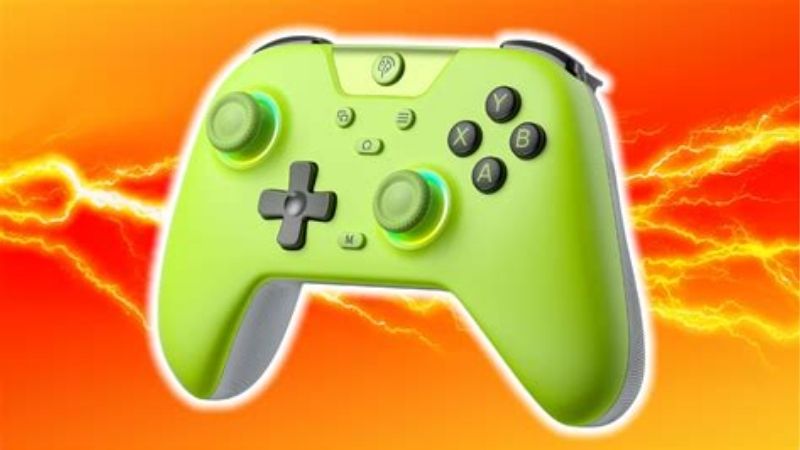
Best wireless desk setup: 8BitDo Ultimate 2.4G Hall edition. The $49.99 Best Buy black model 81HA08 includes a USB receiver and charging dock, two rear buttons and on-device profiles. Windows gameplay uses its 2.4GHz receiver or USB cable. Despite Bluetooth being on the broader product specification, do not assume ordinary Bluetooth-to-Windows game input is supported on this model.
Best low-cost multi-platform controller: GameSir Nova Lite. The $24.99 manufacturer listing buys Hall sticks and wired/Bluetooth/receiver connectivity, but it lacks rear paddles and its triggers are specified only as analog, not Hall. Best PlayStation-style symmetric layout: 8BitDo Pro 2 Hall edition at $49.99. The wired-only Razer Wolverine V3 Tournament Edition is the step-up choice when six remappable extra controls and trigger stops matter more than a compact price.
Six Hall effect PC controllers compared: US prices and compatibility
| Product | Price (USD, retailer, date) | Verified sticks, triggers and connections | Min. firmware / OS | Best for / compatibility | Main drawback |
|---|---|---|---|---|---|
| GameSir G7 HE (translucent black) | $49.99, GameSir US, Oct 27, 2026 | Hall sticks + Hall triggers; wired USB-C (3 m); 2 remappable back buttons; micro-switch ABXY; 227 g | Firmware minimum not published; GameSir documents v6.40+ for its optional 1000Hz PC setup. Windows 10/11. | PC and licensed Xbox wired play; Nexus tuning | Wired only; micro-switch feel is not for everyone |
| GameSir G7 SE (orange listing) | $44.99, GameSir US, Oct 27, 2026 | Hall sticks + Hall triggers; wired USB-C (3 m); 2 lockable back buttons; 221 g | Firmware minimum not published; v6.40+ for documented 1000Hz PC procedure. Windows 10/11. | Lower-priced licensed Xbox/PC controller with lockable extras | Wired only; standard-feel face buttons rather than HE micro-switches |
| 8BitDo Ultimate 2.4G Hall edition (81HA08, black) | $49.99, Best Buy US, Oct 27, 2026 | Hall sticks; trigger sensor type not published for this variant; USB 2.4GHz receiver + wired USB for Windows; 2 back buttons; dock; 236 g | Firmware minimum not published; support lists v2.04 as an available release. Windows 10+; SteamOS Holo 3.4+. | Receiver-based wireless Windows/Steam Deck desks | Confirm Hall revision; Windows Bluetooth mode not established |
| GameSir Nova Lite (translucent black) | $24.99, GameSir US, Oct 27, 2026 | Hall sticks; conventional analog triggers; Bluetooth, USB receiver or wired USB-C, depending on platform; no back buttons; 205 g | Numeric firmware / Windows OS minimum not published in checked product specs. | Low-cost casual PC and cross-platform use | No back buttons or controller-profile software; verify dongle contents |
| 8BitDo Pro 2 Hall edition (black 80GJ03) | $49.99, Best Buy US, Oct 27, 2026 | Hall sticks; analog triggers (Hall sensor not claimed); Bluetooth 4.0 + wired USB-C; 2 back paddles; 228 g | Firmware minimum not published; support currently lists v3.07. Windows 10 (1903)+; SteamOS 3.7.13+. | Symmetric stick layout, D-pad games and Bluetooth PC use | Bluetooth is not a substitute for a dedicated low-latency gaming receiver |
| Razer Wolverine V3 Tournament Edition (RZ06-05210100-R3U1) | $74.99 sale ($99.99 comparable), Best Buy US, Oct 27, 2026 | Hall sticks + Hall analog triggers with trigger stops; wired USB-C; 4 rear paddles + 2 extra bumpers; approx. 252 g | Firmware minimum not published; Razer posts updater v2.01.01_r1. Windows 11 64-bit+ for supported PC requirements. | Advanced wired PC/Xbox controls and hair-trigger shooters | No wireless; more expensive and more controls to learn |
Prices were checked on October 27, 2026 and can change; confirm the exact variant at checkout.
Firmware clarification: a published updater version is not necessarily the minimum firmware necessary for ordinary input. Where manufacturers did not specify a minimum, the table says so rather than inventing one. GameSir’s v6.40 condition refers specifically to its official high-report-rate PC procedure, not a requirement to make a new G7 controller function at all.
How we selected these controllers
We selected six identifiable current US models with evidence for Hall effect thumbsticks, Windows usability and a traceable USD purchase listing. We favored models that serve different buyer jobs rather than pretending six almost-identical wired pads make a helpful ranking: inexpensive wireless convenience, a receiver-based charging-dock arrangement, an Xbox-licensed wired standard layout, clickier esports buttons, a symmetric retro-friendly layout, and a wired six-extra-control design. Products with only Hall triggers or TMR thumbsticks were not mislabelled as Hall-stick products.
Specifications come from GameSir, 8BitDo and Razer technical pages, manuals or support notes; prices come from the named manufacturer stores or Best Buy listings. We did not measure input latency, stick circularity, sensor noise, polling rate, durability or game compatibility ourselves. A 1000Hz reporting option is a manufacturer-documented input-report setting, not a verified end-to-end response-time benchmark. Reader reports and third-party reviews can help assess comfort, but they do not supersede an exact hardware-revision specification.
GameSir G7 HE: best overall wired Hall effect PC controller
GameSir’s G7 HE provides the clearest complete set of features for a Windows buyer who wants both magnetic thumbsticks and magnetic analog triggers. The official US page prices the translucent-black controller at $49.99 and lists Windows 10/11, Steam, Xbox One and Xbox Series X|S. It has a removable 3-meter USB-C cable, two remappable rear buttons, a 3.5mm headset connection and four vibration motors. At 227 grams and 152 × 103 × 63mm, this is a conventional full-size controller rather than a pocket accessory.
Why its face buttons change the purchase decision
The G7 HE uses micro-switch ABXY buttons. Compared with the G7 SE’s more conventional-feeling face buttons, this may better suit someone who likes clearly defined click feedback during repeated actions. The sensation is a preference, not proof that every game receives inputs faster. Its Hall triggers are useful for throttle and brake modulation, and the separate trigger tuning in GameSir Nexus can shorten the effective actuation range for games that need a digital-feeling response. Do not confuse a software-adjusted response with a mechanical trigger stop that physically limits travel.
For PC users, the easy setup path is plugging it in, checking it in Windows Game Controllers or Steam’s controller screen, then adjusting dead zones only if a game feels wrong. GameSir’s official 1000Hz guide lists firmware version 6.40 or later and a GameSir Nexus workflow that changes device input mode. That is a specific optional configuration, and GameSir documents circumstances in which headsets or particular ports behave differently. If you rely on analog-headset audio through the controller, a default report-rate configuration may be preferable to chasing the maximum advertised number.
Buy, skip, and nearest alternatives
Buy if you use a PC or Xbox within cable reach, want magnetic sensors for both sticks and triggers, and enjoy clickier face buttons. Skip if you play from a couch without a convenient wired route or need Bluetooth. At $49.99, the G7 HE is $5 more than the G7 SE; pay that difference mainly for the micro-switch button feel. The same money buys the 8BitDo Ultimate 2.4G Hall model if wireless matters more than Xbox licensing.
GameSir G7 SE: best lockable-back-button wired alternative
The G7 SE is worth including separately because the reason to buy it is not simply that it costs $5 less than the HE. GameSir lists it at $44.99 for the checked orange option, with Hall sticks and Hall analog triggers, two lockable rear controls and a magnetic swappable faceplate. Its 221-gram listed weight and 152 × 103 × 63mm body closely match the HE. The lockable rear controls let you avoid accidentally triggering mapped actions while gripping the handles tightly; for some players that is more useful than another app feature.
What it does well on Windows
It is an Xbox-licensed USB controller with Windows 10/11 support, which makes XInput-oriented PC games the natural target. GameSir Nexus can store and adjust profiles and can help set stick and trigger response. For a fighting or action game, you might leave the rear buttons locked off and use the ordinary front controls; for a third-person game, mapping a face-button action to the rear lets you retain right-stick control during movement. The G7 SE also has a headphone jack and vibration hardware, though headset behavior can depend on chosen report-rate mode.
GameSir’s specific optional 1000Hz setup tutorial applies to both G7 SE and HE and requests firmware 6.40 or newer. Its support FAQ separately warns about some problematic G7 firmware versions and outlines detection fixes. Do not install a random mirror or treat a firmware downgrade as a first response to a Windows detection issue. Try another known-good data cable and a motherboard USB port, confirm the Windows device entry, then follow the manufacturer’s supported updater path only if necessary.
Buy, skip, and nearest alternatives
Buy if you want a wired Windows/Xbox controller with Hall sticks, Hall triggers and rear buttons that can be physically disabled. Skip if you need wireless or prefer micro-switch face-button clicks. At $44.99 it saves only $5 versus the G7 HE, so tactile preference should decide. It costs $20 more than the Nova Lite; that premium buys licensed Xbox wired support, Hall triggers and the extra lockable controls, not a promise of superior frame rates.
8BitDo Ultimate 2.4G Hall edition: best wireless dock setup
The Ultimate 2.4G Hall edition is the most convenient desk-friendly wireless choice here if you want a controller that returns to its dock after a session. Best Buy lists the black model 81HA08 with Hall effect joysticks for $49.99. 8BitDo’s updated manufacturer product page confirms the Hall upgrade, two rear paddle buttons, mode switch, charging dock, USB receiver, USB cable and rechargeable 480mAh battery with a claimed 15 hours of operation under the vendor’s conditions. At 236 grams and 147 × 104 × 61.5mm, it is not materially tiny, but the dock simplifies where it lives.
Check the hardware revision and connection path before buying
This model carries an unusually important revision caveat. Some older 8BitDo Ultimate 2.4G FAQ material names ALPS potentiometer joysticks, while the current updated product page explicitly says the line was upgraded to Hall effect. In other words, an ambiguous old listing or a used controller is not good enough evidence. Match the US retailer listing that explicitly states Hall effect, preferably with its model identifier, and ask the seller when a revision is unclear. The newer Ultimate 2 Wireless controller is a different product with TMR joysticks, so model-name similarity is not interchangeable.
For PC, 8BitDo’s support instructions specify the included 2.4GHz receiver for wireless input in XInput or DInput mode, or direct USB. The general specifications mention Bluetooth, but platform-specific support does not establish native Bluetooth game input on Windows for this model. It is safer to plan around the receiver. The official OS table lists Windows 10 or above and SteamOS Holo 3.4 or above. Although the manufacturer support page lists a v2.04 firmware release, it does not define that as a baseline minimum for the Hall hardware revision. Firmware setup should therefore follow the identifier printed on the actual controller.
Buy, skip, and nearest alternatives
Buy if a Windows PC stays at one desk, you want wireless use without re-pairing Bluetooth devices, and a dedicated charging spot has value. Skip if you require controller Bluetooth directly to a Windows PC without a dongle or want console Xbox support. At $49.99, it matches the G7 HE’s current price but trades licensed wired Xbox connectivity and known Hall triggers for receiver wireless, a dock and rechargeable convenience. For wireless Bluetooth across more device types, consider the similarly priced Pro 2 instead.
GameSir Nova Lite: best low-cost multi-platform entry
GameSir lists the Nova Lite at $24.99 for the checked translucent-black variant. Unlike controllers whose low asking price hides conventional potentiometer sticks, GameSir explicitly identifies Hall effect sticks in this model. It also lists two grip vibration motors, analog triggers, a 600mAh rechargeable battery and a 205-gram, 155 × 104 × 61mm body. Its compatibility covers PC/Steam, Android, iOS and Switch. It is the cheapest verified US-listed controller in this six-product comparison, a claim grounded in the checked prices rather than a blanket market claim.
Its compromises matter more than its stick technology
Nova Lite has no additional rear buttons and GameSir’s product specification does not designate its triggers as Hall effect. That does not make it a poor controller: basic analog triggers can work well for many games. But it should not be sold as having the same complete magnetic-sensor package as the G7 HE. The company also lists no customization software for the original Nova Lite in its product specification; do not assume it shares all features of the newer Nova Lite 2 or other GameSir Connect products. The exact accessory bundle deserves a check: GameSir product and support material describe a wireless receiver, while FAQ wording about a separately sold dongle is not fully consistent.
For Windows, GameSir’s FAQ identifies the green-light XInput mode as the most common PC mode. Begin with wired USB to establish that a game recognizes the controller; then use the supported wireless pairing method appropriate to your device. If Bluetooth works for your games and usage, it may be the simplest configuration. A dedicated wireless receiver can be preferable at a desk where the USB port is available, but do not invent a latency advantage in milliseconds without a controlled test. With no model-specific numbered minimum Windows version or firmware baseline published in the checked official product material, we avoid attaching an arbitrary requirement.
Buy, skip, and nearest alternatives
Buy if you want to try Hall effect sticks without investing much, prefer wireless flexibility, or need a secondary controller for occasional PC play. Skip if rear-button remapping, exact PC report-rate control or Hall triggers are nonnegotiable. At $24.99, its price is $20 below the G7 SE and $25 below the G7 HE or either $49.99 8BitDo pick. Spend more only for features you can describe needing: an Xbox license, dock, paddles, preferred layout or richer Windows software.
8BitDo Pro 2 Hall edition: best symmetric layout and D-pad choice
The 8BitDo Pro 2 Hall variant is the obvious alternative when the asymmetric Xbox-style layout is not your favorite. Its thumbsticks sit in a symmetrical position beneath the D-pad and face-button cluster, a format familiar to players of 2D games, emulators and older console-style titles. The black Hall version model 80GJ03 was $49.99 at Best Buy US when checked. 8BitDo lists 228 grams, a 153.6 × 100.6 × 64.5mm footprint, Bluetooth 4.0, wired USB-C, two rear paddles and three custom profiles.
Why Bluetooth and mode switching matter for PCs
The Pro 2’s rear mode switch provides an explicit XInput setting for Windows games rather than leaving input presentation to chance. The official compatibility matrix specifies Windows 10 build 1903 or later and SteamOS 3.7.13 or later; it also lists Switch, Android and several Apple systems. Two rear controls and 8BitDo Ultimate Software let you configure useful mappings on supported hosts. The 1000mAh removable rechargeable pack is rated for about 20 hours of play under the manufacturer’s conditions, with ordinary AA cells as an alternative in the product description.
Those extra device modes do not make all functions identical across every platform. Motion control is specified for Switch mode, not as guaranteed gyro mapping in every Windows game. The manufacturer does not claim Hall sensing for the Pro 2 triggers, so this is a Hall-stick recommendation specifically. Official support currently lists firmware 3.07, but that is an available version, not an established required minimum for basic Windows input. The maker notes that additional platform support may require firmware changes; check actual target-platform instructions before updating.
Buy, skip, and nearest alternatives
Buy if you prefer a symmetrical layout, like a prominent D-pad, use both Windows and other supported platforms, and would rather pair directly through Bluetooth than rely on a desk receiver. Skip if a dedicated fast wireless PC receiver, a dock or officially specified Hall triggers are your top concerns. At $49.99, it costs the same as the Ultimate 2.4G Hall and G7 HE. Pick Pro 2 for layout and broad connection options, Ultimate 2.4G for desk charging, or G7 HE for wired Hall triggers.
Razer Wolverine V3 Tournament Edition: best advanced wired controls
Razer’s Wolverine V3 Tournament Edition for Xbox/PC, model RZ06-0521, is distinct from the newer Wolverine V3 Tournament Edition 8K PC, whose thumbsticks are TMR rather than Hall. The Xbox/PC Tournament Edition product page and Razer’s updated August 2026 support page identify Hall effect analog sticks and Hall effect triggers. It adds four rear mouse-click paddles and two extra claw-grip bumpers, for six remappable supplementary inputs in total. It is USB wired with an approximately 3-meter cable and has physical trigger-stop controls.
What the extra controls are really for
A six-control layout gives a player more ways to jump, reload, crouch or use other in-game actions without removing a thumb from the right stick. That can make sense in fast games where the player routinely maps actions to rear controls. Yet there is a learning cost: accidentally brushing a rear paddle can be more distracting than simply using a familiar face button. Razer’s Mecha-Tactile face buttons and trigger-stop system appeal to people who actively prefer a crisp control feel. A player who rarely uses remapping may be happier saving money on a G7 HE.
Razer documents up to 1000Hz in PC Tournament Mode, while Xbox has a different standard report rate. This is not a universal 1000Hz specification for every host, and it is not evidence of an independently measured latency figure. The support page lists Windows 11 64-bit or later for the supported PC software environment and a published firmware updater version 2.01.01_r1; it does not label that updater version as the minimum to recognize a controller. An approximate 252-gram weight and 156.7 × 105.7 × 65mm dimensions come from a specified retailer technical sheet for the same model.
Buy, skip, and nearest alternatives
Buy if you actively map rear buttons in competitive games, like trigger stops and want full-size wired Xbox/PC support. Skip if you require wireless or expect plug-and-play advanced configuration on an unsupported operating system. Best Buy showed the black RZ06-05210100-R3U1 at $74.99 on sale against a $99.99 comparable value on October 27. That makes it $25 above the $49.99 G7 HE in this snapshot; at its usual $99.99 comparison price, the gap would be $50. Confirm the live sale before deciding the additional controls are worth it.
Hall effect versus TMR versus traditional analog sticks
Traditional gamepad sticks often use potentiometer mechanisms that rely on a physical contact surface for position sensing. Hall effect designs use a magnetic field and sensor instead of that contact mechanism to detect position. The absence of a rubbing potentiometer track reduces one category of wear, which helps explain the technology’s appeal. It does not make a controller immune to stick drift: spring centering, calibration, magnetic interference, software dead zones and manufacturing variation can still cause inaccurate neutral readings or unexpected behavior.
TMR, or tunneling magnetoresistance, is another magnetic sensing technology. It is relevant to modern controllers, but a TMR thumbstick is not automatically the same component as a Hall effect thumbstick. The newer 8BitDo Ultimate 2 Wireless and Razer Wolverine V3 Tournament Edition 8K PC are examples where the manufacturer uses TMR thumbstick terminology. Neither belongs in a roundup that specifically promises six Hall-stick models unless the article clearly expands its scope. Similarly, a controller advertising Hall triggers but not Hall sticks would miss the primary buyer need.
Magnetic sensing is only part of accurate control. Stick spring tension, response curve, inner dead zone, outer dead zone, gate shape, controller firmware, game-specific aim assist and Steam Input settings can change what a player experiences. Manufacturer-reported polling rates are sampling or reporting frequencies, not a promise that a controller produces a certain frame rate or guarantees better competitive results. Prefer an input mode your game actually recognizes, then calibrate conservatively rather than assuming the highest rate or zero dead zone must be optimal.
Wired versus Bluetooth versus 2.4GHz: choose your PC setup first
Wired USB for a predictable desktop
A wired controller avoids battery charging and receiver pairing, which is especially straightforward for Windows games expecting Xbox-style input. The G7 SE, G7 HE and Wolverine V3 Tournament Edition are all wired. Check that your USB cable is a functional data cable, not merely a charging-only cord, and avoid stretching a long cable across a walkway. An attached 3-meter lead is useful from a desk chair; it is less convenient from a distant living-room couch. Wired does not mean every PC will report the same latency: USB controller, driver, firmware, game engine and chosen input mode all contribute.
Receiver wireless for a fixed gaming station
The 8BitDo Ultimate 2.4G Hall model uses its included receiver for Windows wireless gaming. This is a good match for a docked Steam Deck or desktop PC with available USB. Put the receiver where it has a usable line of sight and avoid mounting it directly next to a noisy cluster of high-speed USB devices if dropouts occur. The charging dock makes regular storage convenient. This setup is less appealing if the computer has no free port and you specifically bought a Bluetooth controller to avoid a dongle.
Bluetooth for several devices and simpler travel
The 8BitDo Pro 2 supports standard Bluetooth controller connections across several listed systems, and the Nova Lite advertises Bluetooth among its modes. This can work well for casual gaming and travel without an extra receiver to pack. The trade-off is that pairing workflows, supported input mappings and wireless reliability can vary by host and software version. Switch or mobile compatibility does not automatically mean full Windows remapping support. For games that show keyboard prompts after pairing, first confirm the controller is in Windows/XInput mode and then check Steam Input or the game’s own controller settings.
How to check PC compatibility and firmware without taking risks
First, write down your target system: Windows 10 or 11, a SteamOS version, or another OS. Then match the manufacturer’s exact model rather than assuming a similar family name is equivalent. In Windows, plug in or pair the controller through the mode the manual specifies, open Windows’ built-in game-controller testing dialog or the game’s controller settings, and check every direction, face button, trigger and rear button. Confirm the controller works in a real game before changing polling, trigger thresholds or macros. If it already performs correctly, an update is not automatically required.
For G7 HE and SE, GameSir Nexus is the supported customization tool, and the company’s optional 1000Hz PC procedure calls for controller firmware 6.40 or later; the FAQ mentions certain unstable releases and hardware-dependent detection problems. For the 8BitDo products, use the model-specific firmware branch in the official 8BitDo updater or support portal; do not assume Ultimate 2.4G firmware belongs on Pro 2. Razer’s RZ06-0521 support page provides a dedicated firmware updater and warns users to keep a laptop on AC power during updates. Close applications, preserve power and avoid interrupting a firmware operation once it is running.
On Steam, enter the controller settings, look for device recognition and examine the per-game Steam Input configuration when controls are missing or swapped. If a game behaves normally outside Steam but not within it, investigate the game’s native input support and its Steam Input override rather than immediately reflashing hardware. If a wireless controller fails, test it over USB before assuming the Hall sensors are faulty. For a used gamepad, verify the exact hardware revision and firmware support before purchasing; Hall sensor claims belong to the specific revision being sold.
Buying checklist: seven questions before checkout
- Are the sticks actually Hall effect? Check the exact product and revision, particularly 8BitDo’s older and upgraded Ultimate 2.4G controllers.
- Is the input path right for Windows? Confirm Windows XInput through USB, a 2.4GHz dongle, or supported Bluetooth rather than inferring from Switch support.
- Will the controller reach your seating position? A wired 3-meter cable works at a desk but may create clutter elsewhere.
- Are the triggers magnetic too? GameSir G7 HE/SE and Razer’s listed Tournament Edition confirm Hall triggers; the other products should not be assigned that feature without proof.
- Do you use back buttons? Nova Lite omits them; G7, Pro 2, Ultimate 2.4G and Wolverine models offer different counts and arrangements.
- Is your OS officially supported? The Pro 2 requires Windows 10 (1903)+ according to 8BitDo, and Razer lists Windows 11 64-bit+ for its V3 TE support environment.
- What exactly is in the box and what does it cost today? Check color/model, dock, receiver, shipping and warranty before committing to a comparison-table price.
Frequently asked questions
Will a Hall effect controller eliminate stick drift forever?
No. Hall sensors avoid the wearing electrical contact surface found in conventional potentiometer sticks, which helps with one common cause of drift. However, springs can fail to recenter, controllers can be miscalibrated, and software dead zones can be set too aggressively. Even a brand-new magnetic stick may show small input values with the inner dead zone forced to zero. Check game behavior and manufacturer calibration instructions before concluding the hardware is defective.
Which Hall effect controller is best for a Windows laptop with no spare USB port?
The 8BitDo Pro 2 Hall edition is the clearest choice in this list if your laptop supports Bluetooth and you want a symmetric design with XInput support. The Nova Lite may also work through Bluetooth and costs less, though its options are more basic. Do not buy the Ultimate 2.4G model expecting direct Bluetooth-to-Windows gaming: the official PC setup focuses on its USB receiver or cable. Check your game’s controller support and your laptop Bluetooth stability before purchasing.
Do I need firmware 6.40 to use the GameSir G7 SE or G7 HE on PC?
Not necessarily for basic operation. GameSir’s documented 6.40-or-later condition is attached to its particular optional 1000Hz reporting setup on PC. A controller that is recognized and works normally at its default settings may not need an immediate change. For an update, use the official GameSir Nexus application and verify the exact hardware model. If you rely on headset audio through the controller, check GameSir’s separate recommendations concerning report-rate settings.
Are the Razer Wolverine V3 Tournament Edition and 8K PC model the same?
No. The Xbox/PC Wolverine V3 Tournament Edition with model family RZ06-0521 is the Hall-thumbstick model covered here, and Razer documents its six remappable controls and PC Tournament Mode. The later Tournament Edition 8K PC, RZ06-0555, is a different device with TMR thumbsticks according to its own support sheet. Compare the box model code, supported operating system, connection type and exact retailer listing before buying. Similar names do not establish identical sensors or firmware.
Final thoughts
For a typical wired Windows or Xbox-compatible setup, choose the GameSir G7 HE at $49.99 if Hall triggers and micro-switch buttons appeal; choose the G7 SE at $44.99 if you prefer its lockable back buttons and conventional-feel front controls. To eliminate the cable, the 8BitDo Ultimate 2.4G Hall at $49.99 is the neat receiver-and-dock choice, while the 8BitDo Pro 2 Hall at $49.99 suits symmetric-layout and Bluetooth users. GameSir Nova Lite at $24.99 covers casual multi-platform play; Razer Wolverine V3 Tournament Edition at the checked $74.99 sale price is for buyers who will actually use its six extra remappable inputs.
None of these controllers becomes a universal winner because of magnetic sticks alone. Verify the exact model revision, Windows/SteamOS version and connection mode first; then decide whether paddles, trigger design and ergonomics justify the additional cost. Prices are a dated US listing snapshot, not guaranteed checkout offers or an independent hands-on performance ranking.