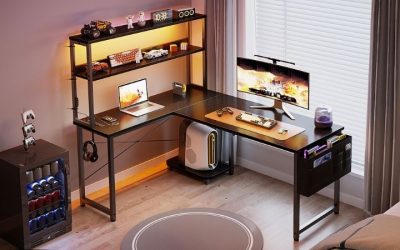
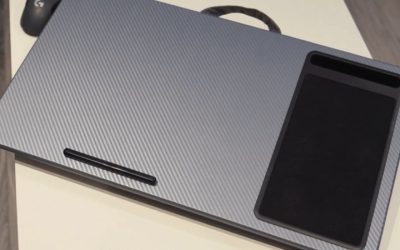
The best desk shelves for console setups create reachable space for controllers, handheld docks and game accessories without trapping heat around a powered PS5 or Xbox. Start by measuring the console itself, its power/HDMI connectors and its required ventilation clearance; do not choose a shelf solely because it supports enough pounds. This revised roundup balances utility and design across seven concrete options from VIVO, IKEA, Grovemade, BALOLO and Oakywood instead of filling most of the list with similar VIVO variants. The VIVO DESK-SHELF15B is the most flexible small platform, while a Grovemade medium desk shelf is a cleaner option for a monitor-arm console corner. None is marketed here as a certified closed console enclosure.
Quick picks by console-space problem
Best adaptable small shelf: VIVO DESK-SHELF15B. Its 15-by-9.8-inch platform can clamp inward, project outward or stand alone. A compact console dock may fit, but airflow and stability must be checked by exact hardware model.
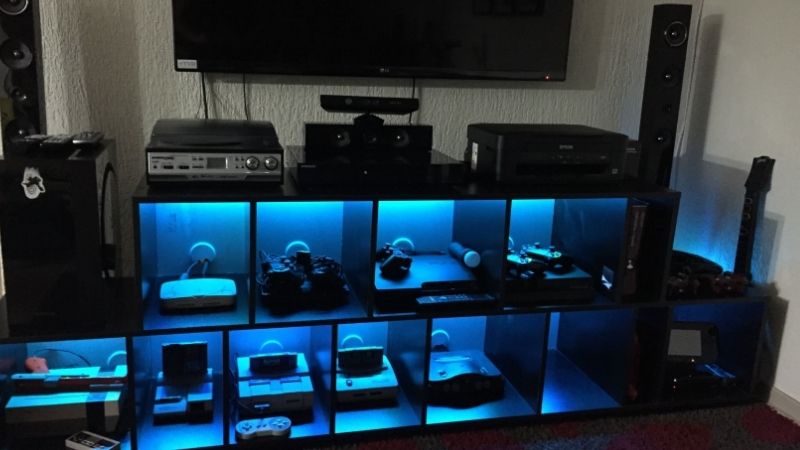
Best U.S.-made premium monitor platform: Grovemade Desk Shelf, Medium. A 31.5-by-9-inch, 4.5-inch-high shelf made for keeping displays and accessories organized. It is furniture for a console-friendly desk, not a hot-console cavity.
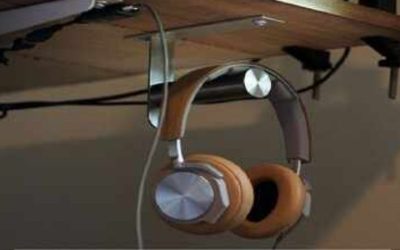
Best premium modular system: BALOLO Setup Cockpit Large. Approximately 45 by 9.1 by 4.7 inches with around 3.9 inches beneath and an under-shelf accessory mounting system. Controller docks and headphones can be attached using separately purchased modules.
Best inexpensive drawer: IKEA ELLOVEN 004.851.01. A practical 18.5-by-10.25-inch stand with a bamboo drawer for dongles and small controller parts, not a covered PS5 shelf.
Best clamp-on vertical accessory rack: IKEA VATTENKAR 205.415.68. A narrow 19.25-by-6-inch footprint for displaying games or holding lightweight accessories without drilling, provided the rear desk edge fits.
Other choices: The VIVO STAND-V000DL is a freestanding long riser if the exact 39.4-inch variant is orderable; Oakywood Desk Shelf is an attractive modular alternative with size-specific purchasing rules.
Side-by-side comparison: dimensions, function and U.S. purchase caveats
Specifications are published manufacturer values, not this site’s physical tests. U.S. prices are observations from October 29, 2026; stock is not confirmed at individual ZIP-code checkout. A monitor shelf can be structurally strong yet still be a poor place to run a heat-generating console.
| Product / best role | Platform dimensions or configuration | Published capacity | U.S. reference price | Purchase signal | Main limitation |
|---|---|---|---|---|---|
| VIVO DESK-SHELF15B — convertible small | 15 × 9.8 in, clamp or freestanding | 44 lb | $39.99 VIVO direct | In stock, listed | Inward/outward mounting alters stability and usable space |
| Grovemade Desk Shelf Medium — refined desk zone | 31.5 × 9 × 4.5 in | Monitors up to 50 lb per product family | About $250 starting reference | Official U.S. site takes orders; selected finish/lead time varies | Premium, only 9 in deep |
| BALOLO Setup Cockpit Large — modular rack | 45 × 9.1 × 4.7 in; 3.9 in gap | Load must be confirmed for selected setup | US price and import total vary by region/finish | Worldwide shipping described; U.S. checkout not verified | Large footprint; accessories extra; gap not console airflow clearance |
| IKEA ELLOVEN 004.851.01 — drawer | 18.5 × 10.25 × 4 in | 44 lb | $29.99 IKEA US | Delivery depends on ZIP/store | Drawer storage, not safe powered console housing |
| IKEA VATTENKAR 205.415.68 — vertical light storage | 19.25 × 6 × 14.25 in | No load rating verified in listing | $39.99 IKEA US | Regional delivery must be checked | Six-inch depth unsuited to full-size consoles |
| VIVO STAND-V000DL — wide freestanding | 39.4 × 10.3 × 4.6 in | 44 lb | Exact 39-inch price not confirmed | Family listing available; selected stock unclear | Under-shelf gap not a ventilation promise |
| Oakywood Desk Shelf — modular wood | Size depends on variant | Check exact selected variant | Starting at $164 on U.S. collection | Exact finish and shipping not verified | Price and physical fit vary by finish/size |
Fit-first caution: Sony advises a minimum of about 10 cm (4 inches) of free space around a PS5’s vented areas, and Xbox Series X is approximately 5.9 × 5.9 × 11.9 inches before connector clearance. Most low monitor risers here do not create a safe, ventilated full-console compartment. Use them chiefly for the ecosystem around the console, or select a purpose-built open console support when the actual console must be elevated.
Seven desk shelves for console gaming, reviewed
VIVO DESK-SHELF15B — best adaptable platform for a console zone
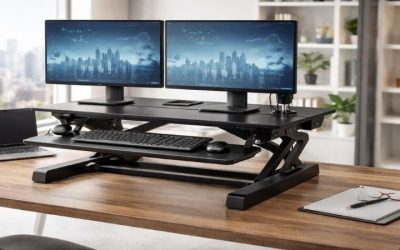
VIVO explicitly markets its DESK-SHELF15B as a desktop shelf riser for Xbox and other gaming devices. The manufacturer’s described three assembly configurations are the reason it deserves a prominent place: it can face into the desk, extend beyond the edge, or stand independently. The 15-inch selected shelf surface is 9.8 inches deep, with a rated load of 44 pounds. The C-clamp is described for desktop thicknesses from 0.4 to 2.8 inches, and the freestanding setup raises the shelf to a height of 6.5 inches. This makes the design much more adaptable than a short stationary riser.
Where it is mounted changes what can safely be stored. An outward-facing arrangement may free working surface for a mousepad but creates a protruding platform that can be bumped by a person or chair. The entire shelf and its contents must remain stable when the desk rises or when a wired controller pulls on the console. The clamp’s underside reach also needs clear space around the desk apron. With a heavy gaming device, do not assume that a 44-pound static rating means arbitrary cantilevering is acceptable; follow VIVO’s installation and loading instructions.
A PlayStation 5, Xbox Series X, and Nintendo Switch have very different cooling paths and body orientations, and their retail revisions vary. Use the shelf’s dimensions only as a starting measurement. Allow the device maker’s full required clearance at each active vent and at cable connectors. A 9.8-inch shelf may physically hold certain consoles in one orientation while still leaving inadequate rear space for an HDMI plug or heat exhaust. Pros: multiple configurations, explicit console-oriented positioning, visible $39.99 U.S. listing. Cons: limited depth, clamp protrusion, and configuration-dependent stability. Best for a verified compact device, dock, and accessories; skip it when the console would overhang or its vents would sit against a wall.
Grovemade Desk Shelf Medium — best display-centered console desk
The Grovemade medium desk shelf addresses a problem that console gamers often run into when a monitor arm frees the desktop but the controller dock, HDMI switch, headset accessories and handheld system still have no home. The official medium size is 31.5 inches wide, nine inches deep and 4.5 inches high. Grovemade publishes a product-family monitor support rating up to 50 pounds, uses cork contact surfaces and an aluminum storage sub-shelf, and manufactures the line in Portland, Oregon. The medium shelf is listed in the maker’s U.S. size guide around $250 in selected wood finishes; actual finish prices and lead times can differ.
The extra horizontal surface is especially valuable behind a 60-inch gaming desk where a monitor on an arm no longer needs its native stand. Place the controller charging dock, small audio interface or Switch-compatible accessory on the upper tier, with slim notebooks and cable adapters below. A compact streaming device can sit under an open shelf if its own airflow and wiring requirements are met. A full Xbox or PS5 should not be hidden underneath simply because the shelf looks spacious in a photograph. The external stand height of 4.5 inches does not equal a generous clear ventilation gap.
Grovemade’s premium materials also bring practical trade-offs. A nine-inch-deep shelf may be too shallow for a V-shaped 32-inch monitor base or a console whose HDMI cable projects rearward. The medium width is sizable for a 40-inch desk and may leave little room for speakers beside it. Wood finishes can vary naturally, and a premium shelf does not improve frame rate or networking. Most buyers will get better value from IKEA or VIVO if they only need a safe place to keep three controllers.
Pros: accurate maker dimensions, convenient two-tier storage, a U.S. direct purchase path and quality finish choices. Cons: high price, non-adjustable height and limited suitability as a full-console enclosure. Buy if the system is designed around a monitor arm and neat accessory storage; skip if the objective is a budget PS5 stand or enclosed active-console storage.
BALOLO Setup Cockpit Large — best modular station for controller gear
BALOLO’s Setup Cockpit Large is about 45 inches wide, 9.1 inches deep and 4.7 inches high, with manufacturer-stated under-shelf clearance around 3.9 inches. It features a modular underside mounting grid for compatible accessories, sold separately, such as trays and device holders. Those add-ons make it more relevant to a console-plus-PC setup than a passive plank: a headset and controller-related hardware can occupy the mounting system, leaving the main mousepad and keyboard surface open. BALOLO describes worldwide shipping from Germany, while U.S. checkout price and import/shipping costs depend on the selected variant and address.
The large format needs a sizeable gaming desk. On a 48-inch desktop, the shelf will span nearly the entire width and may conflict with speakers, a microphone clamp or a monitor arm base. It is designed to support monitors and desk accessories, but neither the 3.9-inch gap nor the modular grid is a safe invitation to run an Xbox Series X or PS5 beneath it. Sony’s PS5 air-space recommendation already exceeds that vertical under-shelf clearance. Even the shallower Switch dock should be positioned so the console can be inserted vertically without colliding with the upper shelf and ventilation remains unobstructed.
Independent setup coverage from Gear Diary has highlighted both the organization benefit and the way separate mounts raise the total cost. That is relevant to an affiliate buyer: a bare shelf plus three modules should be priced as a complete project, not compared only with an inexpensive single riser. A premium shelf is also better used for peripherals you rearrange rarely, rather than for a frequently unplugged console body balanced on the back edge of a workstation.
Pros: wide stable-looking desktop zone, modular ecosystem, clear exterior dimensions and dedicated accessories. Cons: expensive system once equipped, overseas shipping considerations, large footprint and not a ventilated console cabinet. Buy if you intend to build a modular controller and content-creation station. Skip if you need compact storage or a guaranteed U.S.-warehouse delivery date.
IKEA ELLOVEN 004.851.01 — best low-cost storage for console accessories
IKEA ELLOVEN is a monitor stand with a bamboo drawer, a steel support structure, and a cable-management opening at the back. The anthracite SKU 004.851.01 measures 18.5 inches wide, 10.25 inches deep, and four inches high, with an IKEA-stated maximum load of 44 pounds. The drawer is a useful place for spare thumbsticks, charging cables, small adapters, and handheld accessories, while the space beneath can hold a slim keyboard when the gaming station doubles as a homework or work desk. IKEA’s U.S. listing displayed $29.99; local delivery and store inventory were not confirmed.
For console owners, the advantage is organizing supporting gear without consuming a whole shelf unit. The drawer makes it easier to keep Joy-Con straps, a cable tester, headset dongle, or controller battery pack near the monitor. Do not mistake an enclosed drawer for a safe place to run a console: heat, exhaust, ventilation, and rear wiring require open space. A Switch dock may also need an unobstructed slot above it for inserting and removing the console. Similarly, charging a battery pack while it is buried under papers creates a poor maintenance situation even if the physical drawer can hold it.
Pros: affordable U.S. list price, compact size, concealed small-item storage, and published load and measurements. Cons: not adjustable, no integrated power, and only limited clear space for hot hardware. Pick it when the console already sits on an open shelf or desk and you mainly want to organize the accessories around it. Skip it if your primary goal is to house a full-size PS5 or Xbox in the small space below the riser.
IKEA VATTENKAR 205.415.68 — best vertical rack for small accessories
IKEA’s VATTENKAR desktop shelf, exact white article number 205.415.68, is a clamp-fixed, two-tier accessory organizer rather than a conventional low monitor riser. It measures 19.25 inches wide, six inches deep and 14.25 inches high according to IKEA’s U.S. listing. The maker describes three shelf placement configurations and soft pads around the screw mounts so it can be fitted without drilling into the tabletop. At the observed $39.99 U.S. price, this is a way to gain height for physical game cases, a small handheld accessory, a controller charging dock or lightweight streaming equipment on a crowded desk.
The narrow six-inch depth defines its limits. An Xbox Series X body has a roughly 5.9-inch square footprint even before cable clearance; a six-inch shelf is therefore not a responsible recommendation for operating one. The same concern applies to other full-size consoles with wide or irregular feet and rear connectors. In contrast, small game cases, controller grips and battery chargers can benefit from the vertical separation if their own manuals allow the installation and the charging gear is not crowded by other objects.
Clamp geometry deserves measurement. Check that both pads can grip a solid flat desk edge, that the shelf will not collide with the monitor arm or desk riser, and that the top tier is reachable without knocking into the screen. The IKEA page does not specify a load limit in the visible listing, so do not invent one. Use lightweight accessories and ask IKEA for any weight limits applicable to your configuration. A rising desk also requires enough height clearance to a wall shelf and no dangling cable that snags during movement.
Pros: true added vertical storage, no drilled holes, multiple orientations and clear dimensions. Cons: narrow depth, desk-edge limitations and no confirmed heavy-equipment rating. Buy if you need to organize light console accessories beside your display. Skip if you want to support the main console or a large monitor.
VIVO STAND-V000DL — best simple wide freestanding shelf
VIVO’s STAND-V000D family includes a 39.4-inch-wide variant, coded STAND-V000DL, with a published depth of 10.3 inches and height of 4.6 inches. The series uses a particleboard top with steel support feet and lists a 44-pound weight rating. Compared with a clamp-on riser, the main benefit is a freestanding installation that does not depend on the exact thickness or profile of your desk edge. Move it, rearrange it, or remove it without dealing with tight clamps along the rear desk surface. The maker’s selected 24-inch base configuration was listed from $34.99; the 39-inch checkout price was not separately established.
For a gaming setup this is a two-level organizer, not a ventilated console enclosure. Use the upper tier for a correctly sized monitor base, accessories, or a compact peripheral; put a controller or keyboard in the open area below. If you plan to operate a console beneath it, evaluate the free gap after subtracting the thickness of the top and adding the console’s stand or feet. Compare that with the console manufacturer’s ventilation instructions. A 4.6-inch external stand height is not the same as 4.6 inches of unrestricted air above a hot chassis.
Pros: simple desk placement, wide layout option, removable without damage, and a known manufacturer family. Cons: exact 39-inch availability/price unclear, fixed lift, and insufficient reason to assume console cooling clearance. It is a practical visual organizer for people sharing a workstation between console and PC activities. If you need to physically elevate a large console, prefer a purpose-sized open support that leaves more breathing room around every vent.
Oakywood Desk Shelf — best premium organizing centerpiece
Oakywood’s Desk Shelf collection offers a wood-forward, modular approach to the same problem. The maker’s U.S. shop showed the standard Desk Shelf starting at $164 alongside compatible modular drawers and storage accessories. That makes it a different purchase from a narrow metal riser: much of the appeal is an orderly appearance and the ability to arrange small belongings around monitors rather than buying a separate plastic stand for every charger and controller. The product family has multiple finishes and configurations, so the exact U.S. price, selected size, and load rating need to be verified for the chosen variant before purchasing.
Its suitability for a console setup depends entirely on what you intend to place where. A premium shelf may hold a monitor and visually organize a Switch dock, portable console, or controller stand very well. It does not automatically provide a safe home for an operating PS5 or an Xbox Series X under the riser. An enclosed gap can trap heat regardless of wood quality, and the rear exhaust can blow toward a wall or monitor support. Compare the console’s full dimensions including cable plugs with the real free space after the shelf is assembled, not an attractive lifestyle photo.
Pros: attractive integrated appearance, modular accessories, and a clearly established U.S. product line. Cons: substantially higher price, variant-specific sizing, and no verified checkout for a precise finish in this pass. Choose it if appearance and modular desk organization are priorities and the console can remain in an open, properly ventilated position. Skip it if your primary requirement is an affordable utility shelf or if you want a manufacturer-certified platform for a specific console.
Which shelf works with PS5, Xbox Series X and Switch 2?
| Console and placement plan | Conservative recommendation | Important warning |
|---|---|---|
| PS5 / PS5 Pro running games | Place the console on a separate open, stable surface; use VIVO, IKEA, Grovemade or BALOLO for controller accessories | PlayStation recommends approximately four inches (10 cm) of free space around vented areas and no cramped enclosure |
| Xbox Series X | Keep the full console in an open location with cable room; use a shelf for spare controllers, headsets or a dock | The body is about 5.9 × 5.9 × 11.9 inches; add vertical/orientation needs and connector bends before choosing a support |
| Nintendo Switch 2 dock | A small open shelf may hold compatible accessories or the dock if the front, top and rear remain usable | The dock has a cooling fan; keep its airflow open and allow insertion and removal of the handheld |
| Console and PC sharing one monitor | Grovemade or BALOLO can organize an HDMI switch, chargers and controllers around the screen | Verify your actual HDMI 2.1 / VRR / 120Hz signal path separately; the shelf itself does not supply video switching |
A monitor riser is not a console cooling accessory. A 33- or 44-pound shelf rating speaks to structural loading, not the ability to dissipate heat from a powered machine. Compare the console’s physical orientation and the support manufacturer’s limits before putting an expensive device on a projecting shelf.
Console ventilation and fit: the most important buying criteria
Start with the exact console and orientation
A product called a “console shelf” does not establish physical fit for every console. Write down the make, hardware revision, vertical or horizontal orientation, whether it uses a detachable stand, and where the power and HDMI leads emerge. A PS5 Slim, an earlier full-size PS5, a PS5 Pro, an Xbox Series S, an Xbox Series X, and a Switch dock have very different shape and airflow arrangements. Even a platform that holds a console’s weight can be too shallow once its power connector and cable bend radius are included. Check that feet contact the shelf securely and that no large overhang introduces instability.
Sony’s PS5 guidance says to leave at least 10 cm (about four inches) of space around the console for ventilation and to avoid narrow, cramped spaces or blocked vents. This is a device safety consideration, not optional aesthetic advice. Apply the maker’s current guidance for your exact hardware version. If the shelf cannot leave the required clearance while preserving cable access, store the controller or charging dock there instead and put the console on a separate open support.
Distinguish the space above a shelf from the space beneath it
Retailers sometimes advertise the overall height of a riser, while users care about the usable clearance below the board. A four-inch-high stand can provide less than four inches of space for a device when the top, drawer, and supports occupy part of that envelope. Under-desk shelves have similar constraints: the stated outer dimensions do not imply a deep, open rectangular volume with no braces. Measure the real free opening, not only the exterior. For docking stations and accessories, leave room above the device to operate buttons and connect cables. For a Switch, consider lifting the handheld in and out of the dock without hitting the shelf above it.
Check clamp geometry, desk load, and tipping risk
A stand with a large distributed-load rating might still be inappropriate for a concentrated load set near one edge. Clamp-on shelves can have maximum desk thickness and require a flat mounting surface on both sides; desk aprons, cable grommets, monitor arms, and rounded edges all change fit. For an overhead shelf, put heavier items low rather than above a valuable display. For a desk that raises and lowers, check for movement at both extremes, ensure cords have enough slack, and avoid a configuration that lets a heavy object slide when the desk moves.
Plan power and HDMI routing before installing the shelf
The console should remain accessible for power-off, unplugging, cleaning, and updates. Leave sensible slack in HDMI, Ethernet, USB, and power leads; avoid acute bends immediately behind the chassis. Don’t force a power brick into a sealed drawer, block an exhaust with stacked game cases, or route charging cables across a walking path. If the setup uses a TV or monitor arm, verify that the arm can swivel without scraping a console or shelf support. A clean photograph is less valuable than serviceable ports and unblocked air intakes.
Decide whether you actually need a riser or a dedicated mount
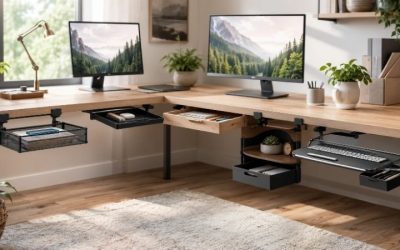
If the goal is to tuck controllers under a monitor and reclaim mouse space, a riser such as ELLOVEN or STAND-V000DL is appropriate. If the goal is to extend the usable desktop to one side, a clamp platform such as DESK-SHELF15B may solve it. If the only goal is to put a large console out of the way, a purpose-built console floor stand or an approved mount may be a better category than a shallow office monitor shelf. Don’t pay for a premium organizer to solve the wrong physical problem.
A practical layout for a hybrid PC and console desk
- Measure the usable desktop: include the monitor base, keyboard, mouse tracking zone, speaker footprint, and controller movement.
- Identify each device’s cooling direction: leave the maker-required open air around the console and any warm docking stations, hubs, or chargers.
- Select the shelf role: overhead accessory storage, behind-monitor raised tier, clamp-on side extension, or below-desk small-item storage.
- Confirm fit for the exact SKU: compare shelf width, usable depth, clearance, weight rating, edge thickness, and hardware revision.
- Test the real cable path: plug in HDMI, power and Ethernet before final assembly; move any monitor arm and standing desk through its full safe range.
- Use nonslip feet and correct fastening: follow the shelf maker’s installation directions and avoid improvised mounting on unsupported tops.
- Inspect after a gaming session: if a console or adapter feels unusually warm, vents are restricted, or cables are pulled tight, revise the layout rather than treating the shelf as proven safe.
How these seven models were researched
This editorial comparison used named manufacturer models, their published dimensions and installation notes, and U.S. online listings observed on October 29, 2026. We distinguish the 24-inch and 40-inch VIVO models rather than assigning one variant’s price to another, and mark selected Oakywood finish/stock as unverified. There are no Geek Gaming Tricks hands-on load tests, console temperature measurements, thermal-camera images, or long-term stability results behind these recommendations. A manufacturer’s stated maximum load is not a certification that any particular game console can run safely in the shelf’s enclosed space.
Frequently asked questions
Can I put a PS5 directly under a monitor riser?
Only if the console fits in the approved orientation with its stand, connectors, and the full open-air clearance Sony specifies. Most compact office risers do not provide enough room for a large PS5 underneath. Use the riser for accessories and place the console in an open location if the clearance is inadequate.
What shelf depth should I buy for an Xbox Series X?
Measure the Xbox in the exact orientation you plan to use, including its base and cable bend space. Compare that with the shelf’s usable platform depth and verify the manufacturer-required vent clearance. Do not use a one-number depth rule that ignores orientation or airflow.
Are clamp-on shelves suitable for standing desks?
They can be when the desk top meets the clamp’s thickness and strength requirements, the shelf clears the frame during motion, and all attached cables have enough slack. The motion test matters as much as the static shelf rating.
Is a monitor riser better than an overhead shelf?
A riser is useful for hiding a keyboard and keeping a monitor or small accessories slightly raised. An overhead shelf preserves desk surface for the active setup but requires wider desk mounting and careful placement of overhead objects. Choose for the device and space you actually need to organize.
Can I store controller batteries in a drawer below a monitor?
Store batteries and charging equipment according to the battery and charger makers’ safety instructions. Do not bury an actively charging power bank under flammable clutter or block ventilation. A drawer is best for unplugged cables and small accessories.
Will adding a shelf help my console cool better?
Not by itself. More room around a device can help prevent blocked vents, while a narrow shelf enclosure can make airflow worse. Follow the console’s own installation guidance and never infer a cooling benefit from the shelf’s material or load rating.
Final thoughts
Among the best desk shelves for console setups, the VIVO DESK-SHELF15B is the most adaptable starting point, STAND-SHELF40B suits wide monitor-centric desks once the exact variant is confirmed, and IKEA ELLOVEN is a budget-friendly organizer for controllers and small accessories. The right purchase depends less on whether the shelf is called “gaming” and more on verified dimensions, secure support, reachable ports, and the console’s required ventilation. Keep a full-size operating console in an open, approved position rather than forcing it into a photogenic but cramped tier.