Choosing the best under desk headphone hangers is mostly a question of how your desk is built, not how heavy your gaming headset looks. A clean, finished underside suits adhesive hooks; exposed particleboard, textured laminate, and frequently rearranged desks call for screws or a removable edge clamp. Our best all-around choice is the Elevation Lab AnchorPro for a fixed gaming desk with cables, while a Gator Frameworks clamp is a more reversible option. This roundup compares six distinct products using published specifications and US retail listings, not claimed detailed research.
Quick verdict: choose the mount before the brand
For a permanent gaming station with one wired or wireless headset, the Elevation Lab AnchorPro combines an under-desk cradle, adhesive mounting, optional screw installation, and a cable-retaining strap. Choose the Gator Frameworks GFW-HP-HANGERDESK instead if drilling or adhesive is unacceptable and the desk edge is no thicker than 1.5 inches. The Kanto HH is especially appropriate for an expensive, cushioned headband because its contoured silicone-lined contact surface is unusually broad. If you keep two headsets, the flexible Elevation Lab The Anchor provides two arms in one small mount. Neither the lowest listed price nor the highest claimed load capacity outweighs an unsuitable desk surface.
Comparison table: six desk-friendly headphone hangers
| Product | Key documented feature | Desk fit / best use | US price checked Oct. 29, 2026 | Stock status checked Oct. 29, 2026 | Main drawback |
|---|---|---|---|---|---|
| Elevation Lab AnchorPro | 3M adhesive, optional screws, StowStrap | Finished underside or screwable wood; wired headset | $15.99, Elevation Lab | Unclear; cart page active | Not quickly repositionable |
| Gator Frameworks GFW-HP-HANGERDESK | Edge clamp; fits up to 1.5 in | Removable mount on exposed desk edge | $13.99, Best Buy | Orderable on retailer page | Clamp occupies desk-edge space |
| Kanto HH | 2 lb rated; silicone-lined steel cradle; tape or screws | Premium headbands, careful permanent placement | $19.99, Kanto | Unclear; cart page active | Only one headphone position |
| Elevation Lab The Anchor | Flexible silicone/steel; two hanging arms | Two headsets on smooth finished underside | $14.99 single option, Elevation Lab | Unclear; cart page active | No dedicated cable strap |
| ENHANCE ENUNHPM100BKEW | Adjustable rotating arm; cable holder; clamp up to 40 mm | Gaming desk with open edge and cord clutter | $14.99, Best Buy | Orderable for shipping | More exposed hardware than adhesive |
| Audio-Technica AT-HPH300 | Rotating clamp hanger; padded contact | Shelf/desk edge and single higher-value headset | $32.99, Best Buy marketplace | Shipping option shown; verify ZIP | Higher price and seller variability |
A retailer’s cart button or displayed shipping estimate does not guarantee stock at checkout. The status column distinguishes orderable listings from manufacturer pages that did not publish an explicit inventory statement. Listed prices are observations from the named seller, not permanent MSRPs; tax, delivery, and discounts can change.
Best overall: Elevation Lab AnchorPro
The AnchorPro earns the top spot for a stationary gaming desk because its practical advantage is cable control rather than a flashy material claim. The included StowStrap can hold the slack from a wired headset beneath the surface, reducing the chance that a headphone cord hangs into your knees or rolls under a chair. The maker also supplies adhesive and describes optional screw mounting, an important alternative when the underside is unfinished or fibrous. Its composite body has a wider bonding footprint than Elevation Lab’s original Anchor.
Install it several inches away from knees, a sit-stand desk’s crossbar, and any path a cable must follow as the desk rises. Do not assume 3M tape will bond permanently to porous MDF, peeling veneer, powdery paint, or a dusty cable tray. Clean and dry the surface as instructed, support the mount during bonding, and wait the adhesive maker’s recommended cure interval before loading it. The manufacturer advertises strength, but the dependable load in a real home is limited by the finish underneath the desk.
Pros: Dedicated headset-cable routing; adhesive or screw mounting; substantial headband support. Cons: Removal may require heat and fresh tape; cable strap will not replace a full cable-management system; unsuitable if the rental desk cannot accept adhesive or holes. Best for: PC gamers who park one primary headset in the same place daily.
Best removable clamp: Gator Frameworks GFW-HP-HANGERDESK
Gator’s Frameworks hanger prioritizes simple mechanical attachment over a hidden adhesive pad. The manufacturer’s GFW-HP-HANGERDESK documentation specifies a clamp for desktop edges up to 1.5 inches (38 mm), and the same arm can organize a loose cable. That makes it useful when you change apartments, move a streaming setup between rooms, or want to trial several positions before committing. It is also less sensitive to underside surface coatings than an adhesive mount.
The trade-off is physical geometry. A clamp needs a clean, reachable lip and room for its hardware to grip the desk. It can interfere with a beveled or strongly curved edge, metal apron, monitor-arm clamp, sit-stand control, or drawers underneath. Measure the actual usable edge thickness rather than the nominal tabletop thickness. Tighten only enough to keep it steady; forcing a clamp on a vulnerable veneer edge may mark the finish. A headset will hang closer to the desktop perimeter than on a mount set far back underneath.
Pros: Removable; specified clamp clearance; no adhesive cure; doubles as cable parking. Cons: Requires a suitable exposed edge; less visually concealed; can collide with other clamps. Best for: Renters and users who frequently rearrange their desk layout.
Best headband support: Kanto HH under-desk hook
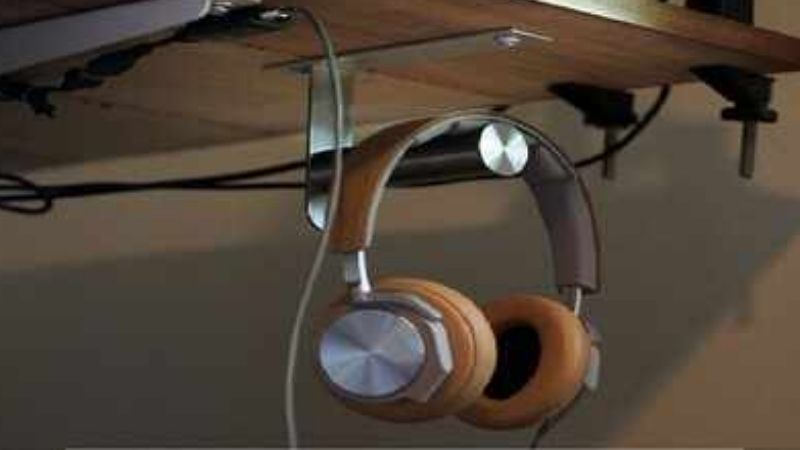
Kanto HH is an unusually focused option: a steel hook with a contoured silicone-lined cradle, 3M VHB adhesive, and two included screws. Kanto specifies a two-pound (0.9 kg) capacity and a roughly 1.6-inch-wide contact area. A wider padded contact patch is worth considering with thick or expensive leatherette headbands because a narrow metal peg can produce pressure points during long storage. The hook occupies little space and offers a cleaner underside than a swiveling clamp.
Do not confuse the published two-pound rating with a guarantee on every desk finish. The rating describes the product under its intended mounting conditions, while tape on an unfinished underside may fail much sooner. For screw installation, confirm that the desktop is solid enough and that screw length cannot pierce the work surface; never drill into a powered height-adjustable desk’s internal wiring channel. Position the curved cradle so the headset can be lifted without dragging its earcups against the desk edge.
Pros: Broad silicone contact; documented load rating; two installation methods; simple all-metal core. Cons: Permanent placement needs planning; no swiveling arm or cord organizer; not ideal for desks that prohibit both tape and screws. Best for: One premium headset kept close to the chair but out of sight.
Best for two headsets: Elevation Lab The Anchor
The original Anchor uses silicone around a steel center core and offers two outward-facing hanging positions. Unlike a rigid metal peg, its flexible body gives slightly when hit by a knee, a meaningful safety improvement in crowded workspaces. The dual-arm design suits a gaming headset plus lighter everyday headphones, or two people sharing a desk at different times. Its attraction is elegant simplicity: no external clamp, no USB power, and no moving joint that must be retightened.
Two hanging positions do not mean unlimited weight or zero collision risk. A large headset on each arm can push earcups together, and a bulky boom microphone may catch while you lift one off. Test how both headbands rest on the supports and keep charging connectors away from the floor. Elevation Lab’s support guidance warns that adhesion is poor on unfinished wood, MDF, oily finishes, and similar fibrous surfaces. A screw-mounted solution or edge clamp is wiser when those materials are exposed.
Pros: Two positions; gentle flexible body; compact silhouette; no mechanical clamp. Cons: Does not manage a long cable like AnchorPro; requires a suitable surface; two large headsets can crowd each other. Best for: Two-pair setups where headset storage matters more than cable control.
Best adjustable gaming hook: ENHANCE ENUNHPM100BKEW
ENHANCE’s gaming headset mount has a rotating and adjustable arm, a dedicated place for the cable, and a desk clamp specified for surfaces up to 40 mm thick. This is the useful middle ground between Gator’s straightforward hook and a fixed adhesive cradle. On a desk where a wired headset is frequently unplugged or the chair moves around, swiveling the hook inward after storage can keep the arm out of a walking path. The current US retailer listing names the exact ENUNHPM100BKEW model rather than a generic lookalike.
Adjustability introduces one more thing to inspect: a moving joint must remain tight enough that the headphones do not swing into a computer case, drawer handle, or monitor stand. Check clearance with the chair both pulled out and pushed in. As with any clamp, a rounded tabletop or pronounced underside apron can undermine grip. This is not a charger or headset amplifier: it stores the headset and its cord, and nothing about the mount changes audio performance.
Pros: Rotating arm; integrated cord holder; reversible clamp installation; clearly identified model. Cons: Edge clearance matters; swivel hardware may need periodic adjustment; projects farther than a minimal adhesive hook. Best for: Gamers who remove their headset repeatedly and want flexible reach.
Best premium edge clamp: Audio-Technica AT-HPH300
Audio-Technica’s AT-HPH300 stands apart as a purpose-built rotating hanger with a soft leatherette contact pad, not a generic hard hook. The retailer describes a desk or shelf clamp with a rotating mechanism that can move the headset out of the way after storage. This is useful around sound interfaces, microphones, and frequently reconfigured workstations where a high-quality headset needs a clearly defined resting point. Its higher sticker price buys construction and contact-surface choices, not better sound.
The retail listing’s thickness wording is inconsistent between metric and imperial units, so do not rely on the metric figure alone: the published 1.4-inch claim needs confirmation against your particular clamp and furniture before purchase. The seller also shows marketplace fulfillment, meaning shipping options and service terms may differ from a first-party manufacturer transaction. If a simple two-pound padded screw hook will work, Kanto is the more straightforward purchase; AT-HPH300 makes sense when you specifically need a rotating desk-edge mount.
Pros: Rotating mechanism; soft resting surface; established audio accessory brand. Cons: Costs substantially more than basic clamps; exact edge fit should be checked carefully; seller and shipping conditions can vary. Best for: A single valuable headset on a suitable shelf or desk edge.
Buying guide: five checks before adding a hanger to your setup
Match mounting method to the actual underside
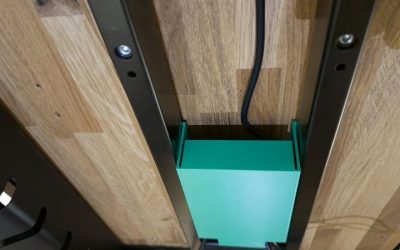
An adhesive hanger is usually the cleanest-looking choice on lacquered wood, finished laminate, glass, or painted metal, but only if that surface is smooth, sound, and compatible with the maker’s tape. Unfinished particleboard, dusty plywood, fabric-covered panels, and powdery paint are poor bets. Screws provide more dependable attachment to appropriate solid wood but are inappropriate where you cannot verify thickness or what lies inside. A removable clamp avoids permanent changes but depends on access to a flat edge. There is no universally best mounting method across all gaming desks.
Check desk motion and headset clearance
For a sit-stand desk, raise and lower the desk with no headset attached first. Confirm that the proposed hook does not contact the chair, an under-desk drawer, cable tray, CPU holder, crossbar, or your legs at either height. A headset with a protruding microphone needs more swing space than its headband dimensions suggest. Leave room to remove the headphones without scraping the earcups or snagging cables; on shared desks, prioritize a spot reachable from both seating positions.
Protect the headband and cable strain relief
A narrow rigid peg concentrates the weight of a heavy gaming headset into a small section of padding. A rounded silicone cradle or a wider hook spreads that contact more evenly. Wireless headsets still have charging cables, and wired headsets can pull a hook loose if a cord gets caught under a chair caster. A strap helps, but keep a small service loop near the headset so removing it never yanks the plug. Do not store a headset by its microphone boom or single earcup cable.
Judge strength by installation, not big marketing numbers
A product’s stated capacity and a tape maker’s peak adhesion figure are not interchangeable. The real system includes the tabletop finish, adhesive, preparation, temperature, time to cure, and occasional knocks. For especially heavy headphones or a valuable headset, favor screw mounting into appropriate material or a securely fitted clamp rather than trusting a dramatic load-capacity claim. Inspect the attachment periodically, particularly after a hot summer or a desk move.
Compare total cost and reversibility
Prices on small accessories move quickly with bundles, shipping fees, and marketplace listings. A $14 clamp with shipping can cost more than a $20 hook shipped free. Factor in whether replacement tape is sold, whether screws are supplied, and whether removing the mount could damage an expensive finish. A renter may sensibly pay more for a removable clamp; an owner building a permanent gaming desk may prefer a clean under-surface mount that will never occupy the top edge.
Installation checklist and common mistakes
Before installation, put the headset on the proposed hanger without mounting it, and check cable reach, headband curvature, chair clearance, and the nearest power/USB socket. For adhesive installation, follow the brand’s surface-cleaning and bonding directions and do not hang expensive headphones immediately if the tape requires curing. For a clamp, seat both pads fully on a flat area, hand-tighten, then pull gently downward to check for rocking. For screws, inspect desktop thickness and wiring, use the manufacturer’s fasteners and pilot-hole guidance, and disconnect nearby powered devices before drilling.
After installation, park the headset three times while seated. Move the chair and, if applicable, cycle the desk height. If the cable drags, relocate the hook or route slack separately instead of winding the cable tightly around the headphone plug. If the mount twists, slides, or peels, take the headset down and fix the mount; a falling headset is not a reasonable way to test its rated capacity.
FAQ
Are adhesive headset hangers safe for expensive headphones?
They can be on a clean, compatible, finished surface when installed according to the manufacturer. An independent review of the original Anchor reported early drops before more careful surface preparation, which underscores that installation quality matters. For unfinished wood or a high-consequence fall, consider a screwed or mechanically clamped alternative.
Will a clamp work on a standing desk?
Yes, if the usable edge thickness and shape match the clamp and the hook clears the desk’s moving parts through its entire travel. Also check that the headset cable does not become taut at the maximum desk height.
Is it better to hang headphones by the headband or an earcup?
A suitably wide, soft support under the headband is normally preferable. It avoids suspending the headset from one earcup, a cable, or a microphone boom and minimizes pressure on fragile joints.
Can one mount hold two heavy gaming headsets?
Only when its design and published load/installation guidance allow it. The original Anchor has two hanging arms, but headset sizes can interfere with each other. For two unusually heavy headsets, two separate well-mounted hooks may distribute the load and provide better clearance.
Does the hook need to be hidden fully underneath the desktop?
No. A partially exposed edge clamp is often easier to use and reposition. Full concealment is mainly aesthetic; reach, stability, and the path of the headphone cable matter more.
Final thoughts
For a permanent gaming desk with a wired headset, choose the Elevation Lab AnchorPro and install it on a surface that actually supports its adhesive or screws. If you rent or regularly rearrange your gear, start with the Gator Frameworks clamp; if protecting a padded premium headband is the overriding concern, look at Kanto HH. Measure your desk edge or underside, confirm stock and shipping for your ZIP code, then make one careful installation rather than buying a hook whose mounting method cannot work on your furniture.