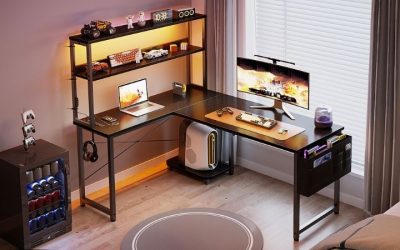
Choosing the best gaming desks for two monitors is really a question of working depth, structural support and how you want the screens positioned—not whether the desk has RGB lights. Two 27-inch displays side by side can occupy most of a narrow 48-inch tabletop, especially when their factory feet spread outward, while a 34-inch ultrawide plus a second screen needs even more deliberate planning. For most seated dual-monitor gaming setups, the IKEA UTESPELARE 63-inch desk offers a balanced blend of surface depth, cable organization and a manufacturer-described monitor-arm mounting area. The Secretlab MAGNUS Pro is the premium choice for an adjustable setup and integrated cable management. This roundup evaluates seven current models by real dimensions, screen mounting considerations, legroom, U.S. purchase evidence and the limits that could change your choice.
Quick verdict: the right desk depends on monitor layout
Best overall for two conventional monitors: IKEA UTESPELARE 63-inch, 805.076.27. Its 63-by-31.5-inch footprint gives two standard gaming monitors more room than a small 48-inch desk. The maker describes a rear metal mesh region suitable for clamping monitor arms, but the arms must still match the actual clamp contact area, load and placement rules. Height adjusts manually during setup, not electronically between sitting and standing.
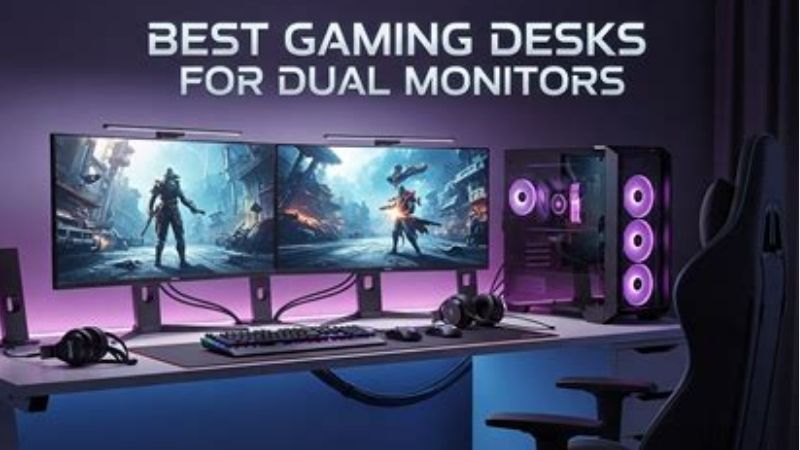
Best premium electric gaming desk: Secretlab MAGNUS Pro 59.1-inch. Its 59.1-by-27.6-inch work area, 25.6-to-49.2-inch powered height range and integrated cable channel make sense for a two-screen streaming station. The manufacturer’s 265-pound distributed-load rating must be interpreted together with the desktop’s own weight and the restriction against loading the rear hinged cover. Magnetic accessories and proprietary mounts can substantially increase total spend.
Best budget wide plain desk: IKEA TROTTEN 63-by-31.5-inch white, 796.219.21. A relatively affordable office-desk platform can give two monitors and a keyboard generous depth without a complex gaming accessory ecosystem. It is not automatically a safe surface for heavy clamp-mounted monitor arms: follow the desk and arm manufacturers’ instructions.
Best professional-looking office/gaming hybrid: IKEA MITTZON 63-by-31.5-inch walnut veneer/black. This office-oriented choice provides ample room for monitors while looking less like gaming furniture. The higher list price, assembly considerations and unverified specific delivery inventory may make the basic TROTTEN a better value for some buyers.
Best gaming-specific fixed-height alternative: IKEA UTMANING 63-by-31.5-inch black, 895.717.32. A matte gaming-oriented surface and cable-management features appeal to players who want an organized full-width desk but do not need electric height adjustment. The assembly-set height is not a sit-stand mechanism, and its structural limits must be checked against the exact screens used.
Best built-in shelving for two modest screens: IKEA FREDDE 502.190.44. The maker explicitly says it holds up to two 24-inch flat screens, giving it a distinctive use case for dual 24-inch esports displays. Its overhead frame and shelves restrict configurations; a pair of 27- or 32-inch panels is not covered by that published guidance. IKEA currently labels the product Last chance, so availability needs special checking.
Best flexible electric frame with a chosen large tabletop: FlexiSpot E7 with a 60-by-30-inch top. The dual-motor E7 offers a broad height range and large rated static load on the manufacturer’s product page. The important distinction is that the frame and tabletop are selected configurations; do not assume an advertised bare-frame price includes a 60-by-30-inch surface or that its frame rating automatically approves a monitor-arm clamp in every desktop material.
Dual-monitor desk comparison for U.S. gaming buyers
Prices are October 29, 2026 U.S.-site listing observations where a specific configuration was visible. A product page is not a ZIP-code-specific delivery confirmation. For brands selling selectable desktop size and material, a total bundle price may be incomplete until the options are chosen. Width and depth below describe the seller-published desk or selected configuration; load values are manufacturer claims, not our independently measured tests.
| Desk / selected configuration | Published overall top footprint | Listed price and purchase evidence | Main dual-monitor trade-off |
|---|---|---|---|
| IKEA UTESPELARE 805.076.27, black | 63 W × 31.5 D in; manually adjusted height | $279.99, IKEA U.S.; delivery requires ZIP verification | Great depth; not motorized and 110-lb stated max load |
| Secretlab MAGNUS Pro, 59.1-inch black | 59.1 L × 27.6 D in; electric 25.6–49.2-in height | Selected U.S. listing around $948 including shown mat bundle; options affect total | Expensive; proprietary cable/accessory system and restricted hinged cover |
| IKEA TROTTEN 796.219.21, white | 63 W × 31.5 D in | $199.99, IKEA U.S. product page; other catalog views differ | Plain design; clamp support unconfirmed without exact hardware review |
| IKEA MITTZON, 63 × 31.5 walnut/black | 63 W × 31.5 D in | $429.99, IKEA U.S. office catalog; store delivery not confirmed | Office styling costs more; not a gaming-specific arm platform |
| IKEA UTMANING 895.717.32, black | 63 W × 31.5 D in | $399.99, IKEA U.S.; store delivery not confirmed | Fixed-height after assembly choice; confirm cable channel clearance |
| IKEA FREDDE 502.190.44, black | 55.125–72.875 W × 29.125 D; 57.5 overall H in | $379.99, IKEA U.S.; Last chance; stock not confirmed | Two 24-in panels intended; shelves constrain larger displays |
| FlexiSpot E7 + selected 60 × 30 laminate top | 60 W × 30 D in selected tabletop; E7 frame 22.8–48.4 in height | Configuration price not reliably verified; U.S. seller offers options | Frame specs are not a quote for complete desk or proof of top clamp capacity |
Monitor diagrams matter more than raw diagonal measurements. A 27-inch 16:9 panel is roughly 23.5 inches wide before bezels and stand clearance, so two screens can be placed beside one another on a 60-inch desk under favorable conditions. But that is a geometry example, not a universal fit guarantee: curved monitors, rotated portrait screens and wide feet change the envelope. If the screens sit on their own stands, measure the entire base depth as well as panel width. If you intend to use a dual arm, first check screen weight without stands, VESA compatibility, the desk’s structural guidance and whether the arm’s center column can fit around the rear cable channel.
Seven gaming desks for two monitors, compared in depth
IKEA UTESPELARE 63-inch — best overall for a conventional dual-screen battlestation
The UTESPELARE is a sensible default because its 63-inch width and 31.5-inch depth solve the most common dual-monitor problem: a wide pair of screens pushes the keyboard and mouse too close to the edge on a shallow desk. IKEA offers a 63-by-31.5-inch black version under article number 805.076.27 and says its legs can be set manually to multiple positions. The published measurement panel gives a maximum load of 110 pounds and lists a height range of approximately 26.75 to 30.75 inches. Those ratings are not a license to mount unlimited displays; the weight of screens, tower, peripherals and any desk-mounted devices must remain appropriate for the desk.
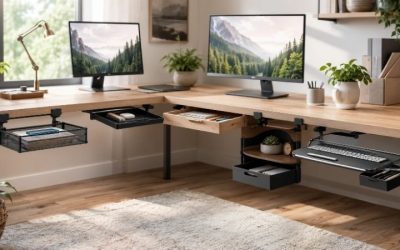
One distinctive feature is the metal mesh section at the back. IKEA states it allows air movement and is sturdy enough for clamping a pair of monitor arms. That is useful when trying to center two screens without wide factory feet. Nevertheless, this guidance is not a universal compatibility certificate for every clamp, VESA adapter, 49-inch ultrawide or dual arm. The actual clamp may require a particular flat contact surface or clearance beneath the mesh, while the monitors and mounting hardware still have their own load limits. Measure the clear movement range of articulating arms against the wall, especially when the desk is set in a corner.
The gaming trade-offs are straightforward. You get a generous surface and under-desk cable net at a relatively moderate price, but this is not an electric sit-stand system; changing the frame height is a setup task rather than an in-game adjustment. The rear mesh can also change where a conventional keyboard or microphone mount fits. IKEA’s direct U.S. listing showed $279.99, while delivery and local store stock remained dependent on customer location. Pros: deep working area, dedicated rear cable arrangement, manufacturer discussion of monitor-arm placement. Cons: manual height adjustment, 110-pound stated load, store stock not independently confirmed. Choose it for two normal gaming displays and a keyboard/mouse setup where comfort and usable area matter more than automation.
Secretlab MAGNUS Pro 59.1-inch — best premium electric desk for dual-monitor streaming
The MAGNUS Pro is one of the most feature-rich designs here, with a 59.1-inch-by-27.6-inch advertised work area, electric adjustment between 25.6 and 49.2 inches, and a large rear cable-management compartment. Its integrated power column is designed to reduce the number of dangling supply leads. For a gamer juggling two monitors, microphone boom, USB hub, LED lighting and camera, this can reduce clutter around the keyboard area. The same system can also make your build more dependent on proprietary accessories, so price the complete arrangement rather than just the desk.
Secretlab rates the MAGNUS Pro for a 265-pound maximum distributed load and describes three height presets. The user manual contains a crucial qualification: the limit includes the metal top, and the hinged rear cover is not to be loaded. That is especially important for dual monitors. Do not set a heavy monitor stand on the hinged cover or attach an aftermarket arm to a place the manual does not permit. Use the intended monitor-mounting system, confirm each monitor’s weight and VESA pattern, and check that cables do not pinch during height changes. A large load rating says nothing about a particular clamp’s leverage or a weak point along a hinge.
The official U.S. product listing showed a selected desk configuration around $948 with a MAGPAD bundle, and pricing changed with selected add-ons. Because the brand offers multiple desk colors, top treatments and accessories, the displayed subtotal should not be read as a universal base price. Pros: integrated cable strategy, electric sit-stand movement, generous rated load, purpose-built gaming ecosystem. Cons: high total cost, heavy assembly, limits around hinged cover and accessories. Choose it if you value frequent position changes and cable organization and are willing to build around the brand’s mounting rules. Skip it if a fixed $200 office desk already fits both screens safely.
IKEA TROTTEN 63-by-31.5-inch — best value for a large flat work surface
The white TROTTEN 796.219.21 is designed as a general office desk rather than a gaming showpiece. Its 63-inch width and 31.5-inch depth create a large rectangular platform for two panels, a full-size keyboard, mousepad and a modest amount of desk storage. IKEA’s description highlights an A-shaped leg arrangement that preserves under-desk room for a chair or cabinet. That clean geometry can be valuable in a shared bedroom where the desk must double as a school or work surface; not every gaming station benefits from sloped RGB panels or an integrated headset hook.
However, a plain office desk does not automatically approve dual arm mounting. A heavy dual monitor arm concentrates force near the clamp, and the desktop’s internal construction, cable tray position and leg frame may make a strong-looking edge unsuitable. If you use two factory monitor stands, check that their bases fit and that the screens remain at a comfortable viewing distance. If you want to clamp, consult the desk manufacturer and arm maker and consider using separate support stands where mounting confidence is poor. The desk’s 31.5-inch depth can be a major comfort advantage when you prefer screens farther back.
IKEA’s direct U.S. product page showed $199.99 for this exact white combination, but another catalog-style page showed a lower figure; we use the direct product page as the dated observation and advise checking checkout. Pros: ample surface area for the price, open legroom, neutral appearance, uncomplicated tabletop layout. Cons: less built-in cable management than gaming-specialist choices, no electric adjustment, clamp compatibility requires scrutiny. It is a good fit for buyers willing to add a cable tray and organize cables themselves rather than pay heavily for an integrated ecosystem.
IKEA MITTZON 63-by-31.5-inch — best office/gaming crossover
The 63-by-31.5-inch walnut-veneer-and-black MITTZON is aimed at buyers who want their gaming setup to pass as a comfortable office workstation. The wide surface can host two 27-inch displays on separate stands with meaningful room for a keyboard and work accessories, and the restrained finish tends to be easier to integrate into a professional-looking room than a brightly branded gaming desk. The maker’s U.S. office catalog displayed $429.99 for the chosen size and finish. Selected dimensions and finishes matter; a 63-by-23.625-inch variant with the same family name creates a different monitor-distance experience.
The principal reason to consider MITTZON instead of TROTTEN is not raw width—both selected examples are 63 inches—but finish, construction details and intended office usage. Check the actual selected variant’s cable access and underframe geometry before adding an accessory drawer. The wider 31.5-inch top should allow a helpful gap behind display stands, but cable routing must still avoid tension when a screen is adjusted. A dual-arm setup needs the exact desk’s approved attachment conditions, not a guess based on a similar IKEA office model.
The purchasing caveat is price and availability. At the observed $429.99, MITTZON costs considerably more than the direct-listed TROTTEN without necessarily changing game loading, FPS or monitor refresh rate. Delivery inventory was not verified for a specific ZIP code. Pros: wide/deep office layout, professional aesthetic, room for mixed work and gaming. Cons: higher price, desktop options that are easy to confuse, monitor-arm approval not established by appearance. Choose it when finish and all-day work use justify the premium; choose TROTTEN when surface area is the deciding factor.
IKEA UTMANING 63-by-31.5-inch — best fixed-height gaming-focused design
The black UTMANING 895.717.32 combines a large 63-by-31.5-inch tabletop with gaming-focused details and a cable-management arrangement. IKEA says its height can be set during assembly, which is different from an electric standing desk that changes position several times each day. The gaming-specific look may appeal to someone who wants a streamlined dual-monitor setup without placing all accessories on separate shelves. With two displays, a clean cable exit matters because the unused wire bundle behind the primary screen can otherwise occupy useful mouse or keyboard space.
The critical fit question is what parts of the desk remain available once the cable organizer and supporting cross-rails are installed. Some monitor arm clamps need a clear and sufficiently strong exposed edge; a cable tray or underframe can interfere even on a wide tabletop. The desk’s official page does not establish compatibility with every heavy dual display arm, so use standing monitors or mounting hardware specifically confirmed for the selected desk geometry. The large surface also does not guarantee two 32-inch ultrawides can be viewed comfortably in a shallow room; include the distance from your chair and the wall behind the screens.
IKEA’s U.S. listing showed $399.99 for the black 63-inch selected combination; store and delivery availability required local verification. Pros: full-size gaming-oriented surface, subdued look, manufacturer-designed cable arrangements. Cons: fixed chosen height after assembly, less flexibility than a sit-stand model, local fulfillment uncertainty. Buy when you want a dedicated gaming desk but do not need motorized height adjustment. If you value movement between sitting and standing, pay for a true adjustable frame rather than expecting this one to behave like it.
IKEA FREDDE 502.190.44 — best self-contained station for two 24-inch monitors
The FREDDE is architecturally different from the other desks. It has a steel frame, shelves, a raised structure and an adjustable side-to-side width of roughly 55.125 to 72.875 inches, depending on the arrangement, with 29.125 inches of depth and 57.5 inches of overall height. The manufacturer explicitly says the desk accommodates up to two 24-inch flat screens. That is a useful and unusually precise design boundary: a pair of 24-inch esports monitors may fit comfortably within the intended layout, whereas two 27-inch models or an ultrawide plus a second screen may not clear the side structures or upper shelving.
The built-in shelves can solve a familiar small-room gaming problem: where to put controllers, headset cases, speakers and small console accessories when the screen zone occupies the main desk top. But the surrounding frame also limits changes. A monitor that needs to rotate to portrait may collide with a shelf. A tall gaming tower or large speakers may fail a shelf dimension even when the desk’s overall width looks generous. This is the opposite of a simple flat table; it is an integrated workstation and therefore more sensitive to exact device measurements. Do not cut or remove structural elements to make an incompatible display fit.
IKEA’s listed $379.99 was accompanied by a Last chance label, so there is special urgency in checking whether the product remains obtainable locally, but no guarantee that it is available for checkout. Pros: explicit two-24-inch monitor use case, integrated vertical storage, established gaming layout. Cons: larger overall visual footprint, restrictive monitor clearance, uncertain ongoing availability. Choose it only if your monitors and tower fit its published shelf and display conditions. For a pair of large 32-inch screens, the open UTESPELARE or a wide adjustable desk is much more flexible.
FlexiSpot E7 with 60-by-30-inch top — best configurable electric setup
FlexiSpot’s E7 is a frame-and-surface ecosystem rather than a single fixed-size gaming SKU. Its official product page lists dual motors, a 22.8-to-48.4-inch adjustment range, a frame width that expands from about 43.4 to 74.8 inches, and an advertised 355-pound maximum static load. The available laminate top options include 60-by-30 inches. This pairing offers a roomy tabletop suitable for two normal monitors, with powered movement when you want to switch between sitting and standing during work or slower gaming. That does not mean any E7 advertisement automatically includes the stated 60-by-30 top.
A configuration chosen with the actual tabletop is necessary for reliable budgeting and mounting. Different surface materials and sizes may change the price, shipping, strength and whether an arm clamp is suitable near an edge. The 355-pound figure is a frame-level maximum static-load specification, not a blanket certification for a heavy dual monitor arm attached to every top. For a setup using two displays, verify the E7 surface choice, VESA mounts, combined screen weights and cable slack for the desk’s full height range. Keep the power cord clear of floor mats and rolling chair wheels. If you add a drawer, it must clear the lifting crossbars and cable-routing components.
The research pass did not establish a precise, trustworthy U.S. checkout total for an E7 frame paired with the selected 60-by-30 laminate surface; this is therefore a configuration-first option, not a price-ranked deal. Pros: wide height range, choice of large top, dual-motor mechanism, substantial maker-stated frame capacity. Cons: price and fit depend on chosen top, assembly takes planning, clamp compatibility cannot be inferred from frame rating. Buy it when you are prepared to configure and verify the entire system; skip it if you want a known complete desk price today with minimal decisions.
How much desk space do two monitors really need?
Measure the display bezels and bases, not just inches on the diagonal
A 27-inch gaming monitor’s diagonal does not tell you its outer width, and curved panels can have a different projected footprint than flat ones. Measure the real screen casing from left to right and add any protruding VESA adapter or mounting hardware. Put the two measured widths on paper, then draw the screen angles you prefer: flat edge-to-edge, slightly angled toward you, or one landscape plus one portrait. A pair of 27-inch 16:9 displays might physically fit on a 59-to-63-inch desk when their stands or arms cooperate, but side speakers, a camera mount, a boom arm or a PC tower can make the setup impractical without reorganizing.
Factory monitor stands are often the hidden space hog. A triangular or wide V-foot can occupy much of the 24-to-28-inch tabletop depth, pushing the keyboard toward the front edge. If the stands overlap, do not force one onto the other’s base or place it near the desk edge where it could fall. Mounting arms can clear the desktop, but you then need a desk with approved clamp material and a back edge that the mechanism can actually reach. A monitor arm and gaming desk should be selected together rather than treating the arm as an automatic fix for insufficient tabletop area.
Depth may matter more than an extra five inches of width
A deep desk lets you separate the screen from your hands and keep a comfortable viewing distance, particularly with larger panels. UTESPELARE, TROTTEN, MITTZON and UTMANING in the compared sizes are each 31.5 inches deep. The MAGNUS Pro’s nominal 27.6-inch depth may still be sufficient when displays are mounted efficiently, while an extra-deep monitor stand could eat into that usable surface. Check not only the external top but the real distance from your eyes in your seated position to the screen plane. You should not need to lean forward or crane your neck simply to read the far side of the secondary screen.
Do not confuse tabletop depth with wall clearance behind a monitor-arm pivot. An articulated arm may have to swing behind the desk even when the screens themselves remain over the front half of the work surface. If the desk is flush against a wall, trace the entire path of the arm before selecting it. A corner arrangement needs clearances against both walls. And if the screens are mounted on factory stands, leave rear cable bends and ventilation space according to the monitor manufacturer’s guidance rather than pushing the casing hard against a wall.
Compare two separate mounts with a dual-screen bar
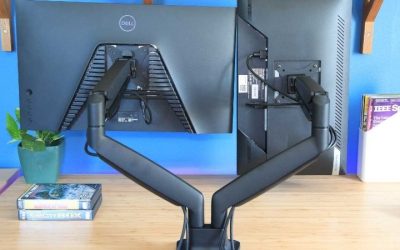
A single dual-monitor arm can save space, but it concentrates load and assumes a particular spacing relationship between the monitors. Two independent arms allow different heights, depth and rotation, which can be useful if your primary high-refresh-rate monitor sits directly ahead and a secondary chat screen faces slightly inward. Conversely, two arms require more clamping width and can conflict with each other, especially near a desk’s rear cable tray. Check monitor weights without their factory stands, VESA hole standards, allowable screen size and the arm manufacturer’s geometry restrictions.
For two large screens, the desk’s nominal distributed weight capacity does not settle clamp safety. A heavy arm creates localized compression and leverage at the rear edge. Some tops are composite, use honeycomb cores, or contain a metal hinge or concealed channel. A reinforcing plate may be appropriate only where the manufacturer approves one; never clamp onto an unapproved lid or cable cover. Avoid assuming that the desk which supports a 50-pound tower on its legs can safely accept the same force through two small bolts next to an edge.
Gaming-specific considerations beyond the tabletop
Keep mouse movement and controller charging separate
The primary keyboard and mouse zone should remain centered around the main display rather than squeezed between two stand feet. Low-sensitivity shooters may use a large mousepad, which becomes a major factor in the desktop width calculation. Place controllers and charging cradles to one side or on an approved under-desk storage accessory, and route charging cords away from the mouse sensor’s path. If you use racing wheel clamps, an audio mixer or a large mic arm, these compete for the same safe edge space as monitor arms. Plan the complete accessory map before buying the desk.
A good dual-monitor gaming station need not show every device at once. Keep the secondary screen for chat, a map, guides or recording controls if that is your workflow, and put seldom-used accessories into a bin. This can be more valuable than buying another 10 inches of tabletop that does not fit through your room doorway. No desk independently raises FPS, fixes input latency or improves internet ping; its practical contribution is stable positioning, reachable controls and a less cluttered workspace.
Understand electrical and moving-desk safety
If you buy a motorized standing desk, make sure power cables remain free when the top moves from its lowest to highest position. A screen can shift unexpectedly relative to a wall shelf or fixed PC cable, and a moving desktop can pinch fingers against an obstacle. Follow the desk’s official clearance, load distribution and power rules. On the MAGNUS Pro specifically, the manufacturer’s manual warns against loading its hinged rear cover. On the E7, check the frame and chosen top specifications separately; do not overload the frame simply because a static-load number looks substantial.
For a fixed desk, ensure the tabletop is level and fasteners are tightened as instructed. If a monitor sways when you type, check assembly, floor stability and whether the screen stand is too tall or its arm too extended. Do not stabilize an inadequately built desk by anchoring it to a wall without an approved kit and hardware compatible with the wall. A cheap desk with a heavy monitor arm can be a false economy if it requires unsafe modifications to work.
Decide whether sitting-to-standing movement is genuinely useful
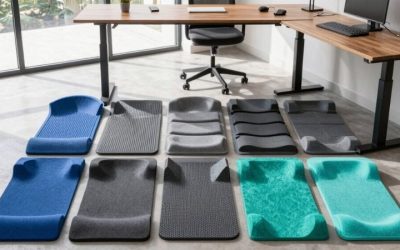
Standing desks are valuable to some people because they make it easy to change working position. That does not mean standing through hours of competitive play is necessary or comfortable. At sit height, the correct keyboard and mouse relationship and adequate legroom may matter more than the motor’s speed. At standing height, make sure both monitor cables have enough slack and that the screens remain at a suitable eye level. Using a standing mat is optional; it should not block the chair or pedal set when the desk comes back down.
If you almost never change height and use the room only for gaming, UTESPELARE or TROTTEN can be a more efficient purchase. Pay for the MAGNUS Pro or an E7 setup when repeated adjustment, cable management or shared users give the motor and height presets real value. Do not upgrade solely because a desk is marketed to streamers or has a high maximum number on its control panel.
Shop the exact U.S. configuration and check delivery limits
Online desk shopping is especially sensitive to variants. A product family can have 48-, 60-, 63- and 72-inch widths, and a 24-inch-deep top may look identical to a 30-inch-deep top in thumbnail images. Sometimes the displayed amount covers only the frame or the lowest-cost surface, not the combination pictured. Select color, top size, frame and cable accessories before comparing checkout totals. Large, heavy boxes may attract special shipping or return charges that erase a seemingly attractive promotion.
IKEA’s live pages commonly require a ZIP code or selected store to confirm delivery. A desk labeled Last chance, such as FREDDE on the checked page, may be unavailable locally despite having a published price. Likewise, a static seller description is not a warehouse inventory check. Verify the actual U.S. seller, expected delivery window and return conditions when the choice is between two similarly suitable models, and do not infer physical store stock from a product’s continued presence on the website.
Four realistic dual-monitor setups
Two 24-inch esports screens on a moderately sized station
If both screens are truly 24-inch flat models, IKEA FREDDE can be worth investigating because the maker expressly mentions that size pairing. UTESPELARE offers more open mounting flexibility and a deeper top. The choice depends on whether you want integrated shelves or a clear rectangle. Keep the main high-refresh-rate monitor centered, angle the secondary inward and check that its bezel does not force a constant sideways neck turn.
Two 27-inch screens for gaming and streaming
A 59-to-63-inch desk is a reasonable starting range for this popular arrangement. UTESPELARE’s 31.5-inch depth helps when the displays have bulky factory stands, while the MAGNUS Pro is compelling when cable routing and electric height adjustment matter. Measure both screens and the proposed webcam/microphone position before assuming every arrangement fits. If you need a big microphone boom, leave enough edge space that it will not compete with monitor mounting hardware.
A 34-inch ultrawide plus a portrait side monitor
This is more demanding than a pair of standard displays because portrait height and ultrawide screen curvature affect collision clearance. Start by making a scale sketch, using manufacturer panel widths and heights. A 63-inch open desk may work with appropriately selected independent arms, but the mounting gear must be approved for the desk and both screens. FREDDE’s fixed shelving is less attractive here because it was specifically described for a two-24-inch layout. Choose the desk for structural approval and screen geometry before prioritizing cable accessories.
A work-and-gaming setup shared by two people
Height-adjustable options may earn their cost when different users alternate or a single user moves between sitting and standing. The MAGNUS Pro integrates cable management; the E7 lets you configure a selected top. Check each person’s comfortable monitor position and the screens’ full cable range. If you do not need the height changes, MITTZON gives a cleaner office appearance and TROTTEN offers a more economical large surface. Buying a motorized desk without an actual adjustment use case is often unnecessary.
What we researched—and what we did not test
We screened real manufacturer-listed desks and selected identifiable sizes and variants suitable for two-monitor gaming. The comparison gives priority to usable horizontal area, screen depth, published structural or height restrictions, cable handling, setup flexibility and actual U.S. seller-page evidence. For IKEA variants we use official U.S. article numbers when the page exposed them, and for the E7 we explicitly differentiate the chosen frame and top from a fixed bundled SKU. We did not run hands-on wobble tests, load-to-failure tests, clamp strength tests, motor noise measurements, long-term wear experiments or real checkout transactions.
The recommendations are editorial judgments based on technical data and practical use cases, not a claim that Geek Gaming Tricks assembled or tested these desks. Sellers can update prices and inventory at any time; a direct-listed model with location-dependent stock is not a verified ready-to-ship offer for your address. Independent review coverage of standing desk stability can inform a buyer, but results from different frames, top sizes and assembly conditions are not interchangeable; do not assign benchmark numbers from one configuration to another.
Frequently asked questions
Is a 48-inch gaming desk big enough for two monitors?
Sometimes, especially for two compact 24-inch displays with suitable arms, but it can leave little room for mouse movement and speakers. A 59-to-63-inch top is a more forgiving starting point for a typical two-27-inch setup. Measure real panel widths and stand footprints rather than relying on diagonal size alone.
Can I place two 32-inch monitors on a 60-inch desk?
Possibly with angled screens and careful placement, but the stands or mounts can consume significant width and depth. Confirm their actual external dimensions and viewing distance, then check the desk’s approved support method. A desk’s 60-inch nominal width is not a guaranteed two-32-inch compatibility certification.
Is a dual monitor arm better than two factory stands?
It can reclaim usable space and allow more adjustable positioning, but it concentrates load at a clamp and may require a particular rear-edge geometry. Use arms only when both the monitors and the desk support their intended mounting. Two conventional stands may be safer and simpler on a composite top with unclear clamp suitability.
Does a gaming desk increase FPS or reduce screen latency?
No. Frame rate and monitor latency depend on the PC, game, display and connections, not the desktop furniture. A good desk improves physical positioning, cable management and access to inputs, which can make the setup more pleasant without changing processing speed.
Can I use the MAGNUS Pro hinged cable cover to support a monitor arm?
Do not assume so. Secretlab’s manual explicitly warns against loading the rear hinged cover. Use only mounting locations and hardware permitted by the desk and monitor arm manufacturers. Confirm all weights and cable paths before installation.
Does the FlexiSpot E7 price include a 60-by-30-inch tabletop?
Not necessarily. The manufacturer shows frame and desktop selections with different size and material options. Verify the actual configured bundle, shipping, warranty and final price before comparing it with complete desks that have one fixed SKU.
Is IKEA FREDDE suitable for two 27-inch displays?
The manufacturer specifically describes support for up to two 24-inch flat screens. That statement does not certify two 27-inch displays, and its side structure and shelves can obstruct larger monitors. Measure carefully and contact IKEA rather than assuming the larger pair will fit.
Is desk depth more important than width for dual monitors?
Both matter. Width accommodates the screens and peripherals, while depth lets you place panels at a comfortable distance and position keyboard and mouse without crowding. For two conventional monitors, a 30-to-31.5-inch-deep desk is often more flexible than a 24-inch-deep desk of the same width, but the actual stands and viewing geometry decide.
Final thoughts
For a conventional dual-monitor gaming station, start with the IKEA UTESPELARE 63-inch if its open, deep surface and rear cable system suit your room and you have a safe mounting plan. Choose the Secretlab MAGNUS Pro when its electric adjustment and integrated cable ecosystem justify the premium, or IKEA TROTTEN 63-inch if you want plenty of tabletop at a more moderate price. The FREDDE deserves consideration for a specifically compatible two-24-inch setup, while FlexiSpot E7 is for buyers ready to verify a full configuration. The best gaming desks for two monitors are the ones that actually fit both screens, place them at a healthy viewing distance and support the installation method without compromising the desk.