Our Top Picks
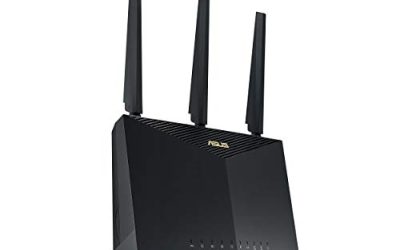
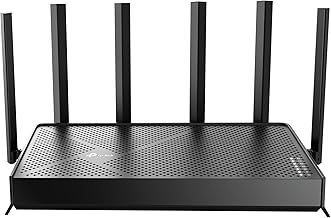
 ASUS RT-BE58 Go Travel Router WiFi 7 Dual-BandDual-Band4.4 x 3.9 x 1.4 inches0.5 poundsCheck on Amazon
The best dual band WiFi router for most homes is a WiFi 6 model rated around AX3000, such as the TP-Link Archer AX55, because it adds 160 MHz-capable 5 GHz speed and four gigabit LAN ports without the cost of a tri-band flagship. Choose the TP-Link Archer AX21 if the connection is under 500 Mbps, and step up to the ASUS RT-AX86U Pro when you have a multi-gig plan or a crowded wired gaming setup. A dual band router broadcasts on 2.4 GHz and 5 GHz only, which is exactly what most phones, consoles and PCs need.
Quick comparison of the best dual band routers
| Pick | Best for | Rated speed (2.4 GHz + 5 GHz) | Wired ports |
|---|---|---|---|
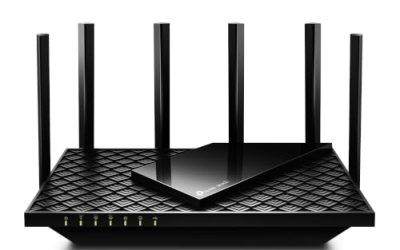
| TP-Link Archer AX55 | Best overall | 574 + 2402 Mbps (AX3000) | 1 gigabit WAN, 4 gigabit LAN, USB 3.0 |
| TP-Link Archer AX21 | Best budget | 574 + 1201 Mbps (AX1800) | 1 gigabit WAN, 4 gigabit LAN |
| ASUS RT-AX86U Pro | Best for gaming | 861 + 4804 Mbps (AX5700) | 2.5G WAN, gigabit LAN ports, USB 3.2 |
| ASUS RT-AX88U Pro | Best for many wired devices | 1201 + 4804 Mbps (AX6000) | 2.5G WAN, multiple LAN ports, USB 3.2 |
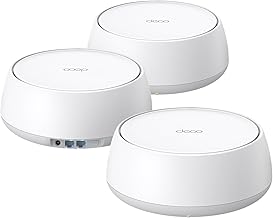
| TP-Link Deco X55 (multi-pack) | Best mesh for larger homes | 574 + 2402 Mbps (AX3000) | 2 gigabit ports per unit |
Rated speeds come from each manufacturer’s spec sheet and are theoretical combined maximums, not what a single device will see.
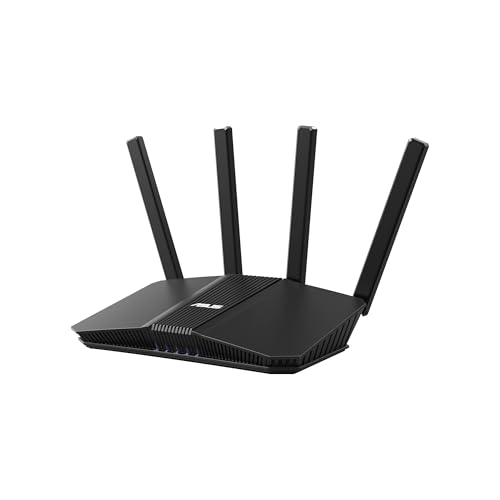
ASUS RT-BE55 WiFi 7 Router, 3.6Gbps, 2,000 sq. ft., Mesh + VPN Support | Triple-level Network Security, Parental Controls Included, 2.5G Port x1, 1G Port x4, VPN support
Chosen because it specifies 3.6Gbps and 000 sq. ft..
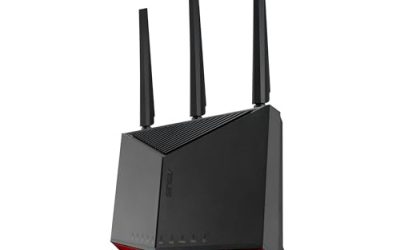
View on AmazonASUS RT-BE58 Go Travel Router WiFi 7 Dual-Band, 3.6Gbps, Secure Public WiFi | Hotel Public WiFi Captive Portal, 4G & 5G Mobile Tethering, Multi-Protocol, Custom SSIDs, 2.5G Port x1, USB-C Power Delivery
Chosen because it specifies 3.6Gbps and Secure Public WiFi.
View on AmazonBest overall: TP-Link Archer AX55
The Archer AX55 pairs a 2.4 GHz band at 574 Mbps with a 5 GHz band at 2402 Mbps, supports WiFi 6, OFDMA and WPA3, and has a USB 3.0 port for shared storage. It suits apartments and mid-size homes with a plan up to roughly 1 Gbps. The trade-off is the single gigabit WAN port: a faster plan than 1 Gbps cannot be fully used through it.
Best budget: TP-Link Archer AX21
The Archer AX21 is the straightforward WiFi 6 entry point. Its 5 GHz band is rated at 1201 Mbps, which is plenty for a 300 to 500 Mbps plan. It lacks a USB port and has a weaker processor, so it can slow down when many devices are active at once or when advanced QoS features run.
Best for gaming: ASUS RT-AX86U Pro
The RT-AX86U Pro adds a 2.5G WAN port, a strong multi-core processor and ASUS gaming features such as mobile game mode and adaptive QoS. It is the pick for a household with a PC, console and several phones that all compete during peak hours. The main trade-off is size and a higher cost than the AX3000 class, and 2.4 GHz speed is capped at 861 Mbps.
Best for wired-heavy setups: ASUS RT-AX88U Pro
If you connect many devices by cable, such as a PC, console, NAS and streaming boxes, the RT-AX88U Pro offers a generous LAN port count and a faster 2.4 GHz radio than the AX86U Pro. It is overkill for a phone-and-laptop home.
Best mesh option: TP-Link Deco X55
A router alone struggles past two floors or through thick walls. The Deco X55 uses the same AX3000 dual band design in a multi-unit mesh. Because it is dual band, the nodes share one 5 GHz band for wireless backhaul unless you wire them together, so connect nodes by Ethernet when possible to keep full speed.
How to choose: a worked example
Real-world WiFi throughput is typically 40 to 60 percent of the rated link speed at short range. Using a 50 percent rule:
- AX1800 (1201 Mbps on 5 GHz) gives about 600 Mbps usable close to the router.
- AX3000 (2402 Mbps on 5 GHz) gives about 1200 Mbps, but only on clients that support 160 MHz channels with 2×2 antennas.
- A typical phone or laptop with a 2×2 radio on an 80 MHz channel links at about 1201 Mbps, so it cannot use the extra headroom of an AX5700 router by itself.
The extra capacity of a bigger dual band router matters when many devices transmit at once, not for a single device’s peak speed.
Decision matrix
| Your situation | Pick |
|---|---|
| Internet plan up to 500 Mbps, small home | Archer AX21 |
| Plan up to 1 Gbps, 10 to 25 devices | Archer AX55 |
| 2.5 Gbps plan or heavy online gaming household | RT-AX86U Pro |
| Many wired devices | RT-AX88U Pro |
| Large two or three floor home | Deco X55 mesh |
Dual band vs tri band
A tri band router adds a second 5 GHz radio (or a 6 GHz radio on WiFi 6E and WiFi 7 models). That helps mesh backhaul and homes with dozens of simultaneous clients. For a single router that serves a normal household, dual band performs almost the same and costs less. If your devices already support WiFi 6E or WiFi 7, a newer tri band router is worth a look, but it is not required for a smooth experience.
Setup tips that improve speed
- Place the router high and central, away from microwaves and thick metal objects.
- Use a separate 5 GHz network name for gaming consoles and PCs so they never fall back to 2.4 GHz.
- Pick a 5 GHz channel with few neighbors; 80 MHz channels give a good balance between speed and stability.
- Use a wired connection for a desktop PC, since Ethernet latency is steadier than any wireless link.
- Update the firmware after setup and turn on automatic updates.
Frequently Asked Questions
Is a dual band router good enough for gaming?
Yes. Online games need low latency and stable connections, not huge bandwidth. A dual band WiFi 6 router on the 5 GHz band, or a wired connection to the console or PC, gives low ping for nearly every game.
What is the difference between 2.4 GHz and 5 GHz?
2.4 GHz travels farther and passes through walls better but is slower and more crowded. 5 GHz is faster with less interference but its range is shorter. A dual band router offers both at the same time.
Should I buy WiFi 6 or WiFi 7 in 2026?
WiFi 6 dual band routers remain a sensible value for most homes. WiFi 7 helps if you have compatible devices and a multi-gig plan, but it is not necessary for plans under 1 Gbps.
Does a dual band router work with older devices?
Yes. WiFi 6 routers are backward compatible with WiFi 5, 4 and older standards, though older devices connect at their own lower speeds.
Do I need a mesh system instead?
Only if one router cannot cover your home. For apartments and small to mid-size houses, one well-placed router is simpler and often faster.
FAQ
Is a dual band router good enough for gaming?
What is the difference between 2.4 GHz and 5 GHz?
Should I buy WiFi 6 or WiFi 7 in 2026?
Does a dual band router work with older devices?
Do I need a mesh system instead?
More from Amazon
Programs that pair well with the guide above. Offers and eligibility are set by Amazon and may change.
Free shipping on eligible items, Prime Video and more. Eligible new members can start with a free trial.
Start a Prime free trialAd-free music streaming. Eligible new subscribers can start with a free trial.
Try Music Unlimited freeA Prime membership for ages 18-24 with a trial period. Eligibility is set by Amazon.
See Prime for Young AdultsAudiobooks and podcasts to listen to on the go. Eligible new members can start with a free trial.
Try Audible freeAs an Amazon Associate we earn from qualifying purchases.