The best gaming laptops for game development are not simply the laptops with the highest gaming frame rates. Building games involves CPU-heavy code and shader compilation, memory-intensive editor sessions, GPU-heavy viewport previews, and often several applications running together. For Unreal Engine 5, 32GB RAM and at least 8GB of graphics memory are sensible official recommended targets; Unity projects can run on less, but larger projects need more. The six configurations below represent different developer workflows, not laboratory-tested rankings. Decide whether your day is dominated by compiling code, building shaders, navigating Unreal scenes or creating assets in Blender. These jobs emphasize different combinations of CPU cooling, system memory and graphics memory. A thinner creator laptop may have the display you want but fewer upgrade options; a large gaming machine may be faster under sustained load but harder to carry. Compare the exact RAM, SSD and GPU-power configuration rather than a family name.
Quick verdict: matching a laptop to your game engine
Best performance-oriented balance: Lenovo Legion Pro 7i with RTX 5080 and 32GB RAM, with a path to 64GB on supported configurations. Best creator crossover: ASUS ProArt P16 RTX 5080. Best demanding-scene headroom: an RTX 5090 configuration with 24GB VRAM, such as the ProArt P16 or Razer Blade 18. Best cost-controlled starting point: an RTX 5070 Ti laptop with 32GB RAM and a verified upgrade path. These are configuration recommendations; no US stock or checkout price has been confirmed for this article.
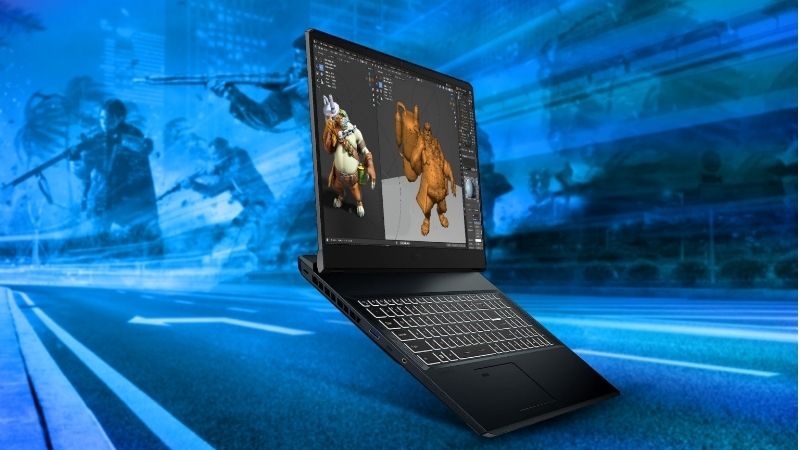
For the primary use case: Lenovo Legion Pro 7i 16IAX10H. The shortlist describes it as 32GB; upgrade path on listed SKU. Its distinguishing evidence is RTX 5080 / 16GB. The limiting check is unreal code + GPU workflows. These are model-specific factors, not a promise of independent testing or verified U.S. checkout.
Comparison table: laptop configurations and buying risks
| Configuration | GPU / VRAM | RAM note | Best fit | Trade-off | US price — exact variant, checked Oct 31, 2026 | Stock status — exact variant, checked Oct 31, 2026 |
|---|---|---|---|---|---|---|
| Lenovo Legion Pro 7i 16IAX10H | RTX 5080 / 16GB | 32GB; upgrade path on listed SKU | Unreal code + GPU workflows | Heavy; short unplugged heavy-work runtime | $3,399.99 (Lenovo US, 83F500M0US RTX5080) | Add to Cart on Lenovo US; checkout stock unconfirmed |
| ASUS ProArt P16 H7606 | RTX 5080 / 16GB | Check exact soldered RAM option | Unity/Unreal + visual asset work | Thin chassis; upgrade limits | No verified US RTX 5080 SKU/retail listing | ASUS US where-to-buy lists RTX5070 and RTX5090, not RTX5080 |
| ASUS ProArt P16 H7606 | RTX 5090 / 24GB | Check 64GB configuration | Large GPU-heavy scenes | Premium; onboard RAM | $5,499.99 (Best Buy US H7606WX-XH99T) | Add to Cart (Best Buy, no completed checkout) |
| Razer Blade 18 RTX 5090 | RTX 5090 / 24GB | Verify exact RAM SKU | Desk-replacement development | Large and costly | $5,399.99 (Razer US, 2026 RTX5090/32GB/2TB) | Stock unclear for selected configuration |
| ASUS ROG Strix G16 RTX 5070 Ti | RTX 5070 Ti / 12GB | Choose 32GB configuration | Balanced Unity + Unreal | Less VRAM for very large scenes | $2,299.99 (Best Buy G614PR-G16.R95070TI) | Add to Cart; compare required RAM upgrade |
| Acer Predator Helios Neo 16 AI RTX 5070 Ti | RTX 5070 Ti / 12GB | Verify exact 32GB SKU | Shader iteration and 3D previews | Power/noise vary by SKU | $2,749.99 (Acer US PHN16-I71-905P) | In stock (Acer US selected exact SKU) |
US price and inventory observations are tied to the named seller, selected SKU, color or memory configuration where specified. “Buy Now” and “Add to Cart” describe purchase buttons, not a completed checkout or guaranteed warehouse stock. Family-level pricing, obsolete variants, and conflicting source badges are explicitly qualified. Unresolved rows are not assumed purchasable.
Additional comparisons and purchase considerations
| Your main work | Prioritize | Practical target |
|---|---|---|
| Unity 2D / smaller 3D | CPU responsiveness and RAM | 32GB RAM, 1TB SSD; GPU matched to target game |
| Unreal C++ / shaders | Sustained multicore CPU and cooling | 32–64GB RAM; strong HX-class CPU |
| Unreal Nanite / Lumen worlds | GPU and VRAM | 12–16GB VRAM or more as project requires |
| Art, texturing, Blender + engine | Display + GPU + RAM | 16GB VRAM and wide-gamut screen |
| Travel and collaboration | Weight, ports, battery | Portable chassis; remote compile options |
US seller price (checked October 28, 2026): Price not verified for every configuration. US stock (checked October 28, 2026): Unclear for every configuration. This table is a research shortlist, not a list of confirmed in-stock purchases. This is a historical snapshot, not an October 31 checkout verification for every SKU; the comparison table records the current evidence limits.
The shortlisted laptops and their real-world trade-offs
Lenovo Legion Pro 7i — best high-performance balance
Lenovo PSREF lists a Legion Pro 7 16IAX10H configuration with Intel Core Ultra 9 290HX Plus, RTX 5080 Laptop GPU with 16GB GDDR7, 175W graphics TGP, two DDR5 CSODIMM slots, and two M.2 storage slots. These details apply to the cited regional configuration, not automatically to every US retailer listing. For developers, its high-power GPU, fast CPU, and upgradeable memory/storage make it particularly attractive for Unreal projects that combine code compilation with real-time graphics.
Buy if you spend long sessions compiling shaders and working in demanding Unreal viewports. Skip if travel weight, quiet classrooms, or unplugged work are your first priorities. RTINGS independently reports strong heavy-workload performance for a Core Ultra 9 / RTX 5080 configuration, but also notes heat, noise, and portability compromises. Verify US SKU, memory ceiling, and warranty before ordering.
ASUS ProArt P16 RTX 5080 — best art-and-code crossover
ASUS Global documents a ProArt P16 H7606 configuration with an RTX 5080 Laptop GPU and 16GB GDDR7, along with a creator-focused OLED display. The ASUS US specification page lists a different set of H7606 variants, so this is a globally documented configuration, not an independently confirmed US retail SKU. Verify the full US model suffix, display refresh rate, memory and actual seller listing before treating it as a purchasable option. The creator-screen format remains relevant for switching between Unreal or Unity, Blender, asset work and compositing.
Buy if content creation and display quality are central to the job. Skip if you need easily replaceable RAM or the highest sustained GPU power for the money. Check the exact memory and CPU combination because ProArt P16 configurations vary.
ASUS ProArt P16 RTX 5090 — best portable VRAM headroom
The ProArt P16 H7606 family also lists an RTX 5090 Laptop GPU with 24GB GDDR7. That additional memory may help when working with large environments, high-resolution textures, complex assets, or heavy real-time previews. It does not automatically accelerate every code build: CPU, storage, and build configuration can be the limiting factors.
Buy when projects demonstrably exceed 16GB VRAM or you need both high-end GPU capacity and a creator-focused screen. Skip when your main task is C# scripting or ordinary Unity iteration; a lower-tier GPU plus more RAM/storage may be the better allocation.
Razer Blade 18 RTX 5090 — best premium desk replacement
The Razer Blade 18 RTX 5090 class is relevant for developers wanting a large integrated display and 24GB GPU memory in a transportable machine. Its large form factor can be more comfortable for editing than a compact 14-inch laptop, but a large chassis does not prove a particular thermal result. Tom’s Hardware lists an RTX 5090 Blade 18 among its 2026 gaming-laptop selections; verify the exact CPU, RAM, display, and regional model before purchase.
Buy if you want a premium laptop that mostly stays on a desk but travels between locations. Skip if price-to-compile performance or portability matters more than the large-screen design.
ASUS ROG Strix G16 RTX 5070 Ti — best mid-high development tier
A Strix G16 RTX 5070 Ti configuration offers a practical 12GB-VRAM class for intermediate Unreal work and larger Unity projects. Choose a specific US SKU with 32GB RAM or a confirmed upgrade path; do not assume all Strix G16 listings share the same CPU, memory, GPU power, or SSD capacity. This is a candidate for developers who need serious GPU features without paying for 24GB VRAM they will not use.
Buy if your projects fit 12GB VRAM and the seller verifies memory/storage details. Skip if you already see out-of-memory warnings in complex Unreal environments. GPU wattage and independent cooling results for the exact SKU remain unverified here.
Acer Predator Helios Neo 16 AI RTX 5070 Ti — alternative for shader-heavy work
The Predator Helios Neo 16 AI with RTX 5070 Ti is another 12GB-VRAM class to compare against the Strix G16. For game developers, the deciding variables should be CPU configuration, RAM capacity, SSD expansion, cooling under compilation loads, keyboard ergonomics, and ports rather than brand alone. Exact regional specs, current stock, and sustained performance were not independently verified in this draft.
Buy only after checking the full US part number and comparing it with a similarly configured Strix or Legion. Skip if the listing omits RAM upgradeability, GPU power, or the processor model.
Buying guide: verify the laptop for your workload
What matters most for Unity and Unreal Engine
CPU: code and shader compilation: Unreal C++ projects, shader compilation, asset processing, and packaging can keep many CPU cores busy. Epic notes that 12–16 cores are a practical local-compilation baseline when a dedicated compile server is not available. Prioritize a well-cooled high-performance CPU if compilation time dominates your day. The fastest gaming GPU cannot compensate for an underpowered CPU in a compile-bound workflow.
System RAM: editor plus development tools: Epic recommends 32GB RAM for Unreal Engine. This is a practical baseline for the editor, IDE, browser, source-control client, and content tools running simultaneously. Choose 64GB when projects, large maps, virtual machines, or multiple editors routinely exhaust 32GB. Unity documents a much lower basic minimum, but explicitly notes that project complexity determines actual RAM demand. Check whether memory is soldered before paying for a thin laptop.
GPU and VRAM: viewport and real-time rendering: Unreal Nanite, Lumen, hardware ray tracing, and high-resolution asset previews benefit from capable DirectX 12 graphics. Epic lists 8GB or more graphics RAM in its recommended hardware. For larger Unreal scenes, 12–16GB can be a useful planning target; 24GB may be worthwhile for heavy environments. This is not a guarantee that any particular project fits: texture settings, geometry, editor overhead, and target platform matter.
SSD, ports, cooling, and power: Prefer at least 1TB of fast NVMe storage; 2TB or a second SSD slot is attractive when working with engine installations, derived-data caches, and several branches. Confirm USB ports, wired networking or a dependable Ethernet adapter, external-monitor output, and the actual power adapter. Compile and cook jobs can run for hours; independent sustained-load reviews matter more than one-minute benchmark peaks.
How to check a laptop before purchase
Open the official manufacturer specification page and record the full model/part number; reject listings that only name the GPU family.
Confirm installed RAM, whether it is soldered, supported upgrade capacity, and SSD slots.
Check the GPU memory capacity and power configuration. Treat two RTX 5080 laptops as potentially different sustained performers.
Look for an independent review of the exact chassis and GPU configuration that includes extended CPU/GPU workloads, noise, and temperatures.
Ask the US seller to confirm stock, actual checkout price, return policy, and warranty coverage; do not treat a reference listing as a verified deal.
Test a representative project after purchase: open the editor and IDE together, compile shaders or code, check RAM/VRAM pressure, and verify acceptable fan noise before the return window closes.
Size the machine against a real project
Open your largest representative Unity or Unreal project, then record RAM use with the editor, IDE, source-control client and browser open. Check shader compilation time and GPU memory pressure in a complex level rather than relying only on a synthetic gaming score. If the CPU is the bottleneck, a higher graphics tier may not shorten iteration time. A second SSD or 64GB of RAM may provide more day-to-day benefit than paying for 24GB VRAM you rarely use. Confirm actual laptop memory slots, storage slots and warranty rules before purchase.
Account for deployment and collaborative workflows
A game developer may need multiple target devices, external displays, a wired connection and peripherals in addition to the laptop. Check that the exact configuration exposes enough USB ports and suitable video outputs without daisy-chaining unreliable adapters. For lengthy package builds, heat, fan noise and plugged-in power behavior matter. A quiet portable creator laptop may be preferable for code and texture editing, whereas a heavier machine with sustained CPU cooling can be more useful for daily C++ and shader compilation. Match the choice to measured workflow bottlenecks.
How we selected these options and checked evidence
We weighted sustained CPU workloads, system-memory expansion, GPU VRAM, storage and display use in Unity and Unreal projects. A good gaming benchmark alone cannot represent compilation speed or large editor sessions.
The comparison is based on the exact configuration and technical limitations recorded in this draft, with model identities, connection requirements, and purchase conditions treated separately. Published manufacturer specifications are not substitutes for independent long-duration measurements. Prices and stock are seller-, date-, and region-specific; where no current U.S. checkout was verified, that uncertainty remains visible instead of being presented as a live offer. The recommendations are therefore shortlists for further verification, not accounts of our own hands-on lab tests.
Frequently asked questions
Is 16GB RAM enough for game development?
It may be enough for smaller Unity projects, but 32GB is the more sensible starting point for serious Unreal Engine work and multitasking. Epic officially recommends 32GB for UE5.
Do I need an RTX 5090 laptop for Unreal Engine 5?
No. Epic recommends a DirectX 12-compatible GPU with at least 8GB graphics memory. A 24GB RTX 5090 is a specialist choice for heavier GPU scenes and larger memory requirements, not a universal necessity.
Is CPU or GPU more important for game development?
It depends on the bottleneck. CPU matters greatly for compiling code and shaders; GPU and VRAM matter for demanding real-time scenes and graphics previews. Measure your actual workflow rather than optimizing only for gaming FPS.
Can a gaming laptop replace a desktop workstation?
Yes for many workflows, especially if you need portability. Desktops generally offer more flexible upgrades and sustained cooling. A laptop may be preferable for commuting, classrooms, events, and hybrid work.
Final thoughts
Start with the development engine and largest representative project. For Unreal C++ and shader-heavy workflows, shortlist the Legion Pro 7i RTX 5080 with 32–64GB RAM; for art-led workflows, consider the ProArt P16 RTX 5080. Move to a 24GB RTX 5090 only if GPU memory pressure or unusually heavy scenes justify it. Before purchasing, verify exact US SKU, seller price, stock, RAM expansion, and an independent long-duration performance review.