Key takeaways
- Valve Index at 120 Hz: a mid-range card from the RTX 2070 Super class upward is a sensible target. Pushing the experimental 144 Hz mode asks for more.
- Meta Quest headsets over PC link or wireless streaming: the game still runs on the PC, but streaming adds encoding load and a network dependency, so choose a card with a modern video encoder. Meta’s own documentation lists supported GPUs for PC connections.
- HTC Vive and Vive Pro: Valve’s page lists SteamVR support, so these are compatible, and the Pro’s higher resolution raises the GPU need.
- Windows Mixed Reality headsets: support depends on the SteamVR compatibility layer and Microsoft’s current status for the platform, so read the headset maker’s guidance before buying for this game.
Half-Life: Alyx needs, at minimum, a Core i5-7500 or Ryzen 5 1600, 12 GB of RAM, a GeForce GTX 1060 or Radeon RX 580 with 6 GB of VRAM, Windows 10 and a SteamVR-compatible headset, according to the Steam store page. Valve does not publish a separate recommended spec on that page, so for a comfortable experience most reviewers point to a card in the RTX 2070 Super or RX 5700 XT class and 16 GB of RAM, with the exact need depending on your headset.
The published requirements
| Component | Minimum (Steam page) | Recommended (Steam page) |
|---|---|---|
| Operating system | Windows 10, 64-bit | Not separately listed |
| Processor | Intel Core i5-7500 or AMD Ryzen 5 1600 | Not separately listed |
| Memory | 12 GB RAM | Not separately listed |
| Graphics | GeForce GTX 1060 or Radeon RX 580, 6 GB VRAM | Not separately listed |
| VR | SteamVR-compatible headset | Not separately listed |
The recommended section on the store page carries only the 64-bit note. That means any figure described as the official recommended spec elsewhere is from a third party. The practical advice below is drawn from outlets such as PCGamesN and TweakTown, which suggested hardware for a smoother experience, and from the pattern of how VR scales with resolution and refresh rate.
Why VR specs are harder than flat-screen specs
A VR headset renders two images at once and demands a steady frame rate matched to the headset’s refresh rate. A dropped frame is felt as judder, so a game that averages the target is not enough; it must hold it. That is why reviewers were sceptical of the minimum line for sustained smoothness and why the GPU tier matters more than the headline name.
Headsets differ in resolution and refresh. The Valve Index uses an LCD panel with a combined resolution of 2880 x 1600 and a 120 Hz mode, with an experimental 144 Hz mode. Higher refresh rates and higher render resolutions both raise GPU and CPU demands, so the same PC may feel fine on one headset and borderline on another.
What the tiers mean in practice
| Tier | Example hardware | What to expect |
|---|---|---|
| Published minimum | GTX 1060 6 GB, RX 580, Core i5-7500, Ryzen 5 1600, 12 GB RAM | Starts and runs; reviewers suggest low settings and reduced render resolution |
| Comfortable mid tier | RTX 2070 Super, RX 5700 XT, Ryzen 5 3600 or Core i7-9700K, 16 GB RAM (PCGamesN suggestion) | A smoother experience at medium to high settings on common headsets |
| Modern mid-range | RTX 4060 Ti or RTX 5060, RX 9060 XT, Ryzen 5 7600X, 16 GB RAM | Well above the published minimum with headroom for supersampling |
| High-refresh or high-resolution headsets | RTX 4070 and above, RX 9070, Ryzen 7 class chip, 16 to 32 GB RAM | Room for 120 Hz or 144 Hz modes and higher render resolution |
CPU, RAM and storage
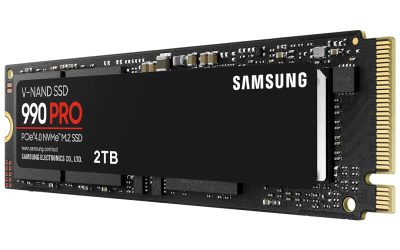
The processor line of an Intel Core i5-7500 or Ryzen 5 1600 is old, and any current six-core clears it. The RAM requirement of 12 GB is higher than the 8 GB that older flat-screen games list, and a typical system with 16 GB is the practical target. Dual-channel memory is a simple improvement. The Steam page does not list a storage figure in the extracted requirements, so check the store page for the current install size, and use an SSD to keep loading times short.
Which GPU tier fits which headset
- Valve Index at 120 Hz: a mid-range card from the RTX 2070 Super class upward is a sensible target. Pushing the experimental 144 Hz mode asks for more.
- Meta Quest headsets over PC link or wireless streaming: the game still runs on the PC, but streaming adds encoding load and a network dependency, so choose a card with a modern video encoder. Meta’s own documentation lists supported GPUs for PC connections.
- HTC Vive and Vive Pro: Valve’s page lists SteamVR support, so these are compatible, and the Pro’s higher resolution raises the GPU need.
- Windows Mixed Reality headsets: support depends on the SteamVR compatibility layer and Microsoft’s current status for the platform, so read the headset maker’s guidance before buying for this game.
Laptops and Steam Deck
A gaming laptop with a GTX 1060-class mobile GPU or better can meet the minimum, but the mobile variants differ in power limits and VRAM, so check that the specific model has 6 GB of VRAM or more. The Steam page does not state support for the Steam Deck, so this guide makes no claim about it; Valve’s Deck verification pages are the place to check a game’s status.
Pick X if
| Pick this | If |
|---|---|
| Stay on a GTX 1060 or RX 580 class PC | You already own one and accept low settings and a reduced render resolution |
| Move to an RTX 2070 Super or RX 5700 XT class card | You want a smoother experience on a Valve Index or similar headset |
| Choose a current mid-range card | You are building new and want headroom for other VR games |
| Choose a card with 12 GB or more | You plan to raise supersampling or use a high-resolution headset |
Can my PC run Half-Life: Alyx
Compare four things against the minimum: processor generation, 12 GB of RAM, a GPU with 6 GB of VRAM at GTX 1060 or RX 580 level, and a headset supported by SteamVR. Windows 10 is the listed operating system, and a newer Windows release is the sensible choice if your hardware supports it. If every item on that list is met, the game should launch. If the GPU is a 3 GB GTX 1060, note that the minimum asks for the 6 GB version, and the 3 GB card falls short of the listed VRAM.
Settings that help weak hardware
- Lower the render resolution or supersampling first, because it scales cost directly.
- Drop the headset’s refresh rate to its base mode if frame drops occur.
- Turn down shadows and texture quality inside the game.
- Close overlays and background applications to free memory and processor time.
Frequently Asked Questions
What are the minimum system requirements for Half-Life: Alyx?
The Steam store page lists Windows 10, a Core i5-7500 or Ryzen 5 1600, 12 GB of RAM, and a GeForce GTX 1060 or Radeon RX 580 with 6 GB of VRAM, plus a SteamVR headset.
Does Valve publish recommended specs?
The recommended section on the store page contains only the 64-bit note, so no separate recommended hardware is published. Third-party outlets such as PCGamesN suggest an RTX 2070 Super or RX 5700 XT with 16 GB of RAM for a smoother experience.
Can a GTX 1060 run it?
It meets the minimum if it has 6 GB of VRAM. Reviewers were cautious about sustained smoothness on that class of card, so expect low settings and a reduced render resolution.
Do I need a Valve Index?
No. The game supports SteamVR-compatible headsets, and Valve lists the headset requirement rather than a single model. The Index offers a higher refresh rate, which also raises the demand on the PC.
How much RAM do I need?
The minimum is 12 GB. A system with 16 GB is the practical target, and dual-channel memory is preferable.
Will a laptop run it?
A gaming laptop with a GTX 1060 6 GB class mobile GPU or better can meet the listed minimum. Power limits and cooling vary between models, so check the specific laptop’s GPU and VRAM before relying on it.
FAQ
What are the minimum system requirements for Half-Life: Alyx?
Does Valve publish recommended specs?
Can a GTX 1060 run it?
Do I need a Valve Index?
How much RAM do I need?
Will a laptop run it?
More from Amazon
Programs that pair well with the guide above. Offers and eligibility are set by Amazon and may change.
Free shipping on eligible items, Prime Video and more. Eligible new members can start with a free trial.
Start a Prime free trialAd-free music streaming. Eligible new subscribers can start with a free trial.
Try Music Unlimited freeA Prime membership for ages 18-24 with a trial period. Eligibility is set by Amazon.
See Prime for Young AdultsAudiobooks and podcasts to listen to on the go. Eligible new members can start with a free trial.
Try Audible freeAs an Amazon Associate we earn from qualifying purchases.