
Key takeaways
- Always install RAM as a matched pair in the correct slots to enable dual-channel mode; check the manual for which slots to use.
- Enable XMP or EXPO in the BIOS, or your fast kit will default to slow JEDEC speeds.
- For DDR5 gaming, a 6000MHz CL36 kit is the value sweet spot; faster kits cost more for small gains.
- Confirm DDR4 versus DDR5 compatibility with your motherboard before buying, as the two are not interchangeable.
Memory is one of the most misunderstood parts of a gaming PC. People often assume more is always better, or that a bigger number on the box means faster games, when the reality is more nuanced. The right amount and type of RAM keeps your system responsive and stutter-free, while overspending on capacity or speed you cannot use is money that would do more good elsewhere in the build.
This guide breaks down how much RAM gaming actually needs in 2026, why speed and timings matter, and how dual-channel configuration quietly affects your frame rates. You will finish knowing exactly which kit fits your platform, whether that is a fast 32GB DDR5 set or a sensible 16GB pair.
Our top picks
 CORSAIR Vengeance RGB DDR5 RAM 32GB
- Disclaimer: Maximum Speed requires overclocking/PC BIOS adjustments
- Dynamic Ten-Zone RGB Lighting: Illuminate your system with…
- Onboard Voltage Regulation: Enables easier, more finely-tuned, and…
 Corsair Vengeance RGB RS DDR5 16GB
- Disclaimer: Maximum Speed requires overclocking/PC BIOS adjustments
- AMD EXPO & Intel XMP 3.0 Compatible Only:…
- Dynamic RGB Lighting: Individually addressable RGB lighting delivers…
 Patriot Viper Venom DDR5 RAM 16GB
- Capacity: 16GB(2 x 8GB)
- Tested Frequency Profile 1: PC5-48000 (6000MT/s)
- Tested Timings: 36-46-46-110
| Product | Key specs | |
|---|---|---|
| CORSAIR Vengeance RGB DDR5 RAM 32GB | Disclaimer: Maximum Speed requires overclocking/PC BIOS adjustments Dynamic Ten-Zone RGB Lighting: Illuminate your system with… Onboard Voltage Regulation: Enables easier, more finely-tuned, and… | Check price |
| Corsair Vengeance RGB RS DDR5 16GB | Disclaimer: Maximum Speed requires overclocking/PC BIOS adjustments AMD EXPO & Intel XMP 3.0 Compatible Only:… Dynamic RGB Lighting: Individually addressable RGB lighting delivers… | Check price |
| Patriot Viper Venom DDR5 RAM 16GB | Capacity: 16GB(2 x 8GB) Tested Frequency Profile 1: PC5-48000 (6000MT/s) Tested Timings: 36-46-46-110 | Check price |
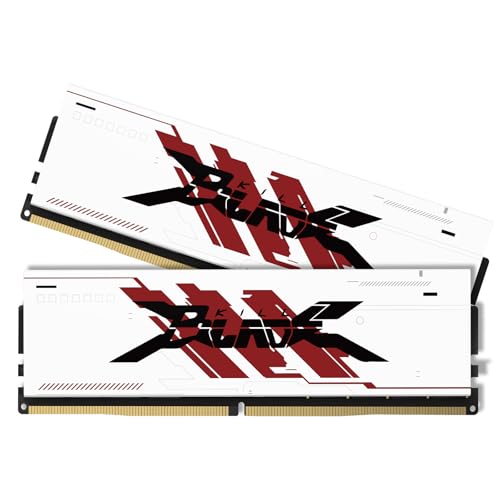 PUSKILL DDR4 3200MHz CL16 Desktop RAM Kit PUSKILL DDR4 3200MHz CL16 Desktop RAM Kit | [UNCOMPROMISED 32GB PERFORMANCE] Supercharge your rig with 32GB… [3200MHZ BLAZING FAST SPEED & CL16] Experience ultra-responsive… [AGGRESSIVE ALUMINUM HEATSINK] Keep your system cool under… | Check price |
 Lexar Thor Z RGB DDR5 RAM 32GB Lexar Thor Z RGB DDR5 RAM 32GB | Unleash Next-Gen Dominance: Experience Lexar DDR5 RAM performance… Sleek & Robust Thermal Design: Engineered for both… Game in Style with Brighter RGB Lighting: Elevate… | Check price |
 Corsair Vengeance DDR5 16GB Corsair Vengeance DDR5 16GB | Disclaimer: Maximum Speed requires overclocking/PC BIOS adjustments AMD EXPO & Intel XMP 3.0 Compatible Only:… Onboard Voltage Regulation: Enables easier, more finely-tuned, and… | Check price |
 CORSAIR Vengeance RGB DDR5 RAM 32GB CORSAIR Vengeance RGB DDR5 RAM 32GB | Disclaimer: Maximum Speed requires overclocking/PC BIOS adjustments Dynamic Ten-Zone RGB Lighting: Illuminate your system with… Onboard Voltage Regulation: Enables easier, more finely-tuned, and… | Check price |
 Crucial 32GB DDR5 RAM Kit Crucial 32GB DDR5 RAM Kit | Boosts System Performance: 32GB DDR5 RAM laptop memory… Accelerated gaming performance: Every millisecond gained in fast-paced… Optimized DDR5 compatibility: Best for 12th Gen Intel… | Check price |
As an Amazon Associate we earn from qualifying purchases at no extra cost to you.
⚡ Save on Your Next PC — Amazon Prime
Prime members get fast free shipping on the systems above, plus early access to Prime Day & Black Friday PC deals. New members get a 30-day free trial.
Watch: How Much RAM Do You Need for Gaming in 2026? — Video Review
How Much Capacity Gaming Really Needs
In 2026, 16GB is the comfortable minimum for gaming and 32GB is the recommended sweet spot for anyone who also keeps a browser, chat apps, or a stream running alongside their game. A 16GB kit like the Patriot Viper Venom or a Corsair Vengeance DDR5 pair handles most titles well, while a 32GB kit such as the CORSAIR Vengeance RGB 32GB set gives modern, memory-hungry games and heavy multitasking room to breathe without swapping to disk.
Speed and Timings Explained
RAM speed (measured in MT/s) and latency (the CL timings) both affect performance, and on modern platforms faster memory can deliver a real, if modest, frame-rate uplift, especially in CPU-bound situations. A DDR5 kit around 6000MHz with reasonable CL36 timings is the current value sweet spot for most gaming systems. Chasing the absolute fastest kits brings diminishing returns and higher prices, so balance speed against cost rather than buying the biggest number.
Always Run Dual-Channel
How your RAM is configured matters as much as how much you have. Two matched sticks running in dual-channel mode roughly double the memory bandwidth compared to a single stick, and that bandwidth directly benefits gaming. This is why kits are sold in pairs, such as 2x16GB. Avoid buying a single large module; a matched pair of two smaller sticks will outperform it in games every time.
Match RAM to Your Platform
DDR5 and DDR4 are not interchangeable, and neither are desktop and laptop modules. Confirm your motherboard supports the memory generation you are buying, check its qualified vendor list or maximum rated speed, and make sure you are buying desktop DIMMs rather than laptop SO-DIMMs like the Crucial SODIMM kit unless you are upgrading a laptop. Enabling the XMP or EXPO profile in the BIOS is what makes the kit run at its advertised speed instead of a slow default.
When Extra RAM Actually Helps
Beyond a point, adding more capacity stops improving frame rates and instead helps with everything around gaming: recording, streaming, running many browser tabs, virtual machines, or content creation. If your play style is pure gaming, 16GB to 32GB covers you; if you do heavy work on the same machine, more capacity earns its place. Spend on capacity you will use, not on a number that looks impressive.
Tips
- Always install RAM as a matched pair in the correct slots to enable dual-channel mode; check the manual for which slots to use.
- Enable XMP or EXPO in the BIOS, or your fast kit will default to slow JEDEC speeds.
- For DDR5 gaming, a 6000MHz CL36 kit is the value sweet spot; faster kits cost more for small gains.
- Confirm DDR4 versus DDR5 compatibility with your motherboard before buying, as the two are not interchangeable.
Frequently Asked Questions
Is 16GB of RAM enough for gaming in 2026?
Yes, for pure gaming 16GB remains sufficient for most titles. If you multitask, stream, or want to avoid upgrading soon, 32GB is the more comfortable and future-friendly choice.
Does faster RAM improve gaming performance?
It can, particularly in CPU-limited games, though the gains are modest. A DDR5 kit around 6000MHz with CL36 timings offers the best balance of speed and price for most builds.
Why should I buy two sticks instead of one?
Two matched sticks run in dual-channel mode and roughly double memory bandwidth, which directly benefits games. A single large module leaves performance on the table compared to a matched pair.
Do I need to enable XMP or EXPO?
Yes. Without enabling the memory profile in your BIOS, the RAM runs at a slower default speed. Turning on XMP (Intel) or EXPO (AMD) unlocks the rated performance you paid for.
Conclusion
For gaming in 2026, aim for 16GB as a floor and 32GB as the sweet spot, choose a DDR5 kit around 6000MHz CL36, always run a matched pair in dual-channel, and enable XMP or EXPO so it performs as advertised. Match the kit to your platform and your actual workload, and your memory will keep games smooth without draining budget better spent on the GPU.





