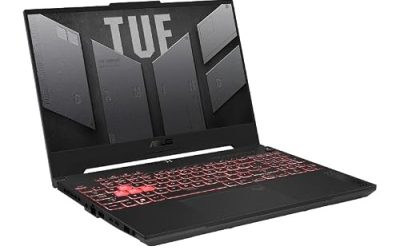
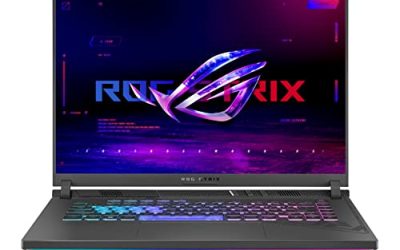
Our Top Picks
 HP Omen Transcend 14 Gaming AI Laptop 14"32GB RAM | 1TB SSD9.19 x 12.32 x 0.71 inches3.6 poundsCheck on Amazon
 Acer Predator Helios Neo 16 Gaming Laptop16" WUXGA14.18 x 11.02 x 1.05 inches5.73 poundsCheck on Amazon
As an Amazon Associate, we earn from qualifying purchases made through links on this page.
An allround gaming laptop is the machine you buy when one computer has to do everything. It needs a real discrete graphics chip for games at night, a screen that stays accurate enough for photo and video work, a keyboard and webcam that hold up through a working day, and a weight that does not punish you every time it goes into a bag. Pure gaming laptops chase frame rates and ignore the rest. Pure ultrabooks are lovely to carry and hopeless in a game. The five laptops below sit in the middle on purpose, and each one balances the trade-offs differently: two portable 14-inch models with OLED screens, two 16-inch models with roomier panels and upgrade paths, and one slim 14-inch creator crossover.
Every pick here is a genuine gaming laptop with a discrete GeForce RTX graphics chip, and every specification quoted comes from the manufacturer or the product listing, not from practical benchmarking. Where a maker publishes a battery figure, it is the maker’s own number under light workloads, and gaming on battery will always drain a pack far faster than documents and browsing do.
What to look for in an allround gaming laptop
Graphics chip and its power limit. The GPU name is only half the story. The same RTX 4060 or RTX 5060 can run at very different wattages depending on the chassis, and a higher total graphics power generally means stronger sustained performance in games and GPU-accelerated creative apps. Makers publish the wattage in their spec sheets, so compare that number, not just the chip name. For an all-rounder, the RTX 4060 and RTX 5060 class is the sweet spot: strong at 1080p and 1440p, and useful for video encoding and 3D previews.
Display quality beyond refresh rate. A fast panel matters for games, but an all-rounder also works on that screen all day. Look for the colour gamut the maker states: full sRGB coverage is the baseline for accurate work, and full DCI-P3 coverage, which HP and Razer state for their OLED panels here, suits video and photo editing. Resolution matters too. A 2560 x 1600 or 2880 x 1800 panel shows more of a spreadsheet, timeline or document than a 1920 x 1200 one, and the taller 16:10 shape helps in every app, not just games.
Weight and thickness. This decides whether the laptop actually travels. The 14-inch picks below weigh around 1.6 to 1.7 kg, which is easy to carry daily. The 16-inch models are closer to 2.3 to 2.8 kg before you add a large power adapter, so they suit a mostly desk-based life with occasional trips. Check the adapter size as well as the laptop, because gaming bricks are bulky.
Battery capacity and charging. Makers quote battery life for light tasks, and the honest comparison is the pack size in watt-hours: the machines here range from 53.5 Wh to 90 Wh. A bigger pack lasts longer in meetings and lectures, and USB-C charging support, where the maker lists it, lets you top up from a smaller adapter when you are not gaming.
Keyboard, webcam and ports. An all-rounder spends half its life in documents and calls. A backlit keyboard with decent travel, a 1080p webcam with an IR option for face sign-in, and a port mix that includes USB-C with DisplayPort output, full-size HDMI and USB-A saves you from living on dongles. Ethernet still matters if your desk or dorm has a wired connection.
Upgradeability. Soldered memory cannot be changed later, so a laptop with LPDDR5X on board must be bought in the capacity you need. Models with SO-DIMM slots and a spare M.2 bay let you add memory and storage as your library and projects grow, which extends the useful life of the machine.
Lenovo Legion Slim 5 16: the big-screen all-rounder

ASIN: B0DJWRCDBK — View on Amazon
The Legion Slim 5 is the most desk-friendly balance in this set. The listed configuration pairs an AMD Ryzen 7 8845HS processor with a GeForce RTX 4060 laptop GPU, 16GB of DDR5 memory and a 512GB solid-state drive. Its 16-inch panel runs at 2560 x 1600 with a 165Hz refresh rate, and Lenovo states full sRGB colour coverage for it, which keeps the screen honest for photo work and documents as well as games. The battery is an 80 Wh pack, the largest here after the Acer, and the chassis comes in at around 2.3 kg, light for a 16-inch gaming laptop.
For mixed use, the appeal is the combination of screen space and calm design. The 16:10 display fits a document and a browser side by side, the keyboard deck is a full-size layout, and the styling avoids the loudest gaming cues, so it looks at home in an office or classroom. The RTX 4060 has enough headroom for modern games at the panel’s native resolution with sensible settings, and for GPU-accelerated exports in editing apps.
The limitations follow from the spec sheet. The 512GB drive is the smallest storage here and will fill quickly once a few large games and a media library compete for space, though the chassis allows storage upgrades. At around 2.3 kg plus a full-size power adapter, it is a bag laptop for planned trips rather than an effortless daily carry. This is the pick for someone whose all-rounder lives mostly on a desk but still has to do everything well.
HP OMEN Transcend 14: the portable creator crossover
ASIN: B0G4RBV6MF — View on Amazon
The OMEN Transcend 14 is built for people who carry their gaming laptop everywhere and create on it too. The listed configuration runs an Intel Core Ultra 7 255H processor with a GeForce RTX 5060 with 8GB of GDDR7 memory, 32GB of RAM and a 1TB SSD. The 14-inch OLED panel is the highlight: 2880 x 1800 resolution, a 120Hz refresh rate, full DCI-P3 colour coverage and HDR brightness rated at 500 nits, which is exactly the spec set a video or photo editor wants from a portable screen. It weighs 1.63 kg, runs Windows 11 Pro, and carries a 71 Wh battery.
The port selection is unusually complete for a 14-inch machine: Thunderbolt 4, a further USB-C port, two USB-A ports, HDMI 2.1 and even a wired Ethernet jack, plus an FHD infrared camera for face sign-in on calls. The 32GB of memory is generous for multitasking across editing timelines, browser tabs and a game, and the restrained aluminium design passes in a meeting room without drawing attention.
The trade-offs are the usual 14-inch ones. The memory is soldered, so the 32GB fitted here is what you keep for the life of the laptop. A 14-inch screen, however sharp, is cramped for split-screen work compared with the 16-inch picks, so heavy multitaskers will want an external monitor at their desk. And as with any OLED panel, long hours of static documents call for the maker’s usual care guidance, such as screen timeouts and varied content. For commuters and creators, though, this is the most complete travel package in the group.
Razer Blade 14 (2025): the thinnest full-power option

ASIN: B0FP47DNFQ — View on Amazon
Razer’s Blade 14 takes the all-round brief and answers it with thinness. The listed 2025 configuration (model RZ09-05305ES3-R3U1) combines an AMD Ryzen AI 9 365 processor with a GeForce RTX 5060 that Razer rates at up to 115 watts of graphics power, which is strong for a chassis this slim. The display is a 14-inch OLED at 2880 x 1800 with a 120Hz refresh rate, memory is 16GB of LPDDR5X, and storage is a 1TB SSD. Razer lists the CNC aluminium chassis at about 1.63 kg with a 72 Wh battery, and the port set covers USB-C, USB-A and HDMI, so it docks at a desk without a bag of adapters.
As an all-rounder it suits someone who moves between home, office and campus and wants the machine to disappear into a bag, then still drive a high-refresh external monitor and a full game library at the desk. The OLED panel’s colour performance serves media and design work, and the high GPU wattage for the size means the RTX 5060 is not held back the way it can be in thinner, lower-power designs.
The clear limitation sits in the listing itself: this configuration ships with 16GB of memory, and because it is soldered LPDDR5X it cannot be upgraded later, which heavy multitaskers and creators working with large projects should weigh carefully. Fourteen inches is also the joint-smallest workspace here. Buyers who rarely travel will get more screen and more memory for their money from the 16-inch picks, but as a carry-everywhere gaming laptop, the Blade 14 is the most polished package in this roundup.
Acer Predator Helios Neo 16: the upgrade-friendly workhorse
ASIN: B0CX27GY7N — View on Amazon
The Helios Neo 16 (model PHN16-71-76H5) is the traditional big gaming laptop of the group, and its all-round case rests on headroom and upgradeability rather than portability. The listed configuration uses an Intel Core i7-13650HX processor, a GeForce RTX 4060, 16GB of DDR5 memory and a 512GB Gen 4 SSD. The 16-inch IPS panel runs at 1920 x 1200 with a 165Hz refresh rate and G-SYNC support, and Acer fits a 90 Wh battery, the largest pack in this roundup. Connectivity is a strength: Killer Wi-Fi 6E, Thunderbolt 4, HDMI and wired Ethernet cover both fast wireless and a stable desk setup.
For work and study, the draw is the full-size keyboard deck, the large screen and a chassis with accessible memory and storage, so the 16GB of RAM and 512GB drive in this configuration can grow with you instead of capping the machine’s lifespan. The HX-series processor’s many cores also suit compiling, rendering and other CPU-heavy coursework and job tasks alongside gaming.
The limitations are plain from the dimensions. This is the heaviest laptop here, at roughly 2.8 kg before its adapter, so it is an occasional traveller rather than a daily carry. Its 1920 x 1200 panel is also the lowest resolution in the set, which means less workspace for documents and timelines than the 2560 x 1600 Legion or the OLED picks. Choose it if your all-rounder is really a desk machine that must do everything and be upgraded over time, not carried everywhere.
MSI Stealth 14 Studio: the small creator-leaning option

ASIN: B0CCLPSMFW — View on Amazon
MSI’s Stealth line was designed from the start for the gap between gaming and content creation, and the Stealth 14 Studio is its compact expression. The listed configuration pairs an Intel Core i7-13620H with a GeForce RTX 4060, 16GB of DDR5 memory and a 1TB SSD, in a magnesium-aluminium chassis that MSI lists at 1.7 kg and 19 mm thin. The 14-inch IPS-level panel runs at 1920 x 1200, and the spec sheet includes Thunderbolt 4 and a per-key RGB keyboard, with a design that reads as a business laptop until you look closely.
That positioning is the appeal for an all-rounder: it can sit in a studio or office all day, drive editing and design software on its discrete GPU, and still be a genuine gaming laptop in the evening. The 1TB drive is generous next to the 512GB configurations above, and the weight makes it a realistic daily carry alongside the HP and the Razer.
Its limitations are about ceilings rather than flaws. MSI caps this GPU at a lower wattage than the big 16-inch chassis here, at up to 90 watts, so sustained graphics performance sits a step behind full-power designs. The 53.5 Wh battery is the smallest in this group, which shortens untethered work time, and the FHD+ panel gives up the extra workspace and sharpness of the 2880 x 1800 OLED screens. It is the right pick for a creator-first buyer who games, rather than a gamer-first buyer who creates.
Comparison table
| Model | CPU | GPU | Display | Memory / Storage | Battery | Weight |
|---|---|---|---|---|---|---|
| Lenovo Legion Slim 5 16 | Ryzen 7 8845HS | RTX 4060 | 16-inch 2560 x 1600 IPS, 165Hz | 16GB / 512GB | 80 Wh | Around 2.3 kg |
| HP OMEN Transcend 14 | Core Ultra 7 255H | RTX 5060 | 14-inch 2880 x 1800 OLED, 120Hz | 32GB / 1TB | 71 Wh | 1.63 kg |
| Razer Blade 14 (2025) | Ryzen AI 9 365 | RTX 5060, up to 115W | 14-inch 2880 x 1800 OLED, 120Hz | 16GB / 1TB | 72 Wh | Around 1.63 kg |
| Acer Predator Helios Neo 16 | Core i7-13650HX | RTX 4060 | 16-inch 1920 x 1200 IPS, 165Hz | 16GB / 512GB | 90 Wh | Around 2.8 kg |
| MSI Stealth 14 Studio | Core i7-13620H | RTX 4060, up to 90W | 14-inch 1920 x 1200 IPS-level | 16GB / 1TB | 53.5 Wh | 1.7 kg |
FAQ
What makes a gaming laptop an all-rounder rather than just a gaming laptop?
Balance. A gaming-only machine spends everything on the graphics chip and cooling. An all-rounder also needs a colour-accurate screen for work and media, a weight you can carry, a battery that survives meetings, a good webcam and keyboard, and ports that connect to office and home desks without adapters. Every pick above was chosen on that combined spec sheet.
Is an RTX 4060 or RTX 5060 enough for both games and creative work?
For most people, yes. Both chips handle modern games well at 1080p and 1440p, and both accelerate video encoding, photo processing and 3D previews in creative software. What matters as much as the chip name is the wattage the maker allows it, which is why the listings above note the graphics power where the manufacturer publishes it.
How much memory does an allround laptop need?
Sixteen gigabytes is the working minimum for gaming alongside everyday multitasking. If you edit video, run virtual machines or keep very large projects open, 32GB is the safer target, as fitted to the OMEN Transcend 14 here. Check whether the memory is soldered before buying: soldered memory, as in the Razer and the HP, can never be upgraded, while slotted designs like the Acer and Lenovo lines leave the door open.
Can a gaming laptop really last a working day on battery?
For documents, browsing and calls, the larger packs here, the 80 Wh Lenovo and 90 Wh Acer, are built to stretch across long stretches away from a socket, and the makers’ own battery figures are measured on exactly those light tasks. Gaming is a different story on every machine in this roundup: expect the battery to drain quickly under load, and treat the adapter as part of the gaming kit.
OLED or IPS for a mixed-use laptop?
OLED panels, like those on the HP and Razer here, give the strongest contrast and the wide DCI-P3 colour coverage creators want, with the caveat that static content shown for many hours deserves the maker’s care habits. IPS panels, like those on the Lenovo, Acer and MSI, are the lower-maintenance choice for document-heavy days and still cover the full sRGB range on the models listed. Either serves an all-rounder; the deciding factors are usually weight, resolution and price tier rather than panel type alone.
Conclusion
There is no single best allround gaming laptop, only the balance that matches your routine. If the laptop travels daily and doubles as a creative tool, the HP OMEN Transcend 14 and Razer Blade 14 pair OLED screens with weights around 1.6 kg, and the MSI Stealth 14 Studio takes the same idea in a creator-first design. If it lives on a desk and only travels sometimes, the Lenovo Legion Slim 5 gives you the best big colour-accurate screen here, and the Acer Predator Helios Neo 16 adds the largest battery and the clearest upgrade path. Whichever you choose, check the listed configuration carefully, especially memory and storage, because those two specs decide how long an all-rounder stays useful.
More from Amazon
Programs that pair well with the guide above. Offers and eligibility are set by Amazon and may change.
Free shipping on eligible items, Prime Video and more. Eligible new members can start with a free trial.
Start a Prime free trialAd-free music streaming. Eligible new subscribers can start with a free trial.
Try Music Unlimited freeA Prime membership for ages 18-24 with a trial period. Eligibility is set by Amazon.
See Prime for Young AdultsAudiobooks and podcasts to listen to on the go. Eligible new members can start with a free trial.
Try Audible freeAs an Amazon Associate we earn from qualifying purchases.