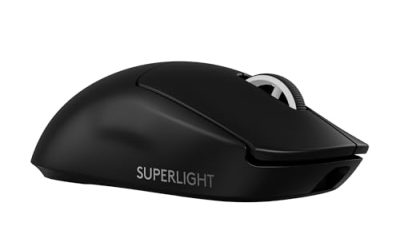
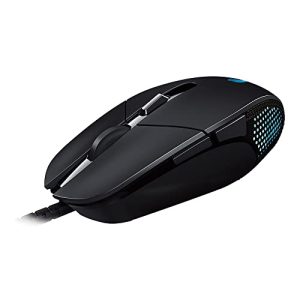
Our Top Picks
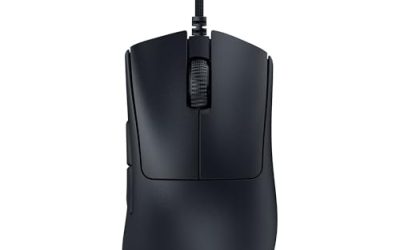
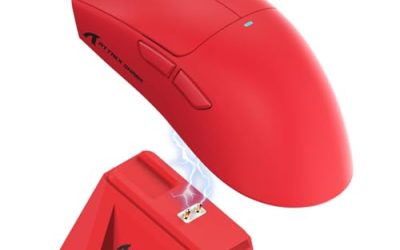
 Razer Basilisk V3 X HyperSpeed Customizable Wireless GamingStandard5.12 x 2.96 x 1.67 inches0.2 poundsCheck on Amazon
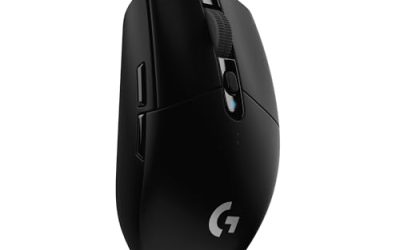
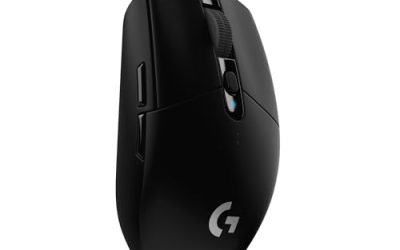
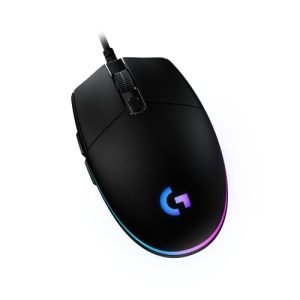
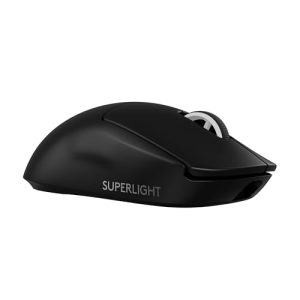
 Logitech G309 Lightspeed Wireless Gaming Mouse1.51 x 2.49 Inch1.51 x 2.49 x 0.1 inches0.2 poundsCheck on Amazon
Buying a gaming mouse for a MacBook starts with a port problem: current MacBooks have no USB-A port, so the 2.4GHz dongle most gaming mice rely on needs an adapter before it works at all. A mouse with a true Bluetooth mode skips that entirely and pairs straight to the machine. The real decision is which Bluetooth gaming mouse still behaves like a gaming mouse once connected — sensor quality, switch feel, battery life and shape all separate the three picks below.
This shortlist suits three kinds of Mac players: competitive players who want a full-size mouse with lots of controls, players who want one mouse to cover a Mac and a second machine, and travellers or small-handed players who want the lightest possible setup. Every mouse here was chosen from its Amazon product page name and listed specifications, and every one has a genuine Bluetooth mode — dongle-only models were excluded on principle.
Quick Picks
As an Amazon Associate we earn from qualifying purchases.
| Product | Best for | Key spec from title |
|---|---|---|
| Razer Basilisk V3 X HyperSpeed | Full-size control with nine programmable inputs | HyperSpeed Wireless and Bluetooth connectivity |
| Logitech G309 LIGHTSPEED | One mouse for a Mac plus a second computer | Switch between LIGHTSPEED wireless and Bluetooth |
| Razer Orochi V2 | The lightest travel and small-hand setup | Dual wireless modes: Bluetooth and HyperSpeed |
How to Choose
Bluetooth Mode Versus Dongle-Only Wireless
The first check is whether the mouse has Bluetooth at all, because many respected gaming mice are 2.4GHz-only and reach a MacBook only through a USB-C adapter or hub. A dual-mode mouse gives you both paths: Bluetooth for the MacBook with nothing plugged in, and the faster dongle link when you sit at a desk with a dock. Multi-device support matters too — the Basilisk V3 X, for example, is listed with multi-device connectivity, so one mouse can serve a laptop and a desktop without re-pairing each time.
Battery Life on a Single AA
Bluetooth gaming mice trade the charging cable for very long runtimes, and the listed figures differ enormously. The Orochi V2 claims up to 950 hours on Bluetooth, the G309 over 600 hours on Bluetooth, and the Basilisk V3 X up to 535 hours — all from a single AA cell. Treat these as best-case figures at moderate settings, but the ordering is still useful: if you hate battery swaps mid-week, the longest Bluetooth rating wins, and a spare AA in the bag removes the risk entirely.
Sensor and Switch Quality
A Bluetooth link should not mean office-grade internals. All three mice here carry proper gaming sensors — Razer’s 5G Advanced 18K optical sensor in the Basilisk V3 X and Orochi V2, and Logitech’s HERO 25K in the G309 — so tracking precision is not the compromise. Switches differ in character: the two Razer models use second-generation mechanical switches rated for 60 million clicks, while the G309 uses LIGHTFORCE hybrid optical-mechanical switches, which feel crisper and register with an optical actuation point.
Shape, Weight and Software on macOS
Shape decides comfort over long sessions. The Basilisk V3 X is a full-size right-handed mouse with nine customizable controls; the Orochi V2 is a small symmetric shell in the under-60-gram class for fingertip and claw grips; the G309 sits between them at roughly 86 grams. Also check the software story before buying: Razer Synapse and Logitech G HUB offer reduced functionality on macOS compared with Windows, so onboard profile storage — listed on the Basilisk — is worth having if you set up buttons once and play everywhere.
The 3 Best Options
Razer Basilisk V3 X HyperSpeed
The Basilisk V3 X HyperSpeed is the pick for Mac players who want a full-featured gaming mouse rather than a travel compromise. Its dual connectivity pairs over Bluetooth for cable-free MacBook play and switches to HyperSpeed Wireless where a dongle setup exists, with multi-device support listed for moving between machines. Nine customizable controls with Hypershift give it the deepest button layout here, the 5G Advanced 18K optical sensor tracks at gaming grade, and the rated battery life — up to 535 hours on Bluetooth from the included AA — means charging anxiety simply disappears.
Specs
- Connectivity: Razer HyperSpeed Wireless and Bluetooth, multi-device support
- Battery life: up to 285 hours (HyperSpeed) / up to 535 hours (Bluetooth)
- Battery: single AA, included
- Sensor: Razer 5G Advanced 18K optical sensor
- Controls: 9 customizable controls with Razer Hypershift
- Switches: Razer Mechanical Mouse Switches Gen-2, rated 60 million clicks
- Polling rate: 1000 Hz
- Feet: 100% PTFE mouse feet
- Extras: onboard profile storage, Razer Chroma RGB
Best for: Mac players who want a full-size mouse with the most programmable controls and dual-mode flexibility.
Watch out for: Razer Synapse has reduced functionality on macOS compared with Windows, so check which customisation features you need are available on Mac, and lean on the onboard profiles for settings you want to keep.
Logitech G309 LIGHTSPEED
The G309 LIGHTSPEED is built around switching: its listing leads with the ability to move between LIGHTSPEED wireless and Bluetooth connectivity, which makes it the natural choice for a desk shared between a Mac and another computer. Battery life is the other headline — over 300 hours on LIGHTSPEED and over 600 hours on Bluetooth from one AA cell. Inside, the HERO 25K sensor and LIGHTFORCE hybrid optical-mechanical switches give it the sharpest click feel of the three, and at roughly 86 grams it stays light enough for fast flicks in shooters.
Specs
- Connectivity: LIGHTSPEED wireless and Bluetooth, switchable
- Battery life: 300+ hours (LIGHTSPEED) / 600+ hours (Bluetooth)
- Battery: single AA
- Sensor: HERO 25K
- Switches: LIGHTFORCE hybrid optical-mechanical switches
- Weight: approximately 86 g
- Compatibility: PC and Mac stated for the model
Best for: players splitting time between a MacBook and a second machine who want crisp hybrid switches and very long Bluetooth runtime.
Watch out for: two ASINs circulate for the black G309 listing, so confirm the live featured offer is for the exact ASIN printed below before ordering — do not assume a same-named listing is the same product page.
Razer Orochi V2

The Orochi V2 is the mouse to throw in a laptop sleeve. Its small symmetric shell sits in the under-60-gram class, it pairs with a MacBook over Bluetooth with nothing plugged in, and its battery figures are the best here: up to 950 hours on Bluetooth or up to 425 hours on HyperSpeed from a single AA or AAA cell, a flexibility no other pick offers. The 5G Advanced 18K optical sensor and second-generation mechanical switches rated for 60 million clicks mean the gaming internals survive the shrink — this is a small mouse, not a lesser one.
Specs
- Connectivity: Bluetooth and Razer HyperSpeed Wireless (USB dongle included)
- Battery life: up to 950 hours (Bluetooth) / up to 425 hours (HyperSpeed)
- Battery: single AA or AAA
- Sensor: Razer 5G Advanced 18K DPI optical sensor
- Switches: 2nd-generation Razer Mechanical Switches, rated 60 million clicks
- Weight: under 60 g class
- Shape: ultra-lightweight symmetric small shell
Best for: MacBook players who travel, play in cafés or shared spaces, or have smaller hands and prefer a fingertip grip.
Watch out for: the Orochi V2’s colourways carry different ASINs across listings, so confirm the live featured offer matches the exact ASIN and the black colourway below before ordering.
Which One Fits Your Situation
You Play at a Desk With a Mac and Another Computer
Choose the Logitech G309 LIGHTSPEED. Its whole design centres on switching between LIGHTSPEED and Bluetooth, so the dongle can live permanently in your other machine while Bluetooth covers the MacBook. The 600-plus-hour Bluetooth rating means the shared mouse is never the thing that dies mid-session, and the hybrid switches feel equally sharp on both computers.
You Want One Full-Featured Mouse for Long Sessions
Choose the Razer Basilisk V3 X HyperSpeed. Nine customizable controls, Hypershift and a full-size right-handed shape suit MMO and strategy play as much as shooters, and onboard profile storage keeps your button setup intact even where macOS software support is thinner than on Windows. The 535-hour Bluetooth rating also survives long daily sessions without a thought.
You Game Wherever the MacBook Goes
Choose the Razer Orochi V2. It is the lightest mouse here, pairs over Bluetooth with no adapter, runs for up to 950 hours on that connection, and accepts either an AA or an AAA cell — the easiest power situation to rescue in an airport or café. It disappears into a laptop sleeve and adds almost nothing to the bag.
Your Hands Are Small or You Use a Fingertip Grip
Choose the Razer Orochi V2 again. Its small symmetric shell and sub-60-gram weight are built for fingertip and claw control, where the larger Basilisk would feel bulky and the mid-size G309 still carries more shell than you need. Small hands also reach its side buttons without stretching, which keeps fast inputs comfortable over a long evening.
Common Mistakes
- Buying a dongle-only gaming mouse for a MacBook and discovering it needs a USB-C adapter before it connects at all.
- Assuming every colourway of a mouse shares one listing — colour variants often carry separate ASINs with separate stock.
- Comparing battery figures across connection modes; Bluetooth ratings are far longer than 2.4GHz ratings on the same mouse.
- Expecting the full Windows feature set from Razer Synapse or Logitech G HUB on macOS, instead of checking Mac support first.
- Choosing by sensor DPI alone when shape and grip decide comfort far more over a long session.
Frequently Asked Questions
Does a Bluetooth gaming mouse add noticeable lag on a Mac?
Bluetooth adds slightly more latency than a 2.4GHz dongle link, but all three mice here also offer that faster mode for the moments it matters. For most Mac gaming — strategy, RPGs, casual shooters — Bluetooth feels responsive, and the dual-mode design means you are never locked into one connection type.
Can these mice connect to a MacBook without any adapter?
Yes, that is the point of the shortlist. Each mouse has a true Bluetooth mode that pairs directly with a MacBook’s built-in Bluetooth, with no dongle, hub or USB-C adapter required. The dongles included with the Razer models and the G309’s LIGHTSPEED receiver are optional extras for other machines.
How long do these mice really run on one AA battery?
The listed Bluetooth figures are up to 535 hours for the Basilisk V3 X, over 600 hours for the G309 and up to 950 hours for the Orochi V2. Real-world life depends on polling and lighting settings, but even a fraction of those ratings means months between battery changes for most players.
Will my button settings carry over when I switch computers?
It depends on the model. The Basilisk V3 X lists onboard profile storage, so saved settings travel with the mouse itself. For the others, expect to lean on each vendor’s software where it is installed — and remember that both Razer Synapse and Logitech G HUB offer reduced features on macOS.
FAQ
Does a Bluetooth gaming mouse add noticeable lag on a Mac?
Can these mice connect to a MacBook without any adapter?
How long do these mice really run on one AA battery?
Will my button settings carry over when I switch computers?
More from Amazon
Programs that pair well with the guide above. Offers and eligibility are set by Amazon and may change.
Free shipping on eligible items, Prime Video and more. Eligible new members can start with a free trial.
Start a Prime free trialAd-free music streaming. Eligible new subscribers can start with a free trial.
Try Music Unlimited freeA Prime membership for ages 18-24 with a trial period. Eligibility is set by Amazon.
See Prime for Young AdultsAudiobooks and podcasts to listen to on the go. Eligible new members can start with a free trial.
Try Audible freeAs an Amazon Associate we earn from qualifying purchases.