Key takeaways
- Searching for the best basic gaming mouse? Our guide covers sensor, shape, buttons and connection in plain terms to help first-time buyers choose well.
As an Amazon Associate we earn from qualifying purchases.
A basic gaming mouse should make aiming feel natural, not turn a simple purchase into a research project. The real decision is how much mouse you actually need: a straightforward pointer with a reliable sensor and a comfortable shape, or a device loaded with extra buttons, lighting modes and software you may never open. Chase every feature and you pay for complexity that gets in the way, while the middle ground is a mouse that disappears into your hand while you play.
This guide is written for first-time buyers, casual players who want a step up from an office mouse, and anyone replacing a worn-out pointer without learning new software. It walks through shape, sensor, buttons and connection in plain terms, explains which extras are safe to skip, and ends with the situations that point to one kind of simple mouse over another.
How to Choose
Sensor and Sensitivity
The sensor decides how faithfully the mouse turns hand movement into cursor movement, so it deserves attention before anything flashy. A modern optical sensor tracks cleanly across the speeds most players actually use, and for a basic mouse that consistency matters far more than a headline sensitivity number. Sensitivity settings let you raise or lower how far the cursor travels for the same hand movement, and most players settle somewhere in the middle after a few sessions. Look for a mouse that lets you switch between two or three sensitivity levels from a button on top, so you can slow down for careful aiming and speed up for menus without opening software.
Shape, Size and Grip
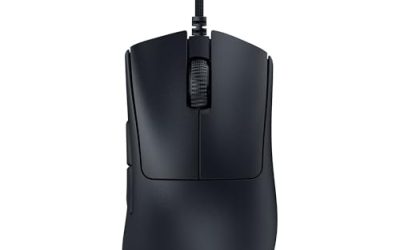
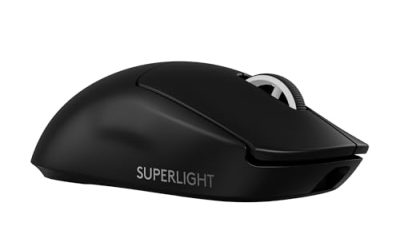
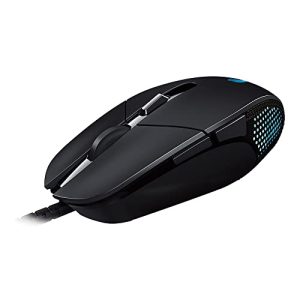
Shape is the part you feel for hours at a time, which makes it the hardest thing to judge from a listing alone. A basic gaming mouse usually comes in a low, rounded shell that suits a palm grip, or a slightly narrower body that suits players who steer with their fingertips. Hand size matters here: a shell that is too long forces your fingers to stretch, while one that is too short leaves your palm unsupported and your wrist doing extra work. Before settling, compare the listed length and width with a mouse you already own, and favour a plain, symmetrical or gently curved shape over an aggressive design with ridges and wings you cannot test in advance.
Buttons and Scroll Wheel
A basic mouse keeps the controls simple: two main buttons, a clickable scroll wheel and, at most, two thumb buttons for actions you use constantly. That is enough for most games, because the keyboard already carries the bulk of the commands, and every extra button is one more thing to hit by accident in a tense moment. The main buttons should press cleanly and return quickly, without a mushy feeling or a long travel before the click registers. The scroll wheel deserves the same attention, since a loose wheel skips past weapon slots and a stiff one fights you during long sessions. Side buttons earn their place only when your thumb reaches them without stretching.
Connection and Cable
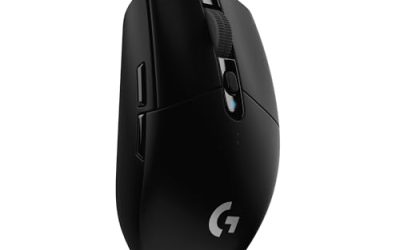
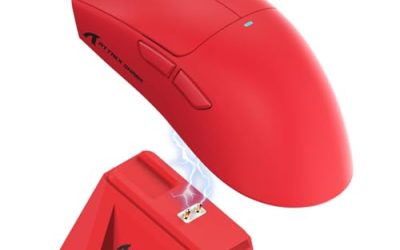
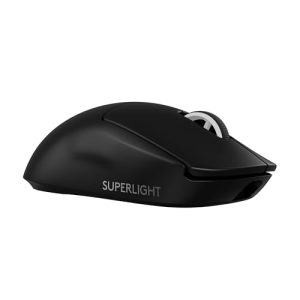
Connection is a practical choice, not a badge of seriousness, and for a first gaming mouse a cable is often the simplest answer. A wired mouse never needs charging, never drops its link, and works the moment it is plugged in, which is exactly what a basic setup should do. The trade-off is the cable itself: a stiff or heavy cord tugs at the mouse and can catch on the desk edge, so look for a light, flexible cord and give it enough slack to move freely. Wireless models remove that drag and travel well with a laptop, but they add batteries or charging to your routine and a receiver to keep track of.
What a Basic Mouse Should Leave Out
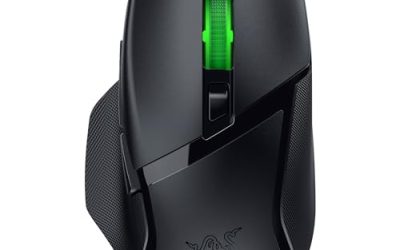
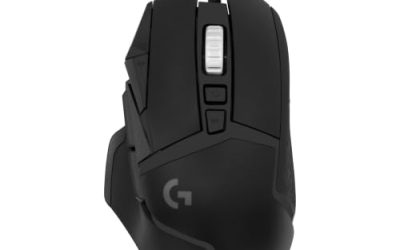
Part of buying basic is knowing which extras to walk past. A dozen programmable buttons sound useful until the thumb grid gets in the way of the two buttons you actually press, and a mouse that needs a large companion app for its core settings turns a five-minute setup into an evening of menus. Adjustable weights look clever on a listing, yet most owners settle on one arrangement in the first week and never touch the tray again. None of these features makes a mouse worse on its own, but each one adds cost, weight or clutter to a device whose job is to stay out of your way.
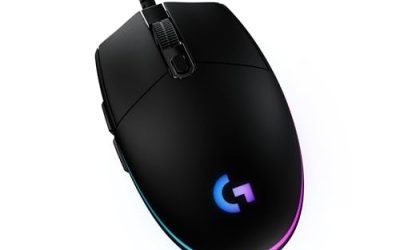
Lighting follows the same logic. A soft glow under the logo or along the edge is harmless and easy to ignore, while a mouse that cycles through bright patterns can distract in a dark room and drain a wireless battery faster. The same goes for extreme sensitivity figures: a sensor that tracks cleanly at ordinary speeds matters far more than a maximum number you will never use. Judge a basic mouse on the handful of things you will touch every session — the shape, the two main buttons, the wheel and the cable or receiver — and let the rest of the feature list go.
The same restraint applies to the box it comes in. A basic mouse should arrive ready to use, with a short guide and a cord or receiver, not a pile of spare parts you must assemble before the first game. If the listing spends more words on the packaging than on the sensor and the shape, it is selling theatre rather than a tool. Keep your attention on the parts your hand will meet every day, and the right simple mouse is usually the one whose listing reads the plainest.
Setting Up Your First Gaming Mouse
A new mouse feels strange for the first few days, and that is normal rather than a sign of a bad pick. Start by setting the sensitivity to a middle level and leaving it there for a full week, since changing it every session stops your hand from learning the new shape. Place the mouse where your wrist rests naturally on the desk, with the cable given enough slack to reach every corner of the pad without pulling. If your mouse came with software, install it once, turn off any lighting pattern you find distracting, and then close it; a basic mouse should not need daily attention.
Give the mouse a proper trial across the games you actually play, not just a few minutes on the desktop. Spend an evening in a slower game where you can notice the shape and the weight, then try a faster one to see whether the sensor keeps up when you turn quickly. Small annoyances in the first hour often fade as your grip settles, while a real problem — a button you keep hitting by mistake, a wheel that skips, a shell that aches your wrist — stays obvious after several sessions. If the problem is still there after a week, swap the mouse while the return window is open; a basic mouse should feel boring in the best sense, present when you need it and forgotten the moment you start playing.
Which One Fits Your Situation
Your First Gaming Mouse
Start with a wired mouse in a plain, medium shell with six buttons or fewer. It keeps the setup simple: plug it in, pick a sensitivity level that feels calm rather than twitchy, and spend your first weeks learning the shape instead of the software. A simple first mouse also makes it easier to learn what you actually want next, whether that is a lighter shell, a different grip or a wireless link. Keep the box until you are sure.
One Mouse for Work and Play
A basic gaming mouse earns its keep twice when it also handles the working day. Look for a quiet, comfortable shell without aggressive angles, a sensor that tracks smoothly at low speeds for documents and spreadsheets, and a cable or receiver that moves between a desk PC and a laptop without fuss. Two thumb buttons are handy here for going back and forward in a browser. A neutral colour also helps it blend into a work setup.
A Small Desk or a Shared Room
When space is tight, a compact wired mouse with a flexible cord is usually the calmest choice. It needs no charging dock, no spare receiver slot and no room for a battery to run down, and its footprint stays small enough to share a desk with notebooks and a keyboard. A soft, single-colour glow is plenty here; anything brighter only draws eyes in a shared room. Keep the cable routed behind the desk so it never snags.
A Gift for Someone Starting Out
A first gaming mouse makes a forgiving gift when you keep it simple. Choose a well-known shape in a neutral colour, wired so there is nothing to charge and nothing to pair, with the sensitivity button on top where it can be found without a manual. Skip models that demand an account or a large app before they feel right, and skip anything with a thumb grid that takes a week to learn. A medium shell is the safest guess.
Common Mistakes
- Buying on the highest sensitivity number alone, instead of checking how the sensor behaves at the speeds you actually use.
- Choosing a shell for its looks and discovering after a week that it cramps your hand or leaves your palm unsupported.
- Paying for a thumb grid or a weight system you never touch, when a plain six-button mouse would have done the same job.
- Letting a stiff cable drag across the desk edge, then blaming the sensor for movement that the cord caused.
- Skipping the returns window and living with a mouse that never felt right, instead of swapping it while the option is still open.
Frequently Asked Questions
Do I need a high sensitivity number for casual games?
No. Casual play happens at ordinary hand speeds, where a steady sensor matters far more than a headline figure. A mouse that tracks cleanly through slow, careful movements and quick turns alike will serve you better than one that advertises a maximum you never reach. Pick a comfortable middle setting, play for a few sessions, and adjust only if aiming feels consistently too slow or too fast.
Is a wired mouse better than a wireless one for a beginner?
For most beginners, yes, because a cable removes charging, pairing and battery worries from the first weeks. A wired mouse works as soon as it is plugged in and keeps the same connection through every session. Wireless suits players who travel with a laptop or hate cable drag, so treat it as a convenience upgrade for a second mouse rather than a requirement for the first one.
How many buttons does a basic gaming mouse need?
Six is a sensible ceiling: two main buttons, a clickable wheel and two thumb buttons cover nearly every casual game alongside the keyboard. Extra buttons help only in games where you genuinely press them mid-fight, such as pushing to talk or swapping weapons, and they hurt when they sit under your thumb by accident. Start simple and add buttons only after a game shows you a gap.
Can I use a gaming mouse for office work too?
Yes, and many people do exactly that. The same qualities that help in games — a comfortable shape, a smooth sensor and a reliable scroll wheel — make long working days easier as well. Keep the lighting subtle and the extra buttons assigned to simple jobs like going back a page, and the mouse will feel at home on a work desk.
FAQ
Do I need a high sensitivity number for casual games?
Is a wired mouse better than a wireless one for a beginner?
How many buttons does a basic gaming mouse need?
Can I use a gaming mouse for office work too?
More from Amazon
Programs that pair well with the guide above. Offers and eligibility are set by Amazon and may change.
Free shipping on eligible items, Prime Video and more. Eligible new members can start with a free trial.
Start a Prime free trialAd-free music streaming. Eligible new subscribers can start with a free trial.
Try Music Unlimited freeA Prime membership for ages 18-24 with a trial period. Eligibility is set by Amazon.
See Prime for Young AdultsAudiobooks and podcasts to listen to on the go. Eligible new members can start with a free trial.
Try Audible freeAs an Amazon Associate we earn from qualifying purchases.