Our Top Picks
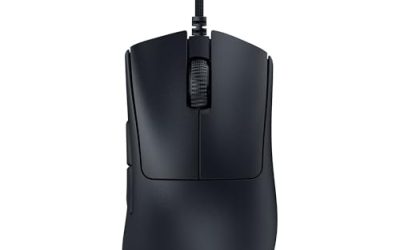
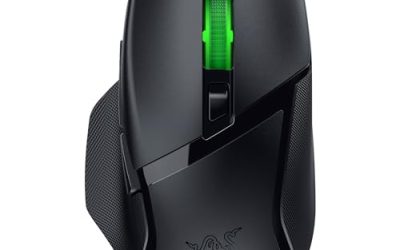
 ATTACK SHARK X11 59g Lightweight Wireless Gaming Mouse5.04 x 2.52 x 0.1 inches0.1 poundsCheck on Amazon
AliExpress made a name for itself among mouse enthusiasts because it is where a wave of small Chinese brands first sold ultralight wireless mice with flagship sensors at a fraction of what mainstream brands charged. The catch is the buying experience itself: long overseas shipping, returns that cross borders, and listings that mix colours, bundles and model revisions under similar names. The same mice have since appeared on Amazon US, which is why this guide picks five models that are commonly bought on AliExpress and verifies each one against a live Amazon US listing instead.
This guide is for competitive shooter players who want flagship tracking without a flagship outlay, for claw and fingertip grippers chasing a lighter shell, and for laptop players who need one mouse that moves between machines. Every product below was chosen from the name and specifications shown on its Amazon product page, with the exact listing code recorded so you can check the same listing before you buy.
Quick Picks
As an Amazon Associate we earn from qualifying purchases.
| Product | Best for | Key spec from title |
|---|---|---|
| ATTACK SHARK X11 (Red) | Dock charging and a full tri-mode setup | PAW3311 sensor, up to 22,000 DPI |
| MAMBASNAKE R1 (Red) | A light first ultralight with tri-mode switching | PAW3311 sensor, up to 18,000 DPI |
| ATTACK SHARK X6 (Red) | Flagship tracking with a charging dock | PAW3395 sensor, up to 26,000 DPI |
| ATTACK SHARK X3 (Black) | The lightest everyday tri-mode pick | PAW3395 sensor, up to 26,000 DPI |
| ATK VXE Dragonfly R1 Pro (Black) | Competitive FPS in the lightest shell here | PAW3395 sensor, up to 26,000 DPI |
How to Choose
Start with the sensor, not the shell
The sensor decides whether a mouse tracks cleanly when you flick across the pad. The PixArt PAW3395 in the X6, X3 and R1 Pro is the flagship chip in this group, rated to 26,000 DPI with 650 IPS tracking speed and 50G acceleration, the same class of hardware found in far more expensive mice. The PAW3311 in the X11 and R1 is a step down, rated to 22,000 DPI on the X11 and 18,000 DPI on the R1, with 300 IPS tracking on the X11. Most players set far less than the maximum DPI, so judge tracking speed and acceleration first, and treat the headline DPI figure as a ceiling rather than a promise of better aim.
Match weight and shape to your hand and grip
All five mice here sit between 48g and 59g, which is light enough that the shell almost disappears during long sessions, but weight alone does not make a mouse comfortable. The X3 and R1 Pro use low, symmetrical shells that suit claw and fingertip grips and medium to small hands, while the X11 and X6 have slightly taller, more sculpted bodies with a defined hump. Measure your hand from wrist to middle fingertip and compare it with the listed dimensions before ordering, because a 120mm shell that feels nimble to one player can feel cramped to another, and no sensor can fix a shape that fights your grip.
Check the connection modes and what polling really means
Tri-mode mice connect over 2.4GHz wireless, Bluetooth and a wired USB-C cable, which matters if you move one mouse between a desktop and a laptop. The X11, R1, X6 and X3 all include all three modes, while the R1 Pro is dual-mode only, with 2.4GHz wireless and wired, and no Bluetooth at all. Polling rate needs the same care: every mouse here runs at 1,000Hz out of the box, and the R1 Pro only reaches its advertised 4,000Hz figure with a separately purchased receiver, so confirm what ships in the box rather than assuming the headline number applies to the standard listing.
Read the switches, the software and the exact listing
Clicks come from the switches, and these mice use different ones: HUYU switches in the X11, HUANO switches in the X6, and Kailh GM8.0 switches in the X3, each with its own click feel and rated lifespan. Software matters just as much, because DPI steps, lift-off distance and button remapping live in a configuration tool, and some of these tools are web-based hubs that open in a browser while others are desktop apps. Finally, check the exact listing variant, because colour and bundle versions of the same model carry different listing codes, and the red shell, the sticker bundle and the plain black version are not interchangeable listings.
The 5 Best Options
ATTACK SHARK X11 (Red)
The X11 is the most complete package for a player who wants a dock on the desk and every connection mode available. Its magnetic RGB charging dock means the mouse tops up between sessions without a cable hunt, and a short charge is rated to give hours of use, which suits players who game in bursts. At 59g it is the heaviest mouse here, yet still far lighter than most mainstream wireless mice, and the PAW3311 sensor handles fast flicks at 300 IPS tracking speed. The red shell is a bold look, so it fits a setup that already leans into colour rather than a plain desk.
Specs
- PixArt PAW3311 optical sensor, up to 22,000 DPI
- 59g lightweight design
- Tri-mode: Bluetooth, 2.4GHz wireless and USB-C wired
- Magnetic RGB charging dock included
- 5 programmable buttons
- 300 IPS tracking speed, 1,000Hz polling rate, 35G acceleration
- HUYU switches rated to 20 million clicks
Best for: Players who want a charging dock and tri-mode switching in one purchase.
Watch out for: Two listing codes circulate for this model, so confirm the listing shows the red shell with the RGB dock before ordering.
ASIN: B0D3LNQ47V
MAMBASNAKE R1 (Red)

The R1 is the gentlest entry point, a straightforward ultralight that keeps the essentials and skips the extras that push other models up the range. It shares the X11’s PAW3311 sensor family, rated here to 18,000 DPI, and the same tri-mode connection set, so it moves between a desktop, a laptop and a wired setup without a second mouse. At 59g it matches the X11 on the scale, and the red shell gives it a look on a dark desk. It suits a player buying a first ultralight who wants to learn whether a light symmetrical shell fits their grip before committing to a more specialised model.
Specs
- PixArt PAW3311 optical sensor, up to 18,000 DPI
- 59g ultralight design
- Tri-mode: 2.4GHz wireless, Bluetooth and wired
- 5 programmable buttons
- Works with Windows and Mac
Best for: First-time ultralight buyers who want tri-mode flexibility at the simplest level.
Watch out for: The 18,000 DPI ceiling is lower than the PAW3395 models here, so competitive players chasing the highest tracking headroom should look at the X6, X3 or R1 Pro instead.
ASIN: B0D4QWPWL1
ATTACK SHARK X6 (Red)

The X6 pairs the flagship PAW3395 sensor with a charging dock, which is the combination most players in this group actually want: top-tier tracking without giving up the convenience of dropping the mouse on a dock after a session. At 49g it is a full 10g lighter than the X11 and R1, and the 650 IPS tracking speed with 50G acceleration gives it headroom for the fastest flicks. The magnetic RGB base charges the mouse and lights the desk, and the tri-mode connection set covers 2.4GHz, Bluetooth 5.2 and wired USB-C. HUANO switches sit under the main buttons, and the listed battery endurance stretches to around 200 hours per charge.
Specs
- PixArt PAW3395 optical sensor, up to 26,000 DPI
- 49g ultralight design
- Tri-mode: wired, 2.4GHz wireless and Bluetooth 5.2
- Magnetic RGB charging base included
- HUANO switches, 5 programmable buttons
- 650 IPS tracking speed, 1,000Hz polling rate, 50G acceleration
- Up to 200 hours of battery life per charge
- 118.3 x 62 x 37.3 mm
Best for: Players who want flagship tracking plus dock charging in one mouse.
Watch out for: The listing’s DPI presets jump from 5,000 straight to 26,000 with no step between, so set a custom DPI in software if you play between those values.
ASIN: B0CZKWRNB9
ATTACK SHARK X3 (Black)

The X3 is the plain black workhorse, the mouse to pick when you want the flagship sensor and the lightest practical shell without a dock or a coloured finish. Its PAW3395 sensor matches the X6 and R1 Pro at up to 26,000 DPI with 650 IPS tracking, and the 49g shell is the same weight class as the X6 while skipping the charging base entirely. Kailh GM8.0 switches sit under the main buttons, and tri-mode connectivity covers 2.4GHz, Bluetooth 5.2 and USB-C wired. The listed battery endurance reaches around 200 hours, which means weeks between charges for most players, and the black shell suits any desk without drawing attention.
Specs
- PixArt PAW3395 optical sensor, up to 26,000 DPI
- 49g ultralight design
- Tri-mode: 2.4GHz wireless, Bluetooth 5.2 and USB-C wired
- Kailh GM8.0 switches, 5 programmable buttons
- 650 IPS tracking speed, 1,000Hz polling rate, 50G acceleration
- Up to 200 hours of battery life per charge
- 118.5 x 61 x 39.7 mm
Best for: Everyday competitive play in a light, plain, tri-mode shell.
Watch out for: The black listing and the sticker-bundle listings carry different codes, so confirm the listing shows the plain black mouse with no bundle extras.
ASIN: B0CCHV7RQM
ATK VXE Dragonfly R1 Pro (Black)

The R1 Pro is the lightest mouse in this guide at 48g, and the one built most squarely for competitive first-person shooters. Its PAW3395 sensor matches the X6 and X3 at up to 26,000 DPI with 650 IPS tracking and 50G acceleration, and the symmetrical low-profile shell suits claw and fingertip grips on medium to small hands. There is no Bluetooth here, only 2.4GHz wireless and wired, which is a deliberate trade for a focused gaming tool rather than a multi-device mouse. The listed battery life is 75 hours at 1,000Hz polling, and the shell uses a smooth ice-feel coating that stays dry through long sessions.
Specs
- PixArt PAW3395 optical sensor, up to 26,000 DPI
- 48g ultralight symmetrical design
- Dual-mode: 2.4GHz wireless and wired
- 75 hours of battery life at 1,000Hz polling
- 120.6 x 64.1 x 37.6 mm
- Nordic 52840 chip with low-latency wireless transmission
Best for: Competitive FPS players who want the lightest shell and the cleanest tracking.
Watch out for: The advertised 4,000Hz polling rate needs a separately purchased receiver, because the receiver in the box supports up to 1,000Hz.
ASIN: B0FN7HCZT1
Which One Fits Your Situation
You play fast shooters most nights
Pick the ATK VXE Dragonfly R1 Pro if you want the lightest shell and the most focused tool for competitive play, or the ATTACK SHARK X6 if you want the same flagship sensor with a charging dock waiting on the desk. Both use the PAW3395 sensor with 650 IPS tracking, so the choice comes down to whether you value the R1 Pro’s 48g shell or the X6’s dock and Bluetooth. Either one tracks cleanly through fast flicks.
You want the simplest first ultralight
Pick the MAMBASNAKE R1, because it keeps the essentials, tri-mode switching and a light shell, without asking you to choose between sensor tiers or docking extras. It is the easiest way to learn whether a 59g symmetrical mouse fits your grip and your games. If you try it and want more tracking headroom later, the X6 is the natural next step in this same group.
You switch between a PC and a laptop
Pick the ATTACK SHARK X3 or the ATTACK SHARK X11, because both include Bluetooth alongside 2.4GHz wireless and wired USB-C, so one mouse pairs with a laptop and a desktop without re-pairing a dongle. The X3 is lighter and plainer, while the X11 adds the magnetic charging dock for a desk that stays tidy. Skip the R1 Pro here, because it has no Bluetooth at all.
You have smaller hands and a fingertip grip
Pick the ATTACK SHARK X3 or the ATK VXE Dragonfly R1 Pro, because both use low, symmetrical shells in the 48 to 49g range that suit fingertip and claw grips on medium to small hands. The X3 adds Bluetooth and longer battery endurance, while the R1 Pro is the lighter of the two by a single gram. Either one keeps your fingers close to the buttons without stretching across a wide body.
Common Mistakes
- Buying by the DPI number alone, when tracking speed, acceleration and polling rate decide how a mouse actually feels in a fast game.
- Ordering the wrong colour or bundle variant, because each variant of these models carries its own listing code and the red, black and sticker versions are separate listings.
- Assuming a 4,000Hz polling rate comes in the box, when the R1 Pro needs a separately purchased receiver to reach it.
- Choosing a symmetrical ultralight for a full palm grip without checking the shell dimensions against your hand first.
- Skipping the software check, since DPI steps, lift-off distance and button remapping live in a configuration tool that may be web-based or open in another language by default.
Frequently Asked Questions
Are AliExpress gaming mice reliable for daily play?
These models use the same flagship sensors and named switches as far more expensive mice, so the hardware holds up well for daily play. The honest risk is quality variance between batches, so a listing with straightforward returns matters more than the brand name on the box. Check the exact listing, confirm the model and colour, and keep the packaging until you have used the mouse for a few sessions.
Do these mice work on Mac as well as Windows?
The tri-mode models in this guide list support for both Windows and Mac, and Bluetooth pairing works the same way on either system. The difference is the configuration software, which is usually built for Windows first, so DPI steps and button remapping may need a Windows machine to set up. Once configured, the mouse keeps its settings when you move it to a Mac.
What does tri-mode mean on a gaming mouse?
Tri-mode means the mouse connects three ways: 2.4GHz wireless through a small USB receiver, Bluetooth for laptops and tablets, and a wired USB-C cable for charging or lowest-latency play. You switch between modes with a button on the underside of the mouse. Four of the five mice here are tri-mode, while the R1 Pro is dual-mode only, with 2.4GHz wireless and wired, and no Bluetooth.
Why do the same mouse models have different listing codes?
Each colour and bundle version of a mouse gets its own listing code, so the red shell, the black shell and the sticker bundle of one model are three separate listings. That is why the X11 and the X3 each show more than one code. Always match the code to the exact listing you open, and check that the title, colour and included accessories match the model you want.
FAQ
Are AliExpress gaming mice reliable for daily play?
Do these mice work on Mac as well as Windows?
What does tri-mode mean on a gaming mouse?
Why do the same mouse models have different listing codes?
More from Amazon
Programs that pair well with the guide above. Offers and eligibility are set by Amazon and may change.
Free shipping on eligible items, Prime Video and more. Eligible new members can start with a free trial.
Start a Prime free trialAd-free music streaming. Eligible new subscribers can start with a free trial.
Try Music Unlimited freeA Prime membership for ages 18-24 with a trial period. Eligibility is set by Amazon.
See Prime for Young AdultsAudiobooks and podcasts to listen to on the go. Eligible new members can start with a free trial.
Try Audible freeAs an Amazon Associate we earn from qualifying purchases.