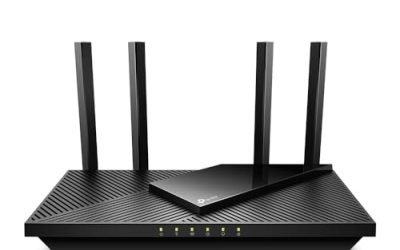
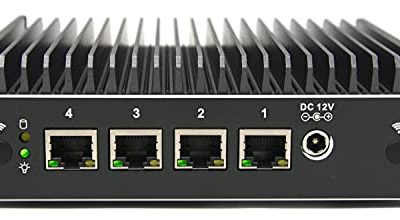
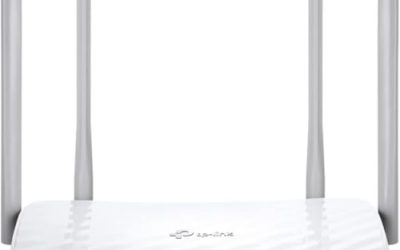
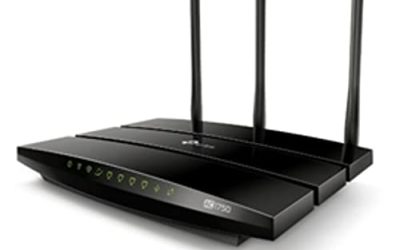
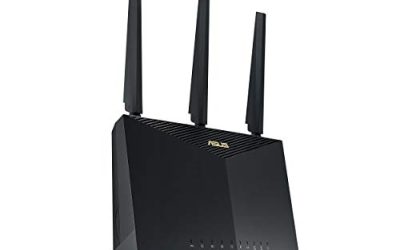
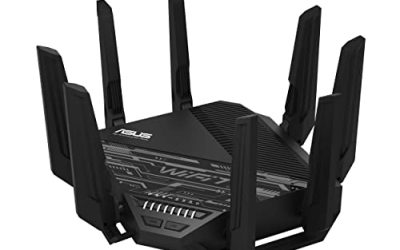
Our Top Picks
A business router has a different job from the box your internet provider hands out. It has to keep staff laptops, guest phones, card readers, printers, and cameras online at the same time, keep the guest network away from company files, and stay up when one internet line drops. The wrong pick shows up as video calls freezing in the meeting room, a card reader that cannot reach the till, or a guest network that wanders into the office printer.
This guide is for small offices, shops, clinics, and studios with a handful of staff and a steady flow of visitors. The five routers below were chosen from names and specifications on Amazon pages, weighing Wi-Fi coverage, network segmentation, VPN access, port counts, and management tools against what a small business actually runs day to day. Three have Wi-Fi built in, and two are wired gateways that pair with access points, so check which kind each pick is before you buy.
Quick Picks
As an Amazon Associate we earn from qualifying purchases
| Product | Best for | Key spec from title |
|---|---|---|
| Synology RT6600ax | Small office that wants segmentation | Tri-band Wi-Fi 6, 2.5GbE port |
| UniFi Dream Router | UniFi office that wants one dashboard | Wi-Fi 6, 2 PoE ports, 128 GB storage |
| NETGEAR Orbi Pro SXK30 | Shop with staff and guest Wi-Fi | AX1800 mesh, 4 SSIDs, 4 VLANs |
| TP-Link ER605 V2 | Small wired office with VPN needs | 5 Gigabit ports, up to 3 WAN |
| TP-Link ER7206 | Larger office with several internet lines | Up to 4 WAN ports, 100 IPsec tunnels |
How to Choose
Built-In Wi-Fi or Gateway Plus Access Points
The first split in this list is the one that trips up most buyers. Three of these routers broadcast Wi-Fi from the box, so a small office can plug one in. The other two are wired gateways with no radios, and they only make sense paired with access points mounted on the ceiling or set on a shelf. A gateway plus access points costs more and takes more setup, but it puts the radios where the people are and scales from one room to a whole floor. If the office is a single open room, an all-in-one is simpler. If it spans rooms or floors, plan on the gateway route.
VLANs and Separate Networks
Guest Wi-Fi should never reach the office printer or the file server, and that separation is the job of VLANs and multiple SSIDs. A router that supports several networks lets you give staff, guests, and payment hardware their own lanes, each with its own rules. The Orbi Pro runs four SSIDs on four VLANs, and the Synology splits devices across up to five networks. Before you buy, count the groups you need to keep apart: staff, guests, IoT gear, and payment terminals each deserve their own. A single flat network is the most common small-office mistake, and it is the easiest one to avoid.
VPN and Remote Access
Remote staff and branch offices need a safe way back into the office network, and that is what the VPN tunnels on these routers are for. Count the tunnels before you buy: the ER605 handles twenty IPsec tunnels, the ER7206 handles up to one hundred, and the Synology and UniFi boxes run VPN servers for staff working from home. Check which protocols each router speaks, since a branch office running IPsec cannot talk to a gateway that only offers OpenVPN. Also check throughput, because encrypted traffic runs slower than plain traffic, and a gateway that is fast on paper can crawl once the VPN is on.
Capacity, Ports, and Management
A business router earns its keep on the days the office is busiest, so match its capacity to the real load. Count the wired devices first: card readers, printers, cameras, and desktop PCs each need a LAN port, and a router with only three LAN ports fills up fast. Then count the wireless load, since a shop full of guest phones stresses a router differently from a quiet back office. Multi-WAN ports matter when the office pays for two internet lines, and cloud management matters when nobody on staff wants to be the network admin. A dashboard that shows clients, traffic, and faults saves a call-out every time something slows down.
The 5 Best Options
Synology RT6600ax

The RT6600ax is the most office-minded all-in-one here, and its strength is keeping networks apart. It runs three Wi-Fi 6 radios at once, so staff laptops, guest phones, and smart devices can each sit on their own network, and its Synology Router Manager software makes that segmentation easy to set up without a networking course. A 2.5-gigabit port handles a fast internet line or a wired link to a network drive, and built-in threat prevention and a VPN server cover remote workers. It is a big, tall unit with six antennas, so it needs shelf space and a clear spot.
Specs
- Tri-band Wi-Fi 6, up to 6.6 Gbps combined wireless throughput
- 1 x 2.5GbE configurable WAN/LAN port, 1 x Gigabit WAN, 3 x Gigabit LAN
- Quad-core 1.8 GHz processor, 1 GB DDR3 RAM, 4 GB eMMC flash
- Up to 5 separate networks, VLAN segmentation, multiple SSIDs
- Threat Prevention, VPN server, parental controls, web filtering
- 1 x USB 3.2 Gen 1 port, Synology mesh support
- 2-year manufacturer warranty
Best for: A small office that wants staff, guest, and smart devices on separate networks.
Watch out for: A second ASIN is tied to this model on some marketplaces, so confirm the US version before ordering.
ASIN: B09ZQ5W4G7
UniFi Dream Router

The Dream Router packs a whole UniFi office into one white cylinder. Its Wi-Fi 6 radio covers a small office on its own, two of its four LAN ports supply power to access points or cameras, and the built-in controller runs the UniFi Network app plus Protect, Talk, and Access, so cameras and door hardware join the same dashboard. A small color screen on the front shows client counts and traffic at a glance, and 128 GB of storage holds camera recordings. The catch is throughput: the WAN tops out near 500 Mbps, so it suits offices on modest internet plans rather than gigabit lines.
Specs
- Dual-band Wi-Fi 6, 4×4 MU-MIMO and OFDMA, up to 3 Gbps aggregate
- 5 GHz band up to 2.4 Gbps, 2.4 GHz band up to 600 Mbps
- 5 GbE RJ45 ports: 1 WAN, 4 LAN, 2 with 802.3af PoE output
- 128 GB internal storage, microSD expansion slot
- 0.96-inch LCM color screen for network and connection monitoring
- UniFi OS console: Network, Protect, Talk, Access
- 4.33 x 4.33 x 7.25 inches, 4.18 pounds
Best for: A small UniFi office that wants routing, Wi-Fi, and cameras on one dashboard.
Watch out for: The WAN tops out near 500 Mbps, so it is a poor match for gigabit internet plans.
ASIN: B0BLW7H1YW
NETGEAR Orbi Pro SXK30

The Orbi Pro Mini is the simplest way to give a shop two separate Wi-Fi networks. The two-piece kit covers a small retail floor or clinic with one router and one satellite, and it runs four separate networks, so staff devices, guest phones, and payment hardware each get their own lane with their own VLAN. Setup runs through the NETGEAR Insight app, which also handles remote monitoring, and a five-year warranty backs the hardware. The AX1800 speed is modest for a busy office, and Insight needs a subscription after the first year, so check both before you commit.
Specs
- Dual-band Wi-Fi 6 AX1800, up to 1.8 Gbps combined throughput
- 2-pack: 1 router plus 1 satellite extender
- Coverage up to 4,000 square feet, up to 40 devices
- 4 SSIDs linked to 4 separate VLANs, 4 independent DHCP servers
- WPA3 security, QoS, NETGEAR Insight remote management, 1 year included
- Router: 1 WAN, 3 LAN Gigabit ports; satellite: 4 LAN Gigabit ports
- 5-year manufacturer warranty
Best for: A shop or clinic that needs separate staff and guest Wi-Fi across two rooms.
Watch out for: Insight needs a subscription after the first year, and AX1800 speed is modest for a busy office.
ASIN: B0933NKXJR
TP-Link ER605 V2

The ER605 V2 is a small wired gateway for offices that already have, or plan to add, access points. Its five gigabit ports can run up to three internet lines at once, with a USB port for a cellular modem as backup, so a dropped connection does not stop the workday. Twenty IPsec tunnels and sixteen OpenVPN, L2TP, and PPTP tunnels each cover remote staff and branch links, and the Omada controller ties the gateway to TP-Link switches and access points under one login. There is no Wi-Fi in the box, and gigabit ports cap the speed on faster internet plans.
Specs
- 5 Gigabit Ethernet ports: 1 WAN, 2 WAN/LAN, 2 LAN
- Up to 3 WAN Ethernet ports plus 1 USB WAN
- Up to 20 LAN-to-LAN IPsec, 16 OpenVPN, 16 L2TP, 16 PPTP VPN connections
- SPI firewall, Omada SDN integrated, load balancing
- Bandwidth control, IP/MAC/URL filtering, access control list
- 5-year manufacturer warranty
- 6.22 x 3.98 x 0.98 inches, 0.79 pounds
Best for: A small wired office that needs VPN tunnels and a backup internet line.
Watch out for: There is no Wi-Fi in the box, so budget for access points.
ASIN: B08QTXNWZ1
TP-Link ER7206

The ER7206 is the ER605 grown up for a larger office. It adds a fiber SFP port and a fourth WAN-capable port, so it can balance traffic across several internet lines and fail over when one goes down, and it supports up to one hundred IPsec tunnels for branch offices and remote teams. The Omada software gives one dashboard for the gateway, switches, and access points, and the metal case is built for a rack shelf or a comms cupboard. Like the ER605 it has no Wi-Fi, so budget for access points, and confirm which hardware version the listing ships before you order.
Specs
- 1 Gigabit SFP WAN port, 1 Gigabit WAN port, 2 Gigabit WAN/LAN ports, 1 Gigabit LAN port
- Up to 4 WAN ports for load balancing and failover
- Up to 100 IPsec VPN tunnels, OpenVPN, L2TP, PPTP
- SPI firewall, Omada SDN integrated
- Load balancing, DoS defense, centralized cloud management
- Desktop and rack mounting with included brackets
Best for: A larger office with several internet lines and branch offices to connect.
Watch out for: There is no Wi-Fi in the box, and a newer hardware version exists, so confirm the version the listing ships.
ASIN: B08TQN7NMG
Which One Fits Your Situation
A Small Office That Needs Wi-Fi Today
Pick the Synology RT6600ax or the UniFi Dream Router. Both broadcast Wi-Fi from the box, run a VPN for remote staff, and cover a single open room without extra hardware. Choose the RT6600ax when network segmentation is the priority, and the Dream Router when the office already runs UniFi cameras or door hardware.
A Shop or Clinic With Staff and Guest Wi-Fi
Pick the NETGEAR Orbi Pro SXK30. The two-piece kit covers the sales floor and the back room, and its four separate networks keep staff devices, guests, and payment hardware apart. The Insight app handles setup and remote checks, which suits a shop with no IT staff on site.
An Office That Will Grow Past One Room
Pick the TP-Link ER605 V2 or the ER7206, and add access points. The gateway handles the internet lines, VPN tunnels, and firewall, while access points put Wi-Fi where staff actually sit. The ER605 suits a small team, and the ER7206 suits a larger office with several internet lines and branch links.
A UniFi Office That Wants One Dashboard
Pick the UniFi Dream Router for a small UniFi office, and plan access points for a bigger one. The built-in controller manages the router, access points, and cameras from one screen, and the two PoE ports power a camera or an access point without extra injectors.
Common Mistakes
- Buying a wired gateway and expecting Wi-Fi from the box: the ER605 and ER7206 have no radios, so add access points to the budget.
- Putting staff, guests, and payment hardware on one network: use VLANs or separate SSIDs so a guest phone cannot reach company files.
- Ignoring the VPN limit: count remote staff and branch tunnels before buying, since small gateways cap tunnel numbers.
- Forgetting the subscription: Insight and some security features need a paid plan after the first year, so check the ongoing cost.
- Placing the router in a cupboard: Wi-Fi hates metal shelves and closed doors, so put all-in-one routers in the open where staff sit.
Frequently Asked Questions
Do business routers need a subscription?
It depends on the model. The TP-Link Omada gateways run their core routing, VPN, and firewall features without a paid plan, and the UniFi Dream Router runs its controller locally at no extra cost. NETGEAR Insight, which manages the Orbi Pro system, includes one year and then needs a subscription for remote management. Check the listing before you buy so the ongoing cost is no surprise.
Can a business router replace the ISP modem?
Usually it sits behind the modem, not instead of it. The modem turns the internet line into an Ethernet connection, and the business router takes over routing, Wi-Fi, VPN, and security from there. Some offices put the ISP box in bridge mode so the business router handles everything, while others keep the ISP box and connect the new router behind it. Check that the ISP box supports bridge mode first.
How many devices can a small business router handle?
It varies by model and by what the devices do. The Orbi Pro kit is rated for around forty devices, which suits a shop or a small clinic, while the wired TP-Link gateways are built for larger device counts across an office. Video calls and cloud backups load a router far more than email does, so count the heavy users first and leave headroom for guests.
Is Wi-Fi 6 enough for a small office?
For most small offices, yes. Wi-Fi 6 handles dozens of laptops, phones, and printers in one room, and it manages crowded airwaves better than older standards. A shop with many simultaneous video calls or large file transfers may want Wi-Fi 6E or Wi-Fi 7, but the bigger wins for a small office usually come from proper placement, separate networks, and a wired backhaul between mesh units.
FAQ
Do business routers need a subscription?
Can a business router replace the ISP modem?
How many devices can a small business router handle?
Is Wi-Fi 6 enough for a small office?
More from Amazon
Programs that pair well with the guide above. Offers and eligibility are set by Amazon and may change.
Free shipping on eligible items, Prime Video and more. Eligible new members can start with a free trial.
Start a Prime free trialAd-free music streaming. Eligible new subscribers can start with a free trial.
Try Music Unlimited freeA Prime membership for ages 18-24 with a trial period. Eligibility is set by Amazon.
See Prime for Young AdultsAudiobooks and podcasts to listen to on the go. Eligible new members can start with a free trial.
Try Audible freeAs an Amazon Associate we earn from qualifying purchases.