
Key takeaways
- Consider it if: your priority is a balanced 32GB/12GB starting setup and a powerful CPU for compilation.
- Watch out for: the 1TB drive filling with engine versions, a heavier power brick, OLED static-UI care, and currently unverified checkout.
- Before buying: verify the exact Lenovo part and current price rather than relying on a family page or cached banner.
The best gaming laptops for Unreal Engine pair a capable CPU with ample memory, a dedicated GPU, and storage that can handle real projects—not just game frame rates. For most UE5 creators, start with 32GB RAM, a modern DirectX 12 graphics card with at least 8GB VRAM, and a 1TB SSD. If your work involves larger scenes, high-resolution assets, or long local builds, 12GB–16GB VRAM and a path to 64GB RAM become more important than a flashy refresh-rate number.
Scope and evidence: This U.S.-market roundup compares six identifiable models using Epic Games documentation, laptop manufacturers, and American retailer listings reviewed October 29, 2026. These are purchase-research options, not systems we physically tested or stock we completed checkout on. A visible Add to cart button is a weaker signal than a successful ZIP-specific order; the comparison table labels that difference.
This article focuses on choosing Windows gaming laptops for the Unreal Editor. It does not duplicate a general laptop-for-game-development guide, claim benchmark results, or prescribe a desktop workstation for large multi-user production pipelines. Performance varies by Unreal version, project size, enabled rendering features, power profile, thermals, and GPU wattage.
Quick verdict: where each laptop fits
Balanced CPU-and-GPU shortlist: Lenovo Legion Pro 5i Gen 10, 83LU0007US. Its manufacturer-listed Core Ultra 9 275HX, RTX 5070 Ti with 12GB VRAM, 32GB RAM, and 1TB SSD give it a balanced foundation for editor work, assets, and local compilation. Lenovo’s direct product page displayed a signup overlay during this check, so the exact live price and orderability were not established.
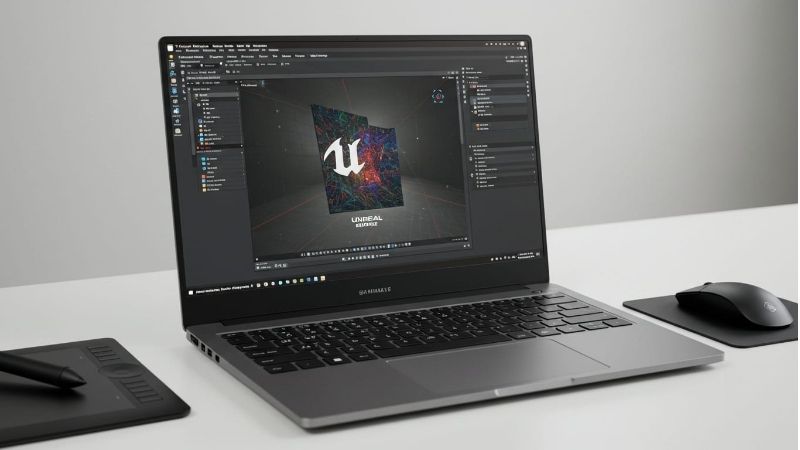
GPU-forward configuration: HP HyperX OMEN MAX 16-ah1731nr, D9KL9UA#ABA. The manufacturer lists an RTX 5080 Laptop GPU with 16GB GDDR7, 32GB RAM, and 1TB Gen5 SSD. The direct HyperX US page displayed $3,999.99 and In stock on October 29, 2026. That is a product-page signal, not confirmation of ZIP-specific checkout; a separately indexed result showed an older $3,599.99 figure.
Lower-memory starting point to upgrade: ASUS ROG Strix G16 G614PR-G16.R95070TI. Best Buy currently displays a Ryzen 9 8940HX, RTX 5070 Ti, 16GB memory, and 1TB SSD with Add to cart. The graphics tier looks promising for UE5, but 16GB falls below Epic’s recommended 32GB RAM. Verify slot accessibility and upgrade eligibility before treating it as an all-day editor machine.
Thin 16-inch option: Acer Predator Helios Neo 16S AI PHN16S-I71-953L. Acer lists a Core Ultra 9 290HX Plus, RTX 5070 Ti 12GB, 32GB RAM, 1TB SSD, and 2560×1600 OLED panel. Its maker-rated GPU power limit is up to 85W, so do not assume it performs like a higher-wattage RTX 5070 Ti laptop. Current sale price and orderability were not confirmed.
Large-project storage option: MSI Vector 16 HX AI A2XWHG-060US. MSI lists 32GB RAM, 2TB SSD and an RTX 5070 Ti 12GB GPU with a Core Ultra 9 275HX. A search-cached official-store offer showed $2,499 and In stock, but its direct store URL returned 404 when reopened. Treat price and availability as unverified now, not a live deal.
Premium 16GB VRAM alternative: Dell Alienware 16 Area-51 AA16250 (offer aa16250_so_6). Dell’s active U.S. configuration lists RTX 5080 16GB, 32GB RAM, 1TB SSD and Core Ultra 9 290HX Plus at $4,649.99 on the opened page. Dell simultaneously reports an Add to cart technical issue; purchasing status is unclear, and this is not a budget recommendation.
Comparison table: exact configurations and availability
Checked October 29, 2026 (U.S. websites). Displayed prices are tied to the named seller and configuration. “Unclear” means a successful purchase, or even a reliable current cart path, has not been established. An “Add to cart” signal is shown explicitly rather than translated into an “In stock” guarantee.
| Exact model / SKU | CPU | GPU / VRAM | RAM / SSD | U.S. displayed price (Oct. 29) | Stock status (Oct. 29) |
|---|---|---|---|---|---|
| Lenovo Legion Pro 5i 83LU0007US | Core Ultra 9 275HX | RTX 5070 Ti / 12GB | 32GB / 1TB | Lenovo direct: current price not verified | Unclear; direct page overlay |
| ASUS ROG Strix G16 G614PR-G16.R95070TI | Ryzen 9 8940HX | RTX 5070 Ti / 12GB | 16GB / 1TB | Best Buy: $2,299.99 | Add to cart displayed; ZIP untested |
| Acer Helios Neo 16S AI PHN16S-I71-953L | Core Ultra 9 290HX Plus | RTX 5070 Ti / 12GB (up to 85W) | 32GB / 1TB | Acer: price not verified | Unclear; specs only |
| MSI Vector 16 HX AI A2XWHG-060US | Core Ultra 9 275HX | RTX 5070 Ti / 12GB | 32GB / 2TB | Earlier official index: $2,499; NOT current | Unclear; live store URL 404 |
| HP HyperX OMEN MAX 16-ah1731nr | Core Ultra 7 270HX Plus | RTX 5080 / 16GB | 32GB / 1TB | HyperX US: $3,999.99 (direct page) | In stock on product page; ZIP checkout untested |
| Dell Alienware 16 Area-51 AA16250 | Core Ultra 9 290HX Plus | RTX 5080 / 16GB | 32GB / 1TB | Dell direct: $4,649.99 | Unclear; cart technical error |
Price and availability conflict: The HyperX US direct page listed $3,999.99 and In stock for D9KL9UA#ABA on October 29, 2026, while an older indexed version showed $3,599.99. We use the directly opened page as the current observed display and retain the earlier result as a conflict in the Evidence Log. Neither is a completed purchase. The MSI store route remained 404 and Dell showed a cart error.
The ASUS Best Buy page also indicates pickup at a specific Minnesota store. That is location-specific, not nationwide inventory proof. Do not use older indexed Best Buy promotions for the Lenovo, older MSI prices, or the Dell listing’s visible price as an assurance that a current ZIP-specific checkout will succeed. Tax, delivery, warranty options, and discounts can change the final amount.
What Unreal Engine actually needs from a laptop
Use Epic’s recommendation as a floor, not a speed promise
Epic Games’ Unreal Engine hardware documentation recommends Windows 11, 32GB of system RAM, at least 8GB of graphics memory, and a DirectX 12-compatible GPU with current drivers. Those requirements establish an appropriate starting point for using the editor; they do not indicate the frame rate you will get in a particular project or whether shader compilation will be quick. Unreal Editor can run below a recommendation in some situations, but that is not a persuasive reason to buy an expensive new machine with inadequate memory.
Epic also describes a practical 12–16 CPU-core baseline for local compilation without distributed build tools. A processor with many cores can help when compiling C++ and shaders, although single-thread responsiveness, power limits, cooling, and build configuration also matter. Avoid treating a laptop CPU with the same brand number as a desktop processor as equivalent under sustained load. When you mainly build Blueprints and small scenes, spend less on the last CPU tier and more on memory, storage, and a capable GPU.
Match VRAM to Lumen, Nanite, and your project assets
Epic’s documentation lists feature-specific GPU requirements for Lumen hardware ray tracing and Nanite. NVIDIA RTX 20-series or later cards meet the broad GPU-generation rule for Lumen hardware ray tracing, while Nanite needs DirectX 12 support including Shader Model 6.6 atomics or the documented Vulkan extension and appropriate platform support. Keep Unreal, the operating system, and graphics drivers current; the presence of an RTX sticker alone does not prove a particular project setting or performance level.
For editorial buying purposes, the 12GB RTX 5070 Ti options have more graphics memory headroom than an 8GB class laptop, and the 16GB RTX 5080 options offer more still. VRAM capacity is not a direct FPS chart: memory bandwidth, GPU wattage, project optimization, textures, lighting, and thermals can change the outcome. A 12GB laptop GPU capped at 85W should not automatically be ranked above a higher-power alternative based only on the model name.
Buy room for source assets and Derived Data Cache
A 1TB SSD is a sensible entry point for engine installations, projects, the operating system, games, and local assets, but it is not unlimited. Large sample projects, high-resolution source textures, build artifacts, Virtual Assets, and Derived Data Cache can add up. A 2TB system such as the specified MSI configuration is useful for people who must keep several sizeable projects local. More SSD space may be preferable to upgrading a laptop display from 165Hz to 240Hz when your main job is editing.
Before paying for a model-family storage upgrade, check its exact service documentation and warranty. Do not assume every listing has two available M.2 sockets, or that a third-party seller’s bundle is a factory SSD configuration. Keep at least one separate backup destination and verify that your working files restore correctly; an SSD upgrade is not a backup strategy.
The six laptops, with trade-offs that matter for creators
Lenovo Legion Pro 5i Gen 10 83LU0007US — balanced 12GB VRAM
Lenovo’s United States product documentation for part 83LU0007US identifies a Core Ultra 9 275HX, NVIDIA GeForce RTX 5070 Ti Laptop GPU with 12GB GDDR7, 32GB DDR5-5600 in two 16GB SODIMMs, and a 1TB PCIe Gen4 SSD. Its 16-inch 2560×1600 OLED screen offers useful space for the editor’s viewport and panels. The 300W power adapter is an important clue that this is a desk-first laptop rather than a featherweight device for brief meetings.
This is the most rounded starting configuration in the lineup for someone who compiles code, edits environments, and occasionally plays modern games. The 32GB capacity meets Epic’s recommended memory guideline without an immediate upgrade. A 12GB RTX 5070 Ti is a reasonable point to investigate for GPU-heavy work without committing to a pricier 16GB graphics tier. An accessible 1TB SSD keeps initial costs below a 2TB machine, though a project-heavy user may need expansion.
The limitation is commerce verification rather than a missing published spec: when the direct Lenovo page was opened in this session it displayed a promotional/region overlay rather than a dependable current price and cart status. Some older Lenovo category listings quote different prices for nearby 83LU part numbers. They are not interchangeable offers. Confirm the 83LU0007US identifier, installed RAM, actual delivery status, and U.S. warranty at the point of sale.
- Consider it if: your priority is a balanced 32GB/12GB starting setup and a powerful CPU for compilation.
- Watch out for: the 1TB drive filling with engine versions, a heavier power brick, OLED static-UI care, and currently unverified checkout.
- Before buying: verify the exact Lenovo part and current price rather than relying on a family page or cached banner.
ASUS ROG Strix G16 G614PR-G16.R95070TI — upgrade-first value
Best Buy’s U.S. listing for model G614PR-G16.R95070TI shows AMD Ryzen 9 8940HX, GeForce RTX 5070 Ti, 16GB memory, a 1TB SSD, and a 16-inch 1920×1200 165Hz display. The opened page displayed $2,299.99, an Add to cart control, and a local pickup signal for the Roseville, Minnesota store. The page does not prove nationwide availability or a successful checkout. The laptop is sold by Best Buy, not an unspecified marketplace upgrade vendor.
For a developer moving from small prototypes to heavier UE5 work, the graphics tier is the attraction. But 16GB of preinstalled memory is not a footnote: launching Unreal Editor, a browser, Visual Studio or Rider, source-control tools, and art applications together can push memory pressure beyond what is pleasant. Budget for a verified upgrade to at least 32GB, and check the exact ASUS support manual before assuming an empty slot or a particular maximum supported capacity.
The 1920×1200 panel is practical for gaming and likely helps conserve GPU resources compared with a higher-resolution laptop panel, but it gives less editor canvas than a 2560×1600 screen. At a desk, a color-appropriate external monitor can fix workspace limitations more effectively than paying for a higher laptop refresh rate. As with all laptop GPUs, actual graphics power and cooling behavior are not established by the retailer’s headline alone.
- Consider it if: you want an RTX 5070 Ti-class laptop and are comfortable validating a memory-upgrade plan first.
- Watch out for: 16GB installed RAM below Epic’s recommendation, a smaller on-device editor workspace, and store-specific stock.
- Before buying: confirm the exact SKU, upgrade terms, return period, and installed RAM shown on the invoice.
Acer Predator Helios Neo 16S AI PHN16S-I71-953L — thinner editor screen
Acer’s U.S. product specification for PHN16S-I71-953L, part NH.U81AA.002, lists an Intel Core Ultra 9 290HX Plus, GeForce RTX 5070 Ti Laptop GPU with 12GB GDDR7, 32GB system RAM, 1TB SSD, and 16-inch 2560×1600 OLED display. It also specifies a maximum graphics power of up to 85W for this exact part. That wattage distinction is crucial: a laptop RTX 5070 Ti does not have one universal performance envelope.
This configuration makes sense for an Unreal user who values a large, detailed panel and a more manageable 16-inch chassis. The reported approximately 4.85-pound weight is a manufacturer figure, not a weighed review sample. OLED contrast is appealing when previewing environments and lighting, but prolonged static editor panels call for sensible display sleep settings, brightness management, and periodic movement of fixed UI elements.
The trade-off is sustained GPU headroom. An 85W ceiling could matter in complex lit scenes compared with higher-power GPU implementations; no direct side-by-side Unreal test was performed here. Acer’s published 32GB maximum for this specific part also makes a later 64GB memory plan uncertain or unsupported. If 64GB is a likely requirement for big scenes, favor a laptop with a clearly documented higher memory capacity. No reliable new U.S. price or cart state was established on the spec page.
- Consider it if: 32GB out of the box, a 16-inch OLED canvas, and a thinner form factor matter more than peak GPU power.
- Watch out for: the manufacturer-listed 85W GPU limit and 32GB maximum system memory.
- Before buying: match PHN16S-I71-953L and NH.U81AA.002 exactly; other Helios Neo 16S versions list different GPU-power figures.
MSI Vector 16 HX AI A2XWHG-060US — 2TB for local projects
The MSI U.S. official-store product page indexed model A2XWHG-060US with a Core Ultra 9 275HX processor, RTX 5070 Ti Laptop GPU with 12GB GDDR7, 32GB DDR5-5600, and a 2TB NVMe PCIe Gen4 SSD. The 16-inch 2560×1600 240Hz display and 330W supplied power adapter make it a portable workstation substitute only in the qualified sense that you can bring it to another desk. MSI’s detailed U.S. product-series specifications support the GPU family and configurable hardware distinctions.
The 2TB drive is this model’s real practical selling point for artists who juggle multiple Unreal branches, marketplace assets, game builds, and substantial cache data. It cuts immediate pressure to add an external SSD. A 32GB baseline is appropriate for many everyday editor tasks, while the exact SKU’s upgradability should be checked through the official service documentation before claiming a future 64GB or 96GB upgrade. The large power adapter and almost six-pound manufacturer-listed mass are meaningful commuting trade-offs.
A cached MSI U.S. store result described a temporary price of $2,499 and “In Stock.” However, reopening the product URL in this research returned a 404. Consequently, the cached promotional price is not a current price quotation, and MSI’s inventory is unclear. Do not treat an older store result as permission to order at that price. A current U.S. seller with the exact suffix, accessible support and return rules is required before this becomes a buy-now recommendation.
- Consider it if: several large UE5 projects need to remain on internal storage and you do a lot of local builds.
- Watch out for: the large adapter, travel weight, and a manufacturer storefront that did not reopen successfully.
- Before buying: validate A2XWHG-060US, the 32GB/2TB configuration, actual seller identity, and final cart price.
HP HyperX OMEN MAX 16-ah1731nr — 16GB VRAM for larger scenes
HP’s U.S. listing for HyperX OMEN MAX 16-ah1731nr, product D9KL9UA#ABA, specifies Intel Core Ultra 7 270HX Plus, NVIDIA GeForce RTX 5080 Laptop GPU with 16GB GDDR7, 32GB DDR5-6400, 1TB PCIe Gen5 SSD, and a 16-inch 2560×1600 OLED display. The listed 460W GaN adapter indicates the power requirements of this class. Do not equate the adapter’s rating with measured GPU power draw or guaranteed sustained clock speeds.
This is the model to investigate when scene textures, assets, and hardware ray tracing make GPU memory more important than a thin chassis. Sixteen gigabytes of graphics memory provides a larger capacity budget than the RTX 5070 Ti machines here, while 32GB of system memory is an appropriate starting point. If the project also demands 64GB RAM, verify HP’s exact service and upgrade options before assuming the memory can be replaced or expanded.
The direct HyperX US page opened October 29, 2026 for exact SKU D9KL9UA#ABA listed $3,999.99 and marked the product In stock. A previously indexed view listed $3,599.99, demonstrating that displayed prices can change or be cached. Unlike the earlier timeout in the reference draft, the direct product page was accessible in this verification. Because no U.S.-ZIP checkout was completed, do not interpret the page-level inventory label as an order guarantee. Check tax, shipping, terms and return eligibility before purchase.
- Consider it if: 16GB VRAM and a modern 32GB platform are worth investigating for texture-heavy Unreal environments.
- Watch out for: the high price, a large power adapter, and ZIP-level checkout still not verified despite an In stock product-page label.
- Before buying: confirm product D9KL9UA#ABA and avoid substituting a 5070 or 16GB-RAM OMEN model.
Dell Alienware 16 Area-51 AA16250 — premium RTX 5080 option
Dell’s U.S. product configuration, offer aa16250_so_6, was directly opened on October 29, 2026. It specifies Intel Core Ultra 9 290HX Plus, GeForce RTX 5080 Laptop GPU with 16GB GDDR7, 32GB DDR5, 1TB SSD, and a 16-inch 2560×1600 240Hz OLED display. The exact page showed a price of $4,649.99 from Dell. This price belongs to that selected configuration, not to every Alienware 16 Area-51 variation or third-party listing.
The combination is interesting for developers who need heavier CPU compilation alongside substantial VRAM, while still wanting a gaming laptop rather than a desktop tower. A high core-count processor and 16GB GPU-memory tier are meaningful specifications, but without Unreal-specific timed testing they are not a measured performance lead. Dell’s advertised starting weight of roughly 7.49 pounds for the Area-51 class also makes daily campus travel less appealing than a lighter machine.
There is a decisive buying caveat: the same opened Dell page explicitly said its Add to cart action was unavailable because of a technical issue. Therefore stock and successful purchase are unclear even though the price and product configuration were readable. At this cost, check service coverage, accidental damage options, supported memory upgrades, external-display ports, return windows, and whether a desktop build would be better for a fixed workspace.
- Consider it if: your budget comfortably supports a premium RTX 5080 configuration and you value desktop-replacement features.
- Watch out for: the high seller price, portability penalty, and Dell’s explicit cart error.
- Before buying: wait for a working Dell cart or compare a separately verified exact configuration from an authorized U.S. seller.
Which specifications matter most for your actual Unreal workflow?
Blueprint prototyping and small student projects
A new learner running simple levels, Blueprints, starter assets, and one test window can start below the top of the GPU lineup. Prioritize a stable Windows setup, 32GB system RAM if buying new, a good keyboard, and an SSD with breathing room. The exact ASUS Strix G16 reviewed above has a stronger GPU tier than a basic entry gaming system but comes with only 16GB memory; that trade-off makes sense only if a verified upgrade plan is realistic. Do not spend on an RTX 5080 just because you are learning a small tutorial project.
C++ game development and frequent local builds
When local C++ compilation dominates your day, CPU throughput, sufficient RAM, and SSD performance matter heavily. Epic notes that a 12–16-core machine is a practical local compile baseline absent distributed build support. The Lenovo and MSI HX-class options are reasonable to investigate; their exact performance in your codebase is still unknown. Keep the laptop connected to its OEM power supply when doing major builds, and check whether compilation is throttling before assuming you need the next GPU tier.
Environment art, Lumen, and large texture sets
The GPU and VRAM budget grows in importance when scenes get complex and your asset pipeline holds large textures. The 12GB RTX 5070 Ti machines can be a useful middle tier; a 16GB RTX 5080 may provide additional room for larger assets. If memory is exhausted, the solution may also involve streaming budgets, texture sizes, virtual texturing, optimized materials, and viewport settings rather than just hardware replacement. This list does not claim any of the six ran a particular cinematic scene at a particular FPS.
Virtual production, heavy rendering, and team-scale builds
Large-scale in-camera VFX, long light builds, multiple engine branches, or team-scale source builds can exceed what a typical gaming laptop handles comfortably. Puget Systems’ Unreal Engine guidance recommends higher RAM capacity for lengthy light builds, and Epic’s illustrative workstation specifications are far beyond mainstream portable computers. If your program involves multi-hour daily processing, price a high-memory workstation or remote-render/build resources before committing to a thin laptop. A bigger screen alone is not a substitute for compute capacity or workflow design.
A buying checklist before ordering a UE5 laptop
- Identify your real workload. Write down Unreal version, target rendering features, maximum project size, whether you compile C++, and what other applications run alongside the editor. A Blueprint-only prototype does not need the same budget as a film-quality environment.
- Match the exact SKU, not just the laptop family. Confirm the CPU suffix, installed RAM, GPU model and VRAM, screen, SSD and operating system for the seller’s part number. The same brand family may include 16GB and 32GB options with very different prices.
- Prefer 32GB installed memory for new machines. If choosing the 16GB ASUS, determine whether a supported 32GB upgrade is available and how service or retailer warranty is handled. Upgrade assumptions must come from exact-model service documentation.
- Check VRAM alongside GPU power. Verify the 12GB or 16GB figure and any manufacturer-stated maximum graphics power; the Acer PHN16S-I71-953L is a clear example of why an RTX 5070 Ti name alone is insufficient.
- Budget storage and backups. Prefer 1TB minimum for a fresh Unreal workstation, consider 2TB for several projects, and keep source files backed up off the internal SSD. Confirm drive slot support rather than assuming every notebook can take an extra NVMe disk.
- Confirm ergonomics and power. Check full-size adapter weight, keyboard layout, cooling clearances, external display ports, and whether the intended work location has AC power. Battery capacity is not a measured compile-session runtime.
- Verify current U.S. stock at checkout. Open the merchant’s exact configuration, enter a ZIP code, check final price and shipping, and confirm seller, return policy and warranty. If the page has a technical error or stale search price, postpone the purchase decision.
- Inspect the machine within the return window. In Windows, open Settings > System > About for installed memory and CPU; use Device Manager > Display adapters to verify the GPU, and Settings > System > Storage for available SSD capacity. Install the official supported GPU driver, then try a licensed Unreal sample or your own project before the window closes.
How these recommendations were selected
The shortlist prioritizes exact U.S. product identities, Epic’s documented Unreal Engine requirements, manufacturer-confirmed CPU/GPU/RAM/SSD specifications, and purchasing trade-offs rather than affiliate placement. It deliberately spans 16GB upgradable-entry research, a balanced 32GB/12GB tier, a thinner 12GB model with a documented 85W ceiling, 2TB internal storage, and a higher-cost 16GB-VRAM tier. One editor did not physically test cooling, battery endurance, FPS, shader compilation speed, memory bandwidth, color accuracy, or game performance on these laptops.
For primary facts, we checked Epic Games, Lenovo, ASUS/Best Buy, Acer, MSI, HyperX/HP, Dell and Puget Systems. The October 29 direct-page readback found a Dell cart technical error, an MSI direct-store 404, a Lenovo overlay, and a HyperX listing with an explicit In stock badge and a $3,999.99 displayed price. The HyperX figure differs from an older indexed $3,599.99 snippet and is not checkout-confirmed. Because at least four actually purchasable exact configurations were not demonstrated for a U.S. ZIP, this roundup remains in editorial review despite valid Word/HTML exports.
A laptop is also not a lab-validated Unreal workstation just because it meets a listed minimum requirement. Epic’s recommendations describe a baseline; Puget’s independently researched workstation advice offers context for larger work. We have not extrapolated desktop Unreal Engine benchmark rankings into fabricated laptop FPS or build-time claims.
Frequently asked questions
Is 16GB RAM enough for Unreal Engine 5?
It can run lighter projects in some circumstances, but Epic’s current Windows recommendations specify 32GB RAM. If you are buying an expensive gaming laptop for regular Unreal Editor use, 32GB installed or a clearly supported upgrade is the safer starting point. The 16GB ASUS model requires that extra check; its strong GPU does not make up for constrained system memory.
Should I choose an RTX 5070 Ti or an RTX 5080 laptop?
Choose based on your actual scenes, budget and power limits. In the models discussed here, RTX 5070 Ti laptops provide 12GB VRAM and RTX 5080 laptops provide 16GB. The latter can be attractive for heavier texture and rendering workloads. It is not a promise of a specific speed improvement; laptop GPU wattage and thermal limits still matter.
Does Unreal Engine require NVIDIA graphics?
No. Epic lists rendering-feature support from AMD Radeon RX 6000-series and newer, Intel Arc A-series and newer, and NVIDIA RTX 2000-series and newer for certain Lumen paths, subject to driver, OS, API, and shader-model conditions. This U.S. laptop roundup focuses on the named GeForce models because those are the specific retail configurations researched, not because Unreal excludes every competing GPU.
Do I need a laptop with 64GB RAM?
Not every Unreal project needs 64GB, but higher memory is useful for unusually large scenes, long light builds, big source builds and running multiple art applications at once. Confirm the maximum supported memory for the exact laptop. Acer lists 32GB as the maximum for PHN16S-I71-953L; do not purchase it assuming a future 64GB upgrade without contrary, exact-model official documentation.
Is a 1TB SSD enough for Unreal Engine?
For a single modest project, 1TB is a sensible place to start. It can become tight with multiple engine installations, sample projects, source assets, game installations and local caches. A 2TB configuration can save time managing files. Keep project backups separately and check supported drive expansion on your exact SKU.
Can I develop Unreal projects on battery power?
You may be able to make small edits unplugged, but sustained GPU work, compiling, and heavy editor previews can be constrained by laptop battery and power policies. Plan to use the manufacturer-supplied AC adapter for demanding work, leave vents unobstructed and keep a separate backup. Manufacturer battery claims are not proof of Unreal-specific runtime.
Which laptop should a game-development student buy?
Begin with course requirements and available budget. If your course revolves around smaller games, 32GB RAM and a balanced 12GB-class GPU may be enough to research; the Lenovo Legion Pro 5i is one such configuration on paper. If the class mainly uses code or Blueprints, prioritize CPU, storage and memory rather than buying the most expensive graphics tier. Confirm live inventory before ordering.
Are any of these six laptops confirmed in stock today?
No completed U.S.-ZIP checkout was performed on these six models. The HyperX US page explicitly marked D9KL9UA#ABA In stock on October 29, while the ASUS Best Buy page showed Add to cart but no nationwide availability guarantee. Lenovo and MSI purchase paths were blocked or missing, and Dell showed a cart technical error. A visible inventory label or buy button does not guarantee a successful order to your address. Reconfirm every seller, price and delivery promise when purchasing.
Final thoughts
Start with 32GB RAM, a 1TB-or-larger SSD, and the GPU memory needed by your actual Unreal scenes. The Lenovo Legion Pro 5i 83LU0007US is the balanced 12GB GPU configuration to investigate; the ASUS ROG Strix G16 G614PR-G16.R95070TI may be attractive only after a verified RAM upgrade plan; the Acer PHN16S-I71-953L is a lighter OLED option with an explicit 85W GPU ceiling; and the MSI A2XWHG-060US makes a strong case for 2TB local storage when its sale path is restored.
For a documented 16GB VRAM tier, compare the HP HyperX OMEN MAX 16-ah1731nr (HyperX US displayed $3,999.99 and In stock on October 29) against the Dell Alienware 16 Area-51 AA16250 (Dell showed $4,649.99 but a cart error). Neither is checkout-verified for your ZIP. None of these rankings is based on invented Unreal benchmarks. Confirm exact configuration, seller, warranty and memory expansion before ordering.









