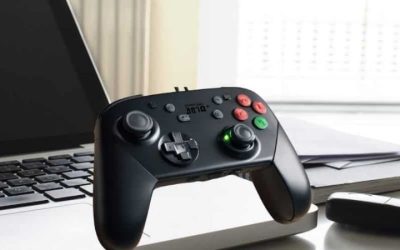
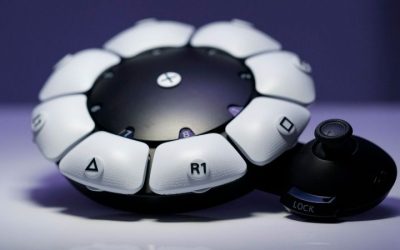
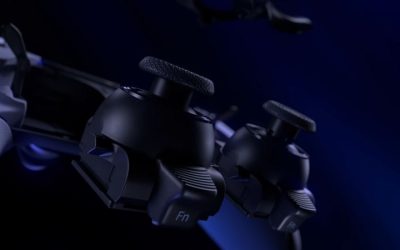
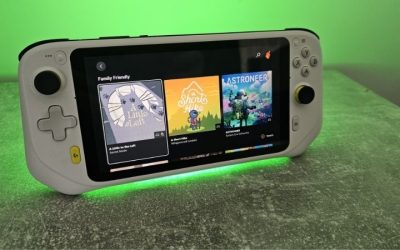
If you want the best modular controllers for PC, start by deciding what you need to change: the position of the sticks, the button layout for fighting games, or the stick modules when they wear out. The Victrix Pro BFG Reloaded PC Edition is our most versatile PC-first choice, while the Thrustmaster ESWAP X2 H.E. is a compelling wired alternative with hot-swappable Hall Effect sticks. The Turtle Beach Stealth Pivot makes switching between conventional and six-button layouts especially convenient. These are recommendations based on manufacturer specifications, documented compatibility, independent reviews, and observed US listings—not personal hands-on tests.
Quick verdict: the right modular controller for your setup
Best overall for a PC-first setup — Victrix Pro BFG Reloaded PC Edition. Its reversible and swappable control modules, Hall Effect sticks, PC trackpad, keyboard/mouse-capable back-button mappings, and wired or USB-dongle connection make it unusually flexible. Important: the six-button Fightpad module is an additional purchase on this specific PC edition.
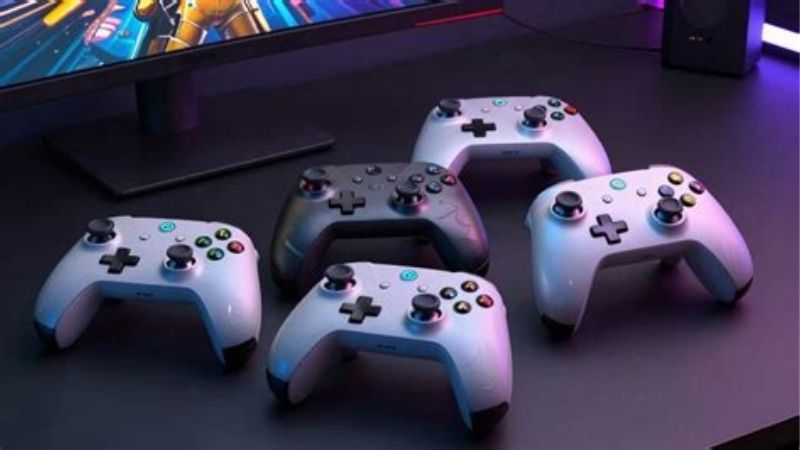
Best wired competitive option — Thrustmaster ESWAP X2 H.E. Choose this if rearranging the stick/D-pad locations and replacing magnetic-sensor stick modules matters more than going wireless. Its Hall Effect SH5 modules and four rear inputs stand out; its long USB-C cable is part of the trade-off.
Best quick switch for fighting and retro games — Turtle Beach Stealth Pivot. Rotate its built-in modules rather than carrying loose parts. The trade-off is a limited selection of layouts compared with a fully interchangeable modular system.
Best for PC and Xbox with a Fightpad included — Victrix Pro BFG Reloaded Xbox Edition. It shares the BFG family’s modular concept but includes the six-button module and is officially designed for Xbox as well as Windows PC. It does not have the PC Edition’s integrated PC trackpad.
Best lower-entry-price replacement-stick design — Thrustmaster ESWAP S Pro White Crystal LED. This wired model focuses on replaceable mini-sticks rather than the broad layout reconfiguration of the more expensive ESWAP X2 H.E. The illuminated S5 NXG sticks are not the X2 H.E.’s Hall Effect SH5 sticks.
Best specialist racing module — Thrustmaster ESWAP XR Pro Forza Horizon 5 Edition. It includes a small re-centering racing-wheel module as an alternative directional input. This is a niche gamepad accessory, not a substitute for a full force-feedback wheel and pedal setup.
Best modular PC controllers compared
| Exact controller / edition | What you can change | PC connection and key compatibility | Observed US price (seller; checked Oct. 28, 2026) | Stock (checked Oct. 28, 2026) | Main compromise |
|---|---|---|---|---|---|
| Victrix Pro BFG Reloaded PC Edition | Reversible left module; swappable right module; D-pads, stick caps and gates; optional separately sold Fightpad | Windows 10/11, Steam Deck; USB wireless transmitter or wired USB-C | $189.99, Turtle Beach US product page | Orderable — Add to Cart shown | Fightpad not in PC Edition box; higher price |
| Thrustmaster ESWAP X2 H.E. | Hot-swappable SH5 Hall Effect mini-sticks, D-pad, caps and compatible modules; symmetric/asymmetric layouts | Windows 10/11, Xbox; wired USB-C | $179.99, Thrustmaster US eShop | In stock — seller states availability | No wireless option; sizable wired shell |
| Turtle Beach Stealth Pivot | Two internally rotating layouts for conventional play or fighter-style buttons | Windows 10/11; 2.4GHz PC dongle, Bluetooth or USB; Xbox wired only | $99.99 sale price, Turtle Beach US product page (listed full price $139.99) | Orderable — Add to Cart shown | Limited to its preset pivot layouts; only two buttons on the rear |
| Victrix Pro BFG Reloaded Xbox Edition (black, TBC-2101-05) | Reversible/swap modules and included six-button Fightpad; stick caps/D-pads/gates | Xbox Series X/S, Xbox One and Windows PC; wireless transmitter, wired USB-C, Bluetooth on specified devices | $188.38, Best Buy US, black Xbox variant | Orderable — Add to Cart shown | No PC Edition precision trackpad or PC-specific keyboard/mouse back-button features |
| Thrustmaster ESWAP S Pro White Crystal LED | Tool-free replaceable S5 NXG stick modules; extra parts purchased separately | Windows 10/11 and Xbox; wired USB-C | $114.99 sale price, Thrustmaster US eShop (previously listed $139.99) | In stock — seller states availability | Stick-focused modularity; non-Hall bundled sticks |
| Thrustmaster ESWAP XR Pro Forza Horizon 5 Edition | Replaceable mini-sticks and D-pad; included re-centering racing-wheel module | Windows 10/11 and Xbox; wired USB-C | $199.99, Thrustmaster US eShop | In stock — seller states availability | Expensive for general games; wheel module is not force feedback |
Prices are snapshots, not guarantees. All amounts above were visible on the named US seller pages during research. Discounts can disappear, and shipping, taxes and local ZIP-code inventory can alter the final checkout. The Stealth Pivot’s product page and Turtle Beach’s category listings have displayed different price states over time; the price in this table comes from the directly opened product page. Do not infer that another color or console edition carries the same offer. The products above are six distinct purchasing configurations, but two share the same Victrix chassis family and three belong to the Thrustmaster ESWAP family; they are not six unrelated platform designs.
How we selected these controllers
A controller qualifies here only when its hardware offers meaningful physical reconfiguration or replaceable control modules. Remapping a button in software, exchanging a thumbstick cap, or buying a different-colored shell alone is not enough to justify calling an ordinary gamepad fully modular. We compared the physical transformations first, then looked at Windows support, connection method, replacement-part availability, included accessories, and whether US retailers currently show a plausible purchase path.
The standout choices were checked against official model pages rather than general brand descriptions. The distinction matters: a Victrix controller labeled PC Edition has a different accessory bundle and PC-focused features from the Xbox or PlayStation editions. Likewise, the ESWAP X2 H.E. includes Hall Effect SH5 mini-sticks, whereas older ESWAP variants use different sensor-equipped modules. We used independent controller reviews for context about ergonomics and the practical limitations of a rotating layout, but did not reproduce reviewers’ test results as our own.
The strongest candidate also needs to solve a real job: changing a left-stick layout, supporting a fight-game six-button face, or replacing a failing stick without discarding the entire controller. A controller that does none of these is better covered in an ordinary PC-controller guide. We have not measured input latency, stick centering error, durability, hand size, or tournament performance in a laboratory. The labels below describe suitability, not original performance benchmarks.
Best overall: Victrix Pro BFG Reloaded PC Edition
The PC Edition is unusually relevant to someone who plays both conventional controller games and titles that benefit from keyboard-like bindings. The physical design has a reversible left module for switching between symmetrical and asymmetrical stick arrangements, a swappable right-side module, and eleven smaller interchangeable components such as thumbsticks, D-pads, and stick gates. Those details make the word modular meaningful: you change the geometry of the controls, not merely what their buttons do in software.
Turtle Beach lists Hall Effect technology in the two primary modules and five-position clutch triggers. The included caps and gates allow a taller stick or a different movement boundary, which may suit different genres or preferences. There are four rear buttons, and the PC edition can map them to gamepad, keyboard, and mouse inputs through its PC-oriented software features. Its integrated trackpad can serve mouse-style navigation in Windows or supported PC workflows without reaching for a separate mouse every time.
For connectivity, the PC Edition includes a USB wireless transmitter and detachable USB-C cable. Turtle Beach identifies Windows 10/11 and Steam Deck as supported systems and advertises up to 20 hours of battery life under its stated conditions. The company also promotes a 1,000 Hz polling mode when wired; this is not evidence that the wireless mode runs at that same rate, nor does polling rate alone prove lower end-to-end game latency. It is better to evaluate responsiveness in your games than to rank controllers by a single number.
The critical buying detail is what is not in the box. The PC Edition does not include the six-button Fightpad module. That module is a separately listed Victrix accessory; the company’s PC product page displays it as an add-on. If fighting games are your main reason for buying a modular controller, factor its cost and availability into the order. By contrast, the Xbox Edition below includes a Fightpad in its standard kit. This is a genuine package difference, not just a branding distinction.
Buy it if: your primary system is a Windows PC or Steam Deck; you want to adjust stick positioning, use keyboard/mouse-type assignments on rear buttons, and prefer a controller with a trackpad. It especially suits PC gamers who change their configuration between titles but do not need native Xbox console compatibility.
Skip it if: you only want a regular Xbox-style controller or need a six-button fight layout on day one without buying a separate module. A simpler, substantially less expensive controller can be a better value if you never intend to rearrange the hardware. Also avoid buying the PC Edition on the assumption it is identical to the Xbox SKU.
Before checkout: verify the PC Edition label, the included modules, and the currently supported firmware/Control Hub features. Unplug the controller before changing physical modules and follow the included guide; a reversible module is not meant to be forced while active.
Best wired competitive choice: Thrustmaster ESWAP X2 H.E.
The ESWAP X2 H.E. is the better fit when your priorities are replacing stick hardware and choosing where the stick modules sit, rather than wireless freedom. Its name is important: the H.E. variant comes with SH5 Hall Effect H.E.A.R.T. mini-stick modules. Thrustmaster describes these as magnetic sensors and lists a pair in the box. They are distinct from the regular S5 NXG modules supplied with several earlier ESWAP models, so do not use specifications for a generic X2 listing as proof of what the H.E. box contains.
Thrustmaster’s Hot-Swap architecture lets you remove and reposition the controller’s approved modules to select symmetric or asymmetric stick arrangements. Its official documentation warns that only the illustrated, approved module configurations have been validated. In practice this means a removable part is not permission to put every type of module into every slot. Check the manufacturer’s configuration chart before rearranging the D-pad and sticks, especially if you buy third-party or older ESWAP parts secondhand.
For actual PC use, the X2 H.E. is a wired controller with an included approximately 9.8-foot (3-meter) USB-C cable. Four remappable rear buttons, mechanical action buttons, adjustable trigger behavior, and ThrustmapperX software provide additional ways to tailor your layout. These are useful if you play action games where you want to keep both thumbs on the sticks while activating common functions. Mechanical actuation and sensor claims are manufacturer specifications, not independent evidence of winning more games.
Replacement modules are where this design can make financial sense over time. If an individual stick eventually fails or no longer behaves consistently, replacing its compatible module may be simpler than throwing away an otherwise working controller. That does not make a Hall Effect stick immune to all drift, calibration errors, firmware issues, or physical damage; magnets reduce one category of wear but cannot solve every failure mechanism.
The downsides are easy to overlook. You must live with the cable and a relatively large shell, and the full value proposition depends on replacement modules remaining affordable and available. Some module versions are not interchangeable across every ESWAP family revision. Check the precise Thrustmaster module code in the current compatibility list, not just a seller’s assertion that a stick fits ‘all ESWAP controllers.’
Buy it if: you play primarily at a desk, prefer wired input, regularly switch between symmetrical and asymmetrical positioning, and want Hall Effect replacement sticks supplied at purchase.
Skip it if: wireless PC gaming from a couch is non-negotiable or you want the six-button fighting arrangement already included in the package. The Victrix Xbox package or Stealth Pivot is a more direct fit for that particular need.
Before checkout: confirm ESWAP X2 H.E., not ESWAP X2, X Pro, or S Pro; verify that the box lists the SH5 Hall Effect modules and that your desk can accommodate a long cable without snagging.
Best fast-switch layout: Turtle Beach Stealth Pivot
The Stealth Pivot solves a slightly different problem. It does not ask you to carry a pouch of modules and unscrew the controller to switch genres. Instead, its control groups rotate to reveal alternate layouts: conventional analog-stick play on one side of the setup and a fighter/retro-focused arrangement on the other. Rear release switches keep the assemblies secured after repositioning. This is rotating modularity, not an open ecosystem of interchangeable modules.
That distinction is why the Pivot earns a place in the roundup rather than being treated as a cheaper Pro BFG. It is attractive for someone who alternates between driving or action titles and traditional arcade games during a single session. It also avoids the everyday nuisance of storing loose stick modules. Its preset geometry is less flexible than Victrix’s reversible positions; you cannot freely exchange the module hardware for a different third-party arrangement.
The manufacturer specifies Windows 10/11 support and a supplied 2.4 GHz wireless transmitter for PC, along with Bluetooth and wired options for appropriate devices. Do not confuse PC wireless support with Xbox console support: the Pivot works on Xbox consoles by wire, not through the same PC wireless dongle arrangement. It includes Hall Effect analog sticks, adjustable trigger stops, and a small Connected Command Display for on-device settings. Turtle Beach quotes up to 20 hours of battery life, dependent on use.
There is a control-position trade-off. The device has two rear mappable buttons, while the other two programmable buttons appear in its rotated fighting layout. This differs from a controller offering four paddles on the rear at once. Independent coverage also notes its weight and the fact that its conventional face controls lack the tactile feel some fighting-game players prefer. None of that makes the controller ineffective; it simply defines its ideal audience.
The $99.99 price recorded at Turtle Beach’s US product page was explicitly marked a sale price against a $139.99 full-price listing. Do not build your purchase decision on that sale remaining active. Recheck the exact product page before ordering and compare the final total with an available Xbox-edition Victrix if you want a bundled dedicated Fightpad.
Buy it if: you want an easy transition between two control personalities, play on Windows, and will genuinely use both the conventional and fighter-oriented faces. It is also worth considering when you want wireless desktop use without an expensive replaceable-module ecosystem.
Skip it if: you need adjustable symmetric/asymmetric stick locations, want four rear paddles simultaneously, or expect future aftermarket modules to fit its rotating assembly. The Pivot is most effective when its built-in layouts already match your games.
Before checkout: check that the Windows USB transmitter is included, and remember that the pivoting design’s Xbox compatibility is wired only. Do not quote the promotional price as a permanent standard price.
Best cross-platform fightpad bundle: Victrix Pro BFG Reloaded Xbox Edition
The Xbox Edition makes sense for PC gamers who also own an Xbox or want the six-button fighting-game hardware included without another checkout item. It uses the BFG family architecture: reversible left module, interchangeable right module, Hall Effect stick technology, different D-pads, stick heights, and gates. In the standard Xbox package, the separate Fightpad module comes in the case, alongside the conventional right-side arrangement.
The included six-button module uses Kailh microswitches, giving a more specialized face arrangement for fighting-game commands than the default four-button pad. This is not a dedicated arcade lever, but it can be a practical compromise for someone who plays fighting games and normal PC action titles with a single device. The controller also has four rear mappable buttons, a removable cable and wireless transmitter. Turtle Beach specifies official compatibility with Xbox Series X/S, Xbox One, and Windows PC; its Xbox product listing additionally notes Bluetooth for certain mobile, Mac, and smart-TV uses.
Do not assume the Xbox version inherits every PC Edition feature. The PC precision trackpad and the PC Edition’s advertised keyboard/mouse back-button assignments are key differentiators of that version. If those PC-specific functions are important, choose the PC Edition and add its separately available Fightpad if needed. If out-of-box fighting-game hardware and console compatibility matter more, the Xbox Edition becomes more compelling.
The observed US purchase was the black Xbox-and-Windows model TBC-2101-05, listed at $188.38 from Best Buy with Add to Cart displayed. This was a retailer-specific observed price, not a claim that Turtle Beach’s own full-price product page showed the same amount. Prices differ by seller and promotion; check the actual checkout before comparing packages.
Buy it if: you use both Xbox and PC, want wireless play on supported systems, and plan to exploit the included six-button module. At the observed retailer price, the included Fightpad gives it a clear package advantage over the PC Edition for players focused primarily on fighting games.
Skip it if: you are a PC-only player whose workflow depends on a trackpad or keyboard/mouse-type controller mappings. Also skip if you will never use the extra Fightpad: you may be paying for hardware that stays in its case.
Before checkout: verify the listing explicitly says Xbox and Windows, check the exact model number, and inspect the included accessory list. The PlayStation version shares the product family but is not an automatically interchangeable Xbox purchase.
Best value for replacing worn sticks: Thrustmaster ESWAP S Pro White Crystal LED
The ESWAP S Pro White Crystal LED is the most targeted choice on this list. Its principal modular promise is to let you replace mini-stick modules without replacing the controller body. The special White Crystal LED edition includes illuminated S5 NXG sticks, along with a wired connection, two rear remappable buttons, trigger stops, and access to ThrustmapperX. This is a straightforward PC/Xbox gamepad for someone who primarily wants repairable controls rather than an elaborate transforming layout.
The distinction from the X2 H.E. matters. Thrustmaster describes the S Pro’s bundled sticks as next-generation NXG modules; they are not the H.E. model’s included SH5 Hall Effect modules. Do not buy the S Pro after reading an H.E. comparison and expect the same sensor technology in the box. Some different ESWAP modules may be compatible through the wider accessory system, but availability and approved placements require a separate check.
Thrustmaster says the official ESWAP S Pro works on Windows 10/11 and supported Xbox consoles. The controller uses a USB-C cable, has a fixed base design rather than the X2 H.E.’s broad stick/D-pad repositioning, and allows software adjustments through ThrustmapperX. It is a reasonable pick when physical repairability is the reason you clicked on a modular-controller article. It is less appropriate for someone who wants to switch rapidly between PlayStation-style and Xbox-style stick positions.
The official US eShop showed the White Crystal LED edition in stock at a $114.99 promotional price, with $139.99 shown as the previous price. That is evidence for that specific edition at the moment checked, not for a generic non-LED ESWAP S or future restocks. It is also worth checking how much compatible replacement modules cost; savings from buying a lower-priced controller can disappear if uncommon modules are difficult to obtain.
Buy it if: you want a wired PC controller with tool-free stick replacement and do not need a fully rearrangeable D-pad/left-stick design. It provides a lower entry price than the flagship BFG and X2 H.E. selections in the observed seller snapshot.
Skip it if: Hall Effect sticks must be included at purchase, you prefer a wireless living-room setup, or your primary goal is a dedicated fightpad or racing wheel module. Choose a controller whose bundled hardware actually meets the job.
Before checkout: verify the White Crystal LED variant, the two S5 NXG sticks in the box, and the current compatible replacement-module catalog. A model name containing ESWAP is not sufficient compatibility proof.
Best specialist racing control: Thrustmaster ESWAP XR Pro Forza Horizon 5 Edition
The ESWAP XR Pro is the unusual choice here because its defining physical module is neither a regular stick nor a fighting-game face: it is a small Racing Wheel Module. Thrustmaster specifies a 95-degree rotational range and a return-to-center mechanism. It slots into the controller’s modular system so that racing-game steering becomes a distinct finger-operated input. It is also packaged with two NXG stick modules and a mechanical D-pad, rather than simply being a separate wheel accessory.
This is aimed at someone who likes the idea of analog steering under a finger without committing to a wheel stand and pedal setup. It may also make sense for a fan of the Forza Horizon 5 branding who wants the racing module and a familiar Xbox-style gamepad shell. However, do not mistake a tiny finger wheel for a full-size steering wheel with force feedback. The module cannot reproduce an actual force-feedback wheelbase’s range of movement, mounting stability, pedals, or tactile steering forces.
Thrustmaster states that when the Racing Wheel Module is inserted in the recommended D-pad location, directional functions are reassigned to the rear buttons. This changes the ergonomic workload. If you use the D-pad constantly for menus or gear changes, test whether the changed location is acceptable before relying on it in a lengthy session. ThrustmapperX supports sensitivity changes and profiles, but the correct setup is ultimately dictated by each game’s control behavior.
The XR Pro is a wired Windows 10/11 and Xbox controller. The official US eShop showed $199.99, in stock, at the checked product page. The model is a specialty purchase, not a universally superior controller simply because it is more expensive. Its value depends strongly on whether the included racing module improves your game experience.
Buy it if: you regularly play compatible racing games with a controller, prefer finger steering over thumbstick steering, and specifically want the included module plus a conventional gamepad configuration.
Skip it if: you mainly play competitive shooters, platformers, or fighting games, or want true force feedback. A conventional modular controller or a dedicated wheel setup will be more appropriate for those goals.
Before checkout: confirm that the product is the Forza Horizon 5 Edition with Racing Wheel Module included. The standard ESWAP X2 H.E. does not automatically include this racing module, and bundled compatibility should not be inferred from a shared brand name.
What modular actually means when you shop
Swappable internal modules versus replacement stick caps
A replaceable mini-stick module can contain the underlying sensor assembly and connect electrically to the controller body. Swapping one can address a damaged module or change the physical arrangement where the manufacturer supports it. A replaceable cap only changes the part your thumb touches. Cap height and surface texture can matter for comfort, but they do not repair a faulty stick sensor. Sellers sometimes use modular for either feature. Ask whether the part being swapped is a complete electronics module, an outer thumbstick cap, a D-pad, or a decorative shell.
Layout changes versus physical repairability
A reversible Victrix module or movable ESWAP X2 H.E. stick/D-pad arrangement genuinely changes the relationship between controls. The Stealth Pivot reveals another built-in arrangement. The ESWAP S Pro emphasizes serviceability through changeable mini-sticks but does not offer the same breadth of layout transformation. The sensible purchase depends on whether you expect to change how you play or how you repair the device. Paying for layout flexibility you never use is often a worse investment than buying a solid nonmodular controller.
Hall Effect sticks do not guarantee perfection
Hall Effect sensors detect magnetic position rather than relying on the same sliding contact used in traditional potentiometer assemblies. That can mitigate one common wear mechanism. It does not guarantee that every stick will have perfect centering, zero measured dead zone, or unlimited life. Mechanical springs, magnets, connectors, calibration data, firmware, and the rest of the controller can still fail. Likewise, a manufacturer’s statement that mechanical face buttons actuate faster under a laboratory condition is not equivalent to a comparative PC input-latency test under identical games and drivers.
Wired, USB wireless, and Bluetooth are not interchangeable
Before purchasing, list the devices you really intend to use. The Victrix PC Edition and Stealth Pivot are both PC-wireless products, but their supported operating systems and input mappings are different. ESWAP controllers in this selection use wired USB. On the Stealth Pivot, the Xbox console connection is wired even though the unit is wireless on PC. Some Victrix Xbox Edition Bluetooth support applies to mobile or TV connections, not every feature on every platform. A matching USB port does not guarantee that an accessory or specialized mapping mode will work in a game.
Buyer checklist: choose by the games you actually play
For shooters and action games
Focus on stick positioning, rear-button accessibility, trigger behavior, and stable PC detection. If you want a magnetic-sensor module already included and you sit close to the PC, the ESWAP X2 H.E. is a natural match. If you need a PC-first controller with wireless freedom and keyboard/mouse-style bindings, the BFG PC Edition merits a closer look. Do not treat either one’s advertised polling rate or short trigger travel as a scientifically established in-game latency advantage without a controlled test.
For fighting games, beat-’em-ups, and retro libraries
Start by deciding whether you need six face buttons and whether you prefer their mechanical feel. The BFG Reloaded Xbox Edition includes a dedicated Kailh-microswitch Fightpad; the PC Edition requires the separately sold module. The Stealth Pivot has a readily accessible alternate layout without loose hardware, but the independent review feedback on button tactility and its narrower configuration range is worth considering. Even among fighting games, players differ over D-pad shape and input registration, so tournament suitability should be tested against your exact game and local event rules.
For racing games
Consider full-range analog trigger control and the shape of the directional input. The XR Pro has a distinctive small steering module, but its limited rotation does not make it a replacement for proper wheel hardware. The BFG’s adjustable triggers and X2’s reconfigurable controls may be better all-purpose options if you race only occasionally and mostly play other genres. Check the game’s handling options rather than assuming every racing title interprets special inputs identically.
For smaller hands or couch play
Do not assume a premium controller will fit everyone. The ESWAP line has a substantial body, while the Pivot and Victrix shapes distribute weight and controls differently. Published width or weight can help screen options, but they do not measure whether your thumb reaches the far face buttons comfortably. Try a returnable model or review exact dimensions where possible. For couch play, a USB dongle and included cable length matter more than an elaborate software mapping library if the cable would cross a walkway.
For long-term ownership and repair
Check four things before committing: whether the exact replacement part is sold in the United States; whether it is listed for your controller revision; whether the manufacturer explains safe installation; and whether parts cost makes sense compared with a replacement controller. ESWAP’s repairable sticks are appealing only if compatible modules remain available. Victrix’s swappable parts add flexibility but may require its included module tool. The Stealth Pivot’s rotating panels are not a general user-replaceable module ecosystem. These are different approaches to longevity, not interchangeable promises.
Setup and compatibility checks after purchase
First connect the controller using the transport specified for your Windows version: its included USB cable or USB transmitter is a sensible starting point. Allow Windows to recognize it, then confirm that the gamepad is visible to the game or launcher before changing any module arrangement. On Windows, the built-in Game Controllers control-panel utility (joy.cpl from the Run dialog) can provide a quick button/axis response check for recognized controllers; availability of individual advanced functions depends on driver and device. The utility is not a latency benchmark or a guarantee that every launcher will interpret extra buttons identically.
Install the manufacturer’s official configuration application only if your purchase requires it: Victrix Control Hub for supported BFG functions, Turtle Beach Control Center 2 for Stealth Pivot features, or ThrustmapperX for applicable ESWAP models. Prefer the manufacturer’s current support instructions for firmware and module calibration. Save a known-good profile, change one setting at a time, and verify input in the target game before building a complicated remapping scheme. If a game behaves as though a button is pressed twice, review whether Steam Input and the manufacturer’s software are both transforming the same action.
Power the controller down or disconnect the cable before removing hardware modules, follow the exact maker’s locking/tool instructions, and seat every part fully. Thrustmaster explicitly restricts its approved layouts to certain positions. Do not force a module that seems to fit physically but lacks confirmed compatibility. After every swap, reconnect and test the D-pad, both sticks, face buttons, triggers, and any extra input you plan to use.
If a new module behaves incorrectly, restore the last working physical layout and factory/default mapping before assuming the product is defective. Check for an official firmware or calibration instruction specific to the controller revision. If the defect persists with the original modules, use the seller’s return or manufacturer warranty process rather than attempting unsupported electrical modifications. The objective is a reliably detected gamepad, not the largest number of custom profiles.
Common buying mistakes to avoid
Confusing the two Victrix Reloaded packages. The PC Edition has a PC trackpad and PC-specific assignments but does not include the six-button Fightpad. The Xbox Edition includes that module and is a different platform-oriented purchase. Check the edition and the box contents, not only the word Reloaded.
Assuming every ESWAP stick is Hall Effect. The X2 H.E. includes SH5 Hall Effect modules, while the S Pro White Crystal LED ships with S5 NXG sticks. A broad product-family claim is not proof of the exact components in an individual retail package.
Calling a rotating face a universal modular ecosystem. Stealth Pivot does a useful two-layout transformation, but that does not imply you can insert interchangeable Victrix or Thrustmaster parts. Each system has its own mechanical and electrical design.
Mistaking ‘in stock’ for a locked delivered price. Retailer listings are a snapshot. Check seller, exact variant, the sale status, shipping destination, taxes, and return conditions. The manufacturer’s full price and a retailer’s promotional price can both be real at the same time.
Ignoring the game’s input system. A controller can work at the Windows level but lack special support for one game, launcher, or platform mode. That is particularly relevant to keyboard/mouse-emulated inputs, D-pad reassignment, racing-wheel modules, and extra back buttons. Verify the game before committing to a costly niche purchase.
Frequently asked questions
What is the best modular controller for Windows PC gaming?
For broad PC-focused customization, the Victrix Pro BFG Reloaded PC Edition is the strongest fit in this group, particularly when you value its trackpad and keyboard/mouse-capable rear buttons. If your priority is physical Hall Effect module replacement and you are happy with a wire, the Thrustmaster ESWAP X2 H.E. may suit you better. The word best depends on which part of the controller you need to change.
Is the Victrix Pro BFG Reloaded PC Edition the same as the Xbox Edition?
No. Both use the BFG modular design, but the PC Edition adds PC-oriented trackpad and mapping functions while selling the Fightpad module separately. The Xbox Edition is built for console compatibility and includes its six-button module. Confirm the exact retail package before comparing prices.
Can I replace a drifting stick without buying a new gamepad?
Certain models in this roundup, especially the Thrustmaster ESWAP line, have user-replaceable stick modules. That can be a practical repair route if the issue is isolated to the module and a compatible replacement is available. It is not a guaranteed fix for firmware, calibration, wiring, or board-level faults. Check warranty conditions before disassembly.
Are modular controllers automatically faster than normal controllers?
No. Modularity is a physical-layout or repairability feature, not a proven speed advantage. Hall Effect sensing, polling rate, connection method, and button travel address different technical questions. A fair latency claim requires a consistent measurement method and identical game/PC conditions. Choose modularity because the layout or replaceable parts help you, not because it automatically raises FPS or reduces network latency.
Can I use a wireless modular PC controller on Xbox?
Only if the exact model and connection mode are supported. Turtle Beach specifically lists the Stealth Pivot’s Xbox use as wired. The Victrix Reloaded Xbox Edition is the appropriate BFG variant to assess for Xbox plus PC. The BFG PC Edition’s listed compatibility is Windows/Steam Deck, and a generic USB wireless transmitter cannot be assumed to add Xbox support.
Should I buy a modular controller just for fighting games?
Buy one when you also want its regular gamepad function, its form factor suits you, and the included or separately sold six-button module meets your needs. The Victrix Xbox Edition provides the dedicated Fightpad in the box, while the Pivot switches to a fighting-oriented layout without parts to store. For someone who plays only fighting games, a purpose-built fightpad or arcade controller could still be a more economical match.
Final thoughts
Choose Victrix Pro BFG Reloaded PC Edition if you will genuinely use its PC-specific mappings, trackpad and adjustable physical layout. Pick ESWAP X2 H.E. for wired hot-swappable Hall Effect modules, Stealth Pivot for fast movement between two built-in layouts, or the BFG Xbox Edition if you also need Xbox support and an included six-button Fightpad. The ESWAP S Pro is the narrower repairable-stick purchase; the XR Pro is a specialty racing choice. Before paying, compare the exact edition and in-box modules with the game and Windows device you actually use, then recheck current US stock and checkout price.