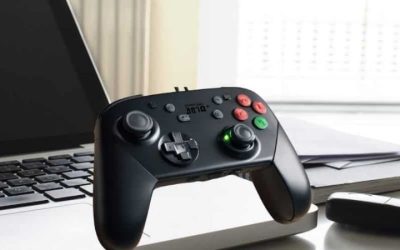
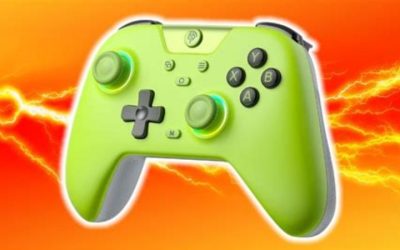
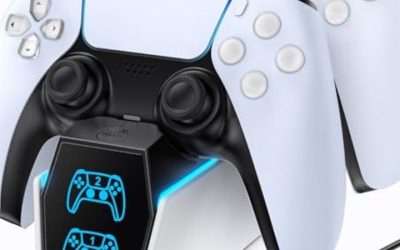
If you are shopping for the best wireless controllers for Linux, start with the software environment rather than the controller’s marketing label. The 8BitDo Pro 3 is our first pick for a current SteamOS system because 8BitDo explicitly supports Bluetooth on SteamOS 3.7.13 or newer. For a conventional Linux desktop, the Sony DualSense is the safer first controller to investigate because Linux maintains a dedicated PlayStation HID driver. Neither choice guarantees that every native game, emulator, or advanced feature will work. This guide compares seven real wireless controllers, explains what their support claims actually cover, and shows how to check compatibility before spending money.
Quick verdict: which wireless controller should a Linux gamer buy?
Best overall for supported SteamOS setups: 8BitDo Pro 3 Bluetooth Gamepad. Its published SteamOS compatibility, Bluetooth connection, D-input/Steam guidance, TMR sticks, and additional inputs make it our preferred new purchase for Steam Deck-style gaming. The important qualification is that 8BitDo supports Bluetooth or USB on SteamOS, not the Pro 3’s 2.4GHz connection. If your computer runs Ubuntu, Fedora, Arch, or another general Linux distribution, that published SteamOS claim is useful evidence—not a universal driver guarantee.
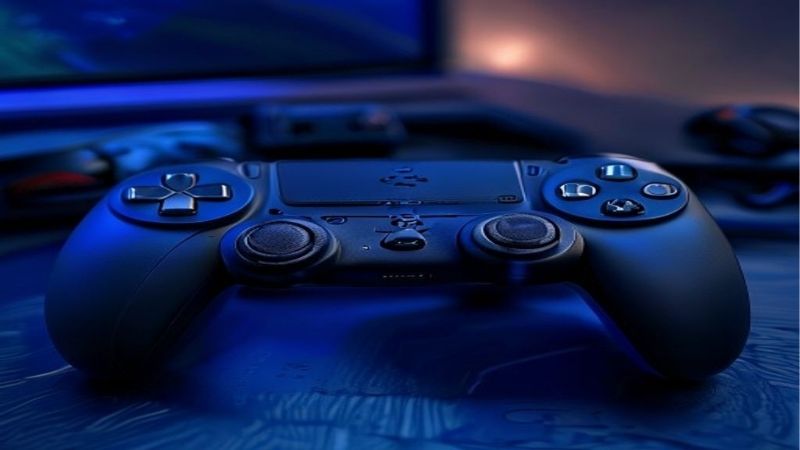
Best mainstream choice for a regular Linux desktop: Sony DualSense Wireless Controller. Sony’s hid-playstation driver is part of the Linux kernel, and Valve recognizes DualSense in Steam. This gives its core gamepad inputs a clearer Linux integration story than many PC-branded proprietary receivers. Don’t buy it assuming every game will implement PlayStation-style adaptive triggers, sophisticated haptics, audio, or motion controls.
Best budget-minded full-size option: 8BitDo Pro 2 Bluetooth Gamepad (Hall Effect version). It offers a comfortable conventional layout, multiple input modes, two rear buttons, and an explicit SteamOS compatibility statement. Best for familiar Xbox prompts: the standard Xbox Wireless Controller, provided you accept potential Bluetooth pairing and mapping work on Linux. Best compact controller: 8BitDo SN30 Pro. The remaining two picks suit players who want an Xbox-shaped 8BitDo controller or who already own Nintendo hardware.
The recommendations are based on publicly documented features, kernel support, Steam support, and US retailer listings reviewed for this article—not Geek Gaming Tricks hands-on latency tests. A controller advertised for Windows PC or Steam Deck is not automatically supported in every Linux application.
Comparison table: seven wireless controllers and their real Linux caveats
| Controller and role | Verified wireless method relevant to Linux | Linux/Steam evidence and main limitation | US price observed (seller; Oct. 28, 2026 US) | Stock status at check | Main drawback |
|---|---|---|---|---|---|
| 8BitDo Pro 3 — best for supported SteamOS | Bluetooth | 8BitDo lists SteamOS 3.7.13+; 2.4GHz is not listed for SteamOS | $69.99, Target US, Gray, seller Pro-Distributing | In stock — explicitly labeled by Target | Desktop Linux outside SteamOS is not explicitly certified |
| Sony DualSense, Midnight Black — best kernel-supported mainstream pad | Bluetooth | Linux hid-playstation; Steam supports DualSense, but premium features are game-dependent |
$74.99, Target US, Midnight Black | In stock — explicitly labeled by Target | Xbox-focused games may show mismatched button prompts |
| 8BitDo Pro 2, Hall Effect, Gray — best value/full-size layout | Bluetooth | 8BitDo lists SteamOS 3.7.13+ with minimum controller firmware v3.06 for Steam compatibility | $49.99, Target US, seller Pro-Distributing | In stock — explicitly labeled by Target | Symmetrical sticks and no verified Linux-native Ultimate Software |
| Xbox Wireless Controller, Carbon Black — best Xbox button layout | Bluetooth on supported revisions | Valve supports Xbox pads; Linux Bluetooth may require newer firmware or a community driver | $49.49, Target US, Carbon Black | In stock — explicitly labeled by Target | Xbox Wireless USB adapter is not equivalent to Bluetooth |
| 8BitDo Ultimate 2 Wireless — best asymmetric 8BitDo layout | Bluetooth for supported SteamOS | SteamOS 3.7.13+; 8BitDo requires firmware v1.05 for Steam support; do not assume 2.4GHz works on SteamOS | $59.99, 8BitDo official eShop | Unclear — Add to cart shown; variant stock not confirmed | Wireless modes differ by operating system |
| Nintendo Switch Pro Controller (original), Black — best if already owned | Bluetooth | Linux hid-nintendo kernel support and Steam Switch Pro support |
$79.99, Best Buy US, model HACAFSSKA | Orderable — Add to cart and localized pickup/shipping shown | Nintendo-specific features do not transfer to every Linux game |
| 8BitDo SN30 Pro, Hall Effect — best compact/retro | Bluetooth | 8BitDo lists SteamOS 3.7.13+; firmware v2.06+ for its published Steam integration | $44.99, Target US, G Classic | In stock — explicitly labeled by Target | Small handles and limited ergonomic grip for long sessions |
How to read the prices and stock: Prices are observed US seller listings, not guaranteed nationwide checkout totals. Tax, shipping, colors, seller changes, and ZIP-specific inventory may change the result. Five listings explicitly showed In Stock (Pro 3 Gray, DualSense Midnight Black, Pro 2 Gray, Xbox Carbon Black, and SN30 Pro G Classic). The standard Ultimate 2 Wireless and original Switch Pro were orderable-looking but did not provide the same unambiguous nationwide stock assurance. A retailer’s “In Stock” label can still vary by destination and change before checkout. Recheck the exact SKU before publishing or purchasing.
What “Linux compatibility” actually means
SteamOS support is narrower than Linux support
SteamOS is a Linux-based operating system with Valve’s gaming interface and Steam Input integration. Ubuntu, Debian, Linux Mint, Fedora, Arch, and other desktop distributions can use many of the same controllers, but their Bluetooth stack, kernel version, Steam packaging, device permissions, and game launchers may differ. An official claim such as “SteamOS 3.7.13 and above” should therefore be interpreted literally.
This distinction matters especially for 8BitDo. Its current Steam compatibility documentation identifies the Pro 3, Ultimate 2 Wireless, Pro 2, and SN30 Pro, gives version-specific firmware requirements for several models, and directs users toward D-input/Bluetooth operation. Those statements are substantially stronger than a retailer simply writing “works with PC.” They still do not amount to a full compatibility matrix for every desktop distribution or non-Steam emulator.
Kernel recognition, Bluetooth pairing, and in-game support are separate tests
A controller can appear in a Bluetooth settings panel yet fail to deliver usable actions to a game. Pairing confirms that the radio connection exists. Kernel recognition is another step: a driver must expose inputs that software understands. Steam Input or SDL can then translate those inputs for a supported game, while some older or non-Steam titles expect a particular Xbox-style controller representation. Game-level prompts, rumble, gyro, and trigger effects are yet another layer.
The Linux source tree includes Sony’s hid-playstation code for DualSense and the hid-nintendo driver for the original Switch Pro Controller. That is meaningful support for ordinary inputs, not a promise of identical features across Windows, PlayStation, Switch, and Linux. Steam’s own controller documentation also distinguishes between supported devices and whether an individual game has full or partial controller support.
Bluetooth, 2.4GHz, and Xbox Wireless are not interchangeable
Bluetooth is the broadly useful cross-platform choice if the specific controller and firmware can pair with Linux. 2.4GHz describes a radio frequency, not a universal USB protocol: each manufacturer’s receiver may present a different USB device and require different host support. A dongle that works perfectly on Windows is not proven Linux-compatible simply because it plugs into USB. Xbox Wireless is Microsoft’s separate console/adapter technology; it is not the same connection as the Bluetooth mode on a modern Xbox pad.
That is why we do not call the 8BitDo Pro 3’s included 2.4GHz adapter or the Ultimate 2 Wireless’s 2.4GHz connection a verified Linux advantage. For SteamOS, 8BitDo specifically documents Bluetooth on these models. If you primarily need an RF receiver for a Linux computer with no Bluetooth, verify that exact receiver’s compatibility first or prioritize a USB Bluetooth adapter that your distribution supports.
How we selected these controllers
We prioritized a concrete Linux support path over marketing claims about the fastest response time. The selection checks were: an identifiable real model; a documented Bluetooth or Linux-compatible wireless route; manufacturer specifications; kernel or Steam support where applicable; clear layout and portability differences; available US seller evidence; and at least one material reason not to buy. We also checked whether advanced features were described as hardware capabilities, software features, or verified Linux behaviors, because those are not the same thing.
No original input-lag measurements, battery rundown tests, or Linux distro-by-distro hands-on results were performed. Published stick technologies and battery estimates are manufacturer claims; they are not proof of lower latency, zero drift, or longer real-world life. The following product-by-product advice is an editorial recommendation based on those evidence boundaries.
Best wireless controllers for Linux: in-depth picks
8BitDo Pro 3 Bluetooth Gamepad — best overall for supported SteamOS
The Pro 3 leads for a buyer running SteamOS 3.7.13 or newer who wants a controller designed around flexible PC and console use. 8BitDo documents Bluetooth and wired USB for SteamOS, alongside TMR sticks, two rear buttons, extra L4/R4 controls, a trigger mode switch, a charging dock, and removable magnetic ABXY button caps. Those extras make it practical for someone who changes genres regularly: traditional analog triggers fit driving or adventure games, while the alternative trigger feel may appeal in faster-action games.
Crucially, the connection matrix is more restrictive than the feature list. 8BitDo says 2.4GHz works with Windows and Switch, whereas SteamOS uses Bluetooth or USB. Its published Steam compatibility page instructs users to select the appropriate D-input/Bluetooth mode and keep firmware current. If you are shopping because you want reliable 2.4GHz operation under Fedora, do not interpret the included adapter as an official Linux guarantee. You would need evidence for your specific device and host before making that purchase.
The Pro 3 also uses a PlayStation-style symmetrical stick layout. That is excellent for users who like both thumbs resting at similar heights, but it will not suit everyone who prefers the left stick above the D-pad. The charging dock adds convenience at a desk, while the more involved controls add complexity if all you play is a single platformer. Any customization software that 8BitDo describes for supported PC/mobile platforms should not be assumed to run natively on Linux; confirm where a profile can be configured and whether it persists on the device.
Who should buy: Steam Deck owners and users of an explicitly supported SteamOS version who want an adaptable controller and are happy to use Bluetooth. Who should skip: Linux desktop players who specifically require an officially certified 2.4GHz connection, and anyone seeking the simplest possible layout. Target listed the Gray Pro 3 at $69.99 and explicitly In Stock, fulfilled by marketplace seller Pro-Distributing. The G Classic color had a separate Target listing that displayed Out of Stock, illustrating why exact-color stock should be checked rather than generalized.
Sony DualSense Wireless Controller — best for a general Linux desktop
The DualSense is a compelling default for Linux desktop users because it has an established upstream driver path. Sony’s hid-playstation driver in the Linux source tree handles DualSense devices, and Valve lists DualSense among controllers supported by Steam’s Big Picture interface. That combination supports a more defensible recommendation for Ubuntu or Fedora gaming than a controller whose only published platform is Windows. Sony also provides an official Bluetooth pairing method: hold the Create button and PS button together until the light bar blinks, then select the controller from your computer’s Bluetooth device list.
It is important to separate ordinary controller operation from the premium DualSense experience on a PS5. Games on Linux may recognize its face buttons, sticks, triggers, and D-pad, yet ignore its microphone, speaker, adaptive-trigger effects, advanced haptic feedback, or touchpad behavior. Sony’s own cross-device compatibility guidance warns that features vary by device and supported game, and it does not list Linux as an officially supported operating system. Its inclusion here comes from the Linux kernel and Valve’s support—not a Sony promise of complete Linux feature parity.
For games designed around Xbox prompts, Steam Input can often help with the input layer, but on-screen “A/B/X/Y” prompts may remain Xbox-style instead of matching Sony’s symbols. For a player switching between Steam titles, this is usually a learnable inconvenience. In an emulator or a game launcher that bypasses Steam, confirm how that software interprets the device before assuming all buttons map correctly. A wired USB-C fallback is especially helpful when debugging a Bluetooth issue, but USB success does not guarantee flawless wireless behavior.
Who should buy: desktop Linux gamers who value a recognized native driver, symmetrical sticks, and a quality mainstream controller. Who should skip: players who buy specifically for guaranteed PS5-level haptics or who dislike translation between PlayStation labels and Xbox prompts. The Midnight Black variant appeared at $74.99 and explicitly In Stock on the checked Target US listing; delivery to a particular ZIP code was not independently researched.
8BitDo Pro 2 Bluetooth Gamepad — best value and multi-device flexibility
The Hall Effect edition of the Pro 2 offers a particularly sensible value proposition. The official 8BitDo specification includes Bluetooth 4.0, USB-C, a four-way mode selector, two programmable rear buttons, and Hall Effect analog sticks. It lists SteamOS 3.7.13 or newer, and 8BitDo’s Steam compatibility guidance specifies controller firmware v3.06 or higher for the supported Bluetooth setup. These precise requirements are worth checking before buying an older unit from a third-party marketplace.
The Pro 2 is distinct from the Pro 3 in both cost and control feel. It has a familiar, lighter-featured PlayStation-style shape without the Pro 3’s additional L4/R4 controls or charging dock. Someone who plays retro titles, turn-based RPGs, or occasional co-op games may prefer that simplicity. The two rear buttons add useful customization without demanding a pro-controller budget. Its ability to switch input modes also gives a buyer more options if software expects a different controller identity, though the mode that actually works may depend on the distro, Bluetooth stack, and application.
Do not confuse the Bluetooth Pro 2 here with the Pro 2 Wired Controller: they are separate products with different compatibility statements. An 8BitDo FAQ for a wired Pro 2 variant explicitly disclaims Linux support, while the Bluetooth product lists SteamOS. Likewise, Hall Effect describes the joystick sensing mechanism; it does not mean the entire controller is immune to physical failure. Finally, software-driven remapping and firmware updates may require a supported non-Linux platform. Confirm that the default layout satisfies you if you have no Windows, Android, or compatible mobile device for setup.
Who should buy: cost-conscious SteamOS users who want ergonomic grips, a straightforward controller, and rear buttons. Who should skip: users who prefer asymmetrical analog sticks or require a verified Linux-native configuration app. Target’s Gray, Hall Effect listing showed $49.99 and explicitly In Stock, sold and shipped by marketplace seller Pro-Distributing. Check the seller and the exact updated edition before checkout.
Xbox Wireless Controller — best for Xbox-style controls and prompts
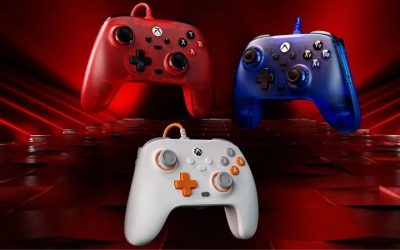
Microsoft’s standard Xbox Wireless Controller is still relevant to Linux because the Xbox button layout is familiar to many PC games, and Valve supports official Xbox controllers in Steam. The Series X|S-era Carbon Black model has Bluetooth, a hybrid D-pad, textured grips, and an AA-battery arrangement. The replaceable batteries may appeal to users who want to swap cells instead of waiting for a built-in pack to charge. Microsoft advertises up to 40 hours under specified test conditions, not a guaranteed result for every battery, headset, and operating mode.
Its biggest Linux weakness is not the shape of the controller but the software path used to reach the game. The upstream xpad driver is associated primarily with Xbox USB support; it is not the Bluetooth driver for modern Xbox controllers. A Bluetooth-connected controller can be handled by the generic Linux HID stack, while the community xpadneo project targets Xbox Bluetooth controllers and aims to improve mappings and feature support. The xpadneo maintainers document possible firmware, pairing, and Bluetooth-adapter issues, especially with Bluetooth Low Energy devices. The separate Xbox Wireless USB adapter is another route entirely and should not be purchased on the assumption that Bluetooth support covers it.
This makes the Xbox pad a good purchase for a person who already owns one or is comfortable confirming Linux Bluetooth compatibility, but a less risk-free choice for a new Linux user who wants zero troubleshooting. Start with your distro’s built-in pairing and Steam Input. Install community drivers only when a clearly identified issue requires them, and verify instructions for your kernel and Secure Boot setup. Do not disable kernel security or replace drivers simply because a generic online guide says to.
Who should buy: players who strongly prefer Xbox labels, asymmetrical sticks, and replaceable AA batteries. Who should skip: shoppers who want an official manufacturer Linux support commitment or guaranteed functionality with the Xbox Wireless Adapter. The Target US Carbon Black listing displayed $49.49 and explicitly In Stock. That is the checked Target listing price, not a price attributed to Best Buy or an all-store market average.
8BitDo Ultimate 2 Wireless — best Xbox-shaped 8BitDo option for SteamOS
If you like the 8BitDo approach but want a raised left stick, the Ultimate 2 Wireless Controller is a more suitable shape than the Pro 2 or Pro 3. The manufacturer lists SteamOS 3.7.13 or above as a supported platform. Its published Steam compatibility matrix specifically names Bluetooth, with a minimum controller firmware v1.05. The charging dock, TMR joysticks, additional rear inputs, and flexible trigger feel make it a useful couch or desktop choice, provided you are comfortable verifying its connection mode.
The most important detail is the product name. Ultimate 2 Wireless and Ultimate 2 Bluetooth are different 8BitDo models, with distinct platform and connection matrices. A buyer cannot safely use a compatibility statement for one as evidence for the other. Similarly, the Ultimate 2 Wireless product page promotes a 2.4GHz adapter for supported platforms, but its Steam-specific documentation identifies Bluetooth. For a Linux recommendation, the documented Bluetooth route wins over the assumption that any included USB dongle works universally.
Users who have a Steam Deck dock or a SteamOS gaming PC may like the included charging stand, but should also examine space, receiver placement, and Bluetooth signal quality. Some setups work better when the PC’s Bluetooth antenna is away from USB 3 ports and metal enclosures; that is a connection-environment consideration, not proof that one controller has lower latency than another. If you need to customize rear-button mapping, check whether the relevant functions can be stored on the controller without a Linux configuration utility.
Who should buy: players on an explicitly supported SteamOS build who want an asymmetrical layout and docking convenience. Who should skip: buyers whose nonnegotiable requirement is verified Linux 2.4GHz receiver operation or general desktop Linux certification. The official 8BitDo eShop showed the Ultimate 2 Wireless at $59.99 with an Add to cart control; the selected color’s stock was not independently confirmed.
Original Nintendo Switch Pro Controller — best if you already own it
The original Nintendo Switch Pro Controller deserves a place because Linux has a specific driver pathway for it. The kernel’s hid-nintendo configuration describes Bluetooth support for the Switch Pro Controller, and Valve’s Steam controller documentation recognizes Nintendo Switch Pro input. This means an existing Nintendo owner’s controller is a practical first thing to try on a Linux desktop before buying another device. It also has conventional grips and a familiar full-size arrangement compared with detached Joy-Cons.
The exact product generation matters: this recommendation is for the original Switch Pro Controller, model HACAFSSKA on the US seller listing, and does not assert identical compatibility for the Switch 2 Pro Controller. Product searches that mix both generations can make the purchase appear simpler than it is. The older device’s Bluetooth and kernel documentation is much easier to trace explicitly. If you already own the controller, testing it through Steam Input costs nothing; you can decide later whether a new Hall Effect pad or Xbox-layout device is worth buying.
Nintendo-style face-button labels can clash with the prompts used by many PC games. The button marked B on the controller may not correspond to the physical position a game labels as “B” using Xbox conventions. Steam Input can help manage layouts in the games it controls, but every application is not obligated to adopt Steam’s mapping. Features associated with Nintendo games, such as motion control, HD rumble, and amiibo scanning, should not be treated as fully functional in every Linux game simply because the hardware includes them.
Who should buy: primarily existing Switch owners and people with a strong preference for Nintendo’s control feel. Who should skip: shoppers purchasing a full-price unit solely for Linux when cheaper models with explicit SteamOS support meet their needs. Best Buy’s original Pro Wireless Controller for Nintendo Switch – Black, model HACAFSSKA, showed $79.99 with an Add to cart option and a store-specific pickup/shipping display. Exact location availability must be rechecked.
8BitDo SN30 Pro Bluetooth Gamepad — best compact and retro pick
The SN30 Pro is for a very different use case from the large pro-style controllers. Its slim body, symmetrical sticks, and prominent D-pad make it appealing for classic platformers, indie games, and travel kits. The current Hall Effect joystick version is explicitly documented with Bluetooth 4.0 and USB-C. 8BitDo lists SteamOS 3.7.13 or newer and specifies firmware v2.06 or above in its Steam compatibility information. This is a credible reason to consider it for a Steam Deck setup where portability matters as much as grip comfort.
Its compactness is simultaneously its limitation. Long sessions with modern shooters that require continuous analog-stick pressure may be less comfortable than with a full-size pad with deeper handgrips. If you have large hands or routinely use all four shoulder controls, the portable retro form factor may be a poor compromise. And while the hardware provides extra functions in some platform modes, motion support documented for Switch should not be silently treated as available in every Linux game.
For emulation, check the emulator’s input system independently. A controller can connect to the operating system but still require per-core mapping or a profile change. Steam-launched emulators may receive a different mapping from standalone programs, which is an application choice, not proof of a defective controller. The SN30 Pro is strongest when the buyer already knows that compact controls fit the games being played.
Who should buy: travelers, retro players, and people building a compact SteamOS living-room setup. Who should skip: competitive shooters or users prioritizing full-size ergonomic grips. Target US listed the SN30 Pro Hall Effect, G Classic at $44.99 and explicitly In Stock. Other colors or sellers may have different availability.
Which model fits your Linux distribution and game library?
| Your setup | Best starting choice | Reason to consider a different model |
|---|---|---|
| Steam Deck / supported SteamOS 3.7.13+ | 8BitDo Pro 3 or Pro 2 via Bluetooth | DualSense if you prefer its shape and native Linux driver; Ultimate 2 Wireless if you want asymmetric sticks |
| Ubuntu, Fedora, Arch, Debian, or Linux Mint desktop | Sony DualSense; original Switch Pro if already owned | 8BitDo SteamOS listing alone is not proof for your desktop distribution |
| Existing Xbox controller, mostly Steam games | Try the controller you already have over Bluetooth | Investigate Xbox Bluetooth firmware/mapping if pairing or input fails |
| Primarily RetroArch or stand-alone emulators | 8BitDo SN30 Pro or Pro 2 after mapping verification | Generic desktop gamepad detection and per-emulator maps must be checked |
| Linux computer with no built-in Bluetooth | Confirm the host’s Bluetooth adapter before buying a pad | Do not assume a proprietary 2.4GHz receiver solves the issue |
| Local couch co-op | Two controllers of a model already verified on your system | Multi-controller pairing, player order, and application support can vary |
This is a decision aid, not a claim that a named model was tested on every combination above. If you use a distribution-specific gaming image such as Bazzite or a customized SteamOS installation, check the exact version and whether the firmware and Bluetooth stack match the manufacturer’s published requirements.
Buying guide: six checks that prevent Linux controller regret
Check exact model, revision, and wireless mode before the price
Retail names are often misleading. The Pro 2 Bluetooth and Pro 2 Wired variants do not have interchangeable compatibility statements. Ultimate 2 Wireless is not the same product as Ultimate 2 Bluetooth. The original Nintendo Switch Pro is not the Switch 2 Pro. And a controller that says “Xbox Wireless” might support Bluetooth separately from the proprietary Xbox radio protocol. Record the exact product name and connectivity mode shown in the manufacturer’s specification before choosing a storefront listing.
Firmware is part of that model identity. The current 8BitDo Steam guidance specifies Pro 2 v3.06+, SN30 Pro v2.06+, and Ultimate 2 Wireless v1.05. It also instructs Pro 3 users to keep firmware updated. Some firmware update tools are supplied for Windows or other officially supported systems, so check whether you have access to a suitable device before assuming you can perform an update directly in Linux. A low purchase price is not a good deal if the controller arrives in a mode your Linux machine cannot use and you cannot update it.
Decide whether your games run inside or outside Steam
Steam Input can translate devices and help with button layouts, but a non-Steam launcher or a stand-alone emulator may use SDL, direct input devices, or its own mapping logic. In a Steam-managed game, look at the game’s controller support label and the input settings under the specific game’s page. For native Linux games outside Steam, check that game’s own supported-controller documentation. For Proton games, remember that an input-mapping failure and a game-launch compatibility issue are separate problems; buying a more expensive controller will not automatically fix the latter.
The most useful pre-purchase question is not “Does it work on Linux?” but “Can it send all standard controls to the program I actually use over the wireless transport I plan to use?” A statement that verifies those three conditions is worth more than a marketing promise about extremely high polling rates measured only on Windows.
Prefer known Bluetooth support to an unverified receiver
A built-in Bluetooth radio or a distro-supported USB Bluetooth adapter is the most straightforward first path for the seven picks here. It also lets you try the manufacturer’s pairing procedure without third-party receiver drivers. The trade-off is that interference, adapter chipset, firmware, USB positioning, and power-saving settings can affect reliability. A 2.4GHz dongle may work very well in a supported environment, but its performance on Windows does not establish its Linux behavior or latency.
If you need the absolute lowest measurable input delay for competitive gaming, look for independently documented latency tests on the same transport, host OS, polling mode, and test procedure. This article does not assign millisecond figures or promise that Bluetooth is faster than a proprietary receiver. Those measurements were not established for this Linux-specific set of conditions.
Treat Hall Effect and TMR as durability considerations, not driver guarantees
Hall Effect and TMR joysticks sense stick position using magnetic techniques rather than the same contact-based sensing scheme found in many older conventional modules. This can reduce a common mechanical wear mechanism, but does not prevent spring fatigue, damage, calibration errors, firmware issues, or every form of drift. Neither technology changes the operating system’s ability to understand the controller’s protocol. A well-supported controller with ordinary sticks can be a better Linux purchase than a TMR controller locked to an unsupported wireless mode.
A small D-pad or precise trigger feel is likewise not universally better. Fighting games and retro platformers may reward a particular D-pad design; racing games may reward a longer analog trigger travel; shooters depend on the whole input chain and player preferences. Think about what you actually play rather than choosing by sensor acronym alone.
Assess long-session comfort and battery logistics
Full-size grips on the Pro 3, Pro 2, DualSense, Ultimate 2 Wireless, Xbox pad, and Switch Pro make these more natural candidates for couch gaming than the pocket-sized SN30 Pro. The Xbox uses AA batteries or an optional compatible rechargeable arrangement; most of the other picks use built-in rechargeable batteries. These aren’t objectively better or worse: AA users can swap cells quickly, while owners of a charging dock may find a built-in battery simpler.
Manufacturers publish battery estimates under their own test conditions. Linux gamepad rumble, lighting, wireless signal quality, and actual play time can change the result. We intentionally do not convert the differing maker estimates into a single ranked battery-life chart, because no comparable head-to-head Linux battery test is available for this article.
Confirm local availability and return options
US prices cited above were read from the specific seller pages on October 28, 2026 US calendar date during this research session. They are purchasing snapshots, not market-wide average prices. Target’s Pro 2 and Pro 3 Gray listings are fulfilled by marketplace seller Pro-Distributing; the 8BitDo Ultimate 2 Wireless price is from the official eShop; Best Buy’s original Switch Pro listing shows location-specific inventory. Other quoted Target listings were opened individually rather than copying another merchant’s price. Check who fulfills the product, the return window, exact color or revision, delivery cost, and whether the retailer accepts returns after the controller has been paired and used.
For uncertain Linux compatibility, a return policy can be more valuable than a small nominal price difference. Before opening a return-risky package, preserve the listing and official compatibility notes; after receipt, conduct the quick input tests below within the permitted return period. If the essential inputs fail in your main game despite the supported pairing path, do not let the refund window expire while chasing advanced rumble support.
Connect and verify a wireless controller on Linux
The steps below use built-in settings first and do not require flashing firmware or replacing system drivers. Labels can differ with desktop environment and Steam version. The specific Steam path and Steam Deck input test are supported by Valve and Ubuntu documentation checked for this article; the Linux Bluetooth panels are general environment conventions rather than a universal promise of identical labels.
- Confirm your host. On a Linux desktop, open your distribution’s Settings > Bluetooth panel (GNOME) or System Settings > Bluetooth panel (KDE Plasma). Make sure Bluetooth is enabled and your adapter appears. On a Steam Deck, start from the system’s Bluetooth settings. A device with no functioning Bluetooth radio cannot complete a Bluetooth pairing regardless of the gamepad.
- Enter the controller’s correct Bluetooth mode. For DualSense, Sony instructs you to hold Create + PS until the light bar flashes. For an Xbox Wireless Controller, use its pairing button until the Xbox button flashes. For 8BitDo, consult the exact model’s mode switch and the official Steam D-input/Bluetooth instructions—do not copy a key combination from a different Ultimate or Pro model. For an original Nintendo Switch Pro Controller, use the sync button on the top edge near the USB port.
- Pair from the host. Select the controller by its displayed Bluetooth device name, complete the pairing request, then wait for the host to show Connected. If the controller is paired but repeatedly disconnects, charge or replace its battery, bring it closer to the antenna, and test a USB connection before attempting any advanced changes.
- Test in Steam. Open Steam > Settings > Controller and identify the recognized gamepad. Where your Steam build offers it, use Test Device Inputs or the gamepad input-test option. On Steam Deck, Valve explicitly documents Steam > Settings > Controller > Test Controller Inputs. Move both sticks, press the four face buttons, press the D-pad, and check both triggers. Do not interpret a Bluetooth connection alone as a successful test.
- Check one real game. Open a game you own that lists controller support. Launch it, verify movement and the confirm/cancel buttons, and inspect the game’s controller layout if prompts appear swapped. If that game uses Steam Input, examine its game-specific controller layout from the game’s details page. If the game does not use Steam, validate it in that program separately.
- Keep a reversible fallback. If the controller is visible but the game ignores it, first check the Steam controller support setting for that device and the game. If an input layout change makes the experience worse, restore the prior layout. Try wired USB only as a diagnosis; it can isolate Bluetooth problems without requiring a speculative system driver install.
If the Bluetooth controller pairs but does not work in a game
Start with three questions. Does the Bluetooth panel show it connected? If not, troubleshoot the radio, battery, device pairing, or adapter. Does Steam’s controller test detect buttons? If not, your issue is likely earlier in the input stack; examine kernel, driver, udev/device permissions, and the exact controller mode. Does Steam detect inputs, but only one game fails? That points toward game-specific mapping or whether the game supports that controller through Steam Input. A complicated kernel workaround is not the first response to the third case.
On Ubuntu installations that use a confined Steam package, Canonical’s Steam documentation describes permissions and, on applicable configurations, the steam-devices package as troubleshooting considerations. Follow the instructions for your actual Steam packaging rather than copying Snap commands into a Flatpak or traditional package environment. For Xbox Bluetooth issues, the community xpadneo project provides a well-documented troubleshooting resource, but installing a DKMS module changes the machine and can interact with Secure Boot. Do that only after confirming the model, problem, and kernel prerequisites; ordinary users should not be told to disable security features to make a controller pair.
If button labels, rumble, or motion controls behave strangely
Misleading labels are different from missing inputs. The Xbox and Nintendo face-button names use different physical conventions, and a Steam game may display Xbox prompts even while reading a DualSense. Test the actual button action before remapping; changing both the game layout and Steam Input simultaneously can double-map a control. Restore a known layout when diagnosing problems.
Rumble, motion sensing, back paddles, headset audio, adaptive triggers, and battery indicators must each be assessed independently. Linux driver support for the ordinary gamepad does not prove these features are exposed through every game engine. A manufacturer may support a feature in Switch mode and not in the documented SteamOS mode. If those advanced features are central to your purchase, contact the maker or inspect game-specific evidence before buying rather than relying on a generic “compatible with Linux” label.
Common mistakes when buying a controller for Linux
Buying the wrong 8BitDo generation. Similar naming across Ultimate, Ultimate 2, Ultimate 2C, Pro 2, Pro 3, Bluetooth, and wired variations makes it easy to use the right compatibility guide for the wrong product. Verify the product page and exact mode matrix.
Assuming a dongle is automatically supported. A 2.4GHz receiver may require a USB protocol the Linux system does not recognize. The official SteamOS compatibility routes for Pro 3 and Ultimate 2 Wireless are Bluetooth, not an unqualified promise about their included adapters.
Conflating input recognition with special features. DualSense can have solid Linux kernel integration while a particular title supplies no adaptive-trigger behavior. Switch Pro can connect while a game lacks motion support. This is a per-game software limitation, not necessarily a hardware defect.
Buying a pad because “Steam” appears on the box. Windows Steam compatibility, SteamOS versioned support, Linux desktop support, and game support outside Steam are different claims. Match the operating system and transport to your setup.
Installing replacement drivers before basic checks. A missing input in one game does not justify switching kernel modules. Validate pairing, built-in input testing, the game’s control support, and a wired connection first. Keep the ability to undo any configuration change.
Frequently asked questions
What is the best wireless controller for Ubuntu or Fedora?
The Sony DualSense is our safer general-purpose starting point because the Linux kernel includes the hid-playstation driver, with Steam recognition of DualSense also documented. For an existing original Nintendo Switch Pro Controller, try that first using the kernel’s hid-nintendo support. Neither choice guarantees every optional feature, and your individual game’s support still matters.
Is the 8BitDo Pro 3 officially compatible with Linux?
8BitDo explicitly lists SteamOS 3.7.13 or above and supports the Pro 3 through Bluetooth or USB in its SteamOS matrix. It does not make a blanket claim about every Linux desktop distribution. Its 2.4GHz receiver is not listed as a supported SteamOS connection. That distinction should determine whether it is the right purchase for your machine.
Are 8BitDo Ultimate 2 Wireless and Ultimate 2 Bluetooth the same?
No. They are different controller products with different published connectivity and platform tables. For the Ultimate 2 Wireless, the Steam-specific guidance identifies Bluetooth and requires firmware v1.05. Do not transfer a statement about the other model or about a Windows 2.4GHz receiver to your Linux setup.
Does an Xbox Wireless Controller work over Bluetooth on Linux?
It can, but the outcome depends on the exact Xbox controller revision, firmware, Bluetooth adapter, host drivers, and application. Valve supports Xbox controllers in Steam, while the Linux xpadneo project documents Xbox Bluetooth support and known problems. The Microsoft Xbox Wireless Adapter is a separate connection technology and cannot be treated as equivalent to Bluetooth.
Can I use a controller with Linux games outside Steam?
Often yes, but not automatically. Kernel input devices, SDL mappings, emulators, and the individual game’s input layer determine whether the inputs are recognized. A controller that passes Steam’s device test might still need a separate layout in a stand-alone emulator or game launcher. Confirm the program you actually run rather than treating Steam Input support as universal.
Does Linux support DualSense adaptive triggers and haptics?
Core Linux support for DualSense is separate from the advanced effects that an application implements. The presence of a Sony HID driver does not guarantee PS5-equivalent behavior. Sony’s cross-device support guidance cautions that features vary, and game-specific Linux or Proton support for adaptive triggers and sophisticated haptics should be verified before purchasing primarily for those capabilities.
Are Hall Effect or TMR controllers always better for Linux?
No. Hall Effect and TMR describe stick sensing, not the controller-to-Linux protocol. Both can be sensible durability considerations, but a reliable wireless mode and a game-compatible input mapping are more important. A pad that cannot connect in your intended mode is not a better Linux controller because it has a different joystick sensor.
Is a controller’s 2.4GHz USB dongle always faster than Bluetooth?
Not based on the evidence collected here. Latency comparisons need repeatable testing on the same host OS and input mode, and support for the receiver must be established first. This article has no Linux-specific head-to-head millisecond measurements; it does not convert manufacturer marketing figures into independent test results.
Which option should I choose for retro games and emulation?
The compact 8BitDo SN30 Pro is appealing for retro games because of its portable form and D-pad, while the Pro 2 gives larger grips for longer sessions. Both have documented SteamOS routes, but an emulator running outside Steam may require its own mapping. Try the layout in the emulator you use before treating either as a complete plug-and-play guarantee.
Final thoughts
For a new SteamOS 3.7.13+ setup, start with the 8BitDo Pro 3 over Bluetooth; choose the Pro 2 if the lower price and simpler controls fit better. For a regular Linux desktop, the DualSense offers a clearer built-in kernel driver story, while an existing original Switch Pro Controller is worth testing before you buy anything. Pick the exact wireless mode first, verify your game recognizes the standard inputs, and only then decide whether optional features justify extra expense. If that basic test fails inside your return window, prioritize compatibility over a longer feature list.