Key takeaways
- Which machine will run the game? Verify the exact Windows, Xbox, or PS5 compatibility statement, including whether a wire is required on console.
- Does the specific racer use graduated triggers? If it does, favor full analog travel and test that the game reads intermediate values.
- Can you comfortably hold the stick off-center for several seconds? That matters in long corners more than a dramatic specification sheet.
- Will you remap anything? If you do not manually shift or use camera shortcuts, premium paddles may be unnecessary.
- Are batteries or a dock important? The standard Xbox pad commonly uses replaceable AAs, while several other options include rechargeable batteries or a dock.
- Can you return an uncomfortable pad? Compare the seller’s return window and the exact product condition before ordering.
- Is the listed variant available in your ZIP? Do not treat a past price or an “Add to Cart” button as a guarantee of nationwide stock.
When looking for the best controllers for racing arcade games, prioritize a predictable left stick, fully analog acceleration and braking, and a layout you can manage while drifting—not the highest advertised polling rate. For most PC and Xbox players, the standard Xbox Wireless Controller is the sensible starting point. The 8BitDo Ultimate 2C Wireless offers a lower-cost Windows alternative, while the GameSir G7 Pro adds customizable inputs and a dedicated PC receiver. PlayStation 5 owners should start with the DualSense. This guide compares seven specific controllers, identifies the platform and connection limits that matter, and explains when paying for a premium pad actually improves the experience.
Quick verdict: the right gamepad for your kind of arcade racing
Best overall for Xbox and Windows: Xbox Wireless Controller (Carbon Black). Its familiar asymmetric sticks, separate analog triggers, straightforward Windows support, and choice of Bluetooth, Xbox Wireless, or USB make it a low-friction choice for games such as Forza Horizon 5 and Hot Wheels Unleashed 2. It is not the most customizable controller, and it uses AA batteries rather than an included rechargeable pack.
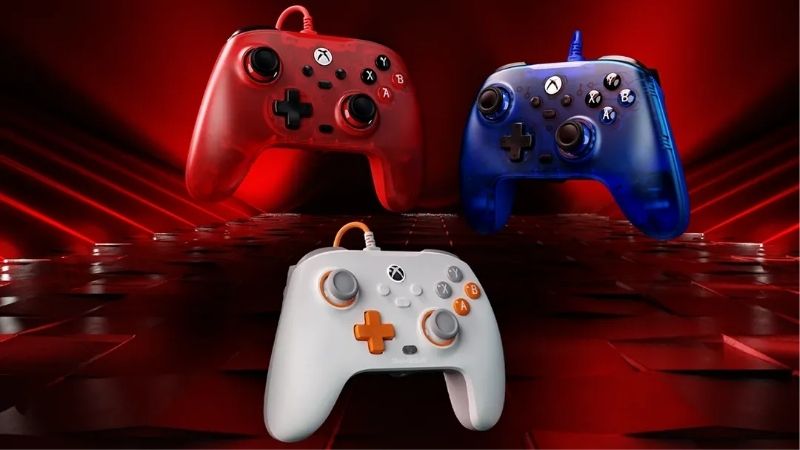
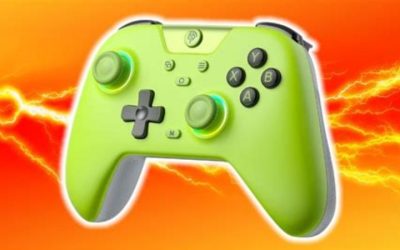
Best low-cost Windows wireless pick: 8BitDo Ultimate 2C Wireless (Purple). Its Hall Effect sticks and analog Hall triggers, included 2.4GHz receiver, and extra R4/L4 bumpers provide substantial racing-friendly hardware without the cost of a premium pad. The critical catch is that its manufacturer specifies 2.4GHz or USB for Windows, whereas its Bluetooth mode is for Android—not Xbox, PS5, or Windows Bluetooth.
Best for remapping while racing on Windows: GameSir G7 Pro (Shadow Ember). It offers TMR sticks, Hall Effect analog triggers, four remappable extra inputs, trigger and grip rumble motors, and wireless 2.4GHz for PC. Xbox players must use the cable: its Xbox support is wired only.
Best for adjustable stick tension on Xbox: Xbox Elite Wireless Controller Series 2 – Core (White). Adjust stick tension and choose a profile for long sweepers versus aggressive drift corrections. The Core box does not include rear paddles; those require an additional purchase. Best for PS5: Sony DualSense (Midnight Black). Best for a Windows charging-dock setup: 8BitDo Ultimate 2 Wireless WUCHANG edition. Best premium configurable Xbox/PC choice: Razer Wolverine V3 Pro (Black), provided you intend to use its rear inputs and keep the triggers in analog mode.
These are editorial recommendations from manufacturer documentation and retailer listings, not results from an in-house lap-time, latency, durability, or blind comfort test. If you already own a functioning first-party pad, test its steering and trigger response before replacing it.
Comparison table: seven controllers for arcade racing
| Controller and pick | Best verified platform / link | Racing-relevant hardware | Observed US price (seller; Oct. 28, 2026) | Stock status (checked Oct. 28, US) | Biggest caveat |
|---|---|---|---|---|---|
| Xbox Wireless Controller, Carbon Black — best overall | Xbox Series X/S, Xbox One; Windows Bluetooth or USB | Separate analog triggers, asymmetric sticks, textured grip | $49.49, Target US | In stock | AA batteries; no built-in rear controls |
| 8BitDo Ultimate 2C Wireless, Purple — budget Windows | Windows 2.4GHz receiver or USB; Android Bluetooth | Hall Effect sticks and triggers, R4/L4 remappable bumpers | $29.99, Target US, seller Pro-Distributing | In stock | Not an Xbox/PS5 controller; Windows Bluetooth is not a listed mode |
| GameSir G7 Pro, Shadow Ember — configurable PC/Xbox | Windows 2.4GHz or USB; Xbox wired only | TMR sticks, Hall Effect analog triggers, four extra inputs, four rumble motors | $79.99, Target US | In stock | Xbox wireless use is not supported |
| Xbox Elite Wireless Controller Series 2 – Core, White — tunable steering | Xbox Series X/S, Xbox One; Windows Bluetooth or USB | Adjustable-tension sticks, trigger stops, profiles | $149.99, Target US | In stock | Core package excludes paddles and accessory kit |
| Sony DualSense, Midnight Black — PS5 | PS5; Windows Bluetooth or USB in supported games | Symmetrical sticks, analog triggers, supported-game adaptive effects | $74.99, Target US | In stock | Advanced feedback and prompts vary on PC; not for Xbox |
| 8BitDo Ultimate 2 Wireless, WUCHANG edition — charging dock | Windows 2.4GHz or USB; Android Bluetooth | TMR sticks, linear Hall trigger mode, extra bumpers, two rear buttons, dock | $69.99, Target US, seller Pro-Distributing | In stock | Use linear, not tactile trigger mode, for progressive throttle/brake |
| Razer Wolverine V3 Pro, Black (RZ06-05200100-R3U1) — premium custom layout | Xbox Series X/S or Windows via included wireless receiver or USB | Hall Effect sticks, analog triggers with stops, four rear paddles, two extra bumpers | $169.99, Best Buy US | Orderable; local availability shown | High price; trigger-click mode is unsuitable for fine analog braking |
Price and availability note: The numbers above were displayed on the named US seller pages during this research session; they are not guaranteed checkout prices and are not claimed to be the lowest available. Tax, delivery ZIP, promotions, marketplace sellers, and color can change the result. Best Buy’s Razer listing showed an Add to Cart option and location-dependent pickup/shipping, not a nationwide in-stock guarantee. The Target entries specifically displayed “In Stock” for the variants shown. Reconfirm the exact seller and SKU immediately before purchasing or publishing. No seller price in this table is presented as MSRP or a permanent discount.
What arcade racers need from a controller
Smooth steering and recoverable counter-steering beat extreme sensitivity
Arcade racers reward quick left-right corrections, but that does not mean the twitchiest stick is the best. When a car slides, you need to cross the stick’s center consistently, catch the rear, and return toward neutral without accidentally producing a second slide. An excessively aggressive sensitivity curve can make this difficult, especially if you have only played with a keyboard or have recently swapped to a taller stick cap.
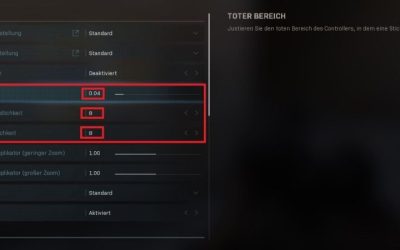
A neutral, predictable curve is the safer starting point. In the game settings, keep steering deadzone modest enough to register small movements without creating unwanted steering when your finger is off the stick. Avoid reducing it to zero as a rule: worn sticks and game-specific input processing may produce drift. Evaluate the stick by making several identical gentle steering inputs at low speed, then repeating them during a controlled slide. Only change one setting at a time.
Hall Effect and TMR sensors can reduce some mechanical contact wear associated with conventional potentiometer-based stick sensors. They do not guarantee a better racing time, zero drift from every possible cause, perfect centering, or a particular real-world input latency. Physical springs, firmware, calibration, controller firmware, game deadzones, and user technique still matter. Prefer documented features and warranty support over a claim that one sensor type automatically makes you faster.
Analog triggers are crucial when throttle and brake are progressive
The most consequential distinction in this roundup is between a continuously variable analog trigger and a trigger configured to behave like an instant button. A racing game that reads analog acceleration and braking can distinguish a light squeeze from a full press. That helps you feed in power at corner exit, correct wheelspin, and avoid overshooting a braking point. A click-style trigger mode can collapse that useful travel into a fast on/off action, even if the hardware also supports analog input in another setting.
This is particularly important on the GameSir G7 Pro, Razer Wolverine V3 Pro, and 8BitDo Ultimate 2 Wireless. Their alternate trigger modes may be great for shooters but should not be the default when an arcade racer benefits from partial throttle or braking. Keep the full analog mode, verify that the in-game input bar increases gradually as you squeeze, and do not infer that a marketed “hair trigger” improves racing control.
Some light arcade or kart games use digital accelerator buttons by design. In those games, a full analog trigger may provide little advantage. The deciding factor is what the specific game accepts, not whether its cover art shows cars.
Rear inputs help only when they solve a real control problem
Extra back paddles and bumpers are valuable if you manually shift, use a handbrake, look behind, or activate boost while steering. Moving the handbrake to an accessible rear input can let your right thumb stay on the camera stick, although not every racer needs that arrangement. For games with automatic shifting and a simple boost button, a standard controller may be just as convenient.
Before paying for six remappable controls, write down the actions you actually use. If a game only needs accelerate, brake, steer, boost, and reset, the Xbox Wireless Controller already covers the job. If you regularly shift and drift while controlling the camera, a pad with two rear controls can be worth paying for. Remapping must be supported by the controller’s app, firmware, or Steam Input, and not every product lets you assign an arbitrary keyboard macro on every platform.
Connection stability matters more than an isolated polling-rate number
A manufacturer’s 1,000Hz polling claim indicates a potential report frequency under specified conditions, not a guarantee of one-millisecond end-to-end game response. Wireless receiver behavior, PC scheduling, game engine input processing, frame delivery, and display lag all contribute to perceived responsiveness. None of the seven picks has been ranked here from a common independent measured latency chart.
For local Windows play, an included 2.4GHz receiver or a USB cable is usually the easiest way to use the PC-focused GameSir, 8BitDo, and Razer models in their documented modes. Bluetooth works for compatible Xbox and DualSense configurations and may be convenient for couch play. Console compatibility is much narrower: a Windows-capable controller is not automatically licensed for Xbox or usable on PS5. Check the exact host before buying a replacement for your console.
The seven best controllers for racing arcade games, explained
Xbox Wireless Controller (Carbon Black): the safest all-around pick
The standard Xbox Wireless Controller is our first recommendation because it gets the core decisions right without requiring you to understand a configuration app. For Windows racers, the asymmetric left stick sits in a familiar position, the triggers provide progressive input in compatible titles, and game prompts commonly match Xbox-style ABXY labels. For Xbox Series X/S and Xbox One owners, it is a native first-party controller rather than a compatibility workaround.
Microsoft documents Bluetooth for supported Windows PCs and Xbox Wireless for console connectivity; USB-C is another available route. Textured triggers, bumpers, and rear grip help a little with secure handling over longer sessions. The standard controller is also useful outside racing, so its purchase is easier to justify if you alternate between racing, sports games, shooters, and platformers.
Where it earns the pick: relaxed Forza Horizon 5 driving, quick races after work, or multiplayer arcade games where everyone needs consistent controls. A player who likes drift-heavy handling can keep the left stick’s physical travel and work from the game’s default steering curve rather than immediately chasing aftermarket parts. The optional Xbox Accessories software can handle supported mappings and firmware work on compatible systems, though it is not a substitute for verifying a game’s own calibration.
Trade-offs: there are no rear paddles in the standard package, the controller ships with AA battery support rather than an integrated rechargeable pack, and it lacks the Elite model’s adjustable stick tension. Like any contact-based controller, it can wear over time. If you already own one and do not have input problems, the benefit of replacing it solely for arcade racing may be small.
Who should buy: a Windows or Xbox gamer seeking one comfortable, straightforward controller for racing and other genres. Who should skip: PS5 users, players who need included rear paddles, and buyers determined to have Hall Effect/TMR sticks without modification.
8BitDo Ultimate 2C Wireless (Purple): the budget Windows alternative
The Ultimate 2C Wireless is the attractive value option for a Windows-only setup. Its Hall Effect sticks and triggers are unusual to see alongside an included 2.4GHz receiver at this observed US price. Two additional R4/L4 bumpers can be mapped without buying separate accessories. That is genuinely useful if you want handbrake and look-back controls near your index fingers while keeping the usual four face buttons free.
There is a platform detail that makes or breaks this recommendation: 8BitDo lists 2.4GHz wireless and USB for Windows, and Bluetooth for Android. A buyer planning to pair the 2C wirelessly with a Windows laptop using Bluetooth alone should not assume that mode exists. Nor should a purchaser confuse it with 8BitDo’s differently named Ultimate 2C Bluetooth variant designed for Switch. Always match the listing’s exact “Wireless Controller for Windows and Android” designation.
Where it earns the pick: a family PC, gaming laptop, or budget desktop running Windows 10/11, where full analog triggers and a stable receiver matter more than luxury materials. Try the default button mapping first. If you are missing a handbrake while drifting, put that function on an extra bumper and drive a short repeatable course to make sure accidental presses do not become more common.
Trade-offs: the layout is not an official Xbox controller despite looking Xbox-like, and it is not a PS5 controller. Do not mistake its advertised polling rate for a verified win over Xbox or Sony in input-to-photon latency. Because there is no extensive advanced profile suite in the scope of this recommendation, buyers who want detailed per-game curves may prefer a higher tier.
Who should buy: Windows players who want a low purchase cost, 2.4GHz receiver, and Hall Effect trigger hardware. Who should skip: anyone who needs true Xbox console support or Windows Bluetooth pairing without a receiver.
GameSir G7 Pro (Shadow Ember): the versatile PC customization pick
The G7 Pro brings a higher level of controller customization to racing without committing to an expensive specialist racing wheel. GameSir lists TMR sticks, Hall Effect analog triggers, two lockable rear buttons, two extra mini-bumpers, a PC-compatible 2.4GHz receiver, and a charging dock. Four rumble motors include trigger-positioned motors, which can give an additional sensation in supported configurations; the presence of motors does not itself prove any particular game uses them in a racing-specific way.
For a racer who manually shifts, the two rear inputs can take upshift and downshift while the extra bumpers handle handbrake and camera actions. That is the sort of reconfiguration that can matter more than changing from one stick sensor to another. GameSir Nexus is the manufacturer’s supported controller-configuration app for profiles, mapping, and stick-related settings. Start with the default analog trigger mode and only change behavior after verifying what the game reads.
Critical compatibility warning: GameSir states that Xbox Series X/S and Xbox One operation is wired. Windows PCs get 2.4GHz wireless or USB. Bluetooth is documented for Android. A retailer title that says “Xbox controller” does not turn it into a wireless Xbox controller. The Target listing’s use of “Wired” in the product name reflects console behavior but does not remove the documented PC wireless mode.
Where it earns the pick: PC arcade racers who use multiple mappings across a drift game, a kart-style title, and an open-world driving game. Its available controls allow different layouts without asking the driver to sacrifice steering. On Xbox, it remains appealing if the console is close enough for the cable and you actively want a remappable pad.
Trade-offs: greater settings complexity, added cost over an Xbox Wireless Controller, and no wireless Xbox mode. The maker’s high-polling specification does not justify a claim that it produces faster lap times or lower total latency than every competitor.
Who should buy: Windows players who will use multiple profiles and rear inputs, or Xbox players happy with a cable. Who should skip: Xbox couch racers whose console is across the room.
Xbox Elite Wireless Controller Series 2 – Core (White): best for adjustable steering tension
The Elite Series 2 – Core has a clear racing argument: physical thumbstick tension adjustment. Microsoft documents three tension settings and customization in the Xbox Accessories app. If you tend to over-correct a slide, a firmer physical stick may help you move more deliberately. It is not universally better—some players will prefer a lighter setting for quick kart-racing changes of direction. Trying each setting in the same car on the same course is the only meaningful way to decide for yourself.
This model also provides trigger stops, profiles, wrap-around grip, and broad Xbox and Windows connectivity. Its shorter trigger settings are not automatically the best choice for racing. Verify full analog response in the game before restricting trigger travel; if the input value reaches maximum too early or loses fine intermediate levels, return to longer travel and recalibrate.
The Core package distinction is essential. The White Core controller sold as this pick includes the controller, thumbstick-adjustment tool, and USB-C cable, but not the accessory paddle set that ships with the more expensive full Elite Series 2 bundle. Product photos, general Elite specifications, and store Q&A can make this easy to miss. Buy extra paddles only if you know you want manual-shift or handbrake shortcuts and have verified compatibility with the Core controller.
Where it earns the pick: frequent Xbox and Windows racing where the player genuinely adjusts stick tension, trigger feel, and game profiles. The premium can make sense for one primary controller used across multiple driving games and other genres.
Trade-offs: a large premium compared with the standard Xbox pad, extra expense to unlock back paddles, and conventional analog hardware rather than a promise of drift-proof sensor technology. Adjustable tension is a preference tool, not lap-time evidence.
Who should buy: someone who already likes Xbox controls but wants to tune the physical steering feel. Who should skip: casual arcade racers expecting rear paddles in the Core box or a guaranteed performance boost.
Sony DualSense (Midnight Black): best for PlayStation 5 racing
For PlayStation 5 owners, buying a licensed first-party controller is the least complicated path into arcade racing. DualSense has symmetrical sticks, analog triggers, supported-game adaptive trigger effects, and haptic capability. Some games may provide more convincing road-surface or resistance feedback through those features. They remain game-dependent: the existence of adaptive-trigger hardware does not mean every racing title or Windows port implements it.
Sony documents both Bluetooth and USB operation on supported Windows systems, with limitations on advanced features. In particular, the support documentation notes that haptic feedback on PC may require USB and is dependent on compatible games. Do not assume that using DualSense over Bluetooth makes every Sony-specific feature work. On PC, Steam Input can improve standard control mapping in supported games, but button prompts and special effects may remain different from a native PS5 version.
Where it earns the pick: PS5 racers playing both arcade driving and other controller-first games, or a PC player who already prefers a symmetrical PlayStation layout. The shoulder ergonomics will feel familiar to PlayStation users, and keeping the same controller between multiple genres is a practical advantage.
Trade-offs: it does not work as a standard Xbox console controller. Compared with Xbox-first PC gamepads, games sometimes display Xbox button prompts even when DualSense is recognized. Its premium feedback features need per-game verification, so they should not be the basis of a universal racing ranking.
Who should buy: PS5 owners or PC players with a clear preference for the DualSense shape. Who should skip: Xbox console users and anyone who expects universal adaptive triggers in every Steam racer.
8BitDo Ultimate 2 Wireless WUCHANG edition: best dock-and-drive Windows setup
The WUCHANG edition of the Ultimate 2 Wireless is selected as a specific in-stock model variant, not as a generic promise that every Ultimate 2 edition shares exactly the same packaging or availability. Its TMR sticks, included charging dock, two rear buttons, extra R4/L4 inputs, and switchable trigger mode suit a Windows player who wants a controller always charged beside the desk. The included 2.4GHz receiver handles the Windows wireless link documented by 8BitDo; a USB cable is the wired alternative.
For arcade racing, the standout distinction is the linear Hall Effect trigger mode. Keep it active for a game that supports partial throttle and progressive braking. The alternative tactile trigger setting is potentially appealing for shooting or other digital-input genres, but may sacrifice fine driving control. This is a model where the physical toggle is more important to a racer than RGB lighting or the advertised maximum polling rate.
The dock removes the nuisance of loose batteries and makes it easier to store the controller between brief sessions. The extra controls can put a handbrake or boost action within reach. Nevertheless, do not buy based on a claim that the TMR sensor or the manufacturer’s ideal-environment wireless test delivers better real-world steering than an Xbox or DualSense pad; that has not been established here by common-method testing.
Platform note: 8BitDo documents Windows 2.4GHz/USB and Android Bluetooth for this edition. Its broader support statements for some operating systems require firmware- and connection-specific checks; the practical purchase case here is Windows PC, not Xbox or PS5 console compatibility.
Where it earns the pick: a dedicated Windows racing corner, where a charging dock and multiple auxiliary controls are useful. Trade-offs: a more complex button/trigger setup, possible confusion with the separately named Ultimate 2 Bluetooth version, and a higher price than the 2C. Who should skip: players who only need basic Xbox-shaped inputs or a first-party console pad.
Razer Wolverine V3 Pro (Black): best high-end button layout for serious hobbyists
The Wolverine V3 Pro is worth considering for someone who regularly switches between racing, action, and competitive games and will actually use its many remappable inputs. Razer documents four back paddles, two claw-grip bumpers, Hall Effect analog sticks, and a choice between analog triggers and mouse-click-style trigger stops. The included USB-A wireless receiver works with supported Xbox Series X/S and Windows setups; USB is another connection option. This is not the same product as the newer V3 Pro 8K PC model, and the specifications should not be mixed.
For a driver using manual gearing, rear paddles may allow gear changes while the thumbs stay on the sticks. Extra bumpers can handle boost, view changes, or handbrake. Some users will find six extras excessive; those who rest fingers against the back of the pad should check whether they are likely to activate controls accidentally. The rubberized grip and replaceable stick caps add options for comfort and leverage, although comfort remains individual.
The key racing setup instruction: switch the Razer Pro HyperTriggers into analog mode before evaluating throttle or brake precision. The alternative very short click actuation is intended for rapid button-like actions and can be counterproductive when a racing game expects a graduated input. Razer’s support material confirms the analog/click choice; we do not claim a specific measured braking advantage over cheaper controllers.
Where it earns the pick: an enthusiastic PC or Xbox player who wants extensive mappings, uses both racing and non-racing games, and accepts a high price. The Best Buy listing showed an order option and location-specific shipping/pickup, so availability must be confirmed for the buyer’s ZIP.
Trade-offs: it costs much more than the default Xbox option, and an expensive remapping ecosystem is wasted if your racing game only needs a handful of commands. Who should skip: value-focused players, PS5 owners, and anyone who mainly plays straightforward arcade racers with automatic shifting.
Which controller should you buy for each platform?
| Your setup | Start with | Alternative and condition | Avoid this compatibility mistake |
|---|---|---|---|
| Xbox Series X/S or Xbox One | Xbox Wireless Controller | G7 Pro if you accept wired Xbox; Elite Core for tension adjustment; Razer V3 Pro for premium extra inputs | Assuming “works with Xbox” means all GameSir models work wirelessly on Xbox |
| Windows gaming desktop | Xbox Wireless Controller | 8BitDo Ultimate 2C to save money; G7 Pro or Ultimate 2 for additional mapped controls | Assuming the 2C’s Android Bluetooth mode is a Windows Bluetooth mode |
| Windows laptop without reliable Bluetooth | 8BitDo Ultimate 2C Wireless with receiver | GameSir G7 Pro with receiver | Assuming a dongle-free Bluetooth connection is available for every third-party controller |
| PlayStation 5 | Sony DualSense | Keep your existing compatible licensed PS5 pad if it works well | Purchasing a Windows or Xbox-only pad because its stick sensors sound better |
| Shared Windows/PS5 setup | DualSense, with per-game PC support checks | Separate PC-specific pad only if PC input mapping is a recurring problem | Expecting PC versions to reproduce adaptive triggers and haptics in every game |
A platform-neutral buying guide should not imply that every controller supports every console. In particular, the wireless 8BitDo options in this list are primarily Windows purchases, and the G7 Pro’s Xbox mode is wired. This article does not attempt to recommend steering wheels or dedicated simulation cockpit hardware, which answer a different buying question.
Match your controller to the racing game, not the marketing category
Open-world driving and drifting
Games like Forza Horizon 5 often ask you to steer gradually on a long bend, then make a sharp correction when the car rotates. A full analog throttle and brake, a comfortable stick, and predictable recovery to center are more relevant than an unusually large number of buttons. For most drivers the Xbox Wireless Controller already meets that brief. If you repeatedly shift manually and use a handbrake, consider the GameSir G7 Pro or the Razer Wolverine V3 Pro to give those functions dedicated rear positions.
Test the game with the same car, assists, route, tire setup, and weather as closely as the game allows before judging a hardware change. A different stability-control setting or an unexpected steering deadzone can feel like a controller problem when it is actually a game configuration difference. If a simple curve adjustment removes the complaint, keep the original controller.
Kart and party racers
Kart-style games favor quick steering switches, boost timing, and comfortable face buttons. They do not all use analog throttle to the same extent. A good inexpensive pad can therefore be just as effective as a premium one. On a Windows PC, the Ultimate 2C is an appealing purchase; on Xbox and PS5, first-party compatibility usually matters more than saving a small amount on an unlicensed third-party device.
For children or people with smaller hands, the physical controller shape may matter more than the sensor specification. Compare grip reach, trigger accessibility, and where an extra bumper lands under the finger. If a controller feels too big after a short session, it is not a good “budget” purchase simply because the component list is impressive.
Arcade games with manual shifting and frequent camera actions
When the racing game has several simultaneous inputs, extra rear controls earn their place. Assign two conveniently reachable buttons to gear up and gear down, leave steering on the left stick, and choose a separate handbrake if the game allows it. Do not immediately remap every button. Start with one extra action, drive a few laps, and check whether it actually decreases thumb movement without raising the number of mistakes.
The Elite Core requires separate paddle accessories to make this possible on its back. The GameSir G7 Pro and Razer Wolverine V3 Pro have extra inputs as part of their documented hardware package. The Ultimate 2 Wireless WUCHANG edition also provides rear controls for Windows players. Better ergonomics can be a rational reason to upgrade even when there is no proven increase in raw speed.
How to set up your new controller for racing without losing analog control
Start by confirming the controller’s actual inputs
On Windows, connect using the documented mode first: Xbox Wireless Controller by a supported USB-C data cable or Bluetooth, Ultimate 2C through its 2.4GHz receiver or USB, G7 Pro through its PC receiver or USB, and DualSense through USB or Bluetooth. Ensure the gamepad is fully detected before adjusting performance settings. A USB charging-only cable can power a device without reliably sending gamepad data; use a known data-capable cable if wired detection fails.
You can check basic axes without purchasing an app. Press Win + R, type joy.cpl, and open the controller’s Properties dialog if that device exposes a Windows game-controller test interface. Move the left stick gradually, then squeeze each trigger slowly. Look for a smooth transition rather than an immediate full-strength jump. The names and presentation of the test axes can vary with the controller’s input mode; some devices report combined or differently mapped axes. If the controller is missing there, also check the game’s own input display or Steam’s controller interface before concluding it is incompatible.
Set the racer to controller mode and keep trigger travel full
Start in the game’s controller settings and select its normal gamepad layout. If the controller has a physical trigger-stop or analog/click switch, set it to the full analog range. For the Wolverine V3 Pro, use its analog trigger position; for the Ultimate 2 Wireless WUCHANG, use its linear Hall trigger setting; for the G7 Pro, avoid the micro-switch or hair-trigger setting when testing progressive control.
Try accelerating gently from a standstill and bringing the analog input up in stages. Then approach a predictable corner and increase braking in several steps. If the game behaves as though the pedal is always pressed fully, check its trigger bindings, trigger-stop position, and selected profile before blaming the sensor. Some arcade games deliberately use on/off acceleration; no controller can create progressive input in a game that does not support it.
Adjust stick deadzones conservatively
Drive straight on a flat stretch and release the steering stick. If the car pulls continuously after release, determine whether the road, vehicle setup, assists, or a physical input offset is responsible. In the game’s settings, increase the inner deadzone slightly only if you can reproduce unwanted input from the stick at rest. If the car responds too late to small steering movement, evaluate a somewhat smaller deadzone while checking for return-to-center noise.
Avoid treating somebody else’s favorite deadzone percentage as a universal setting. Different games use different scaling; controllers can have different centering; assist behavior changes perceived steering. A repeatable test in your actual game is more meaningful than a screenshot of settings from another platform.
Map one driving shortcut and verify it in a practice run
Choose one frequently used action—handbrake, boost, or gear change. On a controller with built-in remappable buttons, use the manufacturer’s documented app or on-device mapping instructions for that exact model. On Steam titles, game-specific Steam Input controls may provide another path when the device is supported. Avoid stacking a controller-app remap, a Steam Input remap, and an in-game remap on the same button without checking the result: multiple layers can create surprising behavior.
Take a short practice run and use the new control while steering. If the input fires unexpectedly or your fingers struggle to reach it, revert to the previous mapping. The goal is consistent control, not filling every extra button because the controller has them.
How we selected these seven controllers
We limited the ranking to identifiable gamepads that have a documented purchase configuration, appropriate analog controls for racing, and meaningful distinctions between price, platform support, trigger design, and control mapping. We used manufacturer specifications for the claims that determine buying suitability and checked US retailer pages for the exact colors or variants in the comparison table. Those listings were compared to the model’s manufacturer documentation so that an unrelated edition would not inherit the wrong wireless mode or trigger features.
This is not a laboratory review. We did not measure input latency, frame-to-input delay, trigger curves, force, stick centering over time, battery run time, component failure rates, or lap-time improvements. Manufacturer polling-rate claims have not been converted into invented whole-system latency rankings. Seller “In Stock” labels are snapshots of the pages read, not promises of checkout fulfillment everywhere in the United States.
We also deliberately excluded certain otherwise good products. A wheel-and-pedal setup may be right for sustained simulation driving but is a different purchase category. A premium controller whose only advantage is a shorter trigger click is not automatically better for a game that uses partial throttle. And a controller that only advertises PC compatibility without an exact input/connection method does not qualify as a confidently recommended console purchase.
Buying checklist: ask these questions before paying
- Which machine will run the game? Verify the exact Windows, Xbox, or PS5 compatibility statement, including whether a wire is required on console.
- Does the specific racer use graduated triggers? If it does, favor full analog travel and test that the game reads intermediate values.
- Can you comfortably hold the stick off-center for several seconds? That matters in long corners more than a dramatic specification sheet.
- Will you remap anything? If you do not manually shift or use camera shortcuts, premium paddles may be unnecessary.
- Are batteries or a dock important? The standard Xbox pad commonly uses replaceable AAs, while several other options include rechargeable batteries or a dock.
- Can you return an uncomfortable pad? Compare the seller’s return window and the exact product condition before ordering.
- Is the listed variant available in your ZIP? Do not treat a past price or an “Add to Cart” button as a guarantee of nationwide stock.
Frequently asked questions
What is the best controller for arcade racing games on PC?
For most Windows PC players, begin with the Xbox Wireless Controller because it provides reliable, familiar gamepad controls and broad title support without extra setup assumptions. If you want to spend less and can use an included 2.4GHz receiver, consider the 8BitDo Ultimate 2C Wireless. Choose the G7 Pro when four remappable inputs and adjustable profiles solve an actual use case; an exotic sensor or high polling number alone is not a sufficient reason to upgrade.
Are Hall Effect or TMR sticks better for drifting?
Both are contactless magnetic sensing approaches designed to avoid certain wear mechanisms of conventional potentiometer sensor tracks. That can be attractive for longevity, but it does not prove better drifting results. Stick spring strength, centering, calibration, software curves, and game steering models still matter. Evaluate whether you can repeatedly counter-steer and return to center before deciding the sensor technology is the limiting factor.
Should I use trigger stops for racing?
Only if the game uses the trigger as a digital action or if you have verified that your chosen stop setting preserves the analog response you need. For games using graded throttle and braking, begin with the longer analog range. Clicking through a short hair-trigger setting can make a fast button press easier while reducing how finely you can modulate acceleration or deceleration.
Do I need a racing wheel for arcade games?
No. Arcade racers are frequently designed with ordinary gamepads in mind, especially for quick slides, stunts, and party play. A force-feedback wheel may add immersion in compatible games, but it costs more, needs room, and is not automatically the better input device for a fast arcade racer. Consider wheel-and-pedal hardware separately if your priorities shift toward simulation driving and force feedback.
Can a GameSir G7 Pro connect wirelessly to Xbox?
No. The manufacturer’s compatibility information lists wired for Xbox, 2.4GHz or wired for PC, and Bluetooth for Android. If you specifically need to play across the living room on Xbox without a USB cable, select an Xbox-compatible wireless controller such as the standard Xbox Wireless Controller instead.
Does the Elite Series 2 Core include back paddles?
No. The White Core package in this roundup includes the controller, adjustment tool, and USB-C cable; paddles and the broader accessory kit are sold separately. If those inputs are central to your racing control layout, account for their additional cost or consider a product that includes extra inputs in the box.
Does DualSense adaptive-trigger resistance work in every PC racing game?
No. Sony’s Windows support covers ordinary controller use over Bluetooth or USB, while adaptive triggers and advanced haptics are game-specific and may require USB. Check the exact Windows game and input implementation rather than assuming an effect present on PS5 will also be available on PC.
Final thoughts
The Xbox Wireless Controller remains the most straightforward choice if you want a reliable arcade-racing gamepad for Xbox and Windows. Buy the 8BitDo Ultimate 2C Wireless for an inexpensive Windows receiver-based setup, the GameSir G7 Pro if you will use its extra controls, or DualSense if PS5 is your main platform. Higher-cost options are justified by specific ergonomic or mapping needs, not by claims of guaranteed faster laps. Before ordering, confirm your platform’s connection mode, verify the exact color/SKU and US stock, and keep the triggers in full analog mode for the first test drive.