For the best 4K 240Hz USB C monitors, verify three separate capabilities: 3840 × 2160 at 240Hz, video delivered over USB-C, and the number of watts available for notebook charging. Many product pages advertise USB-C without establishing all three simultaneously. A USB-C jack can carry data without delivering the video mode or charging power your laptop requires. Ask whether DisplayPort Alt Mode, bandwidth sharing, display stream compression and power delivery are supported on the exact SKU and port. A monitor suitable for a gaming desktop may be an awkward single-cable dock for a work laptop if its charging output is low. Compare the full video chain—GPU, cable and monitor—as well as stand, size and panel performance before accepting a specification-sheet claim.
Quick verdict: 4K, 240Hz and USB-C must all work
A 4K/240Hz gaming monitor with USB-C can solve two jobs at once, but only when the selected connections match the user’s devices. Separate the gaming video path from USB-C laptop input, charging wattage and USB-peripheral switching. The recommendations below favor confirmed functions over treating a single USB-C label as proof of a complete one-cable desk setup.
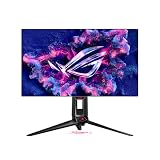
The MSI MPG 321URX QD-OLED, ASUS PG32UCDM and ASUS PG32UCDP are credible 4K/240Hz USB-C candidates. USB-C video, 90W power delivery and the display’s USB hub are three different features; verify each separately.
For the primary use case: MSI MPG 321URX QD-OLED. The shortlist describes it as well aligned with a desktop plus USB-C laptop workspace. Its distinguishing evidence is 31.5-inch QD-OLED 4K 240Hz; USB-C DP Alt Mode with 90W PD; USB hub and KVM features. The limiting check is ensure USB upstream switching and OLED care fit the workflow; USB-C alone is not universal video. These are model-specific factors, not a promise of independent testing or verified U.S. checkout.
A contrasting option: ASUS ROG Swift OLED PG32UCDM. The shortlist describes it as best considered when a single 4K display must serve gaming and another computer. Its distinguishing evidence is 31.5-inch QD-OLED 4K 240Hz, USB-C DP Alt Mode/90W PD, built-in KVM. The limiting check is 90W requires OSD setting on some configurations; verify USB upstream behavior. These are model-specific factors, not a promise of independent testing or verified U.S. checkout.
Comparison table: displays, specs, and trade-offs
| Product / exact family | Verified feature or evidence boundary | Best fit | Major caveat | US price — exact variant, checked Oct 31, 2026 | Stock status — exact variant, checked Oct 31, 2026 |
|---|---|---|---|---|---|
| MSI MPG 321URX QD-OLED | 31.5-inch QD-OLED 4K 240Hz; USB-C DP Alt Mode with 90W PD; USB hub and KVM features | Well aligned with a desktop plus USB-C laptop workspace | Ensure USB upstream switching and OLED care fit the workflow; USB-C alone is not universal video | Price not verified | In stock (MSI US listing) |
| ASUS ROG Swift OLED PG32UCDM | 31.5-inch QD-OLED 4K 240Hz, USB-C DP Alt Mode/90W PD, built-in KVM | Best considered when a single 4K display must serve gaming and another computer | 90W requires OSD setting on some configurations; verify USB upstream behavior | $1,199.00 (ASUS US PG32UCDM) | Buy Now button; stock unconfirmed |
| ASUS ROG Swift OLED PG32UCDP | 31.5-inch WOLED, 4K 240Hz or FHD 480Hz Dual Mode; USB-C DP Alt Mode and up to 90W PD | A premium alternative for mixed 4K gaming and 480Hz esports | High refresh is a mode with source/cable demands, not guaranteed in every game | $1,199.00 (ASUS US PG32UCDP) | Buy Now button; stock unconfirmed |
| MSI MPG 322URX QD-OLED | 31.5-inch 4K 240Hz QD-OLED; USB-C DP Alt Mode 4K240 with 98W PD, DP 2.1a UHBR20, 5Gbps USB hub and KVM | Higher-power USB-C laptop desk and USB hub needs beyond 321URX | 98W does not fully power most high-draw gaming laptops; exact US price, revision and firmware unverified | $999.99 (MSI US promotion; list $1,199.99) | Add to Cart; warehouse status not independently proven |
US price and inventory observations are tied to the named seller, selected SKU, color or memory configuration where specified. “Buy Now” and “Add to Cart” describe purchase buttons, not a completed checkout or guaranteed warehouse stock. Family-level pricing, obsolete variants, and conflicting source badges are explicitly qualified. Unresolved rows are not assumed purchasable.
Additional comparisons and purchase considerations
| Situation | Recommended evaluation or next action |
|---|---|
| Laptop plus desktop with one desk | Check Type-C DP Alt Mode, PD and USB upstream routing |
| Gaming laptop needing more than 90W | Keep main power brick during play |
| OLED a poor fit for all-day static UI | Look for lower-maintenance IPS alternative |
The selected monitors and their key compromises
MSI MPG 321URX QD-OLED — fit and limitations
MSI MPG 321URX QD-OLED is on this shortlist for a specific reason: 31.5-inch QD-OLED 4K 240Hz; USB-C DP Alt Mode with 90W PD; USB hub and KVM features. That makes it relevant when well aligned with a desktop plus USB-C laptop workspace. For a two-computer desk, check the monitor’s USB upstream path, video input selection, and laptop power needs separately. A USB-C socket does not establish full-resolution high-refresh video or one-cable charging for every laptop.
The main qualification is ensure USB upstream switching and OLED care fit the workflow; USB-C alone is not universal video. Confirm the relevant resolution and refresh rate over the actual cable, plus how the USB hub switches when the active video source changes. This is a specification-led comparison, not a claim that we measured this model in a controlled hands-on test.
ASUS ROG Swift OLED PG32UCDM — fit and limitations
ASUS ROG Swift OLED PG32UCDM is on this shortlist for a specific reason: 31.5-inch QD-OLED 4K 240Hz, USB-C DP Alt Mode/90W PD, built-in KVM. That makes it relevant when best considered when a single 4K display must serve gaming and another computer. For a two-computer desk, check the monitor’s USB upstream path, video input selection, and laptop power needs separately. A USB-C socket does not establish full-resolution high-refresh video or one-cable charging for every laptop.
The main qualification is 90W requires OSD setting on some configurations; verify USB upstream behavior. Confirm the relevant resolution and refresh rate over the actual cable, plus how the USB hub switches when the active video source changes. This is a specification-led comparison, not a claim that we measured this model in a controlled hands-on test.
ASUS ROG Swift OLED PG32UCDP — fit and limitations
ASUS ROG Swift OLED PG32UCDP is on this shortlist for a specific reason: 31.5-inch WOLED, 4K 240Hz or FHD 480Hz Dual Mode; USB-C DP Alt Mode and up to 90W PD. That makes it relevant when a premium alternative for mixed 4K gaming and 480Hz esports. For a two-computer desk, check the monitor’s USB upstream path, video input selection, and laptop power needs separately. A USB-C socket does not establish full-resolution high-refresh video or one-cable charging for every laptop.
The main qualification is high refresh is a mode with source/cable demands, not guaranteed in every game. Confirm the relevant resolution and refresh rate over the actual cable, plus how the USB hub switches when the active video source changes. This is a specification-led comparison, not a claim that we measured this model in a controlled hands-on test.
Buying guide: check the display in your setup
Do not combine MSI MPG 321URX and MPG 322URX USB-C specifications. MSI US confirms 90W USB-C Power Delivery on the 321URX, while the separate MPG 322URX specifies 98W and DisplayPort 2.1a UHBR20. A cable and GPU output supporting the advertised mode are still required; these figures alone do not establish US stock or price.
Model eligibility and buying decisions
Direct lab comparison: when a 65W FO32U2P can beat a 98W MPG 322URX
The RTINGS March 2026 side-by-side of the exact MSI MPG 322URX and Gigabyte AORUS FO32U2P says their 32-inch 4K/240Hz QD-OLED gaming performance and UHBR20 connectivity are broadly similar. It gives the Gigabyte the advantage in brighter rooms due to stronger SDR brightness, whereas the MSI provides substantially more USB-C charging wattage. This is a price-and-desk-use trade-off, not a reason to announce one absolute image-quality winner or mix the older MSI 321URX 90W figure into the 322URX’s 98W specification.
| Specific buyer scenario | Higher-priority monitor | How to avoid paying for the wrong feature |
|---|---|---|
| Gaming PC plus work laptop needing up to ~98W charging | MSI MPG 322URX | Verify the laptop accepts DP Alt Mode video and 98W USB-C; its gaming AC adapter may require much more power. Confirm simultaneously active KVM and hub. |
| Bright daytime room, desktop PC powered separately | Gigabyte AORUS FO32U2P | Prefer its independently reported brighter SDR if that matters at the desk; compare reflections and room light, not only a manufacturer peak HDR number. |
| Same gaming workload and no laptop charging | Whichever exact SKU has the stronger current final price/return policy | RTINGS finds comparable gaming; no evidence that paying a premium for 98W alone improves PC motion response. |
Checkout and return-window evidence: screenshot the U.S. retailer’s exact suffix, return fee, OLED burn-in terms and delivered price. On the actual desk, test laptop charge state and a 4K/240Hz signal while the USB keyboard and storage are connected through the monitor’s hub; repeat when KVM switches between two machines. Do not assume the vendor’s headline PD wattage proves the whole single-cable path or fully recharges a high-wattage gaming laptop under load. Gigabyte’s stronger SDR result does not prove its HDR bright-room performance wins in every scene; verify the test conditions and work-room lighting. No in-house measurements or current ZIP-specific checkout are claimed.
What 90W does and does not mean: MSI explicitly lists USB-C DisplayPort Alternate Mode at up to 4K/240Hz and 90W Power Delivery. That can simplify a productivity laptop desk, but a gaming laptop drawing more than 90W at load may still need its barrel or dedicated power brick. Check the source device’s USB-C video output support.
Fit and design trade-offs
Premium OLED without an accidental maintenance burden: Static spreadsheets, IDEs and pinned taskbars favor good warranty language and pixel-care features. Compare the monitor’s auto-refresh schedule, screen coating under your room lighting and USB-C cable length; bandwidth claims often require a full-featured cable rather than a charging-only cable.
The one-cable desk has several hidden dependencies: A gaming monitor with USB-C may provide video and charging but not necessarily Ethernet, an audio DAC, enough USB-A ports or a complete KVM switch. If you connect a desktop and a laptop, examine upstream USB assignment for each host and check whether the monitor can switch the keyboard and mouse as expected. A high-resolution, high-refresh signal may use DSC; manufacturer support and GPU compatibility are prerequisites, not deficiencies by themselves. USB-C cable length and supported speed also matter. Draw the actual connection diagram before buying and write down which physical cable supplies each function.
OLED ownership costs should appear beside 4K speed: A 4K 240Hz QD-OLED is compelling for fast HDR games, but burn-in coverage, firmware support, reflection control and static-content habits may outweigh a theoretical response-time advantage. MSI lists a three-year warranty including panel burn-in for the 321URX in its documented specification, but you should verify local terms and exclusions before purchase. If you work in spreadsheets eight hours daily, an IPS model plus a separate gaming display may be simpler. If you mostly play dark, high-contrast games, assess real HDR measurements rather than simply reading the DisplayHDR badge.
Performance limits and real-world implications
USB-C must carry the signal—not just power: The presence of a USB-C socket tells you almost nothing about the supported video mode. Ask whether it supports DisplayPort Alt Mode, what display timing is available over that port, how many watts of USB Power Delivery are supported, and whether USB data bandwidth is shared. MSI specifies the MPG 321URX’s Type-C path at 3840 × 2160 up to 240Hz with PD 90W, an unusually concrete statement useful to buyers. A laptop must itself support the outbound video mode; 90W charging may still be inadequate for a high-wattage gaming laptop under sustained load. Test with a suitable full-featured cable rather than a charge-only lead.
Compatibility, setup and verification
4K/240Hz USB-C successor check: 15W, 65W, 90W and 98W are not interchangeable: A genuinely different MPG 322URX QD-OLED now belongs on this shortlist, not as a renamed MPG 321URX. The independent RTINGS 322URX test documents 240Hz at native 3840 × 2160, DisplayPort 2.1 UHBR20, a KVM and 98W USB-C Power Delivery . MSI’s U.S. specification separately lists USB-C DP Alt Mode 4K/240Hz, two USB 5Gbps Type-A hub ports and a Type-B upstream port; the older 321URX offers 90W and USB 2.0 hub ports, while the superficially similar MAG 321UPX is only a 15W/no-KVM option. None of those PD figures can replace a 180W or greater gaming laptop’s AC supply under full load.
| Exact model | USB-C charging / video | Buyer-specific decision |
|---|---|---|
| MSI MAG 321UPX QD-OLED | 15W, 4K 240Hz display family, no built-in KVM | Reject for a charging-and-peripherals one-cable laptop setup; screen-only users may consider with separate power |
| Gigabyte AORUS FO32U2P | 65W USB-C and KVM, DP2.1 high bandwidth | Independent RTINGS head-to-head favors its faster USB hub for peripheral throughput, not laptop charging wattage |
| MSI MPG 321URX QD-OLED | 90W USB-C DP Alt video, KVM, USB 2.0 peripheral hub | Higher PD than Gigabyte, but insufficient to assume high-speed external storage through the built-in hub |
| MSI MPG 322URX QD-OLED | 98W USB-C DP Alt at 4K 240Hz, DP2.1 UHBR20, KVM, USB 5Gbps hub | Strongest of these specified one-cable office/laptop candidates if 98W covers laptop use; no promised full-speed charging under gaming load |
Reproducible purchase test: obtain the monitor’s complete SKU, verify the laptop’s USB-C DP Alt Mode and charging acceptance, negotiate video at 3840×2160/240Hz in OS settings, attach a USB storage device and keyboard to the monitor’s hub, then switch KVM hosts. A successful display signal alone does not show that power, full refresh and hub routing work together. Verify OLED care and exact model U.S. burn-in warranty and seller stock separately. This procedure is proposed; GeekGamingTricks has not run a hardware test or live US-address checkout.
One cable only when the USB path is complete: For a two-computer KVM setup, picture routing and keyboard/mouse USB data may follow different paths. The desktop may need a USB-B upstream cable, while the laptop uses USB-C. A USB-C plug present on the monitor does not alone prove a working one-cable peripheral switch.
The signal-rate reality check: 4K at 240Hz is a demanding display link; the practical combination of bit depth, DSC and bandwidth depends on the display and GPU. Verify the exact claimed 240Hz mode at 3840×2160 in the GPU control panel and monitor OSD. Avoid claiming that every laptop USB-C port offers it.
Port-by-port check: 4K 240Hz via USB-C is not the same thing as a laptop dock
The MSI US spec for the MPG 321URX QD-OLED lists a USB-C DisplayPort Alt Mode input at up to 4K/240Hz with 90W Power Delivery, plus a separate USB 2.0 Type-B upstream port and two Type-A hub ports. The display’s full refresh depends on the GPU, DP Alt Mode link, possible Display Stream Compression and cable path. A USB-C socket that charges a laptop can still fail to carry the intended monitor mode; a high-bandwidth video path also does not prove sufficient charging under heavy GPU load.
ASUS’ US PG32UCDM announcement likewise gives 4K 240Hz, USB-C with 90W Power Delivery, a separate upstream USB-B connector, KVM functionality and a three-year OLED burn-in warranty statement at launch. These details justify a side-by-side comparison, but not a guarantee that two work laptops will behave identically. Always check the current warranty text on the unit’s US purchase SKU; some special coverage excludes categories of damage or mandates specific care procedures.
| Actual user scenario | MSI MPG 321URX | ASUS PG32UCDM | Acceptance gate |
|---|---|---|---|
| Gaming PC on DisplayPort, work laptop on USB-C | DP and USB-C are separate video inputs; USB hub needs active upstream routing | DP and USB-C plus KVM; verify source and peripheral association | Switch video twice and verify keyboard, mouse and webcam follow the intended host |
| Laptop needs 140W–330W under peak load | USB-C offers up to 90W | USB-C offers up to 90W | Budget for the laptop’s original AC adapter; 90W is not 240W |
| 4K 240Hz from USB-C | Advertised on the exact manufacturer’s specification | Advertised refresh requires compatible PC link and mode | Verify in OS and OSD; check DSC/firmware and cable |
| Mostly static coding/desktop work | OLED care and burn-in terms apply | OLED care and burn-in terms apply | Read US terms and consider IPS if prolonged fixed HUDs dominate |
Why a cheap KVM monitor is the wrong control case: The Gigabyte M32U tested by RTINGS supports DP Alt Mode and KVM but supplies only 15W over USB-C and peaks at 144Hz. It is a valuable control example: the presence of KVM and Type-C alone does not make a screen a 4K/240Hz/90W one-cable gaming-laptop setup. Do not count this otherwise useful monitor as a product that meets the target keyword.
Before checkout: write down the laptop’s USB-C DP version, DSC support, charging requirement, operating-system refresh readout and whether HDMI 2.1 is the actual display input. Verify current exact-SKU US seller inventory separately. A lab review or manufacturer announcement is not a completed retailer checkout; site staff did not test a two-host desk setup.
Price and availability checks
A 4K 240Hz USB-C case study with a US price
Video bandwidth is not the same as laptop charging power: MSI confirms 3840×2160 up to 240Hz through its Type-C DisplayPort Alt Mode connection and up to 90W USB-C Power Delivery. The direct Newegg MPG 321URX item page displayed $859.99 and named Newegg as seller/shipping party.
US buying evidence at this checkpoint: Newegg US exact product page: $859.99 starting new listing at snapshot. This is a page observation, not completed checkout, and must not be presented as universal stock or delivery availability.
One-cable checklist for the MPG 321URX: A connector shaped like USB-C is insufficient. The host laptop must output DisplayPort Alt Mode at the required bandwidth, and Power Delivery 90W may not supply a high-power workstation or gaming laptop fully.
How we selected these options and checked evidence
We required meaningful evidence for 4K, 240Hz and USB-C input together. We then considered DSC support, USB hub bandwidth and USB Power Delivery requirements, which vary between host devices.
The comparison is based on the exact configuration and technical limitations recorded in this draft, with model identities, connection requirements, and purchase conditions treated separately. Published manufacturer specifications are not substitutes for independent long-duration measurements. Prices and stock are seller-, date-, and region-specific; where no current U.S. checkout was verified, that uncertainty remains visible instead of being presented as a live offer. The recommendations are therefore shortlists for further verification, not accounts of our own hands-on lab tests.
Frequently asked questions
Does USB-C 90W guarantee charging during high-load gaming?
No. A gaming laptop can require more than 90W during demanding operation. Check its input requirements and any limits when running on USB-C power.
Does HDMI 2.1 mean USB-C also reaches 4K 240Hz?
No. Each input has its own timing limits. MSI explicitly lists 4K 240Hz on the 321URX Type-C path, but that cannot be generalized to other monitors.
Final thoughts
For a gaming laptop with a compatible DP Alt Mode video output and modest charging demand, the MSI has a coherent one-cable path for video plus power. If your laptop requires 180–330W during gaming, use its supplied power brick separately.
Check exact laptop port specification, DP tunneling mode, DSC capability, cable rating and laptop charging wattage; test 4K 240Hz and USB hub behavior together; check OLED burn-in warranty before purchase.
Avoid reporting $859.99 as a universal price or calling every 4K 240Hz USB-C display a single-cable high-wattage dock.