Key takeaways
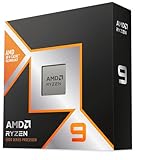
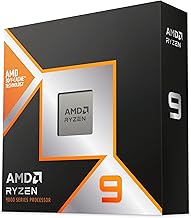
- AMD Ryzen 7 9800X3D and Ryzen 9 9950X3D: Still the fastest gaming CPUs overall. The stacked 3D V-Cache (64MB extra L3 on top of the CCD) dramatically reduces memory latency, which boosts 1% lows and average FPS in cache-sensitive games like Starfield, Cyberpunk 2077, Factorio, and competitive shooters like Valorant and CS2.
- AMD Ryzen 7 7800X3D / Ryzen 7 7700: Previous-gen AM5 parts that remain excellent for gaming and are often found at lower price ranges as the platform matures.
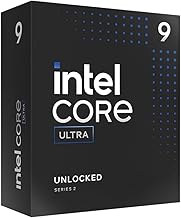
- Intel Core Ultra 9 285K, Core Ultra 7 265K, Core Ultra 5 245K: Intel’s Arrow Lake lineup. Gaming is much improved over Raptor Lake Refresh in terms of consistency and efficiency, but still typically 5-12% behind the X3D parts at 1080p. At 1440p, that gap often falls to 3-7%.
What's inside
- Gaming Performance in 2026: Where the FPS Actually Comes From
- Platform Longevity and Upgrade Path: AM5 vs LGA1851
- Power Efficiency, Thermals, and Cooling Costs
- Pricing and Value in 2026
- Decision Matrix: Which Platform Should You Choose?
- Settings to Get Advertised Performance
- Final Verdict for Gamers in 2026
- Frequently Asked Questions
In 2026, AMD vs Intel for gaming comes down to this: AMD wins for pure gaming FPS and platform longevity thanks to AM5 and 3D V-Cache, while Intel’s Core Ultra 200S (Arrow Lake) is the better value if you want a balanced gaming + productivity CPU with strong efficiency improvements over 13th/14th Gen.
- Gaming Performance in 2026: Where the FPS Actually Comes From
- Platform Longevity and Upgrade Path: AM5 vs LGA1851
- Power Efficiency, Thermals, and Cooling Costs
- Pricing and Value in 2026
- Decision Matrix: Which Platform Should You Choose?
- Settings to Get Advertised Performance
- Final Verdict for Gamers in 2026
- Frequently Asked Questions
Both platforms will run any modern game well at 1440p and 4K when paired with a capable GPU, but they differ significantly in where they deliver extra performance, how much power and cooling they need, and how long your motherboard will remain upgradeable. Here is how they compare head-to-head.
Gaming Performance in 2026: Where the FPS Actually Comes From
At 1080p with a high-end GPU like an RTX 4080 Super / RTX 5070 Ti class card or RX 7900 XTX, the CPU matters most. At 1440p and especially 4K, the GPU becomes the bottleneck and the difference between top AMD and Intel CPUs shrinks to low single digits in most titles.
The hierarchy in 2026 is clear:
- AMD Ryzen 7 9800X3D and Ryzen 9 9950X3D: Still the fastest gaming CPUs overall. The stacked 3D V-Cache (64MB extra L3 on top of the CCD) dramatically reduces memory latency, which boosts 1% lows and average FPS in cache-sensitive games like Starfield, Cyberpunk 2077, Factorio, and competitive shooters like Valorant and CS2.
- AMD Ryzen 7 7800X3D / Ryzen 7 7700: Previous-gen AM5 parts that remain excellent for gaming and are often found at lower price ranges as the platform matures.
- Intel Core Ultra 9 285K, Core Ultra 7 265K, Core Ultra 5 245K: Intel’s Arrow Lake lineup. Gaming is much improved over Raptor Lake Refresh in terms of consistency and efficiency, but still typically 5-12% behind the X3D parts at 1080p. At 1440p, that gap often falls to 3-7%.
Intel did fix the biggest issues of 13th/14th Gen: Arrow Lake runs cooler, draws far less power, and does not have the voltage degradation concerns that affected Raptor Lake. However, for maximum FPS per dollar in gaming-only builds, the 9800X3D is difficult to beat.
Real-World FPS Expectations
This table shows typical ranges you will see when pairing these CPUs with an RTX 4080 Super-class GPU at 1080p Ultra with no GPU bottleneck, to isolate CPU performance. At 1440p, subtract 35-45% from these numbers due to GPU load, and the delta between CPUs narrows.
| CPU | Avg FPS in Esports (Valorant / CS2 at 1080p) | Avg FPS in AAA Open World (Cyberpunk / Starfield at 1080p) | 1% Low Stability | TDP / PBP |
|---|---|---|---|---|
| Ryzen 7 9800X3D | 680 – 820 | 185 – 215 | Excellent | 120W |
| Ryzen 9 9950X3D | 670 – 810 | 180 – 210 | Excellent | 170W |
| Core Ultra 9 285K | 620 – 760 | 165 – 195 | Very Good | 125W (250W MTP) |
| Core Ultra 7 265K | 600 – 730 | 160 – 190 | Very Good | 125W (250W MTP) |
| Core Ultra 5 245K | 560 – 680 | 150 – 180 | Good | 125W (159W MTP) |
Takeaway: If you play at 1440p/165Hz or 4K/144Hz with a mid-range to high-end GPU, both platforms will cap your refresh rate in most games. If you play at 1080p/240Hz+ to chase competitive framerates, AMD X3D has a measurable advantage.
Platform Longevity and Upgrade Path: AM5 vs LGA1851
This is where the decision often gets made for you.
AMD AM5
AM5 launched in 2022 and AMD has officially committed to supporting it through 2027 and beyond. That means a B650, B650E, X670, X670E, or newer B850 / X870 motherboard bought in 2026 can still accept future Ryzen 9000-series and expected next-gen CPUs with a BIOS update. You can buy a Ryzen 5 7600 now and drop in a future X3D chip later without changing motherboards or RAM.
All AM5 boards use DDR5 only, which is now the standard and usually costs roughly the same as DDR4 did. You also get PCIe 5.0 for GPU and NVMe on most B850/X870 boards.
Intel LGA1851
LGA1851 debuted with Arrow Lake (Core Ultra 200S) and Z890/B860/H810 chipsets. Intel typically supports a socket for two generations. Arrow Lake is the first generation on LGA1851, so at most you can expect one more generation (Arrow Lake Refresh / Panther Lake) on the same board. Intel has not promised support beyond that.
Like AM5, LGA1851 is DDR5-only, and Z890/B860 boards offer PCIe 5.0 and Thunderbolt 4 / Wi-Fi 6E or Wi-Fi 7 depending on model.
If you want to build once and upgrade just the CPU in 2-3 years, AM5 is objectively the safer long-term bet.
Power Efficiency, Thermals, and Cooling Costs
Raw TDP numbers are misleading. What matters is sustained power draw under gaming load and what cooler you actually need.
- Ryzen 7 9800X3D: Draws 70-90W in most games. It runs warm due to the 3D cache stacking but is easy to cool with a single-tower air cooler or 240mm AIO. No undervolting required.
- Core Ultra 7 265K / 285K: Draws 80-110W in games – a huge improvement over the 150-180W an i7-14700K / i9-14900K would pull. Intel is now competitive on efficiency, but still needs slightly more robust cooling to keep boost clocks sustained due to higher Maximum Turbo Power limits.
Worked Calculation: Do You Need a Bigger PSU?
Many buyers overspend on a PSU after switching platforms. Here is how to budget power for a 1440p gaming build:
Formula: (CPU Gaming Power + GPU Board Power + 100W for board/RAM/fans/storage/overhead) x 1.25 safety factor = Recommended PSU capacity
Example 1 – AMD Build: Ryzen 7 9800X3D (85W gaming) + RTX 5070 Ti (300W) + 100W overhead = 485W. 485W x 1.25 = 606W. A quality 650W PSU is sufficient. A 750W gives more headroom for overclocking.
Example 2 – Intel Build: Core Ultra 7 265K (105W gaming) + Same RTX 5070 Ti (300W) + 100W overhead = 505W. 505W x 1.25 = 631W. Still fine on a 650W, but you are closer to the limit. With an RTX 4080 Super-class (320W), you cross into 750W territory.
Bottom line: Neither platform requires a 1000W PSU for a single-GPU gaming rig in 2026. A 750W Gold unit covers 95% of builds. The real saving is thermals: lower wattage means quieter fans and a cheaper cooler, where AMD X3D currently has a slight edge.
Pricing and Value in 2026
Prices fluctuate, but general market ranges have stabilized:
- Entry Gaming (usually $180 – $240): Ryzen 5 7600 / 8600G vs Core Ultra 5 245K. Intel often bundles better iGPU (Arc-based) if you need integrated graphics without a discrete GPU. AMD is cheaper if you already have a GPU.
- Sweet Spot (usually $300 – $480): Ryzen 7 7800X3D / 9800X3D vs Core Ultra 7 265K. AMD costs more upfront but delivers higher FPS. Intel is often $30-$70 cheaper and includes a stronger productivity core mix.
- Enthusiast (usually $550 – $700): Ryzen 9 9950X3D vs Core Ultra 9 285K. The 9950X3D is the best if you both game and render/compile/stream. The 285K is strong for heavy multitasking and productivity due to its 24-core (8P+16E) layout.
Remember to price the platform, not just the CPU. An AM5 B650 / B850 motherboard is usually $130 – $220, Intel B860 is similar at $140 – $230. DDR5-6000 CL30 is the sweet spot for Ryzen, while Intel Arrow Lake benefits from DDR5-6400. Budget $70 – $110 for a 32GB (2x16GB) DDR5 kit.
Decision Matrix: Which Platform Should You Choose?
Use your primary use case to decide, not just benchmark charts.
| Your Situation | Best Platform | Why |
|---|---|---|
| You want max FPS at 1080p/1440p 240Hz+ and play esports / sims / MMOs | AMD AM5 with Ryzen 7 9800X3D | 3D V-Cache gives best 1% lows and future AM5 upgrades |
| You game at 4K/60-144Hz and GPU is the limit | Either – pick by price | At 4K GPU bottleneck erases CPU gap; save money on CPU/mobo |
| You game + stream + edit video / compile code | AMD Ryzen 9 9950X3D or Intel Core Ultra 9 285K | Both have high core counts; AMD slightly faster in games, Intel often cheaper |
| You want cheapest long-term upgrade path | AMD AM5 (B650/B850) | Socket supported through 2027+, drop-in future Ryzen CPUs |
| You need strong integrated graphics temporarily | Intel Core Ultra 200S | Arc iGPU is stronger for light gaming without discrete GPU |
| Small form factor / quiet build | AMD Ryzen 7 9800X3D | Lower sustained gaming wattage, easier to cool quietly |
Settings to Get Advertised Performance
Both platforms lose 10-15% if you leave BIOS on defaults. After building:
- Enable EXPO (AMD) or XMP (Intel): In BIOS, enable the memory profile so your DDR5 runs at 6000-6400 MT/s instead of the default 4800 MT/s. This alone can add 7-12% FPS on Ryzen.
- Update BIOS: Especially on AM5, AGESA updates improve memory stability and boost behavior for X3D chips. On LGA1851, microcode updates improved Arrow Lake gaming performance after launch.
- Set Power Limits Correctly: For Intel on B860 boards, ensure PL1/PL2 are set to Intel defaults (125W / 250W) and not artificially limited. For AMD, enable Precision Boost Overdrive (PBO) to Auto if your cooling allows it.
- Use Balanced Power Plan in Windows: Both platforms now use the Windows Balanced plan with CPPC preferred cores. High Performance mode can prevent cores from parking and hurt efficiency.
Final Verdict for Gamers in 2026
If your sole priority is gaming performance and keeping your motherboard for the next upgrade, buy AMD AM5 with a Ryzen 7 9800X3D or 9950X3D. The cache advantage is real, the power draw is low, and the AM5 socket gives you an upgrade path no Intel platform currently matches.
If you want a well-rounded system that games very well (within 5-10% of X3D at 1440p), handles heavy productivity, and is often found at a slightly lower platform cost, Intel’s Core Ultra 7 265K or Core Ultra 9 285K on LGA1851 is an excellent choice and a major step forward from previous Intel generations.
For most people building a new gaming PC in 2026, AMD is the gaming-first recommendation, Intel is the productivity-value alternative. At 1440p and 4K, buy whichever of those two is cheaper when you are ready to build and put the savings toward your GPU.
Frequently Asked Questions
Do I need to upgrade my motherboard to switch from Intel 13th/14th Gen to Core Ultra 200S?
Yes. Core Ultra 200S uses the new LGA1851 socket and 800-series chipsets (Z890/B860). It is not compatible with LGA1700 boards, even with a BIOS update. AM4 to AM5 also requires a new motherboard and DDR5 RAM.
Is DDR5 mandatory in 2026?
For any new AMD AM5 or Intel LGA1851 build, yes. Both platforms are DDR5-only. DDR5-6000 CL30 is the price/performance sweet spot for AMD. Intel Arrow Lake scales slightly higher to 6400 MT/s, but the real-world gaming gain over 6000 is 1-3%.
Will a Ryzen 7 9800X3D bottleneck an RTX 5080 / 5090 class GPU?
No. At 1440p and 4K, the 9800X3D and 9950X3D are the least likely CPUs to bottleneck any 2026 GPU. At 1080p, even these CPUs can be the limit in esports titles above 500 FPS, but that is CPU-bound by design, not a true bottleneck.