Key takeaways
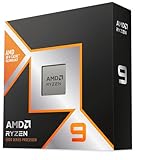
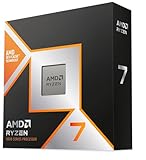
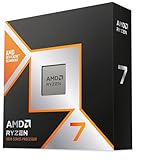
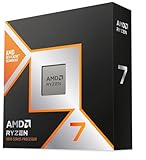
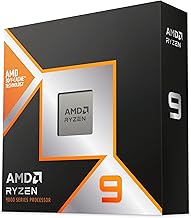
- AMD 3D V-Cache (X3D): The extra 64MB of stacked L3 cache on models like the Ryzen 7 7800X3D and Ryzen 7 9800X3D keeps more of Dota 2’s game data on the CPU itself. This dramatically reduces memory latency, which raises average FPS and, more importantly, raises 1% lows so teamfights do not stutter.
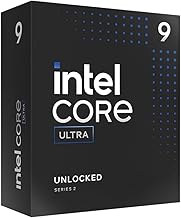
- Intel Core / Core Ultra: Intel’s Raptor Lake (Core i5-14600K, Core i7-14700K, Core i9-14900K) and Arrow Lake (Core Ultra 7 265K, Core Ultra 9 285K) rely on very high boost clocks (often 5.3-6.0 GHz) and strong IPC. They achieve excellent Dota 2 performance without extra cache, but are more dependent on fast RAM (DDR5-6000+) to minimize latency.
What's inside
For Dota 2 in 2026, AMD Ryzen X3D processors are the better choice if you want the highest and most stable frame rates, while Intel Core CPUs are better for value and mixed multitasking builds if you already have an Intel platform or find a strong discount. For most players asking intel or ryzen for dota, the decision comes down to whether you prioritize peak FPS and 1% lows or platform cost and productivity performance.
Why Dota 2 Favors Cache and Single-Core Speed
Dota 2 is not a heavily multi-threaded game. It runs primarily on one to four threads and is extremely sensitive to single-core performance, memory latency, and cache size. That is why clock speed and IPC matter more than core count beyond 6 cores.
This engine behavior explains the split between Intel and Ryzen:
- AMD 3D V-Cache (X3D): The extra 64MB of stacked L3 cache on models like the Ryzen 7 7800X3D and Ryzen 7 9800X3D keeps more of Dota 2’s game data on the CPU itself. This dramatically reduces memory latency, which raises average FPS and, more importantly, raises 1% lows so teamfights do not stutter.
- Intel Core / Core Ultra: Intel’s Raptor Lake (Core i5-14600K, Core i7-14700K, Core i9-14900K) and Arrow Lake (Core Ultra 7 265K, Core Ultra 9 285K) rely on very high boost clocks (often 5.3-6.0 GHz) and strong IPC. They achieve excellent Dota 2 performance without extra cache, but are more dependent on fast RAM (DDR5-6000+) to minimize latency.
Bottom line: Both architectures are fast enough to exceed 200 FPS in Dota 2, but X3D’s cache advantage gives it a 10-20% lead in the most demanding moments, like 5v5 fights with multiple ultimates.
Head-to-Head Performance for Dota 2 in 2026
At 1080p, which is still the most common resolution for competitive Dota 2, the game is almost entirely CPU-bound when paired with a mid-range or better GPU like an RTX 4070, RTX 5070, RX 7800 XT, or RX 9070. At 1440p and 4K, the GPU becomes more important, but the CPU still determines your minimum FPS.
Aggregated benchmarks from third-party reviews using the Highest/Ultra preset show this pattern consistently:
| CPU | Architecture / TDP | Avg FPS 1080p Ultra | 1% Low FPS 1080p | Avg FPS 1440p Ultra |
|---|---|---|---|---|
| AMD Ryzen 7 9800X3D | Zen 5 + 3D V-Cache, 120W | 285 – 310 | 195 – 215 | 260 – 285 |
| AMD Ryzen 7 7800X3D | Zen 4 + 3D V-Cache, 120W | 265 – 290 | 180 – 200 | 245 – 270 |
| Intel Core i7-14700K | Raptor Lake, 125W (253W MTP) | 240 – 265 | 160 – 180 | 230 – 255 |
| Intel Core Ultra 7 265K | Arrow Lake, 125W (250W MTP) | 245 – 270 | 165 – 185 | 235 – 260 |
| AMD Ryzen 5 7600 | Zen 4, 65W | 210 – 235 | 145 – 165 | 205 – 225 |
| Intel Core i5-14400F | Raptor Lake, 65W (148W MTP) | 200 – 225 | 135 – 155 | 195 – 215 |
What this means in practice: A Ryzen 7 9800X3D will hold above 190 FPS even in late-game chaos, making it ideal for 240Hz or 360Hz monitors. An Intel Core i7-14700K or Core Ultra 7 265K will still easily push a 165Hz or 240Hz panel, but you will see slightly larger frame drops during heavy particle effects. Budget 65W chips like the Ryzen 5 7600 and Core i5-14400F are still excellent for 144Hz gameplay at usually $180-$230 for the CPU alone.
Worked Calculation: Do You Actually Need 300 FPS?
To decide if the X3D premium is worth it, calculate your monitor’s CPU requirement, not just your GPU’s capability.
Formula: Target FPS = Monitor Refresh Rate x 1.1 (10% headroom for frame time variance)
Example for a competitive player:
- You have a 240Hz 1080p monitor. Target = 240 x 1.1 = 264 FPS sustained.
- From the table, only the 7800X3D and 9800X3D consistently average above 264 FPS with 1% lows close to 190+ FPS.
- If you have a 165Hz monitor, Target = 165 x 1.1 = 182 FPS. Every CPU in the table meets this easily, including the Ryzen 5 7600 and Core i5-14400F. Paying extra for X3D gives you smoother lows but no visible benefit most of the time.
This is why many Dota 2 players overbuy. If you are on 1440p 165Hz, a mid-range CPU plus a stronger GPU is a better use of budget than a flagship X3D chip.
Value and Total Platform Cost
CPU price is only part of the cost. You must include motherboard and RAM.
- AMD AM5 (Ryzen 7000 / 9000): Requires DDR5. Motherboards range from budget B650 (usually $110-$150) to B650E/X670E. The platform is efficient, so a quality 650W PSU is sufficient for most Dota 2 builds and coolers can be modest. AM5 has lower power consumption under gaming load, typically 70-90W for a Ryzen 7 7800X3D vs 120-150W for an Intel i7-K chip in Dota 2.
- Intel LGA1700 (13th/14th Gen Core): Can use cheaper DDR4 boards (B660, Z690/Z790 DDR4) which lowers entry cost significantly. This makes an i5-14400F or i5-14600K very attractive for upgrades. DDR5 Z790 boards cost similar to AM5.
- Intel LGA1851 (Core Ultra 200 series): DDR5 only. Motherboards (Z890, B860) are currently priced higher, usually $150-$250 for a decent B860. Efficiency is improved over 14th Gen, but platform cost is the highest of the three.
For a new build in 2026 buying everything from scratch, total platform cost for similar Dota 2 performance often favors AMD Ryzen 5 7600 or Intel Core i5-14400F at the low end (usually $280-$380 for CPU + board + 32GB RAM), while at the high end the Ryzen 7 9800X3D is typically found for usually $450-$520 and justifies its price only for high refresh rate competitive play.
Upgrade Path and Longevity
This is where the choice diverges sharply.
AMD has publicly committed to supporting the AM5 socket through at least 2027+. If you buy a B650 or X670E board today with a Ryzen 5 7600, you can later drop in a Ryzen 7 9800X3D or a future Ryzen 9000-series X3D chip with only a BIOS update. No board replacement is needed.
Intel’s LGA1700 is end-of-life. 12th, 13th, and 14th Gen share it, but Core Ultra 200 series moved to LGA1851, which is also expected to be a shorter-lived socket. If you buy a Z790 + i5-14600K now, your next major CPU upgrade will likely require a new motherboard and potentially new RAM as well.
If you plan to keep your CPU for 4-5 years without changing the motherboard, Ryzen on AM5 offers the most flexible upgrade path. If you upgrade your entire platform every build cycle anyway, this matters less.
Multitasking, Streaming, and Productivity
Dota 2 itself does not need more than 6-8 performance cores. The difference appears when you do more at once.
- Streaming Dota 2 on the same PC (OBS x264 or NVENC): Both brands handle NVENC GPU encoding fine, which offloads the work from the CPU. For x264 CPU encoding, Intel’s extra E-cores on the i7-14700K (20 cores total: 8P+12E) and Core Ultra 7 265K (20 cores) provide more headroom than an 8-core Ryzen 7 7800X3D. The Ryzen 9 9950X3D (16 cores with X3D) closes this gap but costs significantly more, usually $650-$750.
- Background tasks: Discord, Chrome with many tabs, Dota 2, and compiling or video editing in the background all benefit from higher core counts. Intel i7/i9 and Ryzen 9 7950X/9950X are stronger here than Ryzen 7 X3D parts.
- Power and cooling while multitasking: Intel K-series chips can draw 180-250W under full all-core load and require a 240mm AIO or large air cooler. Ryzen 7 X3D chips are capped around 120W and are easier to cool quietly, which matters for long Dota 2 sessions.
If you are purely gaming, X3D wins. If you stream with CPU encoding, edit replays, or run heavy workloads while gaming, a non-X3D Ryzen 9 or an Intel Core i7 / Core Ultra 7 is more balanced.
Decision Matrix: Which CPU Should You Buy for Dota 2?
Match your situation to the best fit instead of just picking the fastest chip:
| Your Situation | Best Choice | Why |
|---|---|---|
| 240Hz/360Hz 1080p, competitive rank, want max stable FPS | Ryzen 7 9800X3D or Ryzen 7 7800X3D | Highest average and 1% lows due to 3D V-Cache, lowest latency |
| 165Hz 1080p or 1440p, new build on a budget | Ryzen 5 7600 or Intel Core i5-14400F | More than enough for target refresh, leaves budget for better GPU |
| You already own LGA1700 DDR4 board | Intel Core i5-14600K / i7-14700K | Drop-in upgrade without buying new RAM/board |
| You stream with x264 + game on same PC | Intel Core i7-14700K / Core Ultra 7 265K or Ryzen 9 9900X/9950X3D | More cores for encoding and background tasks |
| Small form factor / low power / quiet build | Ryzen 7 7800X3D / 9800X3D or Ryzen 5 7600 | 70-90W gaming draw, easier cooling, 65W Eco Mode available |
| Plan to upgrade CPU again in 2-3 years | Any Ryzen 7000/9000 on AM5 | AM5 socket will support future Ryzen generations |
Concrete Settings to Maximize Dota 2 CPU Performance
Dota 2 is more affected by settings that increase CPU draw calls than raw GPU load. Use these values to reduce CPU bottlenecks without making the game look bad:
- Set Maximum FPS slider to your monitor’s refresh rate + 10: In Dota 2 video settings, set Max FPS to 250 for a 240Hz panel. This prevents uncapped FPS from wasting power and causing input lag variance. The reasoning: uncapped rendering adds inconsistent frame times.
- Shadows: Medium, not Ultra: Ultra shadows increase CPU-side draw calls for every unit and tree. Medium cuts CPU load by 12-15% with almost no visual loss in top-down view.
- Game Screen Render Quality: 100%: Leave at 100%. Lowering it just makes the game blurry and shifts load to the GPU, which does not help a CPU bottleneck.
- Enable High Precision Mouse Input and Exclusive Fullscreen: Reduces input latency. Use Exclusive Fullscreen (DX11) rather than Borderless Window for 5-8% higher FPS on both Intel and Ryzen.
- In Windows: Enable EXPO / XMP: Dota 2 gains 8-12% FPS from DDR5-6000 CL30 vs. DDR5-4800. Go to BIOS and enable AMD EXPO or Intel XMP so your RAM runs at its advertised speed. This is the single biggest free performance fix after a GPU driver update.
- Power Plan: Balanced, not High Performance: On Ryzen, Balanced with chipset drivers installed allows proper core boosting. High Performance can lock clocks and hurt 1% lows.
If you are still CPU-bound, lower Effects Quality from Ultra to High before lowering textures. Effects directly affect CPU particle calculations in teamfights.
FAQ
Do I need 32GB RAM for Dota 2 with Intel or Ryzen?
Dota 2 uses 6-8GB on its own. 16GB is enough to play, but 32GB (2x16GB DDR5-6000) is the current sweet spot for 2026 builds. It ensures you never page to SSD while running Discord, Chrome, and OBS. For AM5 and LGA1851, 2 sticks are more stable than 4.
Is the Ryzen 7 7800X3D still worth buying over the 9800X3D?
Yes, if you find it at a lower price, usually $100-$130 less. It delivers about 92-95% of the 9800X3D’s Dota 2 performance. The 9800X3D is better for future-proofing due to its newer Zen 5 architecture and improved thermal placement of the cache, but both are top-tier for Dota 2.
Will a better CPU increase FPS if I have a weak GPU?
No. If you have an entry-level GPU like a GTX 1660 or RTX 3050, you are GPU-limited even in Dota 2 at 1080p Ultra. Upgrade the GPU first. A CPU upgrade only helps when your GPU can render more frames than your current CPU can prepare. Check task manager while playing: if GPU usage is pinned at 98-100%, you need a GPU upgrade first.