Key takeaways
- H.264: Usually the quickest codec to encode in software, but it produces larger files at a comparable quality level.
- HEVC/H.265: Better compression than H.264, with a higher computational cost and broader compatibility than AV1.
- AV1: Excellent quality per bit, but software encoding can be extremely demanding. Hardware AV1 encoding is much faster and more efficient when supported.
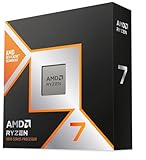
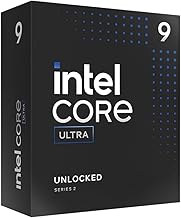
The best CPU for video encoding in 2026 is the AMD Ryzen 9 9950X for heavily threaded H.264, HEVC, and software AV1 work, while the Intel Core Ultra 9 285K is the better all-round choice if you want Quick Sync hardware encoding, lower platform cost, and fast editing previews.
Best CPU for Video Encoding: Quick Picks
| Best for | Recommended CPU | Why it stands out | Typical system consideration |
|---|---|---|---|
| CPU-only encoding | AMD Ryzen 9 9950X | 16 Zen 5 cores and 32 threads deliver excellent software encoding throughput | Needs a discrete GPU for the best hardware AV1 workflow |
| Quick Sync and mixed workloads | Intel Core Ultra 9 285K | 24 cores, strong multicore performance, and integrated media hardware | Verify the motherboard and application support the desired codec path |
| High-end workstation encoding | AMD Ryzen Threadripper 9970X | 32 cores and 64 threads provide much higher parallel CPU capacity | TRX50 platform, workstation memory, and motherboard costs are substantially higher |
| Performance per dollar | AMD Ryzen 9 9900X | 12 cores and 24 threads can encode quickly without the price of a flagship chip | A strong choice when the computer is also used for gaming |
| Efficient compact system | Intel Core Ultra 7 265K | Good multicore speed with integrated graphics and media features | Usually easier to cool than a top-end 16-core CPU |
What Makes a CPU Good for Encoding?
Video encoding performance depends on more than the number printed on the box. The important factors are sustained multicore throughput, instruction efficiency, memory behavior, codec optimization, power limits, and whether the processor includes a hardware media engine.
- H.264: Usually the quickest codec to encode in software, but it produces larger files at a comparable quality level.
- HEVC/H.265: Better compression than H.264, with a higher computational cost and broader compatibility than AV1.
- AV1: Excellent quality per bit, but software encoding can be extremely demanding. Hardware AV1 encoding is much faster and more efficient when supported.
A 16-core CPU does not automatically beat a 24-core hybrid CPU in every application. Some encoders scale well across all threads, while editing applications may rely more heavily on single-thread responsiveness, media blocks, or GPU acceleration.
AMD Ryzen 9 9950X: Best for Serious CPU Encoding
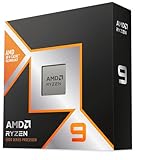
The Ryzen 9 9950X is the strongest general recommendation for people who specifically want software-based CPU encoding. Its 16 full-performance Zen 5 cores and 32 threads are well suited to x264, x265, and software AV1 jobs, particularly when quality presets such as “slow” or “slower” are selected.
Its main advantage appears during long exports: all cores can remain busy for extended periods, and the AM5 platform offers a practical upgrade path compared with buying into a workstation socket. It is also a powerful gaming CPU, making it a sensible choice for a hybrid gaming and content-creation PC.
The limitation is media connectivity. The small integrated graphics capability on many Ryzen 9000 desktop processors is not equivalent to having Intel Quick Sync or a modern discrete GPU with multiple dedicated encode engines. For fast AV1 delivery exports, pair the 9950X with a graphics card that supports hardware AV1 encoding.
Choose the 9950X if:
- You encode locally with HandBrake, FFmpeg, or an editor configured for CPU rendering.
- You value maximum quality at a fixed file size more than minimum export time.
- You want 16 high-performance cores without moving to Threadripper.
- Your GPU already handles hardware H.264, HEVC, or AV1 encoding.
Intel Core Ultra 9 285K: Best Mixed Hardware-and-CPU Option
The Core Ultra 9 285K is a better fit for users who want one computer to handle editing, recording, streaming, and occasional CPU encoding. Its 24-core design combines performance and efficiency cores, while its integrated graphics provide Intel media features that can be useful for Quick Sync-compatible applications.
Quick Sync can make a large practical difference. Hardware encoding generally uses far less CPU time than a high-quality software encode, leaving more processing capacity for timeline playback, game performance, audio processing, or background tasks. It is especially useful for H.264 and HEVC workflows, and supported configurations can also accelerate AV1.
However, hardware encoding is not identical to software encoding. At the same bitrate, a carefully tuned x264, x265, or SVT-AV1 encode may preserve difficult details better than a fast hardware preset. The 285K is therefore strongest as a flexible system CPU rather than a universal winner in maximum-quality CPU benchmarks.
Choose the 285K if:
- You use Adobe Premiere Pro, DaVinci Resolve, OBS, or another application that benefits from Quick Sync.
- You regularly transcode while gaming or performing other CPU-heavy work.
- You want integrated display output and media hardware as a backup for a discrete GPU.
- You prefer fast H.264 and HEVC exports over the best possible software AV1 compression.
Ryzen 9 9900X: The Sensible Performance-per-Dollar Choice
The 12-core, 24-thread Ryzen 9 9900X is often the more balanced purchase. It retains enough parallel capacity for demanding encoding but typically costs less than the 9950X and can be easier to cool in a compact case.
For occasional exports, the time difference between 12 and 16 cores may not justify the flagship premium. The money saved can instead fund a larger SSD, more memory, or a GPU with AV1 hardware encoding. That is often a better overall upgrade for creators who mostly export short videos or stream in real time.
It is less attractive than Intel’s Core Ultra options if you specifically need Quick Sync and do not already own a suitable graphics card. In CPU-only x264 and x265 work, though, it remains a strong mainstream choice.
When Threadripper Is Worth the Cost
The Ryzen Threadripper 9970X belongs in a different category. Its 32 cores and 64 threads can substantially reduce queue times when multiple encodes run simultaneously, especially for a production workstation processing several videos overnight.
Do not buy Threadripper merely because the core count looks impressive. The TRX50 platform requires a workstation motherboard and typically encourages higher-capacity memory, better cooling, and more expensive power delivery. A complete system can cost hundreds or more above a high-end AM5 build.
Threadripper makes sense when encoding is billable work, when several CPU jobs run concurrently, or when the computer also performs 3D rendering, simulation, compiling, or other highly parallel tasks. For one short export at a time, a Ryzen 9 or Core Ultra system usually has better value.
CPU Encoding Versus GPU Encoding
Before choosing a processor, decide whether “encoding” means maximum compression efficiency or minimum export time. CPU encoders let you select demanding quality presets and can produce excellent results at a given bitrate. GPU and integrated media encoders are much faster and usually consume less power, but quality varies by generation, preset, and codec.
| Workload | Best approach | Reason |
|---|---|---|
| Archival H.264 at maximum quality | High-core-count CPU with x264 | CPU presets offer extensive tuning and strong quality efficiency |
| HEVC delivery for a media library | CPU x265 or a modern hardware encoder | Choose CPU quality or hardware speed depending on queue size |
| AV1 for streaming or social video | Hardware AV1 encoder when available | Much faster and more practical than software AV1 for frequent exports |
| Several overnight encodes | 9950X or Threadripper | More full-performance cores improve total completed work |
Power Draw and the Cost of Waiting
Peak CPU power is only part of the calculation. A slower processor can use less power per second but consume more electricity overall because it runs for longer.
For example, assume a CPU averages 180 watts during a 2-hour export. The processor uses:
0.18 kW × 2 hours = 0.36 kWh
At an electricity rate of $0.20 per kWh, that is about $0.07 for the CPU portion of the job. The complete PC may draw 300 to 500 watts once the motherboard, memory, storage, cooling, and GPU are included. At that level, the same two-hour export costs roughly $0.12 to $0.20.
This is why faster high-core CPUs can be worthwhile for frequent work, even if they have a higher peak power limit. For a small, quiet system or occasional encoding, the Core Ultra 7 265K or Ryzen 9 9900X may offer a better balance than a flagship processor.
Platform Cost and Upgrade Value
Do not compare CPU prices alone. Budget for a cooler, motherboard, memory, and potentially a graphics card. A processor that includes useful integrated media hardware may reduce the need for a discrete GPU, while a CPU-focused AMD build may need one for AV1 acceleration and display output.
- AM5: Usually the most attractive mainstream upgrade platform because it supports Ryzen 7000, 8000, and 9000 desktop families. Check BIOS support before installing a newer processor in an older board.
- Intel desktop platform: Core Ultra 200S requires its corresponding motherboard generation. Its integrated graphics and Quick Sync can add immediate value, but do not assume an older Intel board will support it.
- TRX50: Worth the extra cost only when workstation-level parallelism is used regularly.
Recommended Settings for Each Codec
H.264
Use x264’s medium preset for a practical balance, or slow when file size matters more than export time. For hardware encoding, use a quality-based mode rather than blindly choosing a fixed bitrate when your software offers that option.
HEVC
Use x265 at medium or slow for archival work. For playback compatibility, use an 8-bit output unless you specifically need 10-bit HDR or gradient quality. Hardware HEVC is preferable when you are processing many files and can accept a modest quality-efficiency trade-off.
AV1
Use hardware AV1 for streaming, frequent uploads, and real-time recording. Use SVT-AV1 on a 12- or 16-core CPU when compression efficiency matters and the encode can run unattended. Expect software AV1 to scale well but take considerably longer, particularly at slower presets.
Final Buying Decision
Choose the Ryzen 9 9950X if CPU encoding quality and sustained throughput are your priorities. Choose the Core Ultra 9 285K if Quick Sync, editing responsiveness, and mixed workloads matter more. Select the Ryzen 9 9900X for a balanced gaming and encoding system, and move to Threadripper 9970X only when multiple simultaneous encodes justify the workstation platform.