Key takeaways
- Gaming laptop CPUs are soldered in, so the chip choice happens when you buy the laptop. Learn the HX, H and U tiers and which families suit your games.
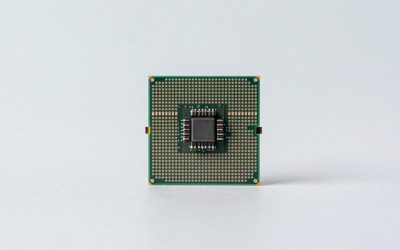
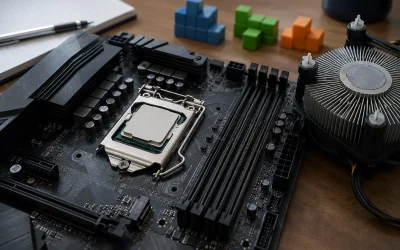
Anyone who has built a desktop expects to pick a gaming CPU off a shelf, drop it into a socket, and upgrade it later. Laptops break that assumption completely. The processor in a modern gaming laptop is soldered permanently to its motherboard before the machine ever reaches a store, so there is no boxed chip to buy, no socket to upgrade, and no second chance once you have chosen. That single fact turns “which gaming CPU” into “which gaming laptop, configured with which chip” — and it is the decision this guide walks through.
That framing matters because the buyers are not all chasing the same thing. Esports players need high frame rates in lighter titles, simulation and strategy fans lean on multi-core muscle, streamers split the load between game and broadcast, and travellers want power in a thinner chassis. Each group maps to a different CPU family below, and the families differ by design power and intended laptop class rather than by a simple good-to-bad ranking.
Quick Picks
As an Amazon Associate we earn from qualifying purchases.
How to Choose
Read the Suffix Before the Number
The letters after a laptop CPU’s name tell you more than the headline number does. HX chips sit at the top: they are the highest-power mobile tier, built for large gaming laptops with serious cooling. H chips step down for thinner gaming and creator machines, trading sustained power for portability. U chips are efficiency parts for ultrabooks, designed around battery life rather than frame rates, and they do not belong in a gaming purchase at all. Two laptops can advertise the same generation and a similar model number while sitting in completely different performance classes, so always check the suffix first.
Judge Sustained Wattage, Not Just the Chip Name
A mobile CPU’s real speed depends on how much power the laptop lets it draw and for how long. The same chip performs differently at different laptop power limits: a generously cooled machine can hold high clocks through a long session, while a thin chassis throttles the identical processor back once heat builds. This is why the chip name alone never settles a comparison. Look for the laptop maker’s stated CPU power figures and reviews of the specific model, and treat short burst benchmarks with suspicion — gaming sessions are marathons, and sustained wattage is what you actually play on.
Match Core Count and Cache to Your Games
More cores help only when the game can use them. Fast-paced esports titles tend to reward high clock speeds and strong single-core performance, while large simulation, strategy and open-world games can spread work across many cores and benefit from bigger caches. AMD even builds a variant of its flagship mobile chip with 3D V-Cache stacked on top, aimed squarely at gaming workloads that love fast cache access. The practical rule is to name your main games first, then decide whether you are shopping for clock speed, core count, cache, or a balance of all three.
Pair the CPU With the GPU Honestly
Once the processor clears a certain tier, the graphics card usually decides frame rates, and overspending on the CPU while underspending on the GPU is the classic laptop-buying imbalance. A mid-tier H or HX chip paired with a stronger GPU will outplay a flagship CPU paired with a weaker GPU in most titles. The exception is high-refresh esports play at low settings, where the CPU can become the bottleneck. Decide which component limits your games, then spend on that one — and remember the CPU can never be upgraded later to fix a mistake.
The CPU Families Worth Knowing
Intel Core Ultra 200HX: The Current Flagship Tier
Intel’s Core Ultra 200HX series, led by chips such as the Core Ultra 9 275HX, is the current top tier for gaming laptops in the 2025–26 model years. These are the processors large, heavily cooled machines are built around, and they are the default choice when a maker wants maximum CPU performance alongside a top-end GPU. Because they anchor the most expensive configurations, the real question is whether your games and budget justify the tier — many players will never feel the gap between this family and the one below it.
Intel Core i9-14900HX and i7-14700HX: The Proven Previous Generation
The previous-generation HX line — the Core i9-14900HX, i7-14700HX and i7-14650HX — still ships inside a large share of current gaming laptops, and it remains a thoroughly capable gaming tier. These chips established the modern HX formula of desktop-class ambitions in a mobile package. When a laptop pairs one of them with a strong GPU and good cooling, it is not a compromise purchase; it is often the sensible one, especially where the newer flagship tier commands a steep premium for performance your games may not use.
Intel Core Ultra H-Series: Power for Thinner Machines
Intel’s Core Ultra H-series, such as the Ultra 7 255H, targets thinner gaming and creator laptops where the full HX tier’s power draw and heat simply do not fit. Sustained performance sits below the HX line, and buyers should expect that trade going in. What you get back is a lighter, quieter machine that still handles mainstream gaming well. This family suits players who carry their laptop daily and game in the evening, rather than players chasing maximum frame rates at a fixed desk.
AMD Ryzen 9 9955HX and 7945HX: AMD’s Flagship Answer
AMD’s flagship mobile gaming chips — the newer Ryzen 9 9955HX and the established 7945HX line — are the direct rivals to Intel’s HX tier, built for the same class of large, well-cooled gaming laptops. The 7945HX3D variant adds 3D V-Cache, stacking extra cache on the chip for games that respond strongly to it. Availability varies by laptop brand and model year, so the practical choice is usually between specific laptops rather than between chips in the abstract — compare finished machines, not spec sheets alone.
AMD Ryzen AI Max+ 395: The Integrated-Graphics Outlier
The Ryzen AI Max+ 395 sits apart from everything else here: it is built around unusually powerful integrated graphics, aimed at compact machines that game respectably without a large discrete GPU. That makes it an outlier class rather than a mainstream gaming pick. For buyers who want a small, simple machine and play titles that integrated graphics can handle, it is genuinely interesting. For anyone shopping for maximum frame rates, a conventional laptop with a discrete GPU remains the correct route, and this family should not be confused with it.
AMD Ryzen 9 8945HS and Ryzen 7 H-Series: The Mid-Tier Workhorses
Below the flagships, AMD’s Ryzen 9 8945HS and the Ryzen 7 H-series chips power the mid-tier gaming laptops most people actually buy. They give up peak sustained power against the HX families but handle the large majority of games comfortably when paired with a sensible GPU. Thermals are easier for makers to manage at this level, so real-world consistency can be better than the spec gap suggests. For value-focused buyers, this is the tier where performance per money spent usually peaks.
Which One Fits Your Situation
You Play Esports Titles at High Refresh Rates
Prioritise clock speed and a laptop whose cooling holds it. An HX-tier chip from either Intel or AMD, inside a machine with a high-refresh screen and a mid-range-or-better GPU, is the combination that keeps frame rates high in lighter competitive games where the CPU often sets the ceiling.
You Play Simulations, Strategy and Open-World Games
Look toward the flagship HX families and do not dismiss the cache-heavy option: AMD’s 7945HX3D exists for exactly the workloads that love fast cache. Multi-core strength matters more here than in esports, so a top-tier chip paired with adequate cooling will age better than a thinner, weaker configuration.
You Stream or Record While You Play
Your CPU serves two masters, so core count headroom is worth paying for. Choose an HX-tier or strong H-series chip and leave performance margin instead of maxing out the GPU budget. A balanced flagship-tier laptop will hold game frame rates steadier while encoding runs alongside than a GPU-heavy, CPU-light build.
You Travel With Your Laptop and Game on the Side
The H-series families from both makers were designed for you. Accept lower sustained power in exchange for a machine you will actually carry, and skip the HX tier entirely — its weight, heat and charger bulk work against the portability you are buying the laptop for in the first place.
Common Mistakes
- Shopping for a standalone laptop CPU to upgrade later — current gaming chips are soldered, so no such upgrade path exists.
- Comparing laptops by chip name alone while ignoring the power limits and cooling each maker gives that chip.
- Buying a U-series ultrabook processor for gaming because the generation number looked current.
- Spending flagship-CPU money while leaving the GPU a tier too weak for the games you play.
- Assuming a chip from a newer generation automatically beats the previous generation’s higher tier in a better-cooled machine.
Frequently Asked Questions
Can I buy a gaming laptop CPU on its own and install it?
No. Current gaming laptop processors from Intel and AMD are soldered BGA parts sold to laptop manufacturers, not boxed retail products, so there is no standalone chip to buy or install. The CPU decision is made when you choose the laptop, which is why this guide treats the purchase as a laptop purchase.
Can I upgrade my gaming laptop’s CPU later?
In practice, no. Because the processor is soldered to the motherboard, swapping it is not a user upgrade the way it is on a desktop. Some laptops allow RAM and storage upgrades, but the CPU and usually the GPU are fixed for the machine’s life, so buy the tier above your current target.
What is the difference between HX, H and U laptop CPUs?
The suffix marks the power and performance class. HX is the highest-power tier for large gaming laptops, H is a step down for thinner gaming and creator machines, and U is an efficiency tier for ultrabooks that is not designed for gaming. The suffix matters more than small differences in model numbers.
Does the CPU or GPU matter more for gaming laptops?
Usually the GPU, once the CPU is in a sensible tier. Most games become GPU-limited first, so a stronger graphics card beats a flagship processor in typical play. The exception is high-refresh esports at low settings, where the CPU can cap frame rates — match the spend to the games you actually play.
FAQ
Can I buy a gaming laptop CPU on its own and install it?
Can I upgrade my gaming laptop’s CPU later?
What is the difference between HX, H and U laptop CPUs?
Does the CPU or GPU matter more for gaming laptops?
More from Amazon
Programs that pair well with the guide above. Offers and eligibility are set by Amazon and may change.
Free shipping on eligible items, Prime Video and more. Eligible new members can start with a free trial.
Start a Prime free trialAd-free music streaming. Eligible new subscribers can start with a free trial.
Try Music Unlimited freeA Prime membership for ages 18-24 with a trial period. Eligibility is set by Amazon.
See Prime for Young AdultsAudiobooks and podcasts to listen to on the go. Eligible new members can start with a free trial.
Try Audible freeAs an Amazon Associate we earn from qualifying purchases.