Key takeaways
- Searching for the best gaming laptops for under 500 with Nvidia graphics? This guide covers the RTX GPUs, memory, screens and trade-offs to check first.
As an Amazon Associate we earn from qualifying purchases.
A gaming laptop in this budget range is not about chasing the fastest graphics card on the market. It is about deciding which compromises you can live with for the next two or three years. A dedicated NVIDIA GPU changes what the machine can play, but memory, storage, the screen and cooling decide whether it stays enjoyable after the first month. Getting that balance right matters more than finding the single most powerful configuration, because every machine at this level trades something away to hit its budget.
This guide is written for students buying their first gaming laptop, competitive players who mainly play esports titles, and anyone replacing an ageing machine without stretching the budget further. It draws on specifications published on manufacturer pages and retailer listings for current NVIDIA laptop GPUs and the model lines that carry them, so you can compare machines on the details that actually affect play rather than on marketing labels alone.
How to Choose
Four details decide whether a budget NVIDIA gaming laptop is a good buy or a disappointment. Check them in this order before you look at anything else, because a strong graphics card cannot rescue a machine that is short on memory, saddled with a dim screen, or starved of airflow.
Start With the Graphics Card, Not the Brand
The GPU tier is the first filter. At this budget the realistic dedicated options are the GeForce RTX 2050 with 4GB of video memory, the RTX 3050 in 4GB and 6GB versions, and the occasional RTX 4050 with 6GB in a refurbished machine. The 6GB RTX 3050 is the sweet spot, because the extra video memory keeps texture-heavy games running smoothly where the 4GB cards start to struggle. Always confirm the exact GPU name and memory size in the listing itself, since two laptops can share a model name while carrying different graphics chips. DLSS support on RTX cards also helps, letting supported games render at a lower internal resolution and upscale for smoother frame rates.
Memory and Storage Decide How Long It Lasts
Memory is the most common hidden weakness in cheap gaming laptops. Eight gigabytes is the bare minimum, and it fills quickly when a game, a browser, and a voice chat app run at the same time. Sixteen gigabytes is the configuration to aim for, and two matched sticks running in dual-channel mode perform noticeably better than a single stick of the same size. Storage matters just as much: a 512GB solid-state drive leaves room for a handful of large games alongside Windows, while a 256GB drive forces constant uninstalling. Before buying, check whether the laptop has a spare memory slot and a second drive bay, because an upgradeable machine stays useful far longer than a sealed one.
The Screen Sets the Feel of Every Game
A capable GPU is wasted on a slow, dim panel. A 144Hz refresh rate is the single most noticeable upgrade at this budget, making motion in fast games look smoother and mouse movement feel more responsive than a 60Hz display. Resolution should be Full HD, which matches what these GPUs can drive comfortably, and an IPS panel gives better viewing angles and colour than the cheaper TN panels found in some entry-level machines. Brightness is worth checking too, since a panel rated around 250 nits can look washed out in a bright room. If a listing does not state the refresh rate or panel type, treat that silence as a warning and look for a machine that publishes both.
Cooling, Weight and Battery Shape Daily Use
Budget gaming laptops run hot, and the cooling design decides how much of the advertised performance you get during a long session. Machines with two fans, generous vents and room to move air hold higher frame rates longer than slim models that throttle after ten minutes. Fan noise is part of the same trade-off, so expect audible fans under load and check whether a quieter balanced mode exists for lighter use. Weight matters if the laptop travels daily, with most 15.6-inch gaming models landing between two and two and a half kilograms. Battery life is the weakest area across this whole class, so plan on gaming plugged in and treat unplugged use as a bonus for browsing and classwork.
Which One Fits Your Situation
The right machine depends on what you play and where the laptop spends its day. Match the configuration to your routine rather than buying the most powerful graphics card you can find, and the compromises will land where they bother you least.
Write down your three most-played games, the hours you spend away from a power outlet, and whether the laptop also has to handle classes or work, because those answers decide the graphics card, battery and screen you should prioritise. A machine that is perfect for esports at a desk can feel wrong on a train, and a laptop built for story games at home may struggle with a long day of lectures. Use the situations below to find your closest match, then compare listings against that profile instead of chasing the highest specification number in the budget. That match matters more than any single benchmark score.
For Competitive Esports on a Tight Budget
If your library is mostly Valorant, League of Legends, Counter-Strike 2, Rocket League and Fortnite, an RTX 2050 or RTX 3050 with a 144Hz screen is the combination to prioritise. These games run well on modest graphics hardware, so the refresh rate and a responsive keyboard matter more than extra video memory. Choose 16GB if you can, keep the storage at 512GB, and accept a plain chassis, because none of them needs a premium build to feel fast.
For Students Who Game Between Classes
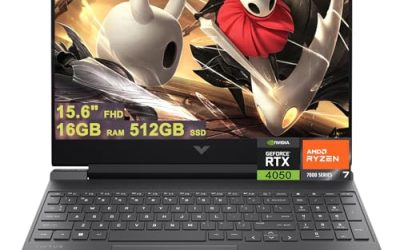
Students need a machine that survives lectures, group projects and a commute before it ever loads a game. Look for a Victus 15 or Nitro V 15 style chassis that does not scream gaming, with a keyboard built for typing and a battery that lasts a morning of notes. An RTX 3050 with 6GB covers evening gaming, while 16GB keeps research tabs open alongside a game. Keep the weight under two and a half kilograms.
For Story Games and Older AAA Titles
Players who prefer single-player adventures and older blockbusters should put their budget into graphics memory and storage first. A 6GB RTX 3050 or an RTX 4050 handles 1080p play at medium to high settings, and DLSS adds headroom in supported games. A 512GB drive is the minimum here, since story-driven games are often large, and a brighter IPS screen makes long sessions far more pleasant. Accept a heavier chassis for better cooling, because these games push the hardware hard.
For a First Gaming Laptop That Must Also Do Schoolwork
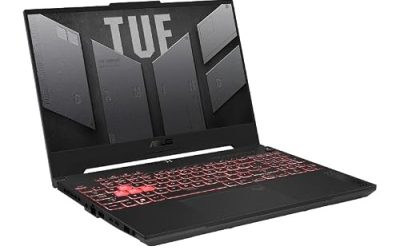
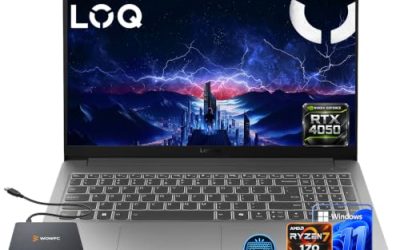
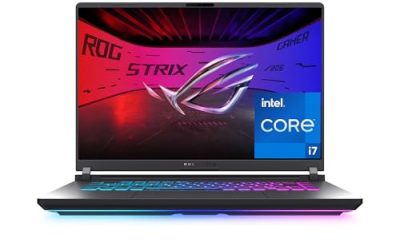
A first gaming laptop often doubles as the only computer in the house, so versatility beats raw gaming power. Pick a machine with a bright screen, a full-size keyboard, a webcam for video calls, and ports for a mouse, a headset and an external drive. An RTX 3050 with 16GB of memory covers homework and play, and a second drive slot leaves room to grow. Lenovo LOQ 15 and ASUS TUF Gaming A15 tolerate carrying better than the thinnest designs.
Common Mistakes
- Buying on the GPU name alone. An RTX 3050 with 4GB of video memory and an RTX 3050 with 6GB share a name but behave differently in texture-heavy games, and the same chip can run at very different power levels in different chassis. Always read the full specification listing for the video memory size and the exact model configuration before deciding, because the headline badge on the lid tells you almost nothing about the machine underneath it.
- Settling for a single stick of memory. Many budget laptops ship with one 8GB stick in a single channel, which holds back both the processor and the graphics card. Check whether the machine has two memory slots and whether the listed configuration uses one stick or two, and budget for a matching second stick if it does not. The same check applies to storage, where a lone 256GB drive will feel cramped within weeks of installing a few modern games.
- Accepting a 60Hz screen with a capable GPU. A laptop that can render well over a hundred frames per second gains nothing from a panel that can only show sixty of them, and the result feels sluggish next to a 144Hz machine with the same graphics card. Treat the refresh rate as a core specification rather than a footnote, and confirm the panel type and brightness at the same time, since dim TN panels are still common at the bottom of this budget range.
- Ignoring thermals until the laptop is already hot. Thin chassis, blocked vents and a single fan all lead to the same outcome: the processor and graphics card slow down to protect themselves, and frame rates drop mid-game. Look for machines with visible intake and exhaust vents, read owner comments about fan behaviour under sustained load, and keep the vents clear of desks and bedding. A laptop that stays cool is a laptop that keeps the performance you paid for.
- Assuming every NVIDIA badge means a gaming GPU. Some listings pair a gaming-style chassis with an entry-level GeForce MX chip or a workstation-oriented GPU that is not built for games at all, and others describe integrated graphics in ways that sound dedicated. Confirm the listing names a GeForce RTX 2050, 3050 or 4050 laptop GPU specifically, and walk away from any listing that hides the graphics specification behind vague phrases instead of stating the chip and its video memory clearly.
Frequently Asked Questions
Can a laptop in this budget run modern games?
Yes, with realistic settings. An RTX 3050 with 16GB of memory plays competitive titles at high frame rates and handles most modern games at 1080p on medium settings, often with DLSS switched on. The newest, most demanding releases need lower settings, but the large majority of games remain very playable. Match expectations to the hardware instead of assuming every title runs at maximum detail.
Is an RTX 2050 enough, or should I hold out for an RTX 3050?
An RTX 2050 is enough for esports titles and older games. The 6GB RTX 3050 is the better choice for newer story-driven games, because the extra video memory keeps settings higher for longer. If the budget only stretches to an RTX 2050 with 16GB of memory and a 144Hz screen, that is a sensible buy, but a 6GB RTX 3050 is worth waiting for when newer titles matter.
How much RAM and storage should a budget gaming laptop have?
Sixteen gigabytes of memory and a 512GB drive is the configuration to aim for. Sixteen gigabytes keeps games, browsers and chat apps running together without stuttering, and 512GB holds Windows plus several large games without uninstalling. Eight gigabytes and 256GB can work as a starting point only if the laptop has spare slots, so you can add a second memory stick and a larger drive later without replacing the machine.
Should I buy new, refurbished, or open-box at this budget?
Each route has a place, and the right one depends on how much risk you are willing to manage. A new machine brings a full manufacturer warranty, while a certified refurbished or open-box unit can put a stronger GPU within reach. Whichever route you choose, confirm the GPU, memory and storage, check the return window and warranty terms, and test the machine during the return period with a gaming session.
FAQ
Can a laptop in this budget run modern games?
Is an RTX 2050 enough, or should I hold out for an RTX 3050?
How much RAM and storage should a budget gaming laptop have?
Should I buy new, refurbished, or open-box at this budget?
More from Amazon
Programs that pair well with the guide above. Offers and eligibility are set by Amazon and may change.
Free shipping on eligible items, Prime Video and more. Eligible new members can start with a free trial.
Start a Prime free trialAd-free music streaming. Eligible new subscribers can start with a free trial.
Try Music Unlimited freeA Prime membership for ages 18-24 with a trial period. Eligibility is set by Amazon.
See Prime for Young AdultsAudiobooks and podcasts to listen to on the go. Eligible new members can start with a free trial.
Try Audible freeAs an Amazon Associate we earn from qualifying purchases.