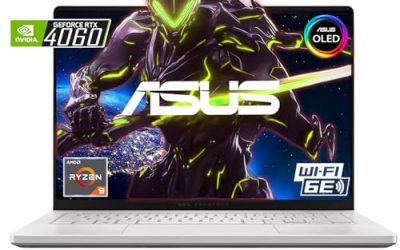
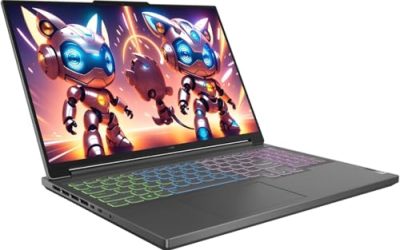
Our Top Picks
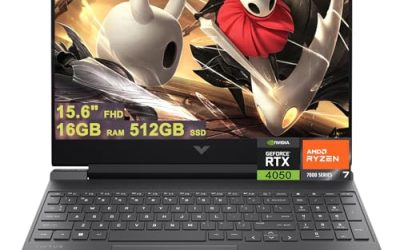
 HP Victus RTX 5060 Gaming Laptop32GB RAM | 1TB SSD14.09 x 10.04 x 0.93 inches5.06 PoundsCheck on Amazon
The RTX 5060 laptop GPU has no single TDP: NVIDIA lets each laptop maker configure it anywhere from 45 to 100 watts of GPU subsystem power, with up to 25 watts of Dynamic Boost available on top. Advertised totals therefore commonly run from 55 to 115 watts, and two laptops both sold as RTX 5060 models can perform noticeably differently in the same game. The wattage that matters is the one the maker sets for the specific model you are buying.
This guide serves buyers comparing two RTX 5060 laptops at similar prices who want to know which one is actually faster, thin-and-light shoppers who accept the low end of the range for portability, and desktop RTX 5060 cross-shoppers who need the contrast: the desktop card is a fixed 145 W part with no configuration range. The five laptops below were chosen from the names and specifications on their Amazon product pages, and the wattage table shows honestly which listings state a figure and which do not.
Quick Picks
As an Amazon Associate we earn from qualifying purchases
| Product | Best for | Key spec from title |
|---|---|---|
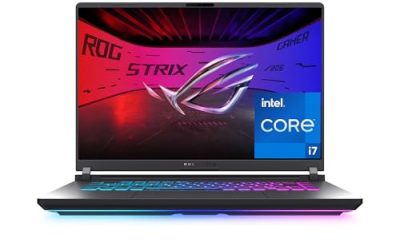
| ASUS ROG Strix G16 (2025) G615JMR-AS74 | Buyers wanting a big 16-inch performance chassis | Core i7-14650HX with 16-inch FHD+ 165 Hz display |
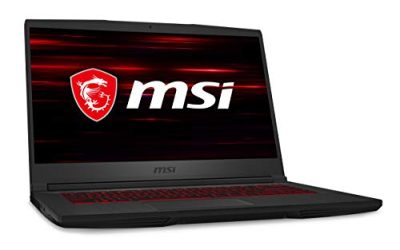
| MSI Katana 15 HX B14WFK-810US | Players who want a sharper QHD panel | 15.6-inch QHD 165 Hz display with Core i7-14650HX |
| Lenovo Legion 5 Gen 10 (15AHP10) | Buyers who want the wattage confirmed up front | The one listing that states its wattage: TGP 115 W |
| Lenovo LOQ 15.6-inch (2025) | Value shoppers in the LOQ line | Ryzen 7 250 with 15.6-inch FHD 144 Hz display |
| HP Victus 15 | Buyers who want extra memory headroom | Ryzen AI 7 350 with 32GB RAM and 1TB SSD |
| Laptop | GPU wattage stated on its Amazon listing |
|---|---|
| ASUS ROG Strix G16 (2025) G615JMR-AS74 | Not stated on the listing |
| MSI Katana 15 HX B14WFK-810US | Not stated on the listing |
| Lenovo Legion 5 Gen 10 (15AHP10) | 115 W (stated) |
| Lenovo LOQ 15.6-inch (2025) | Not stated on the listing |
| HP Victus 15 | Not stated on the listing |
How to Choose
Find the Real TGP on the Maker’s Spec Page
The number you need is the TGP, or total graphics power, that the maker assigns to that exact model, and Amazon listings almost never print it. ASUS, MSI, Lenovo, and HP publish it on the model’s own specification page on their websites, sometimes in a downloadable spec sheet, so check there using the full model number rather than the GPU name alone. Two laptops can both say RTX 5060 on the box while one is configured near 45 watts and the other near 100 watts, and that gap is invisible on a retail listing. Never assume a review of a different chassis describes the unit you are buying.
Understand Dynamic Boost Before Comparing Totals
Dynamic Boost lets the GPU borrow up to 25 watts from the CPU’s power budget when the game is GPU-bound and the processor has headroom to spare. That is why advertised figures often read 115 watts: the maker is adding a 100-watt base configuration to a 25-watt boost allowance. The boost is conditional, not sustained, because the moment the CPU also needs its full share, the borrowed watts go back. When you compare two laptops, compare their base configurations first and treat the boost as a bonus for lighter CPU loads, not as a guaranteed operating point during long sessions.
Match the Chassis to the Top of the Range
A GPU configured near 100 watts produces heat that the cooling system has to move continuously, and chassis design decides whether that is realistic. Thicker performance lines with dual fans, larger heat pipes, and generous rear exhaust can sustain the top of the range through a long session. Slim designs chasing portability usually configure the same chip lower, because a thin chassis cannot shed that heat without louder fans or throttling. Weight, thickness, and vent layout on the listing are useful clues: a chunky 16-inch performance chassis and a slim everyday design rarely run the same chip at the same wattage.
Know What the Wattage Actually Changes
Wattage matters most in GPU-bound games, where a higher-configured RTX 5060 holds higher clock speeds and delivers higher frame rates at the same settings, especially at 1440p. It matters far less when something else is the bottleneck: a weaker CPU, single-channel memory, or a slow storage drive can hold back either configuration equally. The display matters too, since a 144 Hz or 165 Hz panel only shows its advantage if the GPU can push frames that fast. Weigh the wattage alongside the processor, RAM, and screen rather than treating it as the only number that decides performance.
The 5 Best Options
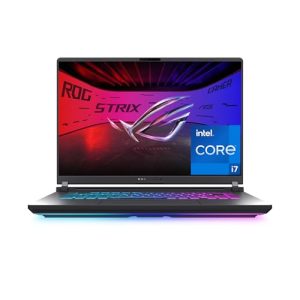
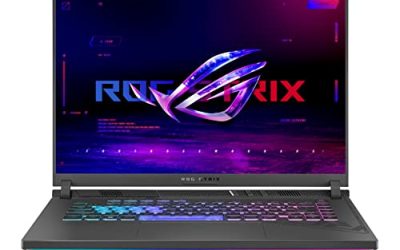
ASUS ROG Strix G16 (2025) G615JMR-AS74

The Strix G16 suits buyers who want a large 16-inch performance chassis and a high-refresh screen, and who are willing to do one extra check before ordering. Its Core i7-14650HX and 165 Hz FHD+ panel make it a natural pick for fast-paced games, but its Amazon listing says nothing about GPU wattage. Treat it as a strong candidate whose exact position in the 45 to 100 watt range you confirm on ASUS’s spec page for this model before you assume it matches another Strix review.
Specs
- Intel Core i7-14650HX
- RTX 5060 Laptop GPU, 8GB GDDR7
- 16GB DDR5
- 1TB Gen 4 SSD
- 16-inch FHD+ 165 Hz / 3 ms display
- Wi-Fi 7
- GPU wattage not stated on the listing
Best for: Buyers who want a big-screen performance chassis and will verify the TGP on the maker’s page.
Watch out for: The listing does not state the GPU wattage, so check ASUS’s spec page for this exact model before assuming where in the 45 to 100 W range it sits.
ASIN: B0DZZWMB2L
MSI Katana 15 HX B14WFK-810US

The Katana 15 HX is the pick for players who care about panel sharpness, pairing the same Core i7-14650HX class of processor with a 15.6-inch QHD 165 Hz display rated at 100 Percent DCI-P3. That sharper screen is also the reason wattage matters here: QHD gaming loads the GPU harder than FHD, so the configuration MSI chose has a direct effect on frame rates. The listing does not state that configuration, so the Katana rewards buyers who check MSI’s model page before comparing it against rivals.
Specs
- Intel Core i7-14650HX
- RTX 5060, 8GB GDDR7
- 16GB DDR5
- 1TB NVMe SSD
- 15.6-inch QHD 165 Hz, 100 Percent DCI-P3
- Wi-Fi 6E
- GPU wattage not stated on the listing
Best for: Players who want a QHD high-refresh panel in a 15.6-inch chassis.
Watch out for: No wattage appears on the listing, so verify the configuration on MSI’s model page before judging its QHD performance.
ASIN: B0FRVZ7CLY
Lenovo Legion 5 Gen 10 (15AHP10)
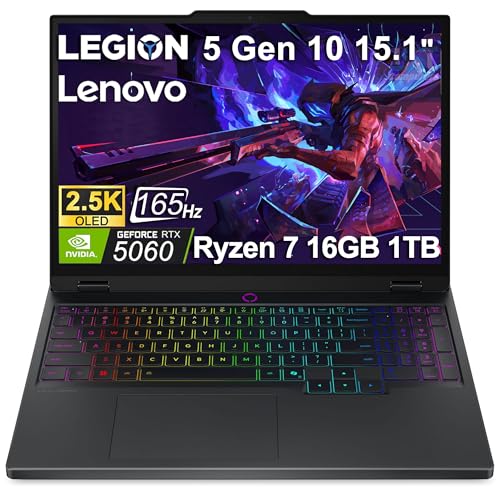
The Legion 5 Gen 10 is the one laptop here whose Amazon listing answers the TDP question directly: its graphics line states a boost clock of 2497 MHz, a TGP of 115 W, and 572 AI TOPS. That makes it the reference point for this guide and the easiest recommendation for buyers who refuse to guess. The rest of the package is strong too, with a Ryzen 7 260, a 15.1-inch 2.5K OLED G-SYNC 165 Hz display, and Wi-Fi 7, so the confirmed wattage sits inside a well-rounded performance design.
Specs
- AMD Ryzen 7 260
- RTX 5060, 8GB GDDR7
- Graphics line states Boost Clock 2497 MHz, TGP 115 W, 572 AI TOPS
- 16GB DDR5
- 1TB SSD
- 15.1-inch 2.5K OLED G-SYNC 165 Hz display
- Wi-Fi 7
Best for: Buyers who want the GPU wattage stated on the listing itself, with no spec-page digging.
Watch out for: The 115 W figure is this model’s configuration, not a property of every RTX 5060 laptop, so do not generalise it to other machines.
ASIN: B0FPFP4T1R
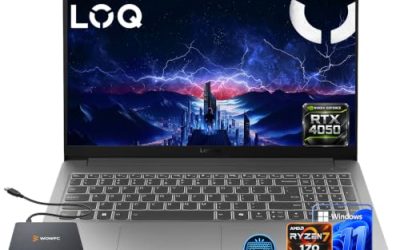
Lenovo LOQ 15.6-inch (2025)
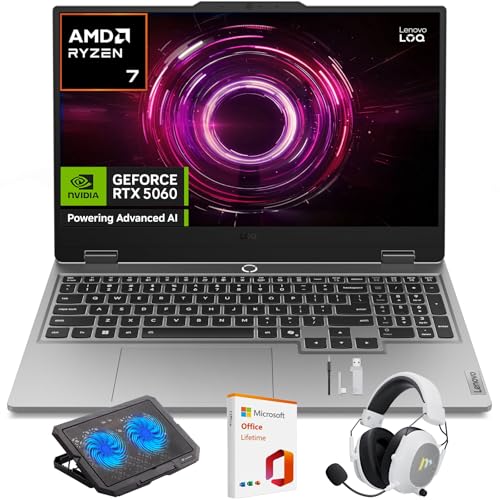
The LOQ is Lenovo’s value line, and this 2025 model pairs a Ryzen 7 250 with the RTX 5060, 16GB of RAM, a 512GB SSD, and a 15.6-inch FHD 144 Hz display. It fits buyers who want the newer GPU generation in a straightforward everyday gaming laptop and are comfortable with a mid-range supporting spec. Its listing states no GPU wattage, and because it is a seller bundle listing, the exact configuration deserves a careful read on the page before ordering, including which components the bundle actually includes.
Specs
- AMD Ryzen 7 250
- RTX 5060
- 16GB RAM
- 512GB SSD
- 15.6-inch FHD 144 Hz display
- Wi-Fi 6
- GPU wattage not stated on the listing
Best for: Value-focused buyers who want an RTX 5060 in Lenovo’s LOQ line.
Watch out for: This is a seller bundle listing, so confirm the exact configuration on the page; the wattage is not stated.
ASIN: B0GLN1C5PD
HP Victus 15
The Victus 15 stands out in this group for memory and storage headroom, shipping with 32GB of DDR5 and a 1TB SSD alongside its Ryzen AI 7 350 and RTX 5060. That suits buyers who keep many applications open, run creative tools beside their games, or simply dislike upgrading a new laptop immediately. Like most listings here, it states no GPU wattage, and Victus-class designs typically run their chips conservatively as a class observation, so expectations should be set by the maker’s documentation rather than by the GPU name alone.
Specs
- AMD Ryzen AI 7 350
- RTX 5060
- 32GB DDR5
- 1TB SSD
- 15.6-inch FHD 144 Hz display
- GPU wattage not stated on the listing
Best for: Buyers who prioritise 32GB of RAM and a 1TB SSD in an RTX 5060 laptop.
Watch out for: This is a seller bundle listing, so confirm the configuration on the page; the wattage is not stated, and Victus-class designs typically run the chip conservatively.
ASIN: B0G1N8R9Z4
Which One Fits Your Situation
Choosing Between Two 5060 Laptops and Wanting the Faster One
Start from configuration, not the GPU badge. The Legion 5 Gen 10 is the only pick with its wattage printed on the listing, at the top of the advertised range, so it is the safest fast choice. For the Strix G16 or Katana 15 HX, pull the TGP from the maker’s spec page first; the higher base configuration generally wins in GPU-bound games.
Shopping Thin and Light and Accepting the Low End
If portability comes first, accept that slim designs run this chip toward the lower part of its range and choose on weight, screen, and battery-friendly features instead. None of the five here is an ultraportable, but the 15.6-inch LOQ and Victus 15 are the more everyday shapes in this group. Read their listings carefully, confirm the configuration, and expect moderate rather than maximum GPU clocks.
Wanting the Wattage Confirmed Before Paying
Buy the Legion 5 Gen 10. Its Amazon graphics line states the boost clock, the 115 W TGP, and the AI TOPS figure, so the number is on the record before money changes hands. Every other laptop in this guide requires a trip to the maker’s spec page, and if a maker’s page will not confirm a figure for the exact model number, treat that silence as your answer and move on.
Comparing a 5060 Laptop Against the Desktop Card
Keep the two products separate in your head. The desktop RTX 5060 is a fixed 145 W card with desktop cooling and power delivery, while the laptop chip is configurable from 45 to 100 watts plus boost, inside a chassis that shares one thermal budget with the CPU. A top-configured laptop like the Legion gets closest, but matching names never meant matching hardware in this generation.
Common Mistakes
- Assuming every RTX 5060 laptop performs the same because the GPU name matches, when the configured wattage can differ by more than double.
- Reading an advertised 115 W total as sustained power, when up to 25 W of it is conditional Dynamic Boost borrowed from the CPU budget.
- Copying a wattage figure from a review of a different chassis or model year onto the exact unit being sold.
- Trusting an Amazon listing to state the TGP, when most listings omit it entirely and only the maker’s spec page publishes it.
- Judging a laptop by wattage alone while ignoring the CPU, memory configuration, and display that share the workload.
Frequently Asked Questions
What is the TDP of the RTX 5060 laptop GPU?
There is no single figure. NVIDIA allows makers to configure the chip from 45 to 100 watts of GPU subsystem power, and Dynamic Boost can add up to 25 watts more when the CPU has spare budget. Advertised totals therefore commonly run from 55 to 115 watts depending on the model.
Why do two RTX 5060 laptops benchmark differently?
Because the GPU name only identifies the chip, not its power configuration. A laptop running the chip near the top of its range sustains higher clock speeds than one configured near 45 watts, and cooling quality widens or narrows that gap further during long gaming sessions.
Where can I find my laptop model’s real TGP?
On the maker’s own specification page or spec sheet for the exact model number, not on the Amazon listing. ASUS, MSI, Lenovo, and HP all publish full specifications on their websites. Search the complete model code rather than the product family name, since configurations differ within a family.
Is the laptop RTX 5060 the same as the desktop RTX 5060?
No. The desktop card is a fixed 145 W part designed for a desktop power supply and cooler. The laptop version is configurable across a wide range, shares a thermal and power budget with the CPU, and uses laptop memory and chassis constraints, so performance is not directly comparable.
FAQ
What is the TDP of the RTX 5060 laptop GPU?
Why do two RTX 5060 laptops benchmark differently?
Where can I find my laptop model’s real TGP?
Is the laptop RTX 5060 the same as the desktop RTX 5060?
More from Amazon
Programs that pair well with the guide above. Offers and eligibility are set by Amazon and may change.
Free shipping on eligible items, Prime Video and more. Eligible new members can start with a free trial.
Start a Prime free trialAd-free music streaming. Eligible new subscribers can start with a free trial.
Try Music Unlimited freeA Prime membership for ages 18-24 with a trial period. Eligibility is set by Amazon.
See Prime for Young AdultsAudiobooks and podcasts to listen to on the go. Eligible new members can start with a free trial.
Try Audible freeAs an Amazon Associate we earn from qualifying purchases.