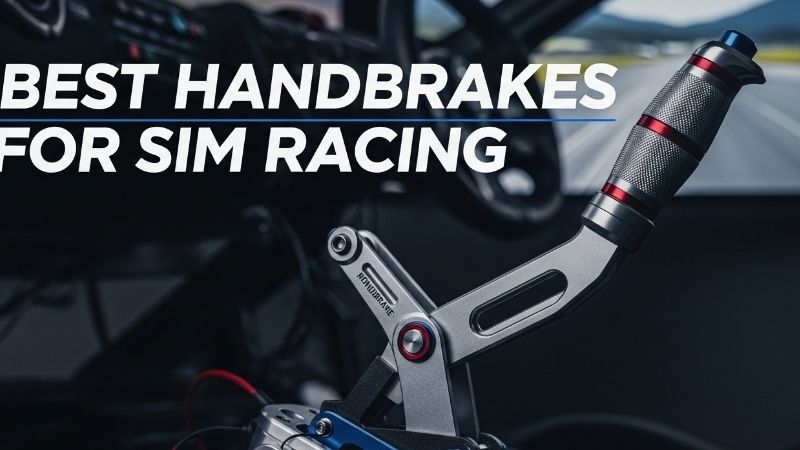
The best handbrakes for rally simulators are analog levers that let you meter rear-wheel lockup through a tight hairpin, not simple on/off switches. The SIMAGIC TB-Neo is our most versatile PC pick for drivers who want a 100 kg-rated load-cell design, adjustable travel and resistance, and programmable response curves. For a less expensive PC setup, the MOZA HBP offers a 15-bit contactless position sensor at a clearly listed US price. Console shoppers face a different decision: the Fanatec ClubSport Handbrake V2, Logitech G RS Shifter & Handbrake, or Thrustmaster TSS Handbrake Sparco Mod+ may be preferable within a compatible wheel ecosystem. A USB cable alone does not establish PlayStation or Xbox support.
Quick verdict: our rally handbrake picks
Best overall for configurable PC rally use: SIMAGIC TB-Neo. Its standard configuration uses a 100 kg-rated load cell with 12-bit resolution, and the manufacturer documents settings for travel, resistance, linearity and dead zone. The USB-C/PC route is straightforward, but the expansion connections and optional hydraulic or haptic parts should not be mistaken for included features.
Best budget PC value: MOZA HBP. It uses a 15-bit noncontact position sensor and has adjustable spring resistance and lever orientation. At $99 on the MOZA US store during research, it gives first-time rally and drifting drivers an identifiable product and a direct PC USB connection. It is not a force-measuring load-cell handbrake, and MOZA does not promise native console support from its USB connection.
Best Fanatec ecosystem fit: ClubSport Handbrake V2. Best Logitech combo: RS Shifter & Handbrake. Best for strong PC load-cell feedback: Sim-Lab XB1. Best proven metal adjustable alternative: SIMAGIC TB-1. Best Thrustmaster dual-mode solution: TSS Handbrake Sparco Mod+. Each becomes the best only under the matching hardware, mount, and game conditions.
Comparison of real sim-racing handbrakes
| Handbrake | Verified sensing or mode | Connection / platform caveat | US price observation, checked Oct. 29, 2026 | Stock / buying note |
|---|---|---|---|---|
| SIMAGIC TB-Neo | Standard 100 kg load cell; 12-bit; configurable response | PC USB-C; compatible SIMAGIC bases use model-specific connectors | SIMAGIC launch / Apex Sim Racing US: $139 | US retailer showed add-to-cart; reconfirm checkout |
| MOZA HBP | 15-bit noncontact angle/position sensor | PC USB; do not assume native console USB support | MOZA Racing US: $99 | US store showed add-to-cart; dispatch estimate varies |
| Fanatec ClubSport Handbrake V2 | Load-cell handbrake; adjustable travel/preload | RJ12 to supported Fanatec base/pedals; separate USB adapter for standalone PC | Price not independently verified on a current US checkout | Confirm exact bundle/adapter stock |
| Logitech G RS Shifter & Handbrake | Analog handbrake plus switchable sequential shift | PC and supported Logitech G/PRO console ecosystems; verify adapter path | Logitech G US: $169.99 | US page indicated in stock; verify checkout |
| Sim-Lab XB1 | 150 kg load cell; adjustable preload/damper | Standalone PC USB; firm cockpit mount recommended | Sim-Lab US: $219 | Sim-Lab page showed sold-out; verify authorized dealer |
| SIMAGIC TB-1 | 100 kg load cell; two-stage resistance | PC USB-C or compatible SIMAGIC base | SIMAGIC main store: $139 sale displayed | US distributor showed out of stock; verify |
| Thrustmaster TSS Handbrake Sparco Mod+ | Magnetic analog handbrake; optional sequential mode | PC USB; supported console wheels require Thrustmaster DIN connection | Price not verified on current US checkout | Confirm model, seller, wheel pairing |
Seller states and displayed prices can change without notice. A manufacturer’s load-cell capacity is a sensor-design specification, not the hand force a user must apply to reach 100% in a game. Taxes, shipping, clamps, and USB adapters can change the real purchase cost.
SIMAGIC TB-Neo — best configurable PC rally handbrake
Force measurement plus tunable travel
The TB-Neo stands out because it combines a standard 100 kg-rated load cell, 12-bit sensing, a configurable spring/elastomer system, and multiple grip positions rather than forcing every driver into one fixed feel. SIMAGIC documents adjustments for travel, resistance, position, linearity, and dead zones through SimPro Manager. For a rally driver, these options matter more than a raw sensor number: you can create a smoother onset for small corrections on gravel and a firmer endpoint for decisive hairpin turns, while preserving an analog input rather than a binary button.
SIMAGIC provides USB-C connection to PC and specific connections to compatible SIMAGIC wheel bases, with RJ45 used for Alpha EVO CANFD connections as documented for that ecosystem. That connectivity should not be rewritten as universal console compatibility. On PC, the game’s ability to recognize an independent analog handbrake axis still matters; some titles support the device directly, while others have limited binding options. Test in the manufacturer’s utility and then the exact title you play.
Upgrade appeal and ownership trade-offs
The TB-Neo is also designed as a modular platform: SIMAGIC lists optional haptic reactors and hydraulic modules. Those are separate products and may require their own power or installation steps; buying the base TB-Neo does not give you hydraulic operation. This creates a viable growth path for a PC rig, but it is only good value if you will use the tuning. A simple plug-and-pull driver may be happier with the cheaper MOZA HBP. Mounting still needs a rigid plate, correct bolts, and clear hand travel; a handbrake with a good load cell bolted to a flexing desk bracket will feel inconsistent.
Pros: Well-documented sensor and tuning, several lever angles, PC connectivity, optional upgrades. Cons: More setup decisions, not native universal console support, upgrades add cost, and actual game behavior must be tested. Best for: PC rally and drift enthusiasts who want to alter force curve and physical feel as their driving style evolves. SIMAGIC’s TB-1 is an alternative with a simpler established two-stage feel; the MOZA is better for a budget-first driver.
MOZA HBP — best value for a first rally rig
A position-sensor handbrake that makes sense
MOZA states that the HBP uses a 15-bit contactless position sensor, an aluminum structure, replaceable springs for resistance and travel adjustments, and a lever that can be installed vertically or horizontally. It connects to a PC over USB. Position sensing means that the input changes according to lever movement, while a load cell measures force. Neither method automatically makes the car rotate faster: the driver’s control and the game’s response curve matter more than the label. The HBP’s main attraction is that it is a clearly defined, adjustable device without the cost of a premium load-cell or hydraulic lever.
Independent reviewers, including Sim Race Reviews, have praised the HBP’s design and value while reporting a relatively linear feel and limitations around side mounting. That is useful context for a buyer choosing between a casual desk setup and a dedicated profile chassis. MOZA lists optional side-mount hardware rather than including every possible bracket, and the exact way you plan to position the lever should be checked before purchase. The official US store displayed $99 and a purchase control during research, though final dispatch information must be confirmed at checkout.
The most important downside
For a sim racer accustomed to a progressive hydraulic-style handbrake, the HBP’s position-based input can feel less force-oriented. That does not make it imprecise, but it changes the muscle-memory cue. A vertical lever high beside a steering wheel may be easy to pull, yet that location magnifies flex in a weak shifter plate. A desk clamp can work only if its design supports the unit and the desk surface, not simply because the HBP weighs less than other options.
Pros: Lower listed US price, adjustable sensor-based operation, all-metal body, vertical/horizontal arrangement. Cons: Position rather than force measurement, mounting accessories may cost extra, and native console USB compatibility is not established. Best for: A PC player adding analog handbrake control to a MOZA or mixed-brand rig without paying for features they may never tune. It is the value reference against which more expensive options should justify themselves.
Fanatec ClubSport Handbrake V2 — best inside Fanatec rigs
The connection path is the selling point
The ClubSport Handbrake V2 uses load-cell input and offers changes to preload, lever angle, and lever travel. Fanatec documents connection by the included RJ12 cable to supported Fanatec wheel bases or certain Fanatec pedal sets. For a separate USB connection on PC, its ClubSport USB Adapter is needed; do not assume that an RJ12 cable is a normal USB input. Fanatec also publishes console compatibility conditions tied to supported wheel bases and Xbox-compatible wheels. This is a controlled ecosystem route, not an assertion that the handbrake plugs directly into any PlayStation or Xbox USB port.
Why might it be preferable to a cheaper universal PC option? If you already use a supported Fanatec base on console, remaining inside the ecosystem can be the straightforward way to present handbrake input to a compatible racing game. You avoid relying on an unlicensed USB peripheral that a console may ignore. The benefit depends on both the wheel-base/steering-wheel combination and game support. Fanatec’s own material warns that some older belt-drive bases have analog calibration limitations, so checking the current compatibility chart is an essential pre-purchase step, not a minor footnote.
Mounting and buying costs
The V2 has multiple mounting positions and can share mounting arrangements with Fanatec’s ClubSport Shifter SQ V1.5. That can free space on the side of a cockpit, but the shifter plus handbrake assembly must still be supported by a sufficiently rigid bracket. Make sure you know which configuration you are ordering: bare handbrake versus a retailer bundle with USB Adapter. We did not verify a single current US checkout price for all such variants and therefore do not use a guessed dollar number to rank it.
Pros: Load cell with physical adjustments, documented Fanatec RJ12 routing, useful console ecosystem option. Cons: PC standalone use needs the correct USB adapter, console compatibility is conditional, and older base behavior requires special attention. Best for: A Fanatec owner who needs predictable accessory integration and prefers fewer mixed-brand connections. A PC-only buyer without other Fanatec hardware may find the SIMAGIC or MOZA alternative simpler.
Logitech G RS Shifter & Handbrake — best two-function design
One lever, two operating modes
Logitech G’s RS unit switches between an analog handbrake and a sequential shifter without tools. The manufacturer specifies a 20-degree handbrake movement range and a dual-stage spring mechanism; its design also allows handle height adjustment. A table clamp is included, distinguishing it from products whose desk mounting is an additional purchase. For rally games, the practical benefit is flexibility: you can use the device as a pull handbrake in one game and as a sequential shifter in another without buying two separate units.
The unavoidable limitation is that it cannot serve as two independent controls at the same time unless you have two devices. In a rally car where you want to make a sequential gear change and pull the handbrake in quick succession, a shared-mode lever changes how you drive. Logitech explicitly offers the possibility of using two units for dedicated functions. That doubles the space and can change the cost analysis versus buying a separate handbrake and shifter from another brand.
Connection and compact-rig considerations
Logitech markets the product for its compatible G and PRO racing ecosystem and provides specific pathways through its racing adapters. That is not identical to unrestricted console support with a third-party wheel. On PC, verify the intended connection and software combination. The included clamp can make it attractive for an apartment desk setup, but check desk edge thickness, clearance below the top, and how the handle travels relative to the keyboard or seat. The US Logitech product page showed a regular $169.99 amount and an in-stock state during research; a separate cached promotional page carried an expired September date, which we did not treat as a current promotion.
Pros: Two real functions, tool-free switching, included clamp, tunable handle position. Cons: One device cannot be both shifter and handbrake simultaneously, ecosystem-dependent console paths, and not a load-cell force sensor. Best for: A Logitech racer with limited mounting space who alternates between disciplines. A dedicated MOZA or SIMAGIC lever is better if you want simultaneous independent shifting and braking.
Sim-Lab XB1 — best for a dedicated PC chassis
Load-cell control on a solid rig
Sim-Lab specifies a 150 kg load-cell design, an all-aluminum body, adjustable preload, and a two-stage damping system. The company describes a physical resistance progression that can mimic the initial movement and later loading of a motorsport handbrake. The relevant distinction from the MOZA HBP is the force signal, not an assertion that its 150 kg figure should be equated with the force at your hand. More sensor capacity does not mean better cornering by itself, and the user should choose a spring/damper setup that remains comfortable and repeatable.
The XB1 is intended for PC racing simulations over its USB connection. Sim-Lab offers optional software for calibrating an input curve, but the handbrake can also function as a plug-and-play input in suitable PC software. Its full-metal structure is most valuable when attached to a sturdy aluminum-profile cockpit. On a lightweight shifter arm, the load you put into the XB1 can make the mount move first, undermining the reason to buy it.
Availability and value warning
The US Sim-Lab page displayed a $219 price but also a sold-out indication during research; an authorized US reseller separately listed the product at $219 with an add-to-cart control. That is not enough to declare the manufacturer’s store inventory in stock. Verify seller identity, shipping time, and return terms. Sim-Lab lists a three-year product warranty, a meaningful factor for a premium component provided the terms apply to the seller and region.
Pros: Force-measuring design, adjustable two-stage feel, aluminum construction, PC software option, published warranty. Cons: Strong mounting surface required, more expensive than entry products, US seller status varied. Best for: A PC racer with a fixed cockpit who prefers precise, pressure-driven analog control and can mount it correctly. For an apartment rig that folds each day, its mounting and pull forces may be an unnecessary complication.
SIMAGIC TB-1 — best established two-stage load-cell alternative
Traditional adjustability at a competitive price
The TB-1 is an older but still listed SIMAGIC design with a 100 kg load-cell sensor, CNC aluminum-alloy construction, and an adjustable two-stage resistance mechanism. SIMAGIC documents interchangeable damping compounds, a street/track lever mode, USB-C connection to PC, and support for compatible SIMAGIC bases. The handbrake can be mounted vertically or horizontally; a special side-mount L-bracket is optional. These are concrete reasons to consider it if you dislike a simple travel sensor and want something more mechanical without moving to a costly hydraulic device.
The TB-1 differs from the TB-Neo in workflow and expansion. The TB-Neo has a newer, more extensive official ecosystem of elastomers, curve settings, and optional haptic/hydraulic modules; the TB-1 is attractive as a known traditional load-cell unit with a more direct physical adjustment scheme. Neither unit gets native console support from a USB-C socket, and buyers should verify that their PC game’s handbrake axis mapping works as intended.
Stock and revision caution
SIMAGIC’s main store displayed a $139 discounted TB-1 listing, but one US distributor in Florida explicitly labeled its TB-1 product out of stock. Check the intended seller and exact SKU, rather than assuming that one global price tag establishes local US availability. Avoid adding old accessories to a current order unless the TB-1 mounting documentation confirms the fit. Its handle is removable, but third-party grips can alter the leverage and clearance around the shifter.
Pros: Load-cell measurement, metal structure, tunable two-stage resistance, flexible orientation. Cons: Confusing retailer availability, optional mounting bracket, and less modular expansion than TB-Neo. Best for: A PC driver who finds an authorized in-stock TB-1 and wants an established load-cell feel rather than the newest accessory system. If both have similar pricing and confirmed stock, the TB-Neo’s documented tuning breadth makes it the more flexible recommendation.
Thrustmaster TSS Handbrake Sparco Mod+ — best dual-mode Thrustmaster choice
A distinctive magnetic-sensor alternative
Thrustmaster’s Sparco-licensed TSS Handbrake Mod+ is built around the company’s contactless H.E.A.R.T magnetic sensing and can operate as a progressive handbrake or a sequential shifter. It provides vertical and horizontal lever configurations and uses substantial metal construction. The two-function concept overlaps the Logitech RS, but the TSS is especially interesting to an established Thrustmaster owner because the company documents wheel-base connections for supported consoles and direct USB use on PC.
On a PC, Thrustmaster recommends connecting the TSS directly to the computer via its DIN-to-USB cable for full handbrake operation, not routing it through a compatible wheel base if the connection could restrict the available mode. For supported consoles, the manufacturer’s guidance specifically requires the compatible Thrustmaster wheel base and the DIN-to-mini-DIN connection; do not plug the USB cable directly into the console and expect it to work. Additionally, some game/base combinations support sequential mode but not the progressive handbrake axis. Consult the up-to-date game list and connection checker for the exact base and title.
The realistic cost of using it
Thrustmaster offers a TM Racing Clamp separately for desk installation. At a typical rally lever height, a clamp and desk edge must handle sudden pulling loads without moving. The unit itself is physically taller and heavier than the MOZA HBP; check the vertical clearance under a monitor arm or beside a chair. We did not find a reliable current US seller price for the exact Mod+ SKU and do not state a number from unrelated base bundles or reseller pages as its price.
Pros: Two modes, magnetic sensing, established Thrustmaster ecosystem integration, PC USB route. Cons: More complicated console/game matrix, optional clamp, substantial size and cost, only one mode in use at a time. Best for: A Thrustmaster owner who specifically needs a wheel-base-mediated console handbrake or a Sparco-style rally lever and has checked game compatibility.
How we selected the handbrakes
We compared official specifications for sensor type, mounting holes, physical lever adjustments, cable routes, console requirements, software behavior, and published US buying information. We cross-checked independently written commentary about the MOZA HBP, Fanatec V2 and Sim-Lab XB1, including reviewer disclosure when hardware was supplied by a manufacturer. Our recommendations are research-based; we did not personally test these seven products or measure lever forces and latency. A maker’s 12-bit or 15-bit sensor specification is not an independent accuracy or lap-time benchmark.
We excluded generic ’64-bit USB handbrake’ listings whose model identity or support chain was unclear and did not classify a digital button as an analog progressive handbrake. The list also separates stand-alone PC USB devices from console-compatible combinations, since those are genuinely different buying jobs. An expensive hydraulic mechanism can be compelling on a fixed PC rig, but hydraulic wording alone is not a reason to rank a product over documented mounting, input mapping, and reliability.
Buying guide: choose the right signal and installation
Load cell versus position sensor
A position sensor reports lever travel; a load cell reports applied force. Both can produce an analog input that a supported PC game maps to handbrake pressure. A force-measuring unit may help a player repeat the same pull by muscle memory, while a travel sensor can be intuitive for beginners who learn a consistent movement distance. Physical springs and elastomers also determine how the pull feels, independent of the signal type. Do not assume that higher bit depth guarantees better feedback or that a higher maximum sensor capacity automatically yields better rally stage times.
Make the mount strong before making the lever stronger
A tall rally handbrake places considerable leverage on the mounting arm. A budget wheel stand’s side shifter bracket might be fine for changing gears but bend under an abrupt handbrake pull. Check the product’s mounting diagram and bolt pattern, the available plate surface, and whether a horizontal or vertical orientation clears your chair. On a desk, confirm clamp range and tabletop material. Avoid drilling a rental desk or floor without permission; a clamp or removable rig mounting is normally the more sensible apartment solution.
Treat PC and console as different wiring problems
On Windows PC, most of these handbrakes can operate as separate USB input devices if the game supports a stand-alone handbrake axis; the wheel and pedals may be from different manufacturers. Console racing is more constrained: Fanatec’s V2 uses supported RJ12 connections and the platform-compatible wheel ecosystem; Thrustmaster’s TSS uses compatible base connections; Logitech’s RS requires its specified wheel/adapter route. A general USB port on a console is not a substitute for those compatibility requirements. Check the exact console generation, wheel base, steering wheel if applicable, and game.
Confirm the game allows progressive binding
A handbrake can appear correctly in controller software and still do nothing in a game that lacks independent analog handbrake support. On PC, open the game’s control binding area, select the handbrake axis, and pull the lever through its range. Check whether the input behaves as an axis or a digital switch; if the game provides a dead zone, set it just large enough to avoid unintended activation. Begin with a mostly linear curve so you can learn the lever, then adjust only if the current response makes modulation difficult.
Budget for adapters, clamps, and shipping
The handbrake’s storefront price may not include a compatible desk clamp, optional side plate, standalone USB adapter, or shipping. The Fanatec ClubSport USB Adapter is a particularly important separate expense for PC users without a supported base/pedal connection. The Logitech RS includes a clamp, while some other products require one. Decide whether you will eventually add a sequential shifter: a combo device may save space, but simultaneous independent functions require another unit. Return fees can also matter for dense metal components shipped long distance.
What you need to install and calibrate
Bring the handbrake’s exact model manual, a secure mounting plate or supported clamp, correctly sized bolts, the specified USB or ecosystem cable, and the game’s controller-binding instructions. Mount the base so it does not rotate under a moderate pull, leave space for the complete handle travel, and secure cables away from the pivot. On PC, connect through the documented port and open the manufacturer’s control utility or Windows game-controller interface where applicable. Verify a smooth axis from released to full pull with no sticking or unexpected activation. In the game, bind the handbrake, test a slow hairpin, and adjust the response curve modestly. For console use, check the wheel-base compatibility matrix before connecting anything and follow its firmware guidance.
FAQ
Is an analog handbrake better than a button for rally?
It can be, when the game supports progressive input. An analog lever gives a continuum between released and fully engaged, which can help you manage rotation. A button triggers a binary action. Driver skill, car tuning, game physics, and calibration still determine results; a pricey analog handbrake is not a guaranteed shortcut.
Can I plug a MOZA or SIMAGIC USB handbrake into PS5 or Xbox?
Do not assume so. Their documented USB routes are intended for PC, and a console may not enumerate an independent third-party controller as a supported handbrake. For console gaming, choose a verified accessory path through the compatible Logitech, Fanatec, or Thrustmaster wheel ecosystem and check your actual game. Compatibility must be established for the full combination, not just the accessory’s brand name.
Do I need a load-cell handbrake for rally simulators?
No. The MOZA HBP’s position sensor provides progressive analog control at a lower entry price. Load cells such as those in the SIMAGIC TB-Neo or Sim-Lab XB1 emphasize force-based repeatability and physical tuning, but your mounting rigidity and calibration may have a larger immediate effect than sensor choice.
Can a combo shifter/handbrake do both jobs at once?
Not with one lever when the product switches modes. Logitech explicitly notes that two RS Shifter & Handbrake devices can provide dedicated sequential and handbrake functions. Thrustmaster’s TSS likewise offers separate operating modes. If you use both controls in the same rally stage, plan for independent hardware or another compatible shift control.
Why does my handbrake work in Windows but not in the game?
Check whether the title supports a separate analog axis, whether the intended handbrake control is bound, and whether conflicting assignments are present. Calibrate the device using manufacturer tools, then test the complete range in the game. Some console titles expose only certain functions with specific supported wheel bases. Do not start by installing unrelated drivers or flashing firmware from a third-party download.
Can I use a high-force handbrake on a folding cockpit?
Only if the cockpit’s included or approved bracket is sufficiently rigid and the handbrake’s mounting pattern fits. A stiff load-cell or hydraulic lever can move the bracket or entire chair before the game reaches the desired signal. Start with a lower resistance setting and inspect bolts and frame locks. If the bracket flexes excessively, change the mount or use a more suitable cockpit instead of increasing force.
Final thoughts
For a configurable PC rally rig, SIMAGIC TB-Neo gives the strongest combination of documented force sensing, adjustment and future options at its listed $139 starting price. The MOZA HBP is the smarter first purchase for many players who want a reliable analog handbrake without chasing premium sensor claims. Choose Fanatec V2, Logitech RS, or Thrustmaster TSS when your supported console wheel ecosystem makes the connection path the deciding factor. The Sim-Lab XB1 and SIMAGIC TB-1 reward PC drivers who already have a solid mount and prefer force-based feel. Before purchasing any lever, verify your game input, exact connection route, mounting plate, and current US checkout status.