Key takeaways
- Advantages: 60W included adapter; USB-A and USB-C host options; seven usable USB data ports
- Limitations: no independent power button for each controller; shared upstream host connection; costlier than the USB3-HUB7C
The best USB hubs for flight simulators are powered data hubs that keep a yoke, throttle, rudder pedals, trim wheel, and button panels connected to one Windows PC without relying solely on a motherboard port for bus power. Our all-around recommendation is the Plugable USBC-HUB7BC for its seven data-capable USB-A ports, included 60W adapter, and USB-A/USB-C host connection. A USB hub does not make an unsupported controller compatible with a game, and it cannot fix every USB controller or driver issue. Start with your exact device list and the total number of data ports.
Quick verdict: which powered hub fits your flight rig?
For most home cockpits, Plugable USBC-HUB7BC offers a useful combination of enough downstream data ports, substantial adapter capacity, and convenient connection to either modern or older PCs. The lower-cost USB3-HUB7C is easier to justify when the computer already has USB-A and the connected peripherals have modest electrical demands. TP-Link UH720 is worth considering if you also want dedicated device-charging sockets, but those sockets are not additional USB controller data ports.
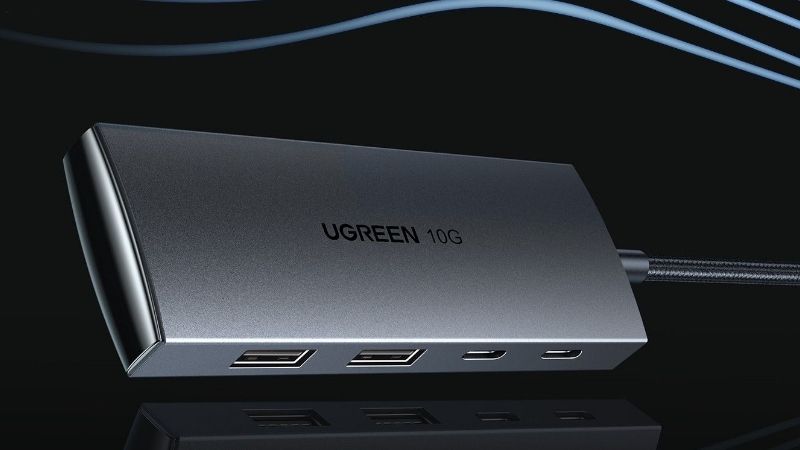
Move to the StarTech ST7300U3M when a metal chassis and anchored placement matter more than convenient switches. Choose the larger HB30A10AME only for a more permanent cockpit with many independently enumerating accessories. None of these picks promises zero latency, compatibility with every simulator, or a special flight-sim driver: they are standard USB hubs that must still work with the controller and operating-system stack.
Comparison table: data ports, external power, and real drawbacks
| Product | Key manufacturer-listed spec | Best use and host | US price or verification | Main limitation |
|---|---|---|---|---|
| Plugable USB3-HUB7C | 7 USB-A data ports; 36W adapter; BC 1.2 on ports 1 and 7 | Windows PC with USB-A or suitable USB-C host cable | $39.95, Plugable US listing | No per-port power isolation |
| Plugable USBC-HUB7BC | 7 USB-A data ports; 60W adapter; USB-A / USB-C host lead | Desktop or USB-C laptop flight rig | $54.95, Plugable US listing | Higher cost; all ports share host link |
| TP-Link UH720 | 7 data ports plus 2 dedicated charging ports; 12V 3.3A adapter | USB-A Windows desktop with controllers and phones | Price not verified (US) | Charging-only ports do not enumerate sticks |
| StarTech ST7300U3M | 7 USB-A data ports; metal enclosure; AC adapter included | Fixed desk/rig needing durable placement | Price not verified (US) | Industrial design without individual switches |
| StarTech HB30A10AME | 10 USB-A 5Gbps data ports; metal; adapter included | Many controller panels and under-desk mounting | Price not verified (US) | Price and size are overkill for 3 peripherals |
Prices are listing snapshots or unverified, not guaranteed checkout totals. Manufacturer documentation establishes the port configurations, but retailer stock varies with exact SKU and region. A separate charging port is not counted as a flight-controller data connection. Check seller inventory, applicable taxes and shipping, and the adapter included in the specific box before ordering.
How we selected these USB hubs
We prioritized identifiable current product SKUs with manufacturer documentation for downstream USB data-port count, included external power, and host-cable configuration. A hub that offers nine physical sockets but only seven data ports should be compared as a seven-device controller hub, not a nine-device controller hub. We also distinguished standard 5Gbps USB 3.x signaling from the much lower bandwidth typically needed by human-interface devices; advertised 5Gbps is a shared upstream capability, not an individual guarantee for each connected flight peripheral.
We checked published specifications and US seller pages rather than claiming laboratory enumeration, oscilloscope timing, jitter measurements, or hands-on cockpit testing. Reported problems from the sim community—devices failing after sleep, hot-plug reordering, overly long cables, and per-port power instability—inform the practical checks below, but they do not prove a particular model will fail. Compatibility is determined by the specific yoke, throttle, pedals, USB controller, software, and cable chain.
Our picks for flight simulator USB hubs
Plugable USBC-HUB7BC — best overall for a changing PC setup
Seven front-facing USB-A data connections simplify a mixed cockpit with a yoke, two throttle components, pedals, radio panel, and several button boxes. Plugable includes a 60W power adapter and a host cable that can attach to either USB-A or USB-C computers. That flexibility is the actual reason to pay over the value model; USB-C on the computer side is not an extra downstream data port.
A practical layout is to keep frequently handled stick and throttle leads on adjacent numbered positions, connect the upstream cable to a stable motherboard port, and route the hub’s adapter away from pedal movement. The 5Gbps USB 3.0 data rate does not deliver a measurable simulation advantage by itself. The power supply reduces dependence on bus power when several controller devices light up simultaneously.
The seven ports remain downstream of one upstream connection, so a hub is not an alternative to spreading a troublesome high-demand device across separate host controllers. Plugable warns that certain legacy USB 3.0 controllers can be problematic. If a particular flight control disconnects, test it directly on the PC rather than immediately blaming the game or assuming a defective hub.
- Advantages: 60W included adapter; USB-A and USB-C host options; seven usable USB data ports
- Limitations: no independent power button for each controller; shared upstream host connection; costlier than the USB3-HUB7C
Before buying: Verify that the host connector and included cable work with your PC, and check the current US direct price of $54.95, seller availability, and cable length in the exact order.
Plugable USB3-HUB7C — best budget powered hub
This seven-port unit costs less while retaining the practical feature most flight rigs need: external power for a bank of USB-A data devices. The 36W adapter, five standard data/charging outputs, and two edge ports offering BC 1.2 power on supported devices are listed by Plugable. Its physical rear switch turns the hub on or off as a whole; it does not provide selective device resets for each USB port.
Consider it for a mid-size rig where the PC sits nearby and the yoke, throttle, trim wheel, and rudder pedals are all on USB-A leads. There is no benefit in buying a premium display dock if the actual job is to enumerate five to seven ordinary HID devices. The clear port-status LEDs help identify which connectors are active when a panel mysteriously disappears from Windows.
The cost of this simpler design is reduced flexibility when you move between USB-C-only laptops and desktop towers. The product page mentions updated host-cable options, while the technical box list also describes an A-to-B cable; inspect the sold package rather than assuming every store bundle ships identical host plugs. The official $39.95 figure is a snapshot, not a promise of the final price.
- Advantages: published 36W included adapter; low US listing price; status LEDs
- Limitations: USB-A-oriented setup; only two BC 1.2 higher-current outputs; whole-hub switch rather than per-port
Before buying: Check which USB-B-to-host cable is inside the current retail carton; reserve a data port for each controller, not for charging a phone.
TP-Link UH720 — best when you also charge accessories
TP-Link specifies seven USB 3.0 data ports and two additional 5V/2.4A charging ports. That separation is helpful beside a flight simulator because a tablet running maps or a phone can charge without taking one of the controller data sockets. The supplied 12V/3.3A adapter and 1m USB 3.0 cable make this a powered desktop unit rather than a simple passive splitter.
For the typical six-device cockpit, you can leave a spare data port available for troubleshooting or temporarily adding a multifunction control panel. The main convenience comes from the way the physical connections are assigned, not any claim of special Microsoft Flight Simulator integration. Windows, macOS, and Linux support is published by TP-Link, while actual flight-control driver support remains device-specific.
Do not mistake the nine visible downstream sockets for nine enumerated joysticks. The dedicated charging sockets are intended for power delivery to mobile devices rather than the controller data channel. If you run out of usable ports because of oversized connectors, use appropriately rated short extension leads instead of stacking multiple passive extenders between the cockpit and hub.
- Advantages: seven actual USB data connections; two separate charging sockets; included external adapter
- Limitations: some buyers will miscount ports; no per-port reset controls; manufacturer does not guarantee simulator compatibility
Before buying: Confirm the US variant UH720, package adapter, and current retailer listing; avoid the related UH700 if you specifically need the charging-only sockets.
StarTech ST7300U3M — best durable seven-port enclosure
A metal, desktop- or wall-mountable body is valuable when the hub remains fixed to a rig frame or under a wooden desk. StarTech documents seven 5Gbps USB-A ports, an included 12V/3A AC adapter, and an OS-independent design that needs no hub-specific driver. The different mounting approach distinguishes it from lightweight hubs that slide under cable tension.
For a yoke mounted on a folding wheel stand or metal cockpit, position the hub where connectors are visible but protected from leg motion. Attach the unit using suitable fasteners for your surface; do not drill through a seat rail or a moving rig component. A fixed hub means USB plugs do not get pulled sideways whenever the pedals or chair move, which can matter as much as a theoretical headline bandwidth figure.
This is a utility-oriented hub, not a dramatic improvement in simulator responsiveness. You pay for its housing and mountability, and must still calculate whether seven data sockets suffice after every panel is connected. No independent on/off buttons are promised for the downstream ports, so troubleshooting may involve disconnecting one plug or cycling the full hub safely.
- Advantages: metal desktop/wall-mountable enclosure; seven real data ports; AC adapter documented
- Limitations: more utilitarian than sleek; less portable; US price and stock not verified
Before buying: Check ST7300U3M exactly; similarly named StarTech industrial units can require a separate power source and are not equivalent packages.
StarTech HB30A10AME — best for a large fixed cockpit
Ten downstream USB-A ports give a large build room for separate throttle quadrants, autopilot modules, annunciator panels, and other controllers. StarTech describes a 5Gbps USB 3.2 Gen 1 hub with a metal enclosure, mounting options, and included universal AC power adapter. This specific HB30A10AME SKU matters: the related ST1030USBM does not include the same power supply in its standard package.
The wide device count is attractive for a cockpit built around several proprietary panels, but it does not bypass USB device-address limits or eliminate conflicts caused by a bad device cable. Before you populate all ten ports, plug peripherals in sequentially and label the physical connectors. A hardware-cockpit owner benefits more from repeatable enumeration and cable strain relief than from trying to hide every cable in one bundle.
Its larger metal chassis and premium industrial orientation are excessive for a laptop and three flight controls. You also need room and a safe mounting location for the hub and power brick. StarTech provides ESD/surge-protection specifications, but those are not a substitute for proper mains protection or an excuse to connect damaged USB leads.
- Advantages: ten actual data ports; AC adapter included with this SKU; mounting-oriented metal build
- Limitations: larger installation footprint; potentially significant added cost; no guarantee every flight device works through a hub
Before buying: Cross-check the exact HB30A10AME part number and adapter at the US retailer. Do not accidentally buy the ST1030USBM variant expecting identical power-supply contents.
Buying guide: choosing a hub that will actually work in a cockpit
Count data devices, not charging sockets
Make a written inventory of your yoke, throttle, pedals, rudder trim, radio panel, switch box, webcam, and tablet. Count each item that must communicate with the PC. A seven-data-port hub is sufficient for six such devices with one free port; it is not sufficient if the seller counts dedicated charge-only ports as data. Check whether any large keyed USB-A plug physically blocks its neighbor, and allow room for short strain-relief cables.
Prefer an external power adapter for full cockpits
Many flight controls draw little power, but backlit panels, displays, and combinations of active peripherals can be more demanding. An externally powered hub has its own budget; that budget is shared and does not mean each socket can draw the full adapter rating. Do not assume that a 60W adapter translates into 60W simultaneously available to USB controllers. Use the included adapter and do not substitute an arbitrary barrel-plug supply.
Separate USB reliability from simulator support
A driver or title that will not recognize a joystick when connected directly will not become supported merely by adding a hub. Connect critical devices directly to the PC one at a time, verify them in Windows Game Controllers or the device maker’s configuration app, then relocate to the hub and repeat calibration. If input intermittently drops, consider power-management settings, driver versions, host-controller load and cable length before replacing the hub.
Think about cable route and Windows power behavior
Secure the upstream lead and power cable so neither is tugged by a moving chair, a folding stand, or foot pedals. In Windows Device Manager, identify the USB hub/controller tree when debugging, then test whether system sleep or USB selective suspend correlates with disconnects. Changing power settings should be a diagnosis, not a universal first step; retain a record of defaults so you can reverse any changes.
A realistic setup checklist before your first flight
- Connect the hub’s included adapter to an appropriate outlet, then link the hub to a PC motherboard USB port.
- Attach one controller and verify axis and button inputs in the manufacturer software or Windows controller panel.
- Connect remaining flight peripherals individually, testing each before adding another.
- Label each downstream port and use cable ties or mounts without pinching moving control cables.
- Launch your simulator, confirm control bindings, then perform a short test flight and check for disconnects after sleep or restart.
Frequently asked questions
Is USB 3.0 faster than USB 2.0 for flight stick input?
The link has greater maximum bandwidth, but most joystick and button events are tiny packets and will not use 5Gbps. Signal reliability, consistent enumeration, adequate power, and game compatibility matter more than an eye-catching speed claim. A device marketed as USB 2.0 can work through a backward-compatible USB 3.x hub.
Can I plug a yoke, throttle and pedals into one powered hub?
Usually, provided the device makers allow standard USB hub connections, the power budget suffices, and the PC enumerates every device. Verify each controller directly first. Some manufacturers recommend a motherboard connection for troubleshooting, firmware updates, or specific high-demand devices; follow that model-specific guidance.
Do I need a hub with one switch per port?
No. Per-port switches are convenient for isolating a troublesome peripheral but they are not a substitute for fixing driver or power issues. Many stable flight setups run through permanently powered multiport hubs. If per-port control is essential, seek a genuinely powered model with documented individual controls rather than assuming an overall power switch does the same job.
Do the TP-Link UH720 charging ports count as joystick ports?
No. The UH720 specifies seven data ports and two dedicated charging sockets. Put joysticks, yokes, panels and throttles in its seven USB data ports, and use the charge-only outputs for compatible mobile devices.
Should I connect a VR headset or external SSD through the same hub?
Avoid using a busy shared hub as your default path for high-bandwidth VR Link data and storage if the headset or manufacturer recommends a direct, sufficiently rated PC connection. The hub picks here target flight control devices; VR video transport is a separate bandwidth and power scenario.
What if the controls disconnect after the PC wakes up?
Test with the device connected directly to a rear motherboard port, update the manufacturer’s supported drivers, inspect the hub adapter, and reproduce the issue with one device at a time. If the behavior appears tied to Windows power management, change a setting only long enough to test, document it, and restore defaults if it does not help.
Final thoughts
For a current Windows cockpit that may move between desktop and USB-C laptop, start with the Plugable USBC-HUB7BC; its seven data ports and supplied 60W power adapter meet the most common configuration need. Save money with the Plugable USB3-HUB7C when USB-A is enough, choose TP-Link UH720 if you need separate mobile-device charging, and reserve the metal StarTech models for mounted or larger control arrays. Buy for enumerated controller count and reliable cabling—not for headline transfer speed alone.