Key takeaways
- Find the best monitors for sim racing with this November 2026 guide to ultrawide curves, refresh rates, resolution, and triple-screen rig setups for drivers.
As an Amazon Associate we earn from qualifying purchases.
Choosing a sim racing monitor means deciding how much of the track you want to see, and how faithfully the screen should translate steering, braking, and speed into a sense of motion. A narrow display hides apexes until they arrive, while a wide curved panel or a triple-screen arrangement opens up peripheral vision, lets you judge gaps beside your car, and makes braking points easier to read. The wrong choice leaves you guessing at corners, so the shape and speed of the panel matter as much as its size.
This guide is written for newcomers building a first rig around Assetto Corsa or Gran Turismo, league racers chasing consistent lap times in iRacing, console players moving from a living-room screen to a dedicated cockpit, and builders planning a triple-screen setup from the start. The monitors discussed here were shortlisted from the names and specifications shown on their Amazon product pages, focusing on screen width, curvature, refresh rate, panel type, and mounting options.
How to Choose
Screen Size and Aspect Ratio
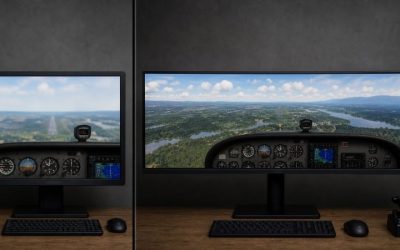
A sim racing monitor earns its place by widening your view of the circuit rather than simply making the same picture bigger. Ultrawide panels in the 34-inch class with a 21:9 shape give a useful stretch of peripheral vision without demanding a second display, while 49-inch panels with a 32:9 shape can replace a pair of screens entirely and fill the view from a cockpit. A standard 16:9 display still works for a compact desk rig, yet it shows less of the road beside you and forces earlier reliance on mirrors and spotter calls. Measure viewing distance first: a very wide panel viewed too closely pushes its edges out of sight.
Refresh Rate and Response Time
Refresh rate decides how smoothly the world slides past your car, and that smoothness helps you read speed, catch slides, and place the car on corner entry. A 144Hz panel is a sensible starting point for most sim racers, giving fluid motion that a 60Hz office display cannot match, while 165Hz and 240Hz panels add further clarity when your graphics card can sustain the frame rate. Response time matters alongside refresh rate, since slow pixel transitions smear trackside objects and braking markers into blur. Look for a quoted grey-to-grey figure in the low single milliseconds, and remember that the benefit of a faster panel only appears when the game actually delivers frames at that pace.
Panel Type and Image Quality
Panel type shapes contrast, colour, and viewing angles from a racing seat, where your eyes sit close to the centre of a curved screen. VA panels often deliver deep blacks that make night races and rain-soaked circuits look convincing, though some show smearing in dark scenes when the car moves quickly. IPS panels keep colours steady across wide angles, which helps when a curved display wraps around you, and they usually handle fast motion cleanly. OLED panels combine near-instant response with striking contrast, yet they carry a higher asking level and need care around static on-screen elements such as timing towers and dashboards. Match resolution to size, with 3440 by 1440 pixels suiting a 34-inch ultrawide.
Mounting, Ports, and Compatibility
A monitor that cannot sit at the right height and angle will fight your driving position on every lap. Check for VESA mounting holes before buying, because most racing cockpits and monitor stands expect a standard VESA pattern rather than the bundled desk stand. A 100 by 100 millimetre pattern suits lighter ultrawide screens, while heavier 49-inch panels may need a stronger arm or a dedicated triple-screen stand. Ports matter too: DisplayPort is the usual route to high refresh rates at ultrawide resolutions, while HDMI 2.1 covers console racers and newer graphics cards. Confirm that your graphics card, console, and cables all support the resolution and refresh rate you intend to run.
Which One Fits Your Situation
Your seating position decides how the monitor should sit, so set the cockpit first and the screen second. Sit in your rig with your hands on the wheel and your feet on the pedals, then check that the centre of the screen lines up with your eyes without forcing your neck up or down. A screen mounted too high makes long stints tiring, while one mounted too low pulls your gaze away from the road ahead. If you run a single ultrawide, angle it slightly toward you and sit close enough that the edges fill your peripheral vision. Triple-screen owners should match all three panels to the same height and angle, then spend a few laps checking that the horizon stays level as cars cross from one screen to the next. Small adjustments here pay off more than any graphics setting, because a comfortable view keeps your focus on braking points instead of on an aching neck.
You Are Building Your First Rig
A single 34-inch curved ultrawide is the friendliest starting point for a first rig. It fits a normal desk or a compact cockpit, shows enough of the track to learn braking points and racing lines, and avoids the alignment work of a triple-screen build. Pair it with a mid-range graphics card, a wheel base, and a sturdy seat, then upgrade later once you know whether you prefer open-wheel, GT, or rally driving.
You Race in Online Leagues
League racing rewards consistency, clear braking markers, and reliable awareness of cars alongside you. A high-refresh ultrawide with fast pixel response helps you hold a line through traffic and react to incidents ahead without the picture smearing. Choose a panel your graphics card can drive at full speed in your chosen title, and prioritise stable frame delivery over extra features you will never adjust mid-race.
You Have Limited Desk Space
A compact rig needs a monitor that delivers immersion without swallowing the room. A 34-inch ultrawide on a monitor arm tucks close to the wheel and leaves desk space for a shifter and keyboard, while a 27-inch high-refresh display suits the tightest corners. Mount the screen so its centre sits at eye level from your seat, and keep the wheel base clear of the stand.
You Want a Triple-Screen Cockpit
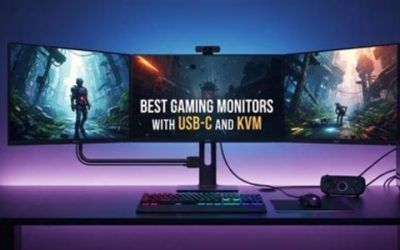
Three matched 27-inch or 32-inch displays wrapped around a cockpit give the widest natural view in sim racing. Buy three identical models so colours and bezels match, mount them on a rigid stand, and set the side angles to match your seating position. The setup needs a strong graphics card and careful calibration, yet it rewards the effort with a view that feels closest to sitting in a real car.
Common Mistakes
- Buying the widest screen without checking your graphics card. A 49-inch dual-QHD panel or a triple-screen array asks far more of a graphics card than a single 1440p display, and a card that copes happily with one may stutter badly with three. Before ordering a monitor, check the resolution and refresh rate your card can sustain in the racing titles you actually play, and remember that cockpit views, weather effects, and large grids all add load. Choosing a screen your hardware cannot feed turns an exciting upgrade into a frustrating compromise, with lowered settings and uneven frame delivery spoiling the immersion you paid for. A quick check of published specifications beats guesswork every time.
- Sitting too far from the screen or at the wrong height. A sim racing monitor works best when its centre sits roughly at eye level from your driving position and the distance matches the field of view you set in the game. Too far away and the track shrinks, braking points blur, and the sense of speed fades; too close and the edges demand constant head movement, which tires your neck over a long stint. Spend time adjusting the mount, seat, and in-game field of view together, because a well-placed modest monitor often feels better than a large panel mounted as an afterthought above or below your line of sight.
- Ignoring curvature and viewing angles when choosing a panel. A gentle 1800R or 1500R curve suits a single ultrawide viewed from a racing seat, wrapping the image around your vision without distorting the centre of the road. A sharper 1000R curve can feel dramatic on a very wide panel, yet it may bend straight track edges at the sides and annoy drivers who also use the screen for work. Flat panels avoid the issue entirely and suit triple-screen builds, where angled side screens create the wrap instead. Match curvature to your seating distance and to whether the screen must serve double duty. That balance keeps long sessions comfortable.
- Choosing refresh rate over resolution, or the reverse, without a plan. Some racers chase the highest refresh number available and end up with a low-resolution panel that looks soft on a large screen, while others buy a dense 4K display that their graphics card can only drive at modest frame rates. Neither extreme serves sim racing well on its own. Decide which matters more for your titles: fast, close racing benefits from higher refresh, while scenic endurance drives reward sharper detail. A balanced ultrawide at 144Hz or above with a resolution suited to its size usually beats either extreme.
- Forgetting bezels, stands, and cable length in a triple-screen plan. Three screens only feel like one wide view when their bezels are slim, their heights match exactly, and their angles are set with care. A wobbly desk stand lets the image shake under braking, and short cables force awkward routing behind a cockpit. Budget for a rigid monitor stand, matching VESA mounts, and cables long enough to reach your graphics card without strain. Test the full arrangement with a few laps before finalising angles, because small misalignments become obvious the moment a rival car crosses from one screen to the next. Rigid mounting also protects the screens from vibration over time.
Frequently Asked Questions
Is a single ultrawide monitor enough for sim racing?
A single ultrawide monitor is enough for most sim racers, especially newcomers and casual league drivers. A 34-inch curved panel shows the road ahead plus useful peripheral vision, helping you spot apexes and nearby cars without extra screens. Triple screens add width, yet they demand more graphics power, space, and setup time, so start with one strong ultrawide and expand later if the hobby takes hold.
What size monitor works best for sim racing?
The best size depends on your rig and viewing distance. A 34-inch ultrawide suits a desk or compact cockpit and balances immersion with manageable graphics demands. A 49-inch super-ultrawide fills more of your vision from a dedicated seat, while three 27-inch screens create the widest view of all for a full cockpit build. Sit close enough that the screen fills your vision without forcing constant head turns.
Do I need a high refresh rate for sim racing?
A high refresh rate helps, though it is not the only factor. A 144Hz panel makes motion smoother and braking markers easier to read than a standard 60Hz display, and faster panels add further clarity when your graphics card sustains the frame rate. Pair refresh rate with a sensible resolution and fast pixel response, and confirm your hardware can deliver the frames first.
Can I use a television instead of a monitor for sim racing?
A television can work for casual sim racing, particularly a large screen in a living-room setup, yet most televisions trade response time and refresh rate for size. A dedicated gaming monitor usually offers faster pixel response, higher refresh rates, and lower input lag, which matter when catching slides or braking late. If you choose a television, check its game mode, refresh rate, and input lag carefully.
FAQ
Is a single ultrawide monitor enough for sim racing?
What size monitor works best for sim racing?
Do I need a high refresh rate for sim racing?
Can I use a television instead of a monitor for sim racing?
More from Amazon
Programs that pair well with the guide above. Offers and eligibility are set by Amazon and may change.
Free shipping on eligible items, Prime Video and more. Eligible new members can start with a free trial.
Start a Prime free trialAd-free music streaming. Eligible new subscribers can start with a free trial.
Try Music Unlimited freeA Prime membership for ages 18-24 with a trial period. Eligibility is set by Amazon.
See Prime for Young AdultsAudiobooks and podcasts to listen to on the go. Eligible new members can start with a free trial.
Try Audible freeAs an Amazon Associate we earn from qualifying purchases.