Our Top Picks
 GIGABYTE M27Q 27" 165Hz 1440P -KVM Gaming Monitor27" SS IPS QHD7.9 x 28.3 x 18.5 inches11.5 poundsCheck on Amazon
 LG 27GP850-B Ultragear Gaming Monitor 27-Inch QHD14.4"x24.2"x2"11.5 x 24.2 x 22.7 inches13.9 poundsCheck on Amazon
Warzone punishes a slow display twice: gunfights are decided in fractions of a second, and the map is full of dark corners where a smeared, ghosting panel hides the player who shoots first. The real buying decision is not the headline size or resolution, it is how fast the panel redraws and how clean each frame looks while you are snapping between rooftops, vehicles and doorways at speed.
This guide is for ranked grinders who want every frame their PC can produce, for players stepping up from a 60 Hz television, and for anyone choosing between a small esports panel and a larger 1440p screen. Every monitor below was picked from its Amazon listing name and specifications, with refresh rate, response time and panel type taken from the listing rather than from review measurements.
Quick Picks
As an Amazon Associate we earn from qualifying purchases.
| Product | Best for | Key spec from title |
|---|---|---|
| BenQ ZOWIE XL2546X | Competitive players who want motion clarity above all | 24.5 inch Fast TN, 240Hz, DyAc 2 |
| Gigabyte M27Q | Players who want 1440p detail without giving up speed | 27 inch IPS, 170Hz, KVM switch |
| LG UltraGear 27GP850-B | A fast 1440p all-rounder for Warzone and story games | 27 inch Nano IPS, 165Hz (OC 180Hz) |
| AOC 24G4 | A compact high-refresh pick for smaller desks | 23.8 inch IPS, 180Hz |
How to Choose
Refresh rate is the first number that matters
Warzone rewards frames. A 240 Hz panel redraws the image far more often than a 144 Hz one, so enemies crossing a doorway appear in more intermediate positions and your aim corrections land on fresher information. The catch is that your PC has to render those frames: a high-refresh monitor paired with a graphics card that only reaches 90 frames per second in Reus Island will feel little different from a cheaper screen. Match the monitor’s ceiling to the frame rate your system honestly sustains in Warzone, not the rate it hits in a menu or a less demanding game.
Response time and motion clarity decide how targets read
A fast refresh rate means little if pixels change colour slowly, because moving targets smear across the screen. Listings quote response time figures such as 1ms GtG or 0.5ms MPRT, and some panels add a backlight strobing mode, such as DyAc on the ZOWIE below, that inserts black frames to sharpen motion. These numbers are measured differently by each brand, so treat them as a rough guide rather than a ranking. What matters practically is choosing a panel type known for fast transitions if you track strafing targets at close range.
Resolution is a trade between clarity and frame rate
At 1080p your graphics card can push very high frame rates, which is why most dedicated esports panels stay at that resolution. Moving to 1440p makes distant targets, iron sights and minimap detail easier to read, and Warzone’s maps reward that clarity at range, but it costs a large slice of frame rate on the same hardware. Ultrawide and 4K panels push that trade further in the wrong direction for a battle royale. Pick the resolution your card can feed at the refresh rate you are paying for, in this game specifically.
Panel type and size shape the rest of the experience
TN panels, like the ZOWIE here, are built purely for speed and accept weaker viewing angles and colour as the price. IPS panels give up a little raw transition speed in exchange for far better colour and angles, which matters if the same desk runs work or films. Size interacts with resolution: 1080p looks crisp at 24 inches and soft at 32. Also check the stand and ports in the listing, because height adjustment and a DisplayPort connection are what let you actually use the panel’s maximum refresh rate.
The 4 Best Options
BenQ ZOWIE XL2546X

This is the specialist’s pick, a 24.5 inch Fast TN panel built around a single job: making fast movement readable. Its headline feature is DyAc 2, BenQ’s backlight strobing system for motion clarity, alongside a 240Hz refresh rate at 1080p. The included S Switch lets you swap between saved display profiles quickly, which suits players who run different settings for Warzone and desktop use. If your priority is tracking a sliding, jumping opponent at close range and your PC can feed very high frame rates, this is the monitor in the list designed exactly for that.
Specs
- 24.5 inch Fast TN panel
- 1920 x 1080 resolution
- 240Hz refresh rate
- DyAc 2 motion clarity technology
- XL Setting to Share and S Switch controller
- Height and tilt adjustable stand
Best for: Ranked and competitive players who value motion clarity over colour and resolution.
Watch out for: TN viewing angles and 1080p sharpness are the deliberate trade-offs here, and DyAc cannot be combined with variable refresh rate.
ASIN: B0CNSB97QN
Gigabyte M27Q
The M27Q moves up to a 27 inch IPS panel at 2560 x 1440 while keeping a 170Hz overclocked refresh rate, so Warzone’s longer sightlines and fine detail stay readable without dropping to television pace. Gigabyte lists a 0.5ms MPRT response figure, and the panel carries a built-in KVM switch, which is genuinely useful if a work laptop shares the desk. It is the natural choice for a player whose card comfortably runs Warzone at 1440p and who wants one screen that also handles everyday use well.
Specs
- 27 inch IPS panel
- 2560 x 1440 resolution
- 165Hz refresh rate, 170Hz overclocked
- 0.5ms MPRT response time
- Built-in KVM switch
- AMD FreeSync Premium
Best for: Players with a mid-to-strong graphics card who want 1440p clarity at high refresh.
Watch out for: The 170Hz figure is an overclock setting you enable in the menu, and 1440p will cut frame rates compared with your current 1080p screen.
ASIN: B08JWCHR5N
LG UltraGear 27GP850-B
LG’s Nano IPS panel is the balanced option: 27 inches at 2560 x 1440, a 165Hz native refresh rate that overclocks to 180Hz, and a 1ms GtG response figure in the listing. Nano IPS colour is a step above a basic IPS panel, so the same screen flatters single-player games and video once the Warzone session ends. The listing states compatibility with both FreeSync Premium and G-Sync, which covers either graphics card brand. Choose it if you want one fast 1440p monitor that does not ask you to accept an esports panel’s compromises.
Specs
- 27 inch Nano IPS panel
- 2560 x 1440 resolution
- 165Hz refresh rate, overclockable to 180Hz
- 1ms GtG response time
- AMD FreeSync Premium and NVIDIA G-Sync compatible
- DisplayHDR 400
Best for: Players who split time between Warzone and visually rich games on one desk.
Watch out for: Reaching the 180Hz overclock and the full frame rate at 1440p both depend on your graphics card and a DisplayPort cable.
ASIN: B093MTSTKD
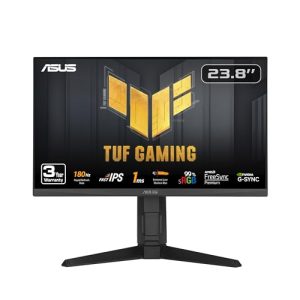
AOC 24G4

The 24G4 keeps the footprint small: a 23.8 inch IPS panel at 1920 x 1080 with a 180Hz refresh rate, which is a large, immediately noticeable jump from a 60Hz or 75Hz screen. IPS colour and viewing angles are better than a TN panel of similar age, and the compact size suits desks where a 27 inch monitor would crowd out everything else. It makes sense as the first high-refresh purchase for a player whose PC targets high frame rates at 1080p rather than high resolution, or as a dedicated second screen for competitive play.
Specs
- 23.8 inch IPS panel
- 1920 x 1080 resolution
- 180Hz refresh rate
- 1ms response time (GtG figure in listing)
- HDR10 support
- Height-adjustable stand
Best for: Players upgrading from 60Hz on a smaller desk or a mid-range PC.
Watch out for: At 1080p the image is less detailed for spotting distant targets than the 1440p models above, so it suits closer-range play styles best.
ASIN: B0F22C6BTS
Which One Fits Your Situation
You play ranked and your PC is built for frame rate
Take the ZOWIE XL2546X. Its whole design, from the Fast TN panel to DyAc 2 strobing, exists to keep a moving target sharp at 240Hz, and the smaller 24.5 inch size keeps the entire map inside your central vision. Nothing else in this list is as single-minded about competitive clarity.
You want one monitor for Warzone and everything else
The LG 27GP850-B is the middle path. Nano IPS colour, 1440p resolution and up to 180Hz mean it handles Warzone at pace and still looks right for films, work and slower games afterwards. Pick the Gigabyte M27Q instead if the built-in KVM matters because a work laptop shares your desk every day.
Your graphics card is mid-range and you play at 1080p
The AOC 24G4 fits. Chasing 1440p on a mid-range card means Warzone settings drop and frame rates fall below what a fast panel can show, while 180Hz at 1080p is a target your system can actually reach. You get the smoothness upgrade now and can move to 1440p when the card is replaced.
You mostly play on console
Consoles cap Warzone at lower frame rates than a gaming PC, so a 240Hz panel is wasted money. The AOC 24G4 or the Gigabyte M27Q cover what a console can output, and the M27Q’s 1440p panel is the better long-term screen if a PC joins the setup later. Check the listing’s HDMI specification before ordering.
Common Mistakes
- Buying a 240Hz monitor for a PC that only reaches 100 frames per second in Warzone, then blaming the screen for the result.
- Connecting with an old HDMI cable and never noticing the refresh rate is capped below the panel’s maximum.
- Choosing 4K or ultrawide for a battle royale, where the lost frame rate costs more gunfights than the extra pixels win.
- Leaving the monitor at its default 60Hz setting in Windows after plugging it in.
- Judging response time figures across brands as if they were measured the same way.
Frequently Asked Questions
Is 240Hz worth it for Warzone over 165Hz or 180Hz?
Only if your PC can sustain frame rates near that level in Warzone itself. The step from 60Hz to 165Hz is dramatic and almost every player feels it. The step from 180Hz to 240Hz is smaller and mostly benefits competitive players on strong hardware who play at 1080p, where those frame rates are realistic.
Should I choose 1080p or 1440p for Warzone?
Choose based on your graphics card. At 1080p you will reach higher frame rates, which competitive players prioritise. At 1440p, distant targets and fine detail are easier to read, and the image looks better in every other game too. A mid-range card usually serves you better at 1080p with high settings than at 1440p with everything turned down.
Does DyAc or motion blur reduction replace a high refresh rate?
No. Strobing features such as DyAc sharpen the image your panel already produces; they do not create extra frames. You still need the refresh rate and the frame rate behind them. Note that on the ZOWIE in this guide, DyAc and variable refresh rate cannot run at the same time, so you pick one per game.
Can I use these monitors with a PlayStation or Xbox?
Yes, all of them accept HDMI, but consoles will not feed a 240Hz signal in Warzone, so the esports panel’s main advantage goes unused. A 1440p or 180Hz model is the more sensible console purchase. Check each listing for its HDMI version and stated console support before you buy.
FAQ
Is 240Hz worth it for Warzone over 165Hz or 180Hz?
Should I choose 1080p or 1440p for Warzone?
Does DyAc or motion blur reduction replace a high refresh rate?
Can I use these monitors with a PlayStation or Xbox?
More from Amazon
Programs that pair well with the guide above. Offers and eligibility are set by Amazon and may change.
Free shipping on eligible items, Prime Video and more. Eligible new members can start with a free trial.
Start a Prime free trialAd-free music streaming. Eligible new subscribers can start with a free trial.
Try Music Unlimited freeA Prime membership for ages 18-24 with a trial period. Eligibility is set by Amazon.
See Prime for Young AdultsAudiobooks and podcasts to listen to on the go. Eligible new members can start with a free trial.
Try Audible freeAs an Amazon Associate we earn from qualifying purchases.