Key takeaways
- Find the best mouse and keyboard layout for gaming, from compact 60% and TKL boards to mouse space, sensitivity, and desk positioning for FPS and MOBA play.
As an Amazon Associate we earn from qualifying purchases.
Introduction
The best mouse and keyboard layout for gaming is the one that gives your aiming hand room to move, keeps every important key within easy reach, and lets you play for hours without wrist or shoulder strain. There is no single layout that suits every player, because hand size, desk space, sensitivity, and game genre all change the answer. A low-sensitivity first-person shooter player needs a very different setup from a MOBA player who lives on Q, W, E, and R, or an MMO player who needs dozens of bound abilities.
This guide explains how keyboard size, key placement, mouse position, and desk arrangement work together. Instead of chasing one famous layout, you will learn how to choose the combination that fits your games, your hands, and your desk, and how to set it up step by step.
Why Layout Matters More Than Specs
A keyboard with faster switches or a mouse with a higher sensor rating will not help if your layout fights you. When the keyboard is too wide, your mouse hand is pushed toward the edge of the desk and your shoulder rotates inward. When keys are too far apart, you miss abilities under pressure. When the mouse area is too small, you lift and reset the mouse in the middle of a fight.
Layout is about geometry. The distance between your hands, the angle of your wrists, the space available for a full mouse swipe, and the reach to your most-used keys all affect accuracy and comfort. A good layout removes friction. You stop thinking about where your fingers are and start thinking about the game.
Keyboard Layouts Compared
Keyboard layout mainly means how many keys the board has and how they are arranged. Smaller boards remove keys you rarely use in games, which frees desk space for the mouse. Larger boards keep everything, which suits players who need many binds or use the same keyboard for work.
60% Layout
A 60% keyboard keeps only the main typing cluster: letters, numbers, and a few modifiers. It has no function row, no arrow keys, and no number pad. Everything else lives on a function layer, reached by holding a key and pressing another.
This is the most mouse-friendly layout. It leaves the largest possible area for aiming, which is why many competitive FPS players prefer it. The trade-off is learning the function layer. If you use F-keys often, or you need dedicated arrows for menus and inventory, a 60% board can feel awkward at first.
Choose 60% if you play low-sensitivity FPS games, your desk is small, or mouse space matters more than extra keys.
65% Layout
A 65% keyboard adds arrow keys and a few navigation keys, such as Delete, Page Up, and Page Down, usually squeezed into the right-hand column. It keeps almost the same compact footprint as a 60% board.
For many players, 65% is the sweet spot. You keep arrows for menus and movement in some games, and you still gain a large amount of mouse space compared with a full-size board. The layout is only slightly wider than 60%, so the mouse hand stays close to the body.
Choose 65% if you want compact size without giving up arrow keys.
75% Layout
A 75% keyboard adds a function row and keeps the navigation keys, all packed tightly with almost no gaps between clusters. It is wider than 65% but still much narrower than a tenkeyless board.
This layout suits players who want F-keys for weapon slots, voice chat, or ability rows, without losing much mouse space. It is also a good compromise for a keyboard that doubles as a daily typing board, because the function row is always available.
Choose 75% if you need F-keys and navigation keys but still want a compact desk footprint.
Tenkeyless (TKL) Layout
A tenkeyless keyboard removes only the number pad. It keeps the function row, arrows, and navigation cluster in their familiar positions. Many players find TKL the easiest compact layout to learn, because nothing important moves.
TKL frees a useful amount of mouse space while keeping a standard key arrangement. It is a strong choice for FPS, MOBA, and strategy players who want a normal layout without the extra width of a number pad.
Choose TKL if you want a familiar layout, a standard function row, and more mouse room than a full-size board offers.
Full-Size Layout
A full-size keyboard keeps everything, including the number pad. It is the widest option and pushes the mouse furthest to the right for right-handed players, or furthest to the left for left-handed players who place the mouse on the left.
The number pad is useful for MMO players who bind abilities to it, and for players who use the same keyboard for spreadsheets or number entry. For pure FPS play, it is usually the least efficient layout, because the extra width directly reduces aiming space.
Choose full-size if you genuinely use the number pad in games or work, and your desk is wide enough that the mouse still has plenty of room.
Comparison Table: Keyboard Layouts for Gaming
| Layout | Keys kept | Mouse space | Best for | Main trade-off |
|---|---|---|---|---|
| 60% | Main cluster only | Largest | Low-sensitivity FPS, small desks | Function layer for F-keys and arrows |
| 65% | Main cluster plus arrows | Very large | FPS and general play | Slightly wider than 60% |
| 75% | Main cluster, F-row, navigation | Large | FPS, MOBA, mixed use | Tighter spacing between key groups |
| TKL | Everything except number pad | Good | Most genres, easy transition | Still wider than compact boards |
| Full-size | Everything including number pad | Smallest | MMO binds, number-pad use, work | Mouse pushed to the desk edge |
Mouse Layout: Position, Space, and Sensitivity
The mouse side of the layout is just as important as the keyboard. Three factors decide how much room you need: sensitivity, grip style, and mousepad size.
Sensitivity and Swipe Distance
Low sensitivity means you move the mouse further to turn the same amount in game. A player using 400 DPI with a low in-game sensitivity may need a full forearm sweep to turn 180 degrees. That player needs a wide, deep mousepad and a keyboard that does not intrude into the aiming area.
High sensitivity means small wrist movements cover large turns. That player can work with a smaller mousepad and a wider keyboard, because the mouse rarely travels far. If you are unsure which group you are in, measure a 180-degree turn: place the mouse at one edge of the pad, turn in game, and see how far it travelled. If it crosses most of the pad, you need space first and keyboard size second.
Mouse Position Relative to the Keyboard
For right-handed players, the ideal mouse position is close to the body, with the elbow roughly under the shoulder and the forearm resting naturally. The keyboard should sit slightly left of centre, so the mouse area opens up on the right. Many players angle the keyboard a few degrees clockwise, with the left side closer to the body. This brings the left hand into a more natural position and opens even more room on the right.
Left-handed players should mirror this: keyboard slightly right of centre, mouse on the left, with the keyboard angled the other way. Do not force a right-handed layout if you are left-handed. Comfort and reach matter more than copying a popular streamer setup.
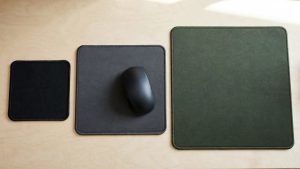
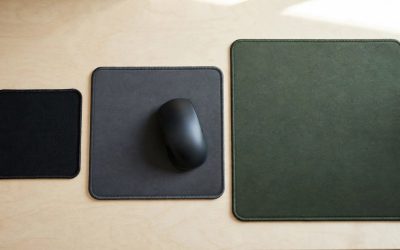
Mousepad Size and Placement
The mousepad should be large enough for your full swipe distance plus a margin at each end. A pad that ends exactly where your swipe ends will cause the mouse to slide off the edge at the worst moment. Extra-large desk mats that run under both the keyboard and the mouse solve this for many players, because the whole surface stays consistent and the keyboard does not slide.
Place the pad so its centre lines up with your shoulder, not with the centre of the desk. Your aiming arm should move in a natural arc, not reach across your body.
Ergonomics: Angles, Height, and Wrist Position
A layout that looks good can still hurt if the angles are wrong. Keep your wrists as straight as possible. A keyboard tilted too steeply, or a mouse held with a bent wrist, increases strain over long sessions.
Desk and chair height matter here. Your forearms should rest roughly level with the desk, with elbows near a right angle. If the desk is too high, your shoulders rise and your wrists bend. If it is too low, you hunch forward. Adjust the chair first, then the desk or keyboard position, until your arms sit naturally.
A slight keyboard angle, often called tenting or tilting, can help some players, but a flat board with straight wrists is a safe starting point. Take a short break every hour, stretch your fingers and wrists, and change your grip if you feel tension building. Pain is a signal to change the setup, not to push through it.
Best Layouts by Game Genre
First-Person Shooters
FPS players benefit most from compact keyboards and large mouse space. A 60%, 65%, or TKL board, a large mousepad, and low to medium sensitivity is the classic combination. Key binds are simple: WASD movement, a few ability keys nearby, and weapon switching on the mouse wheel or nearby keys. Keep the keys you need in a fight within one or two columns of WASD, so you never stretch across the board mid-duel.
MOBA Games
MOBA players use Q, W, E, and R constantly, plus items, summoner spells, and camera controls. A 75% or TKL board works well, because the function row and nearby keys stay available for item slots and pings. Mouse accuracy matters for last-hitting and skill shots, but the mouse rarely needs the huge sweeps of a low-sensitivity FPS setup, so a medium mousepad is usually enough.
MMO Games
MMO players need many binds. A full-size board, or a TKL board paired with a mouse that has extra side buttons, covers most ability bars. The number pad can hold a second row of abilities, and the function row can hold cooldowns or raid markers. Mouse space matters less here than key access, so a wider keyboard is an acceptable trade.
Strategy and Simulation Games
Strategy players use hotkeys, control groups, and camera movement. A TKL or full-size board keeps the number row and function keys available for control groups. The mouse is used for precise clicking and map movement, so a medium pad and a comfortable, accurate mouse matter more than extreme swipe space.
How to Set Up Your Layout Step by Step
Start with the mouse, not the keyboard. Sit in your chair, place your aiming hand where it rests naturally, and mark that spot. That is the centre of your mouse area. Lay the mousepad around it, with room for your full swipe in both directions.
Next, place the keyboard to the other side, close enough that your non-aiming hand reaches WASD without stretching, but not so close that it crowds the mouse. Angle it slightly if that straightens your wrist. Test the position by playing for a few minutes and watching whether your mouse hand drifts toward the keyboard or your left wrist bends.
Then set your sensitivity. Choose a DPI and in-game sensitivity that lets you turn 180 degrees in one comfortable swipe, without lifting the mouse. Adjust the in-game value rather than changing DPI constantly, so your muscle memory stays consistent.
Finally, bind your keys. Put movement on WASD, the most urgent abilities on Q, E, R, and F or the keys closest to your index finger, and less urgent actions further away. Keep one key for push-to-talk where your thumb or little finger can reach it without lifting your hand from movement keys.
Play a few matches before changing anything else. Small changes, one at a time, teach you what actually helps. Changing keyboard, sensitivity, and binds all at once makes it impossible to tell which change worked.
Common Layout Mistakes
The most common mistake is placing the keyboard dead centre on the desk and squeezing the mouse into whatever space remains. Centre the setup on your body instead: keyboard slightly to one side, mouse in front of your aiming shoulder.
Another mistake is choosing the smallest keyboard without learning its function layer. A 60% board only helps if you can reach the keys you need quickly. If you keep pausing to find an F-key, a 75% or TKL board will serve you better.
A third mistake is using a mousepad that is too small for your sensitivity. If you lift the mouse constantly to reset its position, you are fighting the layout. A larger pad is usually cheaper and more effective than a new mouse.
Finally, do not copy a professional player layout exactly. Professionals often use very low sensitivity and very specific key binds built around their hand size and years of practice. Borrow the principles, such as compact boards and generous mouse space, and adapt the details to your own hands and desk.
FAQ
What is the best keyboard layout for FPS games?
A 60%, 65%, or TKL layout is usually best for FPS games, because each one frees desk space for the mouse while keeping WASD and nearby ability keys easy to reach. Low-sensitivity players gain the most from the smallest boards. If you need F-keys often, a 75% or TKL board is a safer choice than a 60% board.
Should the keyboard be straight or angled for gaming?
A slight angle often helps. Angling the keyboard a few degrees, with the left side closer to you, can straighten the left wrist and open more mouse space on the right. The exact angle depends on your arm length and shoulder width. Start flat, try a small angle, and keep the position that leaves both wrists straight and relaxed.
How much mouse space do I need for gaming?
It depends on sensitivity. Low-sensitivity players may need a pad at least 450 mm wide for a full 180-degree turn, while high-sensitivity players can manage with much less. Measure your own 180-degree swipe and choose a pad with a margin beyond it on both sides, so the mouse never runs off the edge mid-fight.
Is a full-size keyboard bad for gaming?
No, a full-size keyboard is not bad for gaming. It is the least space-efficient layout for FPS play, but it is a good choice for MMO players who bind abilities to the number pad and for players who share the keyboard with work. The key question is whether your desk is wide enough for both the board and a comfortable mouse area.
Where should I place my mouse relative to my keyboard?
Place the mouse in front of your aiming shoulder, with the mousepad centred on that shoulder rather than on the desk. Put the keyboard slightly to the other side so your movement hand reaches WASD without stretching. Your elbows should hang naturally, with forearms roughly level with the desk.
Conclusion
The best mouse and keyboard layout for gaming balances three things: enough keys for your game, enough mouse space for your sensitivity, and a position that keeps your wrists straight. Compact boards such as 60%, 65%, and 75% layouts give FPS players the most aiming room. TKL boards suit most genres with a familiar key arrangement. Full-size boards serve MMO players and shared work setups, provided the desk is wide enough.
Start with the mouse position, choose the smallest keyboard that still holds the keys you actually use, and adjust one thing at a time. A layout that fits your hands, your games, and your desk will do more for your aim and comfort than any single upgrade.
FAQ
What is the best keyboard layout for FPS games?
Should the keyboard be straight or angled for gaming?
How much mouse space do I need for gaming?
Is a full-size keyboard bad for gaming?
Where should I place my mouse relative to my keyboard?
More from Amazon
Programs that pair well with the guide above. Offers and eligibility are set by Amazon and may change.
Free shipping on eligible items, Prime Video and more. Eligible new members can start with a free trial.
Start a Prime free trialAd-free music streaming. Eligible new subscribers can start with a free trial.
Try Music Unlimited freeA Prime membership for ages 18-24 with a trial period. Eligibility is set by Amazon.
See Prime for Young AdultsAudiobooks and podcasts to listen to on the go. Eligible new members can start with a free trial.
Try Audible freeAs an Amazon Associate we earn from qualifying purchases.