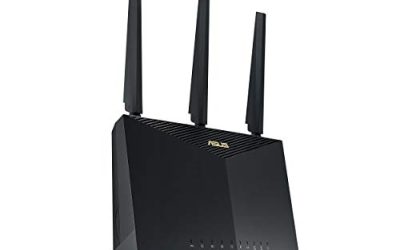
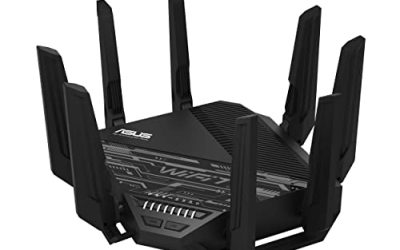
Our Top Picks
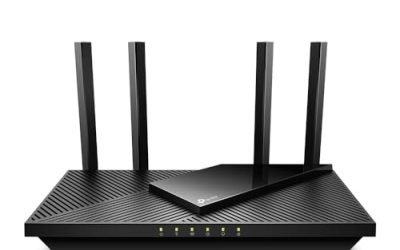
 TP-Link Archer AC1750 WiFi Routerdual band router9.59 x 6.32 x 1.29 inches0.93 poundsCheck on Amazon
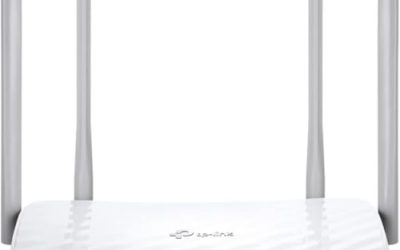
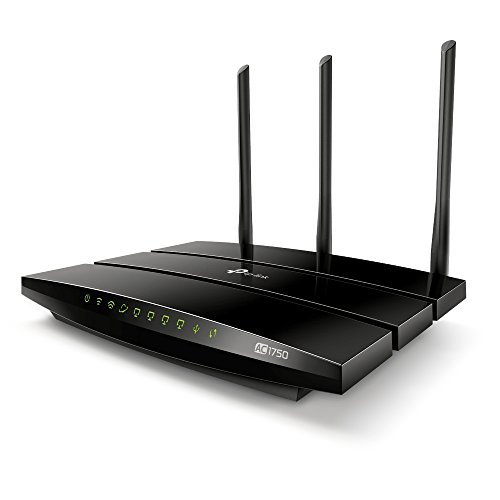 tp-link WiFi Router AC1750 Wireless Dual Band GigabitRouter - AC17509.57 x 6.32 x 1.28 inches1.1 poundsCheck on Amazon
 Linksys EA7500 Dual-Band Wi-Fi Router for HomeAC190010.03 x 7.25 x 2.19 inches1.23 poundsCheck on Amazon
As an Amazon Associate we earn from qualifying purchases.
Disclosure: This article contains affiliate links to products on Amazon. If you buy through those links, we may earn a commission at no additional cost to you.
If you are shopping for the best routers ac models still on sale, you are looking at WiFi 5 hardware. The letters AC come from the 802.11ac standard, and the number that follows them is a combined speed class. An AC1750 router, for example, adds its 2.4 GHz and 5 GHz theoretical rates together to reach 1,750 Mbps. An AC1900, AC2600, or AC2900 model follows the same naming pattern with a higher combined total.
That naming matters because AC is not the current standard. WiFi 6, sold as AX, came after 802.11ac, and WiFi 6E and WiFi 7 have followed it. An AC router cannot give you OFDMA in the form WiFi 6 uses it, wider 160 MHz channels on every model, or access to the 6 GHz band. What it can give you is a mature, widely compatible dual-band network that handles everyday gaming, streaming, video calls, and smart home traffic without paying for features your devices may not use yet.
This guide is deliberately limited to routers whose listings identify them as 802.11ac models. No WiFi 6, 6E, or 7 router appears in the product list, because mixing generations would defeat the point of the search. If your phones, laptops, and consoles are mostly WiFi 5 or older, if your internet plan sits well below gigabit speed, or if you need a dependable spare or secondary router on a tight budget, the picks below remain relevant. If you are building a new network around WiFi 6 clients and a fast fiber plan, skip to the buying advice at the end before you decide.
Quick Picks
- Best all-round AC value: TP-Link Archer A7 (AC1750) — dual-band gigabit routing, three high-gain antennas, OneMesh support, and a USB port for basic sharing.
- Best AC router for gaming features: ASUS RT-AC86U (AC2900) — the highest AC speed class in this list, a 1.8 GHz dual-core processor per the listing, Adaptive QoS, AiMesh compatibility, and a built-in game accelerator feature named in the listing.
- Best long-running AC1750 alternative: TP-Link Archer C7 (AC1750) — the older Archer nameplate, with 1,300 Mbps on 5 GHz plus 450 Mbps on 2.4 GHz and gigabit wired ports.
- Best AC1900 MU-MIMO option: Linksys EA7500 Max-Stream (AC1900) — MU-MIMO in the listing title, dual-band WiFi 5, and a step up in combined speed class over AC1750 models.
1. TP-Link Archer A7 — AC1750
The Archer A7 is the most straightforward answer for most households still shopping in the AC category. Its Amazon listing describes it as an AC1750 WiFi router with dual-band gigabit connectivity, a Qualcomm chipset, and Alexa compatibility. The combined speed breaks down as 450 Mbps on the 2.4 GHz band and 1,300 Mbps on the 5 GHz band, which is the standard AC1750 split. Those are theoretical link rates rather than promised real-world throughput, but they tell you where the router sits: the 5 GHz band does the heavy lifting for gaming PCs, consoles, and streaming boxes, while 2.4 GHz carries phones, smart plugs, and devices further from the router.
Wired connectivity is a strength at this tier. The listing specifies four 10/100/1000 Mbps LAN ports and one gigabit WAN port, so a desktop, a console, and a streaming device can all run on Ethernet while the router still feeds your internet connection at full gigabit-port speed. A single USB 2.0 port handles basic printer or storage sharing. Three high-gain external antennas and amplifiers are listed as the basis for its whole-home coverage claim, and the listing names coverage of up to 2,500 square feet, which should be read as a manufacturer figure for favorable layouts rather than a guarantee for thick-walled homes.
Software features push the A7 ahead of basic AC routers. The listing highlights OneMesh, which lets it work with compatible TP-Link extenders to form a single network name, plus parental controls, QoS, and VPN server support in related listing descriptions. For a gaming household, QoS is the practical item: it lets you prioritize a console or PC when someone else starts a large download.
Specifications from the listing
- Standard: IEEE 802.11ac on 5 GHz, 802.11n on 2.4 GHz
- Speed class: AC1750, 450 Mbps plus 1,300 Mbps
- Ports: 4 gigabit LAN, 1 gigabit WAN, 1 USB 2.0
- Antennas: 3 high-gain external antennas
- Features: OneMesh, Alexa compatibility, parental controls, QoS
Pros
- Gigabit ports on both LAN and WAN, which many older AC routers skimp on
- OneMesh support gives an upgrade path without replacing the router
- Balanced feature set for gaming, streaming, and family controls
Cons
- USB 2.0 is slow for frequent large file transfers
- No WiFi 6 features such as OFDMA or WPA3 as a headline capability
- AC1750 throughput is a ceiling for very fast internet plans
Check the TP-Link Archer A7 on Amazon
2. ASUS RT-AC86U — AC2900

The RT-AC86U is the performance pick in this AC-only list, and its listing is aimed squarely at gamers. ASUS sells it as an AC2900 WiFi gaming router with dual-band gigabit wireless, a WTFast game accelerator, AiMesh compatibility, included lifetime internet security, and Adaptive QoS. The AC2900 class is the highest here, and the listing credits a 1.8 GHz dual-core processor and the latest 802.11ac MU-MIMO technology for its network performance. MU-MIMO matters on WiFi 5 because it lets the router talk to several compatible clients at once on the 5 GHz band instead of serving them strictly one after another.
For gaming, the useful details are the traffic tools rather than the headline speed. Adaptive QoS lets you prioritize gaming traffic, and the game accelerator feature named in the listing is designed to optimize the route your traffic takes to game servers. AiMesh compatibility means the RT-AC86U can later become one node in an ASUS mesh system instead of being discarded when you need wider coverage. The included lifetime internet security, AiProtection in ASUS terminology from the listing description, adds network-level protection without a separate subscription decision at setup.
This is still an AC router, so set expectations correctly. It will not match a WiFi 6 router for handling dozens of competing modern clients, and its dual-band design means one 5 GHz radio carries all of your fast traffic. In a home where the gaming setup is one or two rooms and the client devices are WiFi 5 era, that trade-off is reasonable, and the stronger processor helps when QoS, security, and several wired devices run at the same time.
Specifications from the listing
- Standard: 802.11ac with MU-MIMO
- Speed class: AC2900 dual-band
- Processor: 1.8 GHz dual-core, per the listing
- Ports: gigabit Ethernet, with USB connectivity for sharing
- Features: WTFast game accelerator, AiMesh compatible, Adaptive QoS, included lifetime internet security
Pros
- Highest AC speed class and strongest processor in this guide
- Gaming-focused QoS and accelerator features in the listing
- AiMesh support extends its useful life as coverage needs grow
Cons
- Dual-band only, so no dedicated second 5 GHz band for backhaul or extra clients
- Premium AC hardware competes directly with entry WiFi 6 routers on features
- Game accelerator benefits depend on the games and routes you use
Check the ASUS RT-AC86U on Amazon
3. TP-Link Archer C7 — AC1750
The Archer C7 is one of the longest-running AC1750 names in home networking, and its listing keeps the formula simple: a wireless dual-band gigabit router rated at 1,300 Mbps on 5 GHz and 450 Mbps on 2.4 GHz. It uses a Qualcomm chipset according to the Amazon listing, carries four gigabit LAN ports, and includes a USB port for sharing. Three external antennas handle the wireless side.
Compared with the Archer A7 above, the C7 is the older, plainer sibling. You get the same AC1750 speed split and gigabit wired backbone, but without the A7’s OneMesh positioning. That makes the C7 a sensible pick when you find the exact listing in stock and simply need a single router to cover an apartment or a small house, with Ethernet for the gaming desk and WiFi for everything else. Guest network support, IPv6, and WPS appear in listing descriptions for this model family, covering the basics a household router needs.
There are honest limits to state. The C7 design dates back years, firmware expectations should be modest, and its single USB port is for convenience rather than fast network storage. It also shares the AC1750 ceiling: fine for internet plans in the low hundreds of megabits per second and for local traffic between a handful of devices, less ideal for a busy home full of simultaneous 4K streams and game downloads.
Specifications from the listing
- Standard: 802.11ac dual-band
- Speed class: AC1750, 1,300 Mbps on 5 GHz plus 450 Mbps on 2.4 GHz
- Ports: 4 gigabit LAN, 1 USB port
- Antennas: 3 external antennas
- Features: guest network, IPv6 support, WPS
Pros
- Proven AC1750 layout with full gigabit LAN ports
- Simple setup and feature set with little to configure wrong
- Three external antennas you can angle for your layout
Cons
- Older platform than the Archer A7, with no OneMesh support
- USB sharing is basic and slow by modern standards
- Not suited to very fast internet plans or very busy networks
Check the TP-Link Archer C7 on Amazon
4. Linksys EA7500 Max-Stream — AC1900
The Linksys EA7500 sits one step above the AC1750 models. Its listing describes it as a dual-band WiFi router for home use with Max-Stream AC1900 and MU-MIMO. The AC1900 class combines 600 Mbps on 2.4 GHz with 1,300 Mbps on 5 GHz in typical implementations of this speed grade, giving the crowded 2.4 GHz band a little more headroom while keeping the same fast 5 GHz foundation as the AC1750 picks. MU-MIMO is the headline technology: with compatible WiFi 5 clients, the router can serve multiple devices simultaneously rather than cycling between them.
That makes the EA7500 a reasonable choice for a mixed household where several phones, laptops, and a console share the 5 GHz band at the same time in the evening. Linksys positions the Max-Stream line around streaming and gaming households, and the router is managed through the Linksys app-based ecosystem described for this product family. Wired devices still get gigabit Ethernet, which remains the most reliable way to connect a gaming PC or console regardless of wireless standard.
The caveats mirror the rest of this guide. AC1900 is an incremental step, not a generational one, and MU-MIMO on WiFi 5 only helps with clients that support it. If your devices are older single-stream hardware, you will see little difference over AC1750. Buy this model for the MU-MIMO support and the Linksys management experience, not for the larger number alone.
Specifications from the listing
- Standard: 802.11ac dual-band WiFi 5
- Speed class: AC1900 Max-Stream
- Technology: MU-MIMO, per the listing title
- Ports: gigabit Ethernet for wired devices
- Use case in listing: dual-band home router aimed at streaming and gaming households
Pros
- MU-MIMO support helps when several WiFi 5 clients are active together
- AC1900 class adds 2.4 GHz headroom over AC1750 models
- Established Linksys Max-Stream product line and app management
Cons
- Gains over AC1750 are modest for single-device households
- MU-MIMO benefits require compatible client devices
- Still no WiFi 6 efficiency features or 6 GHz band
Check the Linksys EA7500 on Amazon
How to Choose an AC Router
Start with your internet plan. An AC1750 router with gigabit ports comfortably serves plans in the low-to-mid hundreds of megabits per second. Real WiFi 5 throughput on 5 GHz is well below the 1,300 Mbps link rate, so a gigabit fiber plan will leave speed unused on wireless, even though wired devices can use more of it.
Count your bands and clients. Every router here is dual-band. Put gaming and streaming devices on 5 GHz, leave 2.4 GHz for smart home gear and distance, and use Ethernet for the machine you compete on. No wireless standard fixes the latency advantage of a cable.
Read the AC number correctly. It is a sum of both bands under ideal conditions, not a speed any single device will see. A higher class helps mainly when several devices are active at once.
Check the features you will actually open. QoS for prioritizing a console, guest networking for visitors, VPN server support, and mesh compatibility such as OneMesh or AiMesh are worth more in daily use than a small difference in headline speed.
Know when to skip AC entirely. If you are replacing a failed router for the long term, own several WiFi 6 laptops and phones, or pay for near-gigabit internet, a WiFi 6 router is usually the better new purchase. AC makes the most sense for tight budgets, spare or secondary networks, replacing an identical older unit, or households whose devices are all WiFi 5 or older.
FAQs
What does AC mean in a router name?
AC refers to the 802.11ac wireless standard, marketed as WiFi 5. The number after it is the combined theoretical speed of all bands added together.
Is an AC router still good enough for gaming?
Yes, for most homes. Online gaming uses modest bandwidth, and latency depends more on your internet connection and on using Ethernet or a clean 5 GHz signal than on the wireless generation. An AC router becomes a limit mainly for fast local transfers and very busy networks.
What is the difference between AC1750 and AC1900?
Both use a 1,300 Mbps 5 GHz band. AC1900 raises the 2.4 GHz side, typically to 600 Mbps, while AC1750 rates it at 450 Mbps. The difference shows up with several older or distant devices, not in single-device speed.
Will WiFi 6 devices work with an AC router?
Yes. WiFi 6 clients are backward compatible and will connect at WiFi 5 speeds. You simply do not get WiFi 6 features until both the router and the client support them.
Should I buy AC or WiFi 6 in 2026?
Buy AC when the budget is tight, your devices are mostly WiFi 5, or the router is a spare. Choose WiFi 6 for a long-term main router, faster internet plans, and homes full of current phones and laptops.
Conclusion
The best AC routers are not competing with modern WiFi 6 or WiFi 7 hardware, and this guide has not pretended otherwise. They are a defined, budget-friendly category: the Archer A7 for balanced everyday value with OneMesh, the RT-AC86U for the strongest gaming feature set in the AC generation, the Archer C7 as the simple long-running AC1750 option, and the EA7500 for MU-MIMO at AC1900. Match the router to your internet plan and your client devices, wire the gaming machine whenever you can, and an AC router will still run a household network competently.
More from Amazon
Programs that pair well with the guide above. Offers and eligibility are set by Amazon and may change.
Free shipping on eligible items, Prime Video and more. Eligible new members can start with a free trial.
Start a Prime free trialAd-free music streaming. Eligible new subscribers can start with a free trial.
Try Music Unlimited freeA Prime membership for ages 18-24 with a trial period. Eligibility is set by Amazon.
See Prime for Young AdultsAudiobooks and podcasts to listen to on the go. Eligible new members can start with a free trial.
Try Audible freeAs an Amazon Associate we earn from qualifying purchases.