The graphics card market has rarely been more exciting. With NVIDIA’s Blackwell RTX 50 series and AMD’s RDNA 4 Radeon RX 9000 cards trading blows across every price tier, gamers finally have a wealth of genuinely strong options. The catch is that “best” depends entirely on your resolution, budget, and whether you lean toward ray tracing or raw rasterization value.
To cut through the choices, we have assembled a roundup of standout GPUs spanning entry-level to enthusiast-class. Below are our picks, followed by a straightforward buying guide to help you match the right card to your rig and the games you actually play.
Our top picks
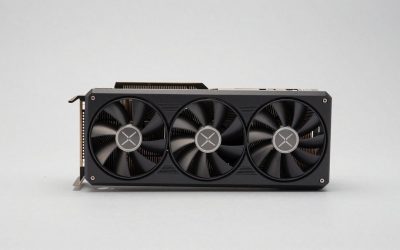
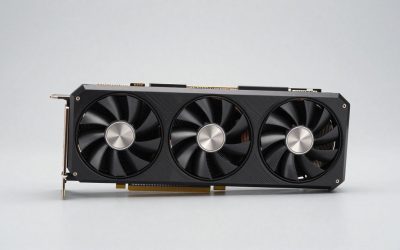
 ASUS Prime AMD Radeon RX 9070 XT
- Axial-tech fans now feature a smaller fan hub…
- Phase-change GPU thermal pad helps ensure optimal heat…
- 2.5-slot design allows for greater build compatibility while…
 ASUS Dual NVIDIA GeForce RTX 5060 Ti
16GB GDDR7 memory suits higher-resolution gaming
0dB mode runs silent under light workloads
2.5-slot design balances cooling and case compatibility
Mid-tier AI performance trails flagship Blackwell cards
Clock gains require switching into OC mode
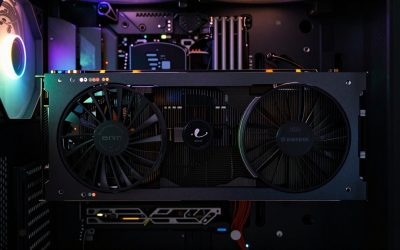
 PNY NVIDIA GeForce RTX™ 5080 Epic-X™ ARGB
- Axial-Fan Tech Built to Endure - Triple 100mm…
- Masterfully Crafted Cooling - Advanced vapor chamber and…
- Epic-X ARGB Lighting 2.0 - Craft your command…
 ASUS Dual Radeon RX 9060 XT 16GB
16GB GDDR6 memory suits modern gaming resolutions
0dB mode keeps the card silent during light loads
Dual BIOS lets you switch quiet or performance profiles
2.5-slot design needs adequate case clearance
Boost clock gains depend on manual OC mode
 ASUS Dual NVIDIA GeForce RTX 5060 8GB
Compact SFF-ready size fits small-form-factor builds
0dB technology keeps fans silent at low loads
Backed by a 3-year warranty
8GB of VRAM may limit the highest-resolution textures
Smaller dual-fan cooler runs warmer than larger triple-fan cards
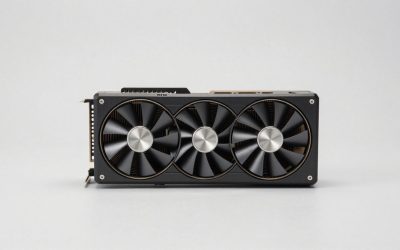
 GIGABYTE Radeon RX 9070 XT Gaming OC
Server-grade thermal gel helps with long-term heat transfer
PCIe 5.0 interface is ready for future motherboards
16GB of GDDR6 memory suits high-resolution gaming
Nearly 4-pound card needs a case with solid GPU support
Large cooler design takes up significant case space
 PowerColor Reaper AMD Radeon RX 9070 XT
- Power Connector: Two 8-pin PCI Express Power Connector
- Minimum System Power: 750W
- Internal Card Length: 289 mm
 ASUS TUF Gaming GeForce RTX™ 5080 16GB
16GB GDDR7 memory supports demanding modern titles
Phase-change thermal pad aids sustained heavy workloads
Protective PCB coating guards against moisture and dust
Requires an 850W power supply with a 12VHPWR connector
3.6-slot, 13.7-inch card needs generous case clearance
As an Amazon Associate we earn from qualifying purchases at no extra cost to you.
🎮 Get More From Your Setup — Free
Prime Gaming gives you free PC games every month, in-game loot, and a free Twitch channel sub — plus fast free shipping on all the gear above. New members get a 30-day free trial.
Watch: Best Gpu 2026 — Video Review
How to Choose the Best GPU
- Target resolution: Match the card to your monitor. Entry cards suit 1080p, mid-range excels at 1440p, and high-end models are built for 4K.
- VRAM: Aim for 16GB where possible, as modern titles and higher resolutions increasingly demand more memory for smooth performance.
- Ray tracing vs value: NVIDIA leads in ray tracing and DLSS 4, while AMD’s Radeon cards often deliver more rasterization performance per dollar.
- Power and case fit: Check your PSU wattage, available connectors, and case clearance before committing to a larger card.
- Cooling and noise: Dual and triple-fan designs run cooler and quieter, which matters for sustained gaming sessions.
The Best GPUs Reviewed
PNY RTX 5080 Epic-X ARGB OC
The RTX 5080 is our top pick for high-end gaming, and PNY’s Epic-X triple-fan model pairs 16GB of GDDR7 with a strong factory overclock and DLSS 4 support. It delivers excellent 4K and high-refresh 1440p performance with the best ray tracing in its class.
ASUS Prime Radeon RX 9070 XT OC
For rasterization value at 1440p and 4K, the RX 9070 XT is superb, and the ASUS Prime OC edition brings 16GB of GDDR6, a robust cooler, and dual BIOS. It is the standout choice for gamers who prioritize frames per dollar.
ASUS Dual RTX 5060 Ti 16GB OC
The RTX 5060 Ti with 16GB is the smart 1440p sweet spot, and this ASUS Dual OC model offers quiet cooling, DLSS 4, and plenty of VRAM. It is an ideal mainstream card for high-refresh 1080p and comfortable 1440p gaming.
ASUS Dual Radeon RX 9060 XT 16GB
AMD’s RX 9060 XT with 16GB is a fantastic value option for 1080p and entry 1440p, and the ASUS Dual design keeps it cool and quiet. The generous memory makes it a future-friendly pick for budget-conscious builders.
ASUS Dual RTX 5060 8GB OC
Rounding out the list, the RTX 5060 is a strong 1080p performer with DLSS 4 support, and the ASUS Dual OC model delivers it with 0dB technology for silent idle. It is the go-to for affordable, efficient 1080p gaming.
Frequently Asked Questions
What is the best GPU for 1440p gaming?
The RTX 5060 Ti 16GB and RX 9070 XT are excellent 1440p choices, balancing strong performance with sensible pricing and generous memory.
How much VRAM do I really need?
16GB is the safe target for 1440p and 4K, giving headroom for modern titles. 8GB cards remain fine for 1080p gaming today.
Should I choose NVIDIA or AMD?
Choose NVIDIA for the best ray tracing and DLSS 4 upscaling, or AMD for stronger rasterization value per dollar. Both offer excellent options this generation.
Will these cards fit my power supply?
Entry and mid-range cards are modest on power, but higher-end models like the RTX 5080 need a quality, higher-wattage PSU. Always check your connectors and wattage first.
Final Thoughts
The best GPU depends on your resolution and priorities. For high-end play, the PNY RTX 5080 leads, while the ASUS Radeon RX 9070 XT is the value champion at 1440p. Mainstream gamers should look hard at the RTX 5060 Ti 16GB. Match the card to your monitor and budget, and this generation offers a winner at every tier.