Key takeaways
- Find the best place to get routers for your home or gaming setup. Compare online stores, big-box retailers, ISP options, and refurbished deals before you buy.
As an Amazon Associate we earn from qualifying purchases.
The best place to get routers depends on what you value most: the lowest price, the widest selection, practical advice, or the easiest return if the router does not cover your home. There is no single store that wins on every count. Online retailers usually offer the biggest selection and the sharpest prices, big-box electronics stores let you see the box and talk to a person before you buy, and your internet provider can supply a router with no upfront shopping at all. This guide compares every major source, explains what each one does well and where it falls short, and shows you how to check compatibility, warranty, and return terms before you spend money.
Before choosing a store, settle on what kind of router you need. A small apartment needs only a basic dual-band router, while a large or thick-walled home may need a mesh system with two or three nodes. Gamers should look for a router with a strong 5 GHz band, quality-of-service settings that prioritize game traffic, and enough Ethernet ports for a wired connection. If your internet plan is a gigabit plan, make sure the router has gigabit WAN and LAN ports, or the router itself will cap your speed. Knowing your speed plan, your home size, and the number of devices you connect will keep you from overbuying or underbuying, whichever store you choose.
Online Retailers: Widest Selection and Sharpest Prices
Online retailers are the best place to get routers for most buyers, because they stock nearly every model from every major brand in one place, and their prices move with sales and competition. You can compare specifications side by side, read hundreds of owner reviews, and filter by the features that matter to you, such as Wi-Fi 6 or Wi-Fi 7 support, mesh capability, or the number of Ethernet ports. Shipping is usually fast, and many online stores offer free returns within a set window, which matters because the only honest way to know whether a router covers your home is to test it in your home.
The main drawback of buying online is that you cannot handle the router before you buy it, and advice is limited to reviews and product pages. Router specifications can also be misleading, with headline speeds that describe combined bands rather than what any single device will reach. To buy well online, read the detailed specification sheet rather than the headline, check the review count and the recent reviews rather than only the average rating, and confirm the return window in writing before you order. If you buy from a marketplace seller rather than the store itself, check the seller rating and whether the listing says the router is new, because third-party sellers sometimes list used or imported models without making that clear.
Online shopping also makes it easy to compare prices across stores in minutes. Check at least two or three retailers before ordering, and look for seasonal sales events, where routers are among the most heavily discounted networking products. Just remember that the cheapest listing is not always the best deal if it comes from a seller with a short return window or no warranty support.
Big-Box Electronics Stores: See It and Ask Questions
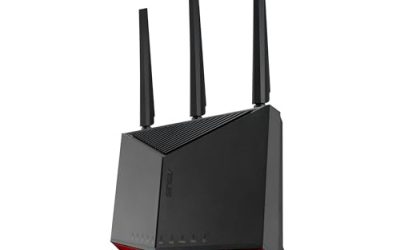
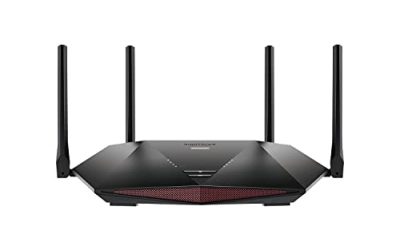
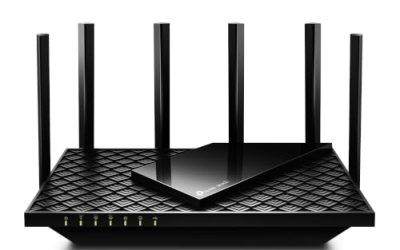
Big-box electronics stores are the best place to get routers if you want to see the product, ask a person a question, or take the router home the same day. Walking the networking aisle lets you compare the physical size of different routers, check how many antennas they have, and read the box for port counts and feature lists. Staff can sometimes help you match a router to your internet plan, although the quality of advice varies from store to store, so it is worth arriving with a short list of models you have already researched.
The trade-off is selection and price. A physical store stocks fewer models than an online retailer, and its prices are often higher than the same model online, especially outside of sale events. Some stores will match a lower online price from a major retailer, so it is worth asking at the counter and showing the competing listing on your phone. Big-box stores are also convenient for returns, because you can bring the router back to the counter instead of packing it and shipping it. That matters when a router turns out to have weaker coverage than expected, since an in-store return is usually processed on the spot.
Buy in store when you need a router today, when you want to inspect the box and ports before paying, or when you value an easy return more than the lowest price. Buy online when you already know the exact model you want and the price gap is large.
Warehouse Clubs and Discount Stores
Warehouse clubs are a good place to get routers if you are already a member and you want a solid mid-range model at a competitive price. These stores typically stock only a handful of router models, but the ones they carry are usually popular, well-reviewed models sold in a bundle that may include an extra mesh node or a longer warranty through the club. The return policies at warehouse clubs are famously generous, which takes the risk out of buying a router you have not tested in your home.
The limitation is choice. You will not find niche gaming routers, Wi-Fi 7 flagships, or specialist mesh systems at a warehouse club, and the models on the shelf may be a generation behind the newest releases. Discount department stores carry an even narrower range, usually basic routers suited to small homes and light use. They can be a fine option for a simple setup, but check the specifications carefully: a bargain router with only 100 Mbps ports will bottleneck a faster internet plan.
Manufacturer Websites: Direct Support and Full Range
Buying direct from the manufacturer website is the best place to get routers when you want the full product range, including new releases and models that retailers do not stock. Manufacturer stores often run their own sales, offer bundles with mesh nodes or extenders, and sometimes include longer support or a direct warranty path that is simpler than going through a retailer. Registration is usually automatic when you buy direct, and firmware updates and support pages are one click away.
The downside is that manufacturer prices are often at full retail outside of sale events, and shipping may be slower than a large online retailer. Manufacturer sites are also the best source for refurbished models sold by the brand itself. A manufacturer-refurbished router has been tested, reset, and repackaged by the company, and it usually carries a shorter warranty than a new one. That can be a smart way to get a higher-end model for less, as long as the listing clearly says it is manufacturer refurbished and states the warranty length.
Your Internet Provider: The Easiest Option, With Trade-Offs
Your internet provider is the simplest place to get a router, because you do not have to shop at all. Most providers will rent you a router and modem combination for a monthly fee, install it for you, and replace it if it breaks. Some providers also sell routers outright, or include one free with certain plans. This is the easiest path for anyone who wants working Wi-Fi with no research and no setup.
The trade-off is cost and control. A monthly rental fee adds up, and over two or three years you will often pay more in rental fees than the router would cost to buy outright. Provider-supplied routers also tend to be basic models with limited settings, which can frustrate gamers who want quality-of-service controls, custom DNS settings, or a mesh setup. Some providers also lock features or require you to use their equipment for certain services. Before accepting a rental, ask for the monthly fee, whether the fee ever ends, and whether you can use your own router instead. If your provider allows it, buying your own router usually pays for itself within a year or two, and you keep full control of your network settings.
Refurbished and Open-Box Routers: Cheaper, With Checks
Refurbished and open-box routers are the best place to get routers when your budget is tight and you are willing to do a few checks. Open-box models are usually returns that a store has tested and repackaged, while refurbished models have been inspected and repaired if needed. The discount can be substantial, especially on higher-end mesh systems and gaming routers, and a careful buyer can get a much better router for the same money.
The risk is that you do not know the history of the device. A refurbished router should be reset to factory settings, but always perform a factory reset yourself before connecting it to your network, and update the firmware to the latest version before you use it. Check the warranty before buying: manufacturer-refurbished units usually carry a warranty of some kind, while third-party refurbished units may carry only a short store warranty or none at all. Avoid routers that are so old the manufacturer no longer releases firmware updates for them, because an unpatched router is a security risk. As a rule, buy refurbished only from the manufacturer, a major retailer, or a seller with a clear return policy, and skip private sellers with no warranty at all.
Local Computer Shops: Expert Help and Setup
A local computer shop is the best place to get routers if you want expert advice, help with setup, or a router matched to an unusual home. Small shops often carry business-grade and enthusiast models that big-box stores do not stock, and the staff can talk through your floor plan, your internet speed, and your device count to recommend a specific model. Many local shops will also set the router up for you, configure your network name and password, and help you place mesh nodes for the best coverage.
The drawbacks are price and selection. Local shops cannot match the volume pricing of large retailers, so expect to pay more for the same model, and their stock is limited to what fits on their shelves. Still, the extra cost can be worth it if you are setting up a complex network, running a home office, or covering a large or thick-walled home where a wrong purchase would cost more in returns and frustration. Ask whether setup help is included in the price, what the return policy is, and whether they will help with firmware updates after the sale.
What to Check Before You Buy a Router Anywhere
Wherever you buy, run through the same checks before you pay. First, confirm the router matches your internet plan: check that its WAN port supports your plan speed, and that it supports the connection type your provider uses, whether that is cable, fiber, or DSL. Second, check the Wi-Fi standard. Wi-Fi 6 is the sensible baseline for a new purchase, and Wi-Fi 7 is worth considering if you have a fast plan and new devices, but do not pay extra for a standard your devices cannot use yet. Third, count the Ethernet ports and check their speed, because a router with only two ports will force you to buy a switch if you wire several devices.
Fourth, read the return policy and the warranty. A return window of at least two weeks gives you time to test coverage in every room, and a warranty of at least one year is standard for a new router. Fifth, check that the manufacturer still releases firmware updates for the model, because security updates are part of what you are buying. Finally, keep the receipt and the box until you are sure the router works well in your home, since many stores require the original packaging for a return.
Comparison: Where to Get a Router
| Source | Selection | Price | Advice | Returns |
|---|---|---|---|---|
| Online retailers | Widest | Usually lowest | Reviews only | Mail return, check the window |
| Big-box electronics stores | Medium | Medium to high | In-person staff | Easy in-store return |
| Warehouse clubs | Narrow | Competitive | Limited | Usually generous |
| Manufacturer websites | Full range | Full retail, sales vary | Official support | Mail return, check terms |
| Internet provider | One or two models | Rental adds up | Basic setup help | Swap on request |
| Refurbished and open-box | Varies | Lowest | Limited | Varies, check carefully |
| Local computer shops | Specialist | Higher | Expert, setup help | Varies by shop |
Frequently Asked Questions
What is the best place to get routers for gaming?
Online retailers are usually the best place to get routers for gaming, because they stock the widest range of gaming routers and mesh systems, and you can compare specifications such as quality-of-service settings, port counts, and Wi-Fi standards side by side. A big-box store is a good alternative if you want the router the same day, and a local computer shop is worth considering if you want help setting up quality-of-service rules for your games.
Is it better to buy a router or rent one from my internet provider?
Buying is usually better in the long run. A rental fee may look small each month, but over two or three years it often costs more than buying the same router outright, and a router you own gives you full control over settings. Renting makes sense if you want no setup hassle, if you move often, or if your provider replaces the equipment free whenever it fails.
Are refurbished routers safe to buy?
Refurbished routers from the manufacturer or a major retailer are generally safe, as long as you reset the router to factory settings and update the firmware before use. Check the warranty length and the return policy before buying, and avoid routers so old that the manufacturer no longer releases firmware updates. Avoid refurbished routers from unknown sellers with no warranty.
Should I buy a router online or in a store?
Buy online if you already know the exact model you want and the price gap is large, because online retailers offer the widest selection and usually the lowest prices. Buy in a store if you need the router today, want to inspect it first, or value an easy in-store return. Either way, test the router in your home during the return window and keep the box until you are sure it covers every room.
How do I know a router will work with my internet plan?
Check your plan speed and connection type, then check the router specification sheet. The router WAN port should support at least your plan speed, and the router should support your connection type, whether that is cable, fiber, or DSL. If you use a provider-supplied modem, confirm with your provider that you can use your own router with it, and ask whether any settings are required.
Conclusion
The best place to get routers is the source that matches how you shop and what you need from the router. Online retailers win on selection and price, big-box stores win on same-day pickup and easy returns, warehouse clubs offer solid models with generous return policies, manufacturer websites offer the full range and refurbished deals, and your internet provider offers the simplest path of all. Local computer shops are the best choice when you want expert setup help, and refurbished listings are the best way to stretch a tight budget, as long as you check the warranty and update the firmware. Whichever source you choose, confirm the router matches your internet speed and connection type, read the return policy before you pay, and test coverage in every room during the return window. A router bought from the right place is one you will not need to think about again for years.
FAQ
What is the best place to get routers for gaming?
Is it better to buy a router or rent one from my internet provider?
Are refurbished routers safe to buy?
Should I buy a router online or in a store?
How do I know a router will work with my internet plan?
More from Amazon
Programs that pair well with the guide above. Offers and eligibility are set by Amazon and may change.
Free shipping on eligible items, Prime Video and more. Eligible new members can start with a free trial.
Start a Prime free trialAd-free music streaming. Eligible new subscribers can start with a free trial.
Try Music Unlimited freeA Prime membership for ages 18-24 with a trial period. Eligibility is set by Amazon.
See Prime for Young AdultsAudiobooks and podcasts to listen to on the go. Eligible new members can start with a free trial.
Try Audible freeAs an Amazon Associate we earn from qualifying purchases.