
For a light-controlled gaming setup, the best OLED monitors for dark rooms are the models that combine pixel-level blacks with convincing HDR highlights, accurate shadow detail, and a screen finish you actually enjoy at night. Our top premium pick is the ASUS ROG Swift OLED PG32UCDM Gen3 for its 32-inch 4K QD-OLED picture and modern connectivity. The ASUS ROG Strix OLED XG32UCWMG is the flexible glossy-WOLED alternative, while the Alienware AW2726DM makes OLED contrast accessible for much less. This guide covers dark-room image quality across several resolutions and sizes; buyers specifically comparing 27-inch 360Hz models should use a dedicated high-refresh-rate roundup instead. Prices and inventory are U.S. retail observations from October 28, 2026, not guaranteed checkout quotes.
Quick verdict: the OLED monitor to buy for a dark gaming room
Best overall — ASUS ROG Swift OLED PG32UCDM Gen3 (PG32UCDM3). Choose it for cinematic PC gaming on a 32-inch 4K display, rich QD-OLED colors, 240Hz motion, and useful HDMI 2.1, DisplayPort 2.1, and USB-C connectivity. The cost is substantial, and a powerful GPU makes the most of 4K high-refresh gaming.
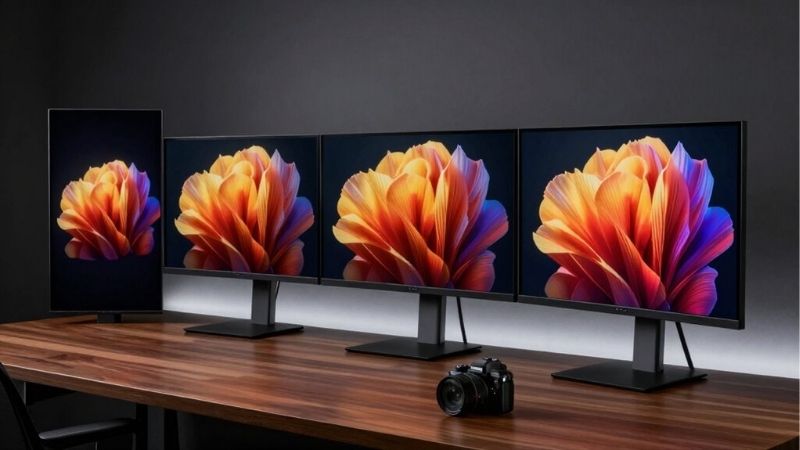
Best glossy WOLED — ASUS ROG Strix OLED XG32UCWMG. Its TrueBlack Glossy finish gives dark scenes crisp-looking definition, and its optional 1080p/480Hz mode makes it more flexible for someone who alternates between atmospheric adventures and competitive shooters. It has only 15W USB-C power delivery, so it is not a single-cable laptop charging solution.
Best premium HDR controls — MSI MPG 322UR QD-OLED X24. The 32-inch 4K/240Hz panel, DarkArmor film, customizable HDR luminance behavior, and 98W USB-C connection suit a PC-centric enthusiast. It is expensive, and a dark room does not eliminate the risk of glossy reflections from a lamp behind your chair.
Best compact 4K — Dell Alienware AW2725Q. A flat 27-inch-class 4K/240Hz QD-OLED offers high pixel density for text, UI edges, and fine game detail without committing to a 32-inch panel. Verify that your desk position makes a smaller screen the better choice.
Best affordable QD-OLED — Dell Alienware AW2726DM. This 1440p/240Hz option delivers true OLED blacks at a far lower observed asking price. It is not the right purchase for buyers expecting flagship HDR brightness or 4K/120Hz console input.
Best immersive ultrawide — Dell Alienware AW3426DW. Its 34-inch curved 3440 × 1440, 280Hz Penta Tandem QD-OLED panel is compelling for supported ultrawide PC games. The 21:9 aspect ratio creates black side bars in some video or console content, so OLED care matters.
Best value-focused glossy 1440p panel to watch — GIGABYTE MO27Q28GR. Its 27-inch 280Hz Tandem WOLED with RealBlack Glossy coating is attractive for dark-room games, although we could not establish a reliable U.S. retailer stock and price combination for this exact glossy model during this check. Treat it as a conditional alternative, not an immediately verified buy.
Compare the best OLED monitors for dark rooms
| Monitor and dark-room role | Exact panel, size and motion spec | Why it fits a dim room | Observed U.S. price (seller, Oct. 28, 2026) | Stock status (Oct. 28, 2026) | Primary compromise |
|---|---|---|---|---|---|
| ASUS PG32UCDM Gen3 — best overall | 31.5-inch, 4K, 240Hz Tandem QD-OLED | Punchy color and deep blacks with newer BlackShield coating | B&H: $1,299.00 | In Stock at B&H | Premium cost; 4K GPU demand |
| ASUS XG32UCWMG — best glossy WOLED | 31.5-inch, 4K/240Hz or FHD/480Hz WOLED | Clear glossy presentation and reliable blacks when a lamp comes on | B&H: $999.00 | In Stock at B&H | USB-C charges only up to 15W |
| MSI MPG 322UR QD-OLED X24 — best HDR customization | 31.5-inch, 4K, 240Hz QD-OLED | DarkArmor film and adjustable HDR luminance behavior | MSI US Store: $1,099.99 | In Stock at MSI US Store | High price; glossy reflection placement |
| Dell AW2725Q — best compact 4K | 26.7-inch, 4K, 240Hz QD-OLED | Dense pixels, crisp dark-scene detail, Dolby Vision support | Dell US: $899.99 | Add to Cart shown; stock not explicitly confirmed | Less cinematic screen area than 32-inch options |
| Dell AW2726DM — budget OLED | 26.5-inch, 1440p, 240Hz QD-OLED | Excellent black contrast with modest GPU requirements | Dell US: $319.99 | Add to Cart shown; stock not explicitly confirmed | Weaker HDR brightness; no 4K/120Hz console input |
| Dell AW3426DW — ultrawide immersion | 34-inch curved, 3440 × 1440, 280Hz QD-OLED | Wide field of view in compatible PC games | Dell US: $749.99; Micro Center: $749.99 at selected store | Dell Add to Cart; Micro Center showed 2 in stock at Tustin / Columbus stores | Not all games or video use 21:9 |
| GIGABYTE MO27Q28GR — glossy QHD alternative | 27-inch, 1440p, 280Hz Tandem WOLED | RealBlack Glossy coating and bright small HDR highlights | Price not verified for an exact U.S. in-stock listing | Unclear | Must check MO27Q28GR, not matte MO27Q28G |
The 31.5-inch class is marketed as 32 inches, while the Alienware AW2725Q uses a 26.7-inch viewable panel. Stock classifications are intentionally narrower than an apparent purchase button: an Add to Cart label does not independently prove warehouse inventory or delivery to your ZIP code. Retail pages may show discounts, shipping restrictions, or a different price by location; recheck the exact model, seller, tax, and return terms before paying.
What makes an OLED monitor excellent in a dark room?
True pixel-off blacks matter more than an inflated contrast number
An OLED pixel can switch off rather than rely on a shared backlight. In a dark game cave, that changes the way stars, candlelit doorways, HUD outlines, and letterboxed movies look. A bright object can stand directly beside an unlit pixel without the broad halo that a backlit LCD can show. This benefit belongs to both QD-OLED and WOLED, so do not assume a higher advertised contrast ratio automatically means one OLED looks dramatically darker than another.
What separates products is how accurately they reproduce the steps just above black. If the monitor crushes shadow detail, you might lose a dark jacket against a black wall even though the black itself appears perfect. If gamma is raised too much, a night scene becomes dull gray. Good independent testing of near-black handling, HDR tone mapping, and EOTF tracking is therefore more revealing than an isolated peak-brightness claim. This is why we prefer a well-tested 240Hz 4K display over an unfamiliar monitor that advertises a larger nit number.
QD-OLED versus WOLED after the lights go out
QD-OLED typically offers very saturated, bright colors that can look excellent against black surroundings. In a fully dark room, the purple or gray black-level lift seen on some QD-OLED panels under ambient light becomes far less noticeable. Newer films such as ASUS BlackShield and MSI DarkArmor aim to reduce the issue further, but manufacturer percentage improvements should not be mistaken for a universal result under every lighting angle.
WOLED can look equally black in the dark and often retains that appearance better once daylight or room lighting arrives. A glossy WOLED coating, however, may still reflect a desk lamp even when its black level stays low. Choose a QD-OLED when your room is controlled and you prioritize colorful HDR; favor a glossy WOLED if you want crisp-looking surfaces and sometimes turn on surrounding lights. A matte WOLED is worth considering where reflections are hard to reposition. None of these panel types guarantees perfect out-of-box calibration.
HDR highlight impact is not the same as full-screen brightness
A product sheet may quote 1,000 or 1,500 nits for a tiny HDR test window, but a bright snowfield or desktop fills much more of the screen. Automatic brightness limiting can then change the light output. A dark room makes relatively modest luminance more convincing, yet it cannot correct aggressive highlight clipping or poorly tracked dark tones. The right HDR mode is the one that follows content reasonably well, not automatically the mode labeled with the largest number.
This matters for real games. A torch in a cave should glow strongly without turning the entire cave into a bright fog. A night sky should retain both blackness and subtle cloud detail. Independent reviews are helpful for identifying whether a monitor accurately follows the HDR brightness curve, and whether a special high-peak mode sacrifices accuracy. You can often improve the result through proper Windows HDR calibration or a game’s own HDR controls, but those cannot make an inherently limited panel behave like a different one.
ASUS ROG Swift OLED PG32UCDM Gen3: best overall for immersive 4K
The ASUS ROG Swift OLED PG32UCDM Gen3, identified by the exact model code PG32UCDM3, is our first recommendation for a serious dark-room setup. This 31.5-inch 3840 × 2160 QD-OLED refreshes at 240Hz and uses a newer Tandem QD-OLED panel with a BlackShield surface. On a dark desk, its big advantage is balance: dense 4K detail, appealing saturated colors, fast motion, and a screen large enough to make atmospheric games feel absorbing without requiring an ultrawide layout.
The improvement over older QD-OLED generations is not just a marketing suffix. Independent evaluations describe stronger brightness and reduced ambient black-level lift, while ASUS includes useful quality-of-life features such as a proximity sensor that can turn the panel dark when nobody is nearby. DisplayPort 2.1 and HDMI 2.1 connectivity help avoid forcing modern gaming sources into a lower-bandwidth port. USB-C with up to 90W power delivery and KVM-related functionality are relevant if you use the same desk for a compatible laptop and gaming PC. As always, the source device and cable must support the desired video mode.
Dark-room buyers should not mistake its 240Hz ceiling for a weakness in cinematic titles. At native 4K, a consistent, well-paced frame rate often looks better than chasing a number the GPU cannot sustain. Deep HDR scenes reward accurate lighting and responsive pixels even at 60–120 fps. The 32-inch size also lets you sit slightly farther back than you might with a compact 27-inch display, which may be more comfortable during longer single-player sessions.
There are trade-offs. The price was B&H: $1,299.00, In Stock during the October 28 U.S. check. That is a major premium compared with budget OLEDs, and you may prefer allocating some of the difference to a faster graphics card. Like many QD-OLEDs, it can show color fringing around some desktop text. OLED burn-in remains a long-term risk if your screen spends much of each day displaying static tools or UI elements. Buy this monitor for high-end game presentation first, with occasional productivity as a secondary use.
Buy it if: you want a large, detailed, colorful 4K gaming image, have a GPU suited to 4K, and value high-bandwidth inputs. Skip it if: you play only low-requirement esports, need a low price, or leave static desktop apps open for many hours daily. For the same 32-inch dark-room experience with a different panel character and dual-refresh modes, compare the ASUS XG32UCWMG next.
ASUS ROG Strix OLED XG32UCWMG: best glossy WOLED with a second speed mode
The ASUS ROG Strix OLED XG32UCWMG solves a slightly different problem from the premium QD-OLED above. It uses a 31.5-inch 4K WOLED panel with a TrueBlack Glossy finish and operates at up to 240Hz in native 4K. If you switch to its designated lower-resolution mode, it can refresh at up to 480Hz at 1920 × 1080. That makes it a compelling shared monitor for slow-paced, visually rich adventures and fast competitive games.
In a dark room the glossy finish avoids the faint textured look that can accompany some matte coatings. Subtle outlines in shadowy games may appear clean and crisp, especially when no strong room light reflects from the screen. The WOLED technology also gives this model a useful advantage if you sometimes switch on a ceiling light: its blacks generally maintain their appearance better in ambient light than those of many older QD-OLED designs. The finish does not eliminate mirrorlike reflections from a bright light placed directly opposite the display.
The 1080p/480Hz option is a genuine capability but should not be misunderstood as 4K at 480Hz. You surrender pixel detail when activating it. For immersive 4K titles, run the native mode. For a shooter where you can sustain very high frame rates, experiment with the speed-focused option, then return to 4K for story games. The shift should be an intentional choice, not a permanent compromise. Its advertised very fast pixel response does not guarantee identical total input lag under every refresh configuration.
Connections include HDMI 2.1 and DisplayPort 1.4 with DSC, plus USB-C video capability. The 15W USB-C power delivery is adequate for small accessories or very limited charging needs but not for most gaming laptops. ASUS’s OLED Care Pro and proximity-sensing protections are valuable, though you still need reasonable screen habits. A manufacturer-listed three-year warranty that includes burn-in coverage is also helpful, subject to the current regional warranty conditions and exclusions.
The U.S. retailer snapshot was B&H: $999.00, In Stock on October 28; promotional or alternate page versions displayed different amounts at other times, so only the named page’s displayed observation is used here. Buy it if: your nights alternate between atmospheric 4K gaming and twitch shooters, or you specifically want a glossy WOLED. Skip it if: you need a 90W single-cable laptop dock or demand one refresh rate without mode switching.
MSI MPG 322UR QD-OLED X24: best premium HDR controls and PC connectivity
The MSI MPG 322UR QD-OLED X24 is an unusually strong pick for people who enjoy fine-tuning their dark-room HDR experience. It is a 31.5-inch 3840 × 2160, 240Hz QD-OLED monitor with a newer multi-layer Tandem panel and a DarkArmor film. MSI markets the film as improving the apparent depth of blacks under light and making the surface more scratch-resistant. The more persuasive evidence is that independent reviewers found excellent color and HDR presentation, with enough controls to tailor the experience to different content.
The feature that separates it from generic 4K OLEDs is its customizable HDR luminance behavior. Some players prefer a mode that preserves the intended brightness relationship in a dark scene, while others want more obvious highlights. The MSI offers additional control, but changing an HDR curve carelessly can sacrifice the creator’s intended picture. Start with a reasonably accurate factory HDR preset and adjust only when you have a specific complaint, such as dim highlights or clipped white details. That is a more repeatable approach than turning every available slider upward.
The MSI model also has DisplayPort 2.1a connectivity and a USB-C input with up to 98W power delivery. Those connections matter for a desk that alternates between a capable desktop and a laptop. They do not mean the monitor can charge any gaming laptop at full power; many high-performance notebooks still need their own adapters. A KVM-style workflow, where supported by the peripherals and cabling, reduces cable switching but is not a requirement for gaming picture quality.
For a dark-room setup, position your desk lights to the side rather than directly behind your chair. QD-OLED color and contrast are excellent in low ambient illumination, but reflections can interrupt the experience. OLED protection measures remain worthwhile because static HUDs, inventory panels, and desktop taskbars can stay in one place for hours. The manufacturer advertises OLED care features and a limited three-year warranty; read the U.S. policy rather than assuming every form of image retention is covered.
The checked MSI U.S. Store showed $1,099.99, In Stock on October 28, 2026. Buy it if: you value high-end HDR and connectivity options and like adjusting picture behavior thoughtfully. Skip it if: you only need an affordable 1440p OLED or would rather spend more for the ASUS PG32UCDM3’s particular feature set. Both offer tremendous dark-room contrast; their differences are features and presentation, not whether one has OLED blacks at all.
Dell Alienware AW2725Q: best smaller 4K screen for a dark desk
Not everyone wants a 32-inch monitor in a dark bedroom or a shallow desk setup. The Dell Alienware AW2725Q keeps 4K resolution and 240Hz refresh on a 26.7-inch QD-OLED panel, giving it a high pixel density. That density is useful for tiny UI details, in-game map lettering, and games with fine lines and textures. The flat panel also integrates easily into dual-monitor arrangements without taking up as much horizontal space as a 34-inch ultrawide.
Dark scenes still deliver the essential OLED experience: bright elements appear against individually controlled black pixels rather than a dimming-zone backdrop. Dolby Vision support offers an additional HDR format for sources that actually output it, but it is not a blanket guarantee that every PC game will run in Dolby Vision. For ordinary HDR10 games, judge the monitor on its tone mapping and color accuracy rather than the logo. Independent comparisons with larger 4K QD-OLEDs show that the main decision is screen size and additional ports, not a completely different contrast technology.
The smaller picture may be a positive if you sit close, need to scan the full display rapidly, or share a workspace with other hardware. It can be less satisfying if your chair is far from the screen and you want a cinematic field of view. A 4K resolution also increases GPU demands compared with 1440p, even at the same refresh ceiling. A powerful desktop or current console makes more sense with this monitor than a weak GPU that must lower rendering resolution extensively in every game.
Dell’s U.S. product page displayed $899.99 and Add to Cart in the research snapshot. That establishes an order path but does not independently certify warehouse stock for your delivery ZIP. Recheck fulfillment availability before treating this pick as in stock. Do not confuse AW2725Q with AW2725QF, a different IPS dual-resolution model, or AW2725DF, a 1440p/360Hz QD-OLED. Similar names conceal meaningfully different products.
Buy it if: you want a compact but exceptionally sharp 4K dark-room display and prefer a flat 27-inch screen. Skip it if: you need a wider field of view, have limited 4K GPU performance, or prefer the stronger all-round connectivity of some premium 32-inch alternatives.
Dell Alienware AW2726DM: best budget entry into OLED blacks
The Dell Alienware AW2726DM is important because not every shopper needs an expensive HDR showcase. The 26.5-inch 2560 × 1440, 240Hz QD-OLED panel provides the fundamental high-contrast dark-room experience at a substantially lower observed asking price than the premium 4K models. A dark room works particularly well for an affordable OLED: when you eliminate glare, its pixel-level contrast feels impressive even though the monitor cannot match the most expensive competitors for HDR highlight intensity.
Independent testing found deep blacks, very quick pixel transitions, and low input lag. Those traits are relevant for anything from atmospheric exploration to online multiplayer. However, the same tests identify limited brightness, less precise out-of-box color, and fewer advanced ports. Bright HDR flashes do not carry the same punch as the flagship panels, while text clarity and desktop pixel density are lower than on a 27-inch 4K screen. Do not call it a bargain flagship; call it an inexpensive way to obtain the benefits most visible in darkness.
Connectivity is an important caveat. This model relies on DisplayPort 1.4 and HDMI 2.0-class inputs rather than the higher-bandwidth combinations found on premium models. For a gaming PC, check the selected input before expecting the full advertised 240Hz. For console owners, independent tests indicate support for common 1440p console signals and VRR but not 4K at 120Hz. If your purchase is primarily for a PS5 Pro, consult a console-specific 1440p monitor guide before choosing this budget OLED solely on its headline refresh rate.
Dell’s U.S. page displayed $319.99 and Add to Cart during the check; other Dell page snapshots showed a higher price, so retail promotion and location should be rechecked. We cannot guarantee a nationwide in-stock status from that button alone. The model is best positioned as a budget purchase option with current ordering visibility, not verified inventory at every address.
Buy it if: your PC plays at 1440p, your room is truly dim, and contrast matters more than advanced ports and maximum HDR intensity. Skip it if: you require a bright HDR master monitor, 4K console modes, USB hub functionality, or highly accurate color without calibration.
Dell Alienware AW3426DW: best ultrawide for dark-room immersion
An ultrawide OLED changes the shape of the experience as much as the contrast. The Dell Alienware AW3426DW has a curved 34-inch 3440 × 1440 panel with a 280Hz refresh rate and Penta Tandem QD-OLED technology. Independent testing highlights its strong dark-room blacks, rich HDR colors, sharp motion, and newer RGB stripe-style subpixel arrangement. That layout can improve text rendering compared with some older triangular QD-OLED panels, but 3440 × 1440 across 34 inches is not as dense as 4K at 27 inches.
This screen makes sense for open-world driving, space exploration, flight games, racing, and PC titles with proper 21:9 support. In a dim room, the wide view fills more of your peripheral vision, while the pixels outside a dark scene stay truly dark. The curved shape can help make the edges easier to take in from a centered seating position. None of that guarantees every game supports ultrawide. Competitive titles sometimes enforce narrower fields of view, older games may need official display adjustments, and video may show vertical black side areas. Avoid game modifications that violate anti-cheat or terms merely to force an aspect ratio.
The AW3426DW’s 280Hz maximum must not be confused with the older AW3425DW’s 240Hz ceiling or the separate AW3426DWM, which is a different product. Dell lists two HDMI 2.1 inputs, DisplayPort 1.4, and a small USB hub; independent testing notes the absence of features such as USB-C video input and a KVM. If a laptop docking workflow is your priority, a 32-inch 4K model with USB-C DisplayPort Alt Mode and substantial USB-C power delivery may be a safer purchase.
At the time of research, Dell’s U.S. page displayed $749.99 and Add to Cart, while selected Micro Center store results showed $749.99 with two units in stock at a named physical location. That Micro Center inventory is store-specific, not nationwide fulfillment. Buyers elsewhere should enter their store or ZIP and confirm stock again before traveling. Alternative Dell URLs also returned different pricing, a reminder that snapshots and promotions change.
Buy it if: your favorite PC games support 21:9 and you want a broader, cinematic scene than a 16:9 monitor can provide. Skip it if: your primary system is a console, you need universal 16:9 content filling, or you regularly display static windows at the sides of the screen for long periods.
GIGABYTE MO27Q28GR: a promising glossy 1440p OLED with an availability caveat
The GIGABYTE MO27Q28GR deserves a place in the decision process even though it is not a verified immediate purchase recommendation in this check. Its official U.S. specifications confirm a 27-inch, 2560 × 1440, 280Hz Tandem WOLED panel with a glossy anti-reflective finish, marketed as RealBlack Glossy. It combines vivid game color with a clean-looking surface, and the manufacturer’s small-window peak HDR brightness claim is ambitious for a compact OLED. Treat that maximum as a test-condition specification, not sustained full-screen brightness.
For a dark room, a glossy 1440p panel can be a sensible compromise when your GPU cannot drive demanding games at 4K. The pixels can still switch off completely, while 280Hz leaves substantial refresh headroom for competitive gaming. GIGABYTE also lists two HDMI 2.1 ports, DisplayPort 1.4, and USB-C video with up to 18W power delivery. That is enough to make the display versatile with compatible devices but not to replace a typical laptop charger.
The important shopping distinction is the suffix GR. The similarly named MO27Q28G uses a different screen surface; the MO27Q28GR is the glossy variant. If your main reason for buying is the RealBlack Glossy presentation, do not let a retailer substitute the matte model without a deliberate decision. Manufacturer listings also describe OLED protection features, but exact warranty and coverage terms should be checked for the U.S. seller and SKU you choose.
We did not verify a reliable U.S. retail listing that simultaneously established the exact MO27Q28GR price and immediate stock. Accordingly the comparison table says Price not verified and Stock unclear. This is a conditional recommendation only. If a legitimate U.S. seller offers it at a meaningful discount relative to the confirmed budget and premium picks, then compare return terms and dark-room finish. Do not pay a speculative premium or order a non-U.S. variant merely because a review praises this panel family.
How we selected these monitors without claiming hands-on tests
Our shortlisting combines exact-model manufacturer specifications, U.S. retailer listings reviewed during this research session, and published third-party measurement-based evaluations. Geek Gaming Tricks did not physically test or calibrate these seven units. We therefore avoid publishing proprietary response-time measurements, personal burn-in endurance results, or subjective claims masquerading as hands-on impressions. Where independent tests discuss brightness, shadow handling, and input lag, their results remain those of the testing publication and its equipment, settings, and firmware.
Selection started with OLED’s central appeal in a dim room: pixel-level black control and no conventional LCD blooming. We then differentiated the monitors using dark-scene presentation, finish, verified native resolution and refresh rate, HDR controls, text density, VRR behavior, console signal limits, OLED care, warranty documentation, and the U.S. purchase situation. A model with weak HDR but a reasonable budget can still be a valid winner for a different buyer than someone who wants a 32-inch premium picture.
We did not use an arbitrary one-number score to imply that seven unrelated screen sizes were measured on one test rig. Nor did we treat a manufacturer peak-nit figure as a direct head-to-head comparison with another monitor. For example, the glossy 1440p GIGABYTE has a different GPU target from a 4K ASUS, and the ultrawide Dell’s main advantage is its aspect ratio. A proper decision weighs what you actually play against what the product offers, rather than ranking every use case by maximum Hz.
Dark-room buying checklist before you spend
Match resolution to GPU and viewing distance
Choose 27-inch 1440p if your graphics card is comfortably tuned for QHD games and you sit close to the monitor. This is a compelling budget arrangement because a dark room highlights OLED contrast more than it highlights the absence of 4K in fast-moving titles. Choose 27-inch 4K if sharp text and small UI details matter alongside a compact desk footprint. Choose 32-inch 4K if you prioritize immersive detail and have enough GPU performance to justify it. Choose 34-inch ultrawide only if your favorite games and desk placement benefit from 21:9.
Refreshing at 240Hz or 280Hz does not mean every game must run at that frame rate. A variable-refresh monitor can display lower frame rates smoothly within its supported range. If you mainly play cinematic games at 60 to 120 fps, prioritize HDR behavior and a size you enjoy over a more impressive maximum-refresh figure. If you play high-fps competitive titles, motion clarity and port limitations become more important.
Audit the room’s light sources, not just its darkness
An OLED with a glossy coating is often visually striking at night, but a white wall lamp or bright keyboard light reflected in the display can ruin the effect. Sit where you normally play and look for any concentrated reflection at eye level. Place a dim bias light behind the monitor or keep a low-brightness room light outside the main reflection angle. Avoid a strong uncovered light behind your head. If you can control reflections, QD-OLED’s color advantages are particularly appealing; if not, consider WOLED and a finish that better suits your room.
Check the exact inputs for the platform you own
HDMI 2.1 printed on a marketing page does not alone establish full bandwidth or support for every advertised PC/console mode. A monitor may achieve its maximum PC refresh rate only via DisplayPort, or may not accept a console’s preferred 4K/120Hz mode despite having a high internal refresh rating. For a gaming desktop, check your graphics card output, cable, DSC support where relevant, and the manufacturer’s timing table. For PS5 or Xbox, confirm accepted 4K/120Hz, 1440p/120Hz, HDR, and VRR signals for the exact model, not just for its panel technology.
If you use a laptop, USB-C video and USB-C power delivery are separate capabilities. A 15W or 18W USB-C port is not equivalent to a 90W or 98W power-delivery input. Verify that the laptop’s USB-C output actually supports DisplayPort Alt Mode and that its power needs match what the monitor can provide. Otherwise you may still need the laptop’s original charger.
Consider burn-in exposure as part of total cost
OLED is most attractive when the image changes regularly. Games do contain static elements, however: status bars, minimaps, inventories, and even the system taskbar may remain fixed for hours. Enable the monitor’s built-in OLED protection functions, allow automatic pixel or panel maintenance when prompted, and avoid leaving a bright static image up unnecessarily. A screen saver, automatic display timeout, and auto-hiding taskbar can reduce repetitive exposure without making the monitor inconvenient.
A three-year burn-in warranty is helpful but must be read in its current U.S. terms. Coverage can depend on ordinary use, purchase region, proof of purchase, and the manufacturer’s specific definition of permanent retention. Do not equate a warranty with zero risk. A person running static spreadsheets eight hours a day may be better served by a conventional monitor for work and an OLED reserved for games and movies.
How to get better shadow detail and HDR in a dark room
Start with the monitor’s normal, accurate picture mode rather than a bright showroom preset. Set a comfortable SDR luminance that fits the room; OLED can be painfully intense in an otherwise black environment if you leave every control near maximum. Use the monitor’s recommended HDR mode for HDR games, enable HDR at the source only when appropriate, and calibrate through the operating system or game where supported. In Windows 11, the official Windows HDR Calibration app can help adjust black-level visibility, peak luminance, and color saturation on a compatible HDR display. Those controls should complement—not contradict—the panel’s actual capabilities.
For a quick self-check, open a trusted dark-scene game or test image with several nearly black objects and a small bright element. From your normal seat, look for three signs: the black background stays black, the faint objects remain distinguishable instead of disappearing, and the highlight does not wash the entire scene into gray. Change one control at a time, and record or remember the default so you can reverse an unhelpful adjustment. If the scene appears crushed, consider the game and monitor’s shadow or gamma control before increasing overall brightness blindly.
Adaptive-sync flicker can be visible on OLED when frame rates fluctuate sharply, particularly in dark menus or loading scenes. First stabilize frame pacing using an appropriate in-game frame cap, graphics settings, or your GPU driver’s supported VRR settings. Do not assume switching off all VRR is the first or universal solution; it can reintroduce tearing. A consistent frame rate is often a more effective quality improvement than moving from a 240Hz screen to a 360Hz screen with unstable rendering.
Finally, compare game HDR and desktop SDR separately. A Windows desktop that looks slightly washed out with HDR permanently enabled does not mean the panel is defective. Some users prefer SDR for office applications and HDR for compatible games. Choose the configuration that reproduces the intended scene most consistently, rather than treating HDR as a switch that must always stay on.
Frequently asked questions
Is QD-OLED better than WOLED for a dark room?
For a truly light-controlled room, QD-OLED frequently has an advantage in perceived color richness and bright saturated HDR elements. WOLED can deliver the same fundamental pixel-off blacks, and some glossy WOLED models have excellent clarity. Product-level HDR tracking and coating still matter more than the label alone. If room lighting varies, WOLED’s lower ambient black-level lift may become especially valuable.
Is a glossy OLED monitor best when gaming at night?
A glossy screen can look exceptionally clear when you control reflections. It is not automatically best: even a small bright lamp behind you can reflect directly into a dark screen. Choose the finish around your actual room and seating position. A matte finish often diffuses reflections more comfortably, although it may change the perceived texture of the image.
What size OLED monitor is best for dark games?
A 32-inch 4K OLED is a strong immersive all-rounder for a typical desk if you have room and the graphics card to support it. A 27-inch model is better for a shallow desk or users who want to see the whole screen without moving their eyes as much. A curved 34-inch ultrawide suits compatible PC games but is less straightforward for consoles and 16:9 video.
Are OLED monitors good for horror games?
Yes. Individually controlled black pixels and the absence of LCD backlight blooming are especially visible in dark corridors, moonlit scenes, and tiny light sources. However, detail just above black is important: poor gamma or tone mapping can hide objects that should remain visible. Select a well-reviewed monitor and avoid settings that crush shadows merely to make the blacks appear deeper.
Do I need 360Hz or 480Hz OLED for a dark room?
No. Those refresh rates mainly target competitive motion clarity, not darkness or black-level quality. For story games, HDR behavior, image size, and stable frame pacing may have a larger effect on enjoyment than refresh rate beyond 240Hz. Choose the extra speed only if your games and PC can meaningfully use it.
Will OLED burn in if I play games at night every day?
Permanent image retention is a real cumulative risk, especially with fixed HUDs or desktop elements over long periods. Regular varied gaming content, sensible brightness, manufacturer-provided care functions, and automatic display sleep can reduce exposure. Check the specific warranty but do not assume it eliminates the risk completely.
Final thoughts
For a premium dark gaming room, start with the ASUS ROG Swift OLED PG32UCDM Gen3 if you want spacious 4K detail and saturated HDR. Choose the ASUS XG32UCWMG for glossy WOLED and its optional 480Hz speed mode, or the MSI MPG 322UR QD-OLED X24 when HDR controls and laptop-friendly connectivity are especially valuable. The Alienware AW2726DM is the sensible first OLED for a tighter budget; the AW3426DW makes more sense when your favorite PC games support ultrawide. Before purchasing, measure your desk, confirm the exact input signal and stock for your ZIP, and decide whether you prioritize immersive HDR, compact sharpness, or lower cost. That single decision will narrow the list faster than any marketing contrast number.









