Key takeaways
- Glare-free lighting: asymmetric optics illuminate the desk without reflecting off the screen.
- Space saving: screen bars free up the desk area a traditional lamp would occupy.
- Adjustable and eye-friendly: dimming, color temperature control, and flicker-free output reduce strain.
- Flexible coverage: clamp lamps like the ONEMIX light dual-monitor setups evenly.
What's inside
Monitor lamps, also called screen light bars, clip onto the top edge of your display to cast even, glare-free light across your desk without shining into your eyes or washing out the screen. For anyone working late or gaming into the night, they reduce eye strain, save desk space compared with traditional lamps, and add a clean, modern look to a setup.
This review examines the monitor lamp category, from asymmetric screen bars by Quntis to clamp-mounted multi-panel LED lamps that light dual-monitor arrays. Below we cover design, lighting quality, and which style fits different desks and screen sizes.
As an Amazon Associate we earn from qualifying purchases at no extra cost to you. Product prices and availability are accurate as of the date shown and are subject to change.


🎮 Get More From Your Setup — Free
Prime Gaming gives you free PC games every month, in-game loot, and a free Twitch channel sub — plus fast free shipping on all the gear above. New members get a 30-day free trial.
Watch: Monitor Lamps: Review & Buyer’s Guide — Video Review
Design & Build
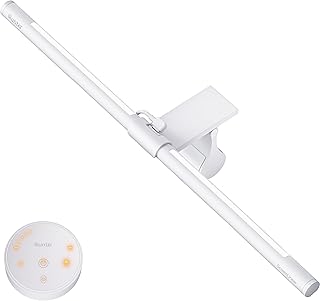
There are two main styles here. Traditional screen bars, like the Quntis monitor lamps, rest on the top bezel with a counterweighted clip and use asymmetric optics to push light onto the desk rather than the panel. These are compact, tidy, and ideal for single monitors, and curved-screen versions exist for ultrawides. The second style, clamp-mounted LED lamps such as the ONEMIX 42-inch four-panel light and the Airlonv gooseneck model, attach to the desk edge and reach over one or two monitors, offering more coverage and flexibility at the cost of a larger footprint. Build quality across these ranges from lightweight plastic to more substantial aluminum housings.
Performance
Lighting quality is what separates good monitor lamps from mediocre ones. The best models offer stepless dimming, adjustable color temperature, and auto-dimming that responds to ambient light, features found on several Quntis bars. Warm-to-cool ranges, like the 2700K to 6500K on the Airlonv, let you match the light to the time of day, reducing eye fatigue during long sessions. Multi-panel lamps like the ONEMIX deliver high lumen output and cover dual monitors evenly, with remote and timer control for convenience. Flicker-free operation is essential and is standard on the stronger options here. RGB backlight versions, such as the curved Quntis bar, add ambient color behind the screen for gamers.
Pros & Cons
- Glare-free lighting: asymmetric optics illuminate the desk without reflecting off the screen.
- Space saving: screen bars free up the desk area a traditional lamp would occupy.
- Adjustable and eye-friendly: dimming, color temperature control, and flicker-free output reduce strain.
- Flexible coverage: clamp lamps like the ONEMIX light dual-monitor setups evenly.
- Fit varies: some bars suit only flat or only curved screens, so matching matters.
- Premium features cost more: auto-dimming, remotes, and RGB add to the price.
Alternatives to Consider
If you have a very wide or curved display, a purpose-built curved light bar like the Quntis RGB model will seat better than a flat bar. For dual-monitor or workbench setups where a single bar can’t reach, a clamp-mounted multi-panel lamp such as the ONEMIX is the better fit. And if you simply need adjustable task lighting with motion sensing, a clamp desk lamp with remote and touch control offers flexibility beyond a fixed screen bar.
Frequently Asked Questions
Do monitor lamps really reduce eye strain?
Yes. By adding even, glare-free light around your screen, they reduce the harsh contrast between a bright display and a dark room, which is a common cause of eye fatigue.
Will a light bar reflect off my screen?
Quality bars use asymmetric optics specifically to direct light onto the desk, not the panel, so they avoid the reflections a normal lamp would cause.
Can I use one on a curved or ultrawide monitor?
Choose a model designed for your screen shape. Quntis offers curved and ultrawide-friendly bars, while standard bars are best on flat panels.
Do they need a separate power outlet?
Most screen bars are USB-powered and can run from your monitor or a USB hub, keeping cabling minimal. Larger multi-panel lamps may use a dedicated adapter.
Verdict
Monitor lamps are a small upgrade with an outsized impact on comfort. For a single screen, a Quntis light bar with auto-dimming and color-temperature control is the standout choice, while the ONEMIX four-panel clamp lamp is the better pick for dual-monitor coverage. Either way, glare-free lighting makes long sessions noticeably easier on your eyes.