Key takeaways
- Interface: NVMe runs over PCIe lanes for parallel, low-overhead access, while SATA uses the older AHCI protocol over a single 6Gb/s link designed in the hard-drive era.
- Sequential speed: NVMe drives reach 3,500–14,000MB/s depending on generation, whereas SATA SSDs top out near 550MB/s — the single biggest, most measurable difference between them.
- Random access: NVMe handles far more simultaneous requests (higher queue depth and IOPS), which is why it feels snappier when many small files are read at once, like during game loads.
- Price: SATA remains the value champion per terabyte, so for pure capacity where speed is irrelevant, it stretches a budget further than NVMe.
- Real-world impact: You’ll feel NVMe most in boot times, large file copies, and asset-heavy game loads; for launching a browser or storing finished files, SATA feels identical.
- Power and heat: Fast NVMe drives draw more power and run hotter under sustained load, sometimes needing a heatsink, while cool-running SATA SSDs are effortless in any system.
Both NVMe and SATA are solid-state drives, so both leave a spinning hard disk in the dust — but the moment you start moving large files or loading a modern game, the gap between them is impossible to ignore. NVMe rides the PCIe lanes for extreme bandwidth, while SATA is chained to an interface designed back when mechanical drives ruled, and that architectural difference defines everything.
In 2026 the decision comes down to where the speed actually pays off versus where you’re better served by saving money. An NVMe drive can be twenty-five times faster on paper, but that headline number only matters for certain tasks. Understanding when that speed translates into a real-world benefit — and when it’s overkill you’re paying for — is the difference between a smart purchase and wasted budget.
Our top picks
 TEAMGROUP T-Force Vulcan Z 1TB SLC Cache
- [Gaming & PC Upgrade] Boost your PC with…
- [High-Speed SLC Cache] Features a built-in SLC Cache…
- [Universal Compatibility] Standard 2.5-inch 7mm slim design fits…
 fanxiang S101 1TB SSD SATA SSD 1TB
- The fanxiang 1TB SSD 2.5 Inch SATA SSD…
- Compared to HDDs, the 1TB SATA SSD boots…
- The 2.5 SATA SSD 1TB incorporates 3D NAND…
 Gigastone 【NAS Certified】 1TB High Endurance SSD
- [High Endurance Grade] : No.1 NAS SSD choice…
- [For Heavy Workloads] : Superior durability designed for…
- [Wide Compatibility] : Rugged secure data consolidation for…
| Product | Key specs | |
|---|---|---|
| TEAMGROUP T-Force Vulcan Z 1TB SLC Cache | [Gaming & PC Upgrade] Boost your PC with… [High-Speed SLC Cache] Features a built-in SLC Cache… [Universal Compatibility] Standard 2.5-inch 7mm slim design fits… | Check price |
| fanxiang S101 1TB SSD SATA SSD 1TB | The fanxiang 1TB SSD 2.5 Inch SATA SSD… Compared to HDDs, the 1TB SATA SSD boots… The 2.5 SATA SSD 1TB incorporates 3D NAND… | Check price |
| Gigastone 【NAS Certified】 1TB High Endurance SSD | [High Endurance Grade] : No.1 NAS SSD choice… [For Heavy Workloads] : Superior durability designed for… [Wide Compatibility] : Rugged secure data consolidation for… | Check price |
 Gigastone 【NAS Certified】 1TB High Endurance SSD Gigastone 【NAS Certified】 1TB High Endurance SSD | [High Endurance Grade] : No.1 NAS SSD choice… [For Heavy Workloads] : Superior durability designed for… [Wide Compatibility] : Rugged secure data consolidation for… | Check price |
 ORICO 1TB SATA SSD 2.5 Inch Internal ORICO 1TB SATA SSD 2.5 Inch Internal | 3D-NAND Technology: The 2.5-inch SATA SSD utilizes advanced… Ultra-fast speed: Sequential read and write performance levels… High-Performance: Solid state internal drive has the characteristics… | Check price |
 Gigastone 1TB SATA SSD 2.5 inch SSD Gigastone 1TB SATA SSD 2.5 inch SSD | [Gaming Grade] : No.1 Gaming PC & PS4… [Game Professionals] : Powerful Storage with Fastest Game… [Advanced Technology] : 3D NAND with SLC Cache… | Check price |
 Gigastone 1TB Game Turbo SSD Gigastone 1TB Game Turbo SSD | [Time-saving] : Read speed up to 550 MB/s [Advanced Technology] : 3D NAND with SLC Cache… [Compatibility] : 2.5" SSD 7mm design fits PS4… | Check price |
 KingSpec 1TB 2.5 SSD SATA III Internal KingSpec 1TB 2.5 SSD SATA III Internal | [ Fast and Extraordinary ]: KingSpec 2.5 SATAIII… [ High-Performance ]: KingSpec 2.5 SATA SSD has… [ More Reliable &More Stable ]:The 2.5" SATA… | Check price |
As an Amazon Associate we earn from qualifying purchases at no extra cost to you.
⚡ Save on Your Next PC — Amazon Prime
Prime members get fast free shipping on the systems above, plus early access to Prime Day & Black Friday PC deals. New members get a 30-day free trial.
Watch: NVMe vs SATA SSD: 2026 Speed Comparison — Video Review
Quick Verdict
NVMe is the right call for your boot drive, your games, and any heavy file work — a Gen4 drive delivers the responsiveness that makes a PC feel instant. SATA SSDs like the TEAMGROUP T-Force Vulcan Z or a fanxiang S101 still shine as affordable, dependable storage for libraries and backups where the interface’s speed ceiling simply never comes into play.
Key Differences
- Interface: NVMe runs over PCIe lanes for parallel, low-overhead access, while SATA uses the older AHCI protocol over a single 6Gb/s link designed in the hard-drive era.
- Sequential speed: NVMe drives reach 3,500–14,000MB/s depending on generation, whereas SATA SSDs top out near 550MB/s — the single biggest, most measurable difference between them.
- Random access: NVMe handles far more simultaneous requests (higher queue depth and IOPS), which is why it feels snappier when many small files are read at once, like during game loads.
- Price: SATA remains the value champion per terabyte, so for pure capacity where speed is irrelevant, it stretches a budget further than NVMe.
- Real-world impact: You’ll feel NVMe most in boot times, large file copies, and asset-heavy game loads; for launching a browser or storing finished files, SATA feels identical.
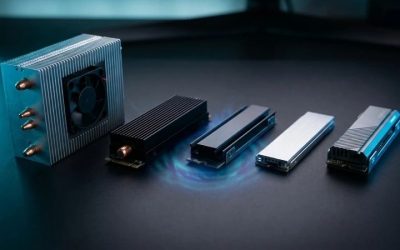
- Power and heat: Fast NVMe drives draw more power and run hotter under sustained load, sometimes needing a heatsink, while cool-running SATA SSDs are effortless in any system.
NVMe SSD: Uncompromised Speed
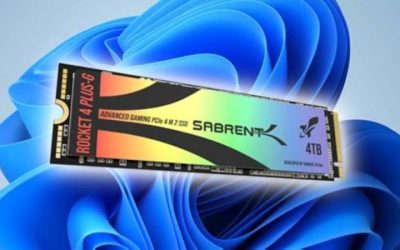
NVMe is what a modern drive is supposed to be. By speaking directly to the CPU over PCIe lanes, it sidesteps the bottlenecks that hobble SATA and delivers throughput measured in gigabytes per second, along with the deep parallelism that makes everyday clicking, loading, and multitasking feel instantaneous. This is the storage that makes a 2026 PC feel genuinely fast rather than just “not slow.”
The payoff shows up exactly where you spend your time: shorter boot sequences, near-instant game loads on titles that stream assets aggressively, and file transfers that finish before you’ve looked away. For your primary drive, for competitive gaming, and for any creative work involving big files, NVMe is the clear winner. The only reasons to hesitate are cost per terabyte and the slightly higher heat — neither of which outweighs the experience on a main drive.
SATA SSD: Reliable Value Storage
SATA earns its keep by being cheap, cool, and utterly dependable. A drive like the fanxiang S101 or a Gigastone SATA SSD costs less per terabyte than NVMe and still delivers the instant responsiveness that separates any SSD from a mechanical hard drive. For the second or third drive in a system — the one holding your installed game library, photo archive, or backups — that value proposition is hard to beat.
Its ceiling is real: the interface caps sequential speed around 550MB/s, so a SATA drive can’t match NVMe for big transfers or heavily streamed game worlds. But for storing files, running older titles, and expanding capacity affordably, that limit is invisible in daily use. SATA is the pragmatic choice when you want more space without paying the NVMe premium, and its low heat and broad compatibility make it foolproof to install.
Which Should You Buy?
- For For your boot and primary drive: pick NVMe because faster boot, load, and multitasking are felt constantly and set the tone for how quick the whole PC feels.
- For For competitive or asset-heavy gaming: pick NVMe since modern engines stream textures aggressively and the higher random-read speed cuts stutter and load screens.
- For For a bulk game or media library: pick SATA because sequential speed is irrelevant once titles are installed, and the lower cost per terabyte adds up fast.
- For For upgrading an older system: pick SATA when the board lacks fast PCIe support, since any SATA SSD is a massive leap over a hard drive at minimal cost.
- For For a tight budget with capacity needs: pick SATA to maximize gigabytes per dollar, then add a small NVMe boot drive later if you want the speed on top.
Frequently Asked Questions
How much faster is NVMe than SATA in real use?
On paper NVMe is up to 25x faster in sequential transfers, but real-world gains depend on the task — huge in file copies and heavy game loads, negligible for launching apps or storing files. The random-access advantage is what makes daily use feel snappier.
Do games load noticeably faster on NVMe?
In titles built to stream assets from fast storage, yes — NVMe can meaningfully cut load screens and reduce texture pop-in. For older games or ones that load into RAM once, the difference between NVMe and SATA is small.
Is a SATA SSD still worth buying in 2026?
Definitely, as secondary storage. It’s cheaper per terabyte, runs cool, and is instant compared to a hard drive. Use SATA for your library and backups, and reserve NVMe for the OS and active games.
Does NVMe need special cooling?
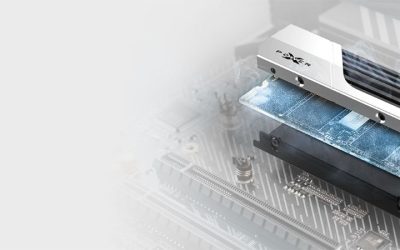
High-end Gen4 and Gen5 drives can run hot under sustained load and benefit from a heatsink to prevent throttling, but everyday gaming rarely pushes them that hard. Many motherboards include M.2 heatsinks that handle it automatically.
Final Verdict
The 2026 formula is simple: NVMe for your primary drive, SATA for cheap bulk storage. Put your OS, your most-played games, and any big-file workflows on NVMe to enjoy the instant, streaming-fast experience that defines a modern PC, and lean on SATA to expand your library affordably where its speed ceiling never shows. Buy both if your budget allows — a fast NVMe boot drive paired with a roomy SATA library is the best-of-both-worlds setup.