
Choosing among the best 27 inch 360Hz OLED monitors is less about finding the fastest panel and more about finding the right connection, screen finish, warranty, and currently purchasable model. The leading choices share a 2560 × 1440 resolution and 360Hz QD-OLED class, but they do not share identical HDMI limits, USB-C charging, or desk-friendly features. For most U.S. PC gamers, the MSI MPG 271QRX offers the strongest feature balance; the MSI MAG 271QPX costs less when its simpler connectivity is enough. This guide covers true 360Hz desktop gaming monitors, not cheaper 240Hz variants or 480Hz models that belong in a different roundup.
Quick verdict: the best 27-inch 360Hz OLED monitor for each buyer
Best Overall — MSI MPG 271QRX QD-OLED. This is our default recommendation for someone who wants 360Hz QHD gaming today and may also connect a laptop or console. The model combines two full-bandwidth HDMI 2.1 inputs, DisplayPort 1.4a, a USB-C video input with up to 90W power delivery, and a KVM function. Its principal compromises are QD-OLED’s sensitivity to strong ambient light, OLED text fringing, and the need to confirm current firmware before judging low-refresh-rate input lag.
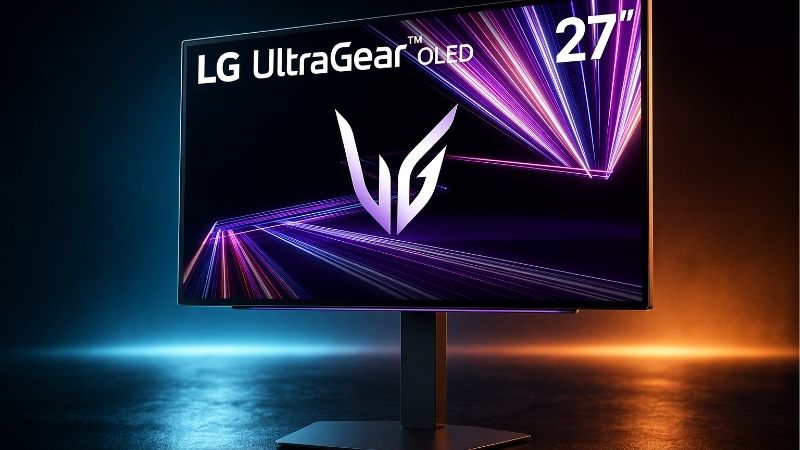
Best Value — MSI MAG 271QPX QD-OLED, 360Hz version. It keeps the fundamental 1440p/360Hz QD-OLED experience while eliminating the MPG model’s full USB hub and high-wattage laptop docking. A U.S. B&H listing showed it in stock at $519.99 on October 28, 2026. Buyers must check the exact model name: the similarly named MAG 271QPX QD-OLED E2 is 240Hz, and it is not a substitute for this roundup.
Best for reflections — Samsung Odyssey OLED G6 G60SD. Its matte Glare Free surface is more practical than glossier-looking alternatives for desks with windows or overhead lights. That does not make it immune to strong glare or to the raised black levels QD-OLED can exhibit in bright spaces. It lacks the desktop-laptop docking flexibility of the MSI MPG.
Best premium workstation-style connectivity — ASUS ROG Strix OLED XG27ACDNG. Choose it if you specifically want USB-C video and up to 90W charging alongside HDMI 2.1 and multiple USB-A ports. At the checked listing, it was sold and shipped by a Best Buy Marketplace merchant rather than Best Buy itself, so the seller’s return and warranty handling deserve attention.
Conditional alternatives — Gigabyte AORUS FO27Q3 and Alienware AW2725DF. Both are legitimate 1440p/360Hz QD-OLED models, but their October 2026 purchasing circumstances make them less straightforward. The Gigabyte had an unusually high Newegg asking price in the checked listing, while Dell’s pages conflicted about the Alienware’s availability. Neither should outrank a clearly stocked, reasonably priced alternative without a fresh seller check.
Comparison table: verified features, U.S. prices and inventory
The seller figures below are observed website listings, not guaranteed checkout totals. They reflect pages opened during research on October 28, 2026 (U.S. market); local availability, shipping ZIP code, sales tax and promotions may differ. “In stock” means the cited listing displayed stock or an available shipping/add-to-cart offer at the time of inspection. The article does not claim an order was placed.
| Exact monitor model | Key verified difference | Best use | Observed U.S. listing price, Oct. 28, 2026 | Stock status, Oct. 28 | Main drawback |
|---|---|---|---|---|---|
| MSI MPG 271QRX QD-OLED | QHD 360Hz, 90W USB-C video, KVM, 2× HDMI 2.1 | Best overall; PC plus laptop | B&H: $579.99 | In stock — B&H | Firmware and ambient-light caveats |
| MSI MAG 271QPX QD-OLED (not E2) | QHD 360Hz, HDMI 2.1, USB-C 15W | Best value for desktop PC | B&H: $519.99 | In stock — B&H | No MPG-style KVM/USB hub; weak laptop charging |
| Samsung Odyssey OLED G6 G60SD, LS27DG602SNXZA | QHD 360Hz, matte Glare Free, FreeSync Premium Pro | Reflective gaming room | B&H: $749.99 | In stock — B&H | More expensive at checked seller; console limitations |
| ASUS ROG Strix OLED XG27ACDNG | QHD 360Hz, HDMI 2.1, USB-C 90W, USB hub | Premium multi-device desk | Best Buy Marketplace / Mobile Advance: $759.00 | Shipping offer / add to cart; pickup unavailable | Marketplace seller terms; premium price |
| Gigabyte AORUS FO27Q3 | QHD 360Hz, KVM, built-in 2×5W speakers, USB-C 18W | A specific feature-led deal | Newegg search listing: $1,509.90 | Add-to-cart listing; seller stock requires confirmation | Price substantially above other checked picks |
| Dell Alienware AW2725DF | QHD 360Hz via DP, HDMI up to QHD 144Hz | DP-focused PC, when locally available | Dell pages: $649.99 shown on one; no reliable buyable quote | Unclear — Dell pages conflict | No HDMI 360Hz; availability uncertainty |
These six are not ranked by identical panel test scores. The first four are the current actionable short list. The final two are included to explain why a familiar model can be a poor purchase at a given asking price or inventory state. Avoid interpreting a higher price as evidence of a faster panel: these monitors all target the same native QHD/360Hz display class.
How we selected these 360Hz OLED monitors
We screened for three nonnegotiable attributes: a monitor marketed in the 27-inch class (often a 26.5- or 26.7-inch viewable panel), an OLED panel rather than an LCD labeled “OLED-like,” and a native 2560 × 1440 refresh rate up to 360Hz. A monitor running 360Hz only at a reduced resolution would need separate labeling. We then compared manufacturer specification sheets, U.S. retail listings, and independent testing of the exact models.
Our selection criteria prioritized the actual supported signal path, gaming responsiveness, screen-surface behavior, useful ports, documented burn-in policies, and whether a U.S. customer could plausibly purchase the specific model. We did not award extra points for manufacturer’s advertised 0.03ms gray-to-gray response time alone. That is a standardized marketing specification, not a measured end-to-end input latency result, and it does not prove one product is faster than another in real games.
Independent monitor measurements inform the practical discussion, particularly when RTINGS has documented firmware-related latency changes, VRR flicker, text clarity, and reflections. Those results belong to the reviewer and its specific tested sample. Geek Gaming Tricks did not perform detailed research, color calibration, motion photography, or a new six-monitor head-to-head benchmark. Product judgments here are editorial choices based on those published findings and documented features.
Why this isn’t simply a list of the newest OLEDs
Higher-refresh QD-OLED and WOLED products now exist, and 4K OLEDs offer sharper desktop text. But the reader searching for 360Hz at around 27 inches usually wants a distinctive balance of competitive speed, QHD GPU demand, and OLED contrast. Including a 240Hz bargain or a 500Hz alternative as if it met the same requirement would be misleading. We mention those categories only when explaining when a buyer should abandon the 360Hz constraint entirely.
Stock is part of the buying decision, not an afterthought. An older favorite that has disappeared from ordinary authorized U.S. shelves may still appear in aggregator pages or third-party listings at unusual prices. A product must solve a reader’s purchase problem today, not merely have received excellent reviews two years ago.
MSI MPG 271QRX QD-OLED — Best Overall
The MPG 271QRX earns its top position through connectivity rather than a claim of uniquely superior OLED pixels. Its official U.S. specifications list a 26.5-inch QD-OLED panel, 2560 × 1440 resolution, 360Hz refresh rate, DisplayPort 1.4a, two HDMI 2.1 ports supporting QHD at up to 360Hz, and USB-C DisplayPort Alternate Mode with up to 90W power delivery. A USB hub and KVM make the monitor useful for moving between a gaming desktop and a work laptop without maintaining separate keyboard and mouse sets.
The effect on a real desk is substantial. A competitive player can leave a gaming PC connected over DisplayPort and attach a compatible laptop through USB-C for video and charging. With the proper upstream connection and KVM setup, the same input devices can serve both computers. Ninety watts is enough for many mainstream laptops, but it is not a promise to fully power every high-performance gaming laptop under maximum load. Check the laptop’s USB-C charging requirements before expecting one-cable operation.
The most important independent caveat is firmware. RTINGS reported higher input lag at some lower refresh rates on older firmware and documented updates addressing that issue. That does not mean every current unit ships with outdated firmware, and it does not establish a new problem in 2026. It does mean the buyer should identify the installed version through the monitor’s supported interface, consult MSI’s instructions for the exact 271QRX, and use the manufacturer-provided updater if needed. Changing firmware without following the official instructions is unnecessary risk.
Picture quality is another reason this model works for both competition and immersive gaming. OLED’s near-instantaneous pixel transitions keep motion crisp, while individually illuminated pixels create deep blacks with no traditional LCD blooming. At the same time, QD-OLED can appear purplish under bright ambient light, and text can show subpixel fringing at normal desktop viewing distances. A dark or moderately lit gaming room is a better match than a sunlit office dominated by spreadsheets.
Who should buy: Players who want the safest feature-rich 360Hz recommendation, especially those sharing peripherals between a desktop and laptop. Who should skip: Buyers who never need USB-C/KVM and can buy the 360Hz MAG version meaningfully cheaper. Checked purchase context: B&H listed the model in stock at $579.99, October 28, 2026. This is an observed listing, not a guaranteed price after tax.
MSI MAG 271QPX QD-OLED — Best Value
The MAG 271QPX QD-OLED makes a compelling case for paying for the display rather than its docking extras. The manufacturer specifies the same QHD resolution and maximum 360Hz refresh rate, QD-OLED technology, a DisplayPort 1.4a input, two HDMI 2.1 inputs rated for 1440p/360Hz, and a USB-C video input. The key distinction is the limited 15W USB-C power delivery and the lack of the MPG’s integrated USB-A/KVM convenience package. It is a streamlined gaming monitor, not an inexpensive stand-in for a high-wattage laptop dock.
For a desktop that stays connected to one PC, this compromise can be exactly right. The screen’s OLED response behavior and 360Hz ceiling address the buyer’s central gaming requirement, while an ordinary USB mouse and keyboard can remain plugged into the computer. The MAG’s 15W USB-C connection may be useful for some devices and video sources, but do not interpret it as a universal laptop power supply. A laptop that needs 65W, 90W, or more will normally require its own suitable power adapter.
The critical compatibility trap is the name. MSI also sells a MAG 271QPX QD-OLED E2, and its official specification explicitly says 240Hz. Online storefront snippets can omit the E2 suffix, creating exactly the kind of mispurchase that a buying guide should prevent. Inspect the full product name, manufacturer part number, and the maximum refresh rate on the selected variant’s own specification page. Do not accept a listing that only says “MAG 271QPX family” or that swaps a product image from a different edition.
The value argument here is grounded in a same-day seller comparison: B&H showed the MAG 360Hz model at $519.99 and the MPG at $579.99 on the checked pages, a $60.00 difference before tax or shipping. For someone using only a gaming desktop, keeping those $60 can make more sense than paying for features that will remain idle. For someone switching computers every day, the MPG may earn back that difference in simpler desk wiring.
Who should buy: Single-PC gamers who primarily care about QHD, OLED contrast, and 360Hz motion. Who should skip: Laptop users who need 90W charging, a KVM, or a USB hub built into the display. Checked purchase context: B&H showed In Stock at $519.99; MSI’s own U.S. store also listed this exact 360Hz version in stock but at a different $579.99 price. Retailer and SKU must stay attached to every price comparison.
Samsung Odyssey OLED G6 G60SD — Best for Glare Control
The Samsung Odyssey OLED G6 G60SD, specifically the U.S. LS27DG602SNXZA variant, takes a different approach to room lighting. Samsung promotes a matte Glare Free screen finish, and independent testing has found that the surface handles reflections particularly well. That is useful if a nearby window, bright overhead fixture, or frequently changing daytime lighting makes a glossy-looking OLED hard to enjoy. The benefit is fewer distracting mirror-like reflections, not unlimited screen brightness.
This distinction matters because QD-OLED black levels can still rise in a bright room. The monitor can diffuse a reflection while the image itself loses some of the inky black appearance that OLED produces in the dark. A buyer who cannot control sunlight should consider curtains, screen positioning, and realistic room conditions before paying extra for a matte finish. It is also a matter of taste: users who favor a clearer, glossy-style surface in a dark room may not prefer Samsung’s matte presentation.
For games, Samsung pairs QHD resolution with 360Hz operation and FreeSync Premium Pro. The independent RTINGS review found extremely crisp motion and low input lag, but also raised practical caveats. Its optional VRR Control setting may greatly reduce visible flicker when frame rate fluctuates while adding stutter and some lag, so it is not a free improvement for every game. The review also identified console signal compatibility limitations. If a PS5 or Xbox is your main device, check the exact supported resolutions and refresh modes rather than assuming a 360Hz PC rating means the console can deliver 360 frames each second.
Unlike the MSI MPG or ASUS alternative, the G60SD is not primarily pitched as a one-cable laptop dock. It should be selected for its surface treatment, gaming performance, design, and the features your devices actually support. Samsung’s U.S. product page states burn-in under normal usage is covered within warranty while excluding commercial use, abuse, and misuse; the buyer should confirm the applicable U.S. terms and proof-of-purchase requirements rather than relying only on a short marketing description.
Who should buy: Competitive PC players whose desks have bothersome reflections and who prefer a matte OLED coating. Who should skip: Buyers prioritizing USB-C laptop charging or expecting OLED blacks to stay equally deep in direct sunlight. Checked purchase context: B&H displayed In Stock at $749.99 when opened for this research. Samsung’s own site showed different pricing and location-dependent delivery, so these should not be conflated.
ASUS ROG Strix OLED XG27ACDNG — Best Premium Multi-Device Option
The ASUS ROG Strix OLED XG27ACDNG is a strong alternative to the MPG when a buyer prefers ASUS’s OSD features, stand design, and connectivity layout. Its official specifications confirm a 26.5-inch-class 1440p QD-OLED panel at 360Hz, DisplayPort 1.4 with DSC, two HDMI 2.1 FRL ports, USB-C video input with 90W power delivery, and three USB 3.2 Gen 1 Type-A downstream ports. The manufacturer also lists substantial ergonomic adjustment and a 100 × 100mm VESA mounting pattern.
There is genuine practical value in this combination. An enthusiast can use DisplayPort from a gaming PC, connect a compatible laptop to USB-C for video and charging, and attach peripherals to the screen. Its 90W power provision is useful for a compatible business or creator laptop but is not sufficient for every gaming notebook at full performance. Also, the presence of multiple USB ports does not automatically establish how a particular keyboard, mouse, and switching setup behaves. Consult the ASUS manual for exact USB upstream and input-switching behavior before treating it like a dedicated KVM dock.
ASUS provides OLED Care+ options intended to reduce persistent-image risk. The custom heatsink and protective software do not make the screen immune to image retention or eliminate warranty restrictions. A practical owner should enable appropriate care features, avoid leaving extremely bright static overlays displayed for many uninterrupted hours, and follow the manufacturer’s panel maintenance schedule. These are normal OLED ownership habits rather than evidence that this specific ASUS has an unusual defect.
Independent reviewers have treated the XG27ACDNG as a premium 360Hz QD-OLED competitor to the MSI, Gigabyte, and Dell models. These displays share many baseline characteristics; it would be misleading to claim a dramatic motion-quality advantage based solely on the ASUS brand. At the checked asking price, the premium over the available MSI models is more difficult to justify unless the ASUS controls or physical design are a personal priority.
Who should buy: Users who value ASUS’s software and stand ergonomics, multi-device video inputs, and 90W USB-C. Who should skip: Buyers seeking the cheapest route to the same native 360Hz/QHD class. Checked purchase context: A Best Buy Marketplace listing showed $759.00 and a shipping offer, sold and shipped by Mobile Advance; local pickup was unavailable. Confirm the third-party seller, return window, and warranty before paying.
Gigabyte AORUS FO27Q3 — Best for Specific Gaming Extras, Only at a Sensible Price
Gigabyte’s AORUS FO27Q3 is a genuine contender on technical merit. Official specifications state 27-inch-class QD-OLED, 2560 × 1440, 360Hz, two HDMI 2.1 ports, DisplayPort 1.4, USB-C video with up to 18W power delivery, and built-in 2 × 5W speakers. The maker also highlights color calibration and gaming-oriented controls, while independent testing has evaluated its motion and input capabilities. For buyers who want speakers in the monitor and a KVM-capable desk arrangement, it offers a feature mix that neither the MAG nor the Alienware fully matches.
However, its USB-C charging is closer to the limited-power MAG than to the 90W MSI MPG and ASUS. Eighteen watts cannot replace a suitable charger for a typical performance laptop. Even with video through USB-C, the laptop may need a separate power supply. Speakers are a convenience for voice playback or casual video, not a guarantee of the quality you get from a dedicated headset or speakers. These distinctions explain which extras matter instead of simply counting ports.
The decisive problem in the checked U.S. market is purchase value. One B&H product listing for the AORUS FO27Q3 indicated it was no longer available, while a Newegg search listing still showed an add-to-cart offer at $1,509.90. That is not a price we recommend paying for a QHD/360Hz display when clearly purchasable options appear much lower. Marketplace listings and stock can change quickly, and another authorized seller may be cheaper, but the checked evidence does not justify ranking this as a top purchase now.
Who should buy: A shopper who specifically wants Gigabyte’s controls and integrated speakers and has personally confirmed a normal, authorized U.S. offer, its warranty coverage, and stock. Who should skip: Anyone faced with the checked inflated asking price. Stock judgment: Retail availability is fragmented; Newegg displayed a purchasable listing, while another retailer marked its listing no longer available. Reverify before order. This is a conditional pick, not a blanket buy-now recommendation.
Dell Alienware AW2725DF — Best DisplayPort-Focused Alternative if You Find It
The Alienware AW2725DF remains a respected 27-inch-class 1440p/360Hz QD-OLED monitor. Dell’s U.S. specifications confirm support for 360Hz over DisplayPort 1.4, an extremely fast claimed pixel response, and a three-year support framework that includes specified OLED burn-in coverage. Independent review work has praised its responsive gaming feel, high color performance, and everyday ergonomics. The central experience is still excellent for an esports-focused desktop.
Its biggest practical limitation is often hidden by a generic HDMI 2.1 label. Dell specifically lists the AW2725DF’s HDMI input as supporting QHD up to 144Hz, whereas DisplayPort supports QHD up to 360Hz. HDMI version labels are not enough to infer signal bandwidth or maximum usable refresh rate. A PC gamer who buys this model for 360Hz must have the appropriate DisplayPort output, cable, and settings. A laptop that exposes only HDMI is not an equivalent use case, even when its graphics card is powerful.
Unlike the MPG and ASUS, the Alienware does not offer a USB-C video input that doubles as a 90W laptop dock. Its downstream USB-C port is a USB hub connection rather than a USB-C video input. Treating it as DisplayPort Alternate Mode would be a compatibility mistake. The Dell makes better sense as a dedicated DisplayPort gaming display than as a centerpiece for frequently swapping laptops.
The October 2026 buying caveat is stock. One Dell U.S. page displayed Add to Cart and $649.99, but another official Dell listing for the same AW2725DF expressly said the monitor was currently unavailable. These signals do not establish a reliable order-ready price, so this guide marks availability unclear and does not promote it as Best Overall. If you find stock from an authorized seller, verify the checkout quantity and service terms before acting.
Who should buy: A DisplayPort-equipped PC gamer who finds an authentic, competitively priced new unit and prefers Dell’s service options. Who should skip: HDMI-only 360Hz shoppers, USB-C laptop dock seekers, or readers facing unconfirmed stock. The AW2725DF is a worthwhile monitor, but a good product is not automatically a good currently available deal.
What a 360Hz OLED gaming monitor actually changes
At 360Hz, a display starts a new scan every roughly 2.78 milliseconds. At 240Hz the interval is about 4.17 milliseconds, and at 144Hz it is about 6.94 milliseconds. That means the theoretical refresh-interval reduction going from 240Hz to 360Hz is approximately 1.39 milliseconds. These are mathematical frame intervals, not measured monitor input lag, mouse response, network ping, or the time required for a pixel to transition between colors.
The improvement can be meaningful for fast competitive play with frame rates that frequently exceed 240 frames per second. The display presents new information more often and can reduce sample-and-hold motion blur. OLED’s rapid pixel transitions help keep those frames visually clean. But when a demanding game runs at 90 or 120fps, the screen cannot invent unique rendered frames just because its specification says 360Hz. The larger gaming experience then depends more on actual GPU output, frame-time consistency, display processing, and your preferences for VRR and HDR.
A 1440p display also imposes a different GPU workload than a 1080p esports screen. The 2560 × 1440 pixel count is around 3.69 million pixels, compared with roughly 2.07 million at 1920 × 1080. That does not imply FPS will fall in direct proportion, because games differ in CPU limits, rendering effects, and internal scaling. It does explain why an esports PC that achieves extreme frame rates at 1080p may not always sustain 360fps at QHD. Check the games and graphics settings you actually play before paying a premium for unused refresh capacity.
QD-OLED, bright rooms and text clarity
All six featured monitors use the 360Hz QD-OLED class. Its strengths include exceptional dark-scene contrast, fast pixel transitions, and vivid colors. The usual compromises are visible black-level lift in brighter environments, risk of burn-in with prolonged static use, and text rendering that may look less crisp than a traditional RGB-stripe LCD at similar resolution. Subpixel behavior affects small text differently from full-screen game graphics, which is why a glowing combat scene and a spreadsheet should not be judged as the same workload.
The matte Samsung is the obvious first stop for glare management, but matte finish and raised blacks are separate concerns. You can diffuse reflections without restoring the panel’s dark-room black level in direct ambient light. If you spend eight hours each day with static IDE panes, spreadsheets, or taskbars, it is worth comparing a different panel type or a sharper 4K OLED before treating 360Hz as mandatory. A dedicated gaming setup with variable content is a more natural fit for these products.
Connectivity checklist: avoid paying for a feature you cannot use
DisplayPort versus HDMI. Do not assume that every monitor with HDMI 2.1 offers 360Hz at native QHD through that HDMI connection. The Alienware AW2725DF is the clearest counterexample: its manufacturer caps QHD HDMI at 144Hz while offering 360Hz through DisplayPort. The MSI MPG and MAG explicitly list QHD 360Hz through their HDMI 2.1 ports, while ASUS likewise documents an HDMI 360Hz signal range. Confirm both monitor input capability and GPU output capability; a cable label alone proves neither.
USB-C DisplayPort Alternate Mode. A USB-C connector is not necessarily a video input. The monitor needs USB-C DP Alt Mode, and the connected computer’s port must also output video in the relevant mode. USB-C power delivery is a separate capability: the MPG and ASUS specify 90W; MAG specifies 15W; the Gigabyte specifies 18W; the Dell’s downstream USB-C should not be mistaken for video input. If a laptop needs more power than the monitor supplies, use the laptop’s normal charger.
KVM and USB upstream. A KVM can simplify switching a keyboard and mouse between two hosts, but success depends on how the particular monitor maps USB upstream to selected video inputs. A USB hub by itself is not necessarily a full KVM, and a keyboard plugged into a monitor will not automatically move to every connected device. Read the exact model’s manual and check the included USB cable requirements. Avoid purchasing based only on a retailer’s generic “USB-C” feature tag.
Stand adjustment and mounting. For a competitive 27-inch screen, placing the monitor at a comfortable height and viewing distance often matters more than small theoretical differences in pixel response. These models offer various tilt, swivel, pivot, and height adjustments, but the amount varies. Verify a 100 × 100mm VESA pattern where specified, the display weight without its stand, and the monitor arm’s load range before choosing a separate mount.
OLED burn-in, warranty and maintenance decisions
OLED pixels age with use, and long-lasting static content can produce differential wear that looks like burn-in. Manufacturers mitigate the risk through pixel refresh routines, logo detection, thermal management, or panel-protection options, but none eliminates it. A warranty is valuable only when its terms address the owner’s actual workload and region. The MSI product pages explicitly include three-year panel burn-in coverage for the listed models, Dell publishes its applicable three-year coverage, and Samsung’s U.S. listing states conditions and exclusions for normal-use burn-in. ASUS and Gigabyte owners should review the exact U.S. support policy for their serial-number region rather than assume every global marketing promise transfers unchanged.
The best practical routine is simple: allow manufacturer-recommended panel maintenance to run, use sensible sleep/lock settings, avoid unnecessary static maximum-brightness elements for very long periods, and keep receipts and serial-number records. Do not interrupt a required panel care cycle without reading the manual, and do not manually force repeated cleaning cycles as a substitute for the manufacturer’s schedule. A buyer whose job consists of a fixed dashboard for most waking hours should evaluate LCD or a mixed-monitor setup as a risk trade-off, not assume new OLED protection makes static duty risk-free.
How to choose based on your PC and gaming habits
Competitive shooter with a high-end PC
Prioritize motion clarity, reliable variable refresh, ergonomic comfort, and the signal path that actually reaches 360Hz. The MAG is ideal when one desktop stays connected; the MPG adds useful flexibility with no need to chase a theoretical difference in panel speed. Before paying, test your own game settings against realistic 240fps and 300fps-plus targets. If your favorite games are usually GPU-limited at 120–180fps, a cheaper 240Hz OLED may deliver most of the visual benefit at a lower total cost.
Gaming plus work laptop at the same desk
The MPG and ASUS earn their higher feature scores here because 90W USB-C DP Alt Mode is genuinely useful. Check your laptop supports USB-C video and accepts power delivery at the specified wattage; many gaming laptops still need separate high-power adapters. If you also want one keyboard and mouse between hosts, the MPG’s documented KVM functionality is a particularly strong argument. Do not buy the MAG expecting an equivalent one-cable dock, and do not assume the Alienware’s USB-C downstream port is video-capable.
Room with large windows or overhead fixtures
Start with the Samsung G60SD and its matte reflection treatment, but evaluate whether the area is merely reflective or extremely bright. Reducing a mirror reflection and preserving deep black appearance are different issues. If the room is consistently flooded with light, a bright LCD or a different OLED implementation may be the more practical all-day display. No coating makes every QD-OLED behave like a high-brightness office LCD under direct sunshine.
Mostly console gaming, occasional PC gaming
A PS5 or Xbox Series console cannot output 360Hz gameplay, so native 360Hz should not be the main reason for purchase. HDMI signal compatibility, VRR implementation, 120Hz support, HDR handling, and input lag at console refresh rates are more relevant. The MSI MPG supports a wide range of console signals in independent testing; the Samsung has documented limitations on some console modes. For a console-first reader, our separate PS5 Pro 1440p monitor topic is a better starting point than treating a PC-focused 360Hz ranking as a console ranking.
Pre-purchase steps that prevent expensive mistakes
- Confirm the full SKU. Different suffixes can mean different refresh rates or regional warranties. In particular, the MAG 271QPX QD-OLED is the 360Hz pick; the MAG 271QPX QD-OLED E2 is a 240Hz model.
- Match your intended video connection. Check the monitor specification for QHD 360Hz through the exact HDMI, DisplayPort, or USB-C input you will use. For the Alienware AW2725DF, 360Hz requires DisplayPort.
- Check laptop power separately. If you need single-cable charging, verify 90W power delivery and USB-C video support at both ends. Fifteen- or eighteen-watt ports are not equivalent.
- Read the U.S. seller line. Check whether the listing is sold directly by the retailer or by a marketplace merchant, the item’s condition, shipping destination, return policy, and whether stock is confirmed at checkout.
- Inspect OLED coverage. Find the warranty terms that apply to burn-in under normal use, document exclusions, and confirm whether the seller is authorized. Keep the invoice.
- Compare value at the same moment. The observed October 28 prices are research snapshots. A cheaper SKU at a different seller, a new promotion, or an out-of-stock message can change the recommendation before you order.
Frequently asked questions
Is 360Hz OLED noticeably better than 240Hz OLED?
It can be, especially in competitive games that sustain very high frame rates and when motion clarity is the priority. The theoretical refresh interval improves from about 4.17ms at 240Hz to 2.78ms at 360Hz. That improvement is not a promise of a 1.39ms reduction in end-to-end system latency, and it is much less meaningful when the game renders far fewer than 240 unique frames per second.
Are all 27-inch 360Hz OLED monitors actually 27 inches?
Manufacturers often market these as 27-inch-class monitors even when the official visible diagonal is about 26.5 or 26.7 inches. The small difference does not change the intended category, but buyers should check the exact dimensions, stand depth and VESA mounting information if desk space is tight.
Can the Alienware AW2725DF run 1440p at 360Hz over HDMI?
No. Dell’s U.S. specification lists QHD at up to 144Hz through the HDMI input and 360Hz through DisplayPort. The HDMI 2.1 label does not override the explicitly published signal limits. If HDMI-only 360Hz is essential, choose a model whose actual HDMI mode has been verified.
Is the MSI MAG 271QPX E2 the same as the 360Hz MAG 271QPX?
No. The official MAG 271QPX QD-OLED specification is 360Hz, while the E2 model’s published specification is 240Hz. Search results often place the names close together, so select the exact SKU before evaluating the price.
Which of these monitors is best for a MacBook or laptop?
A laptop capable of USB-C DisplayPort video and compatible 90W charging is best served by the MSI MPG 271QRX or ASUS XG27ACDNG on a feature basis. Actual supported refresh rates depend on the laptop GPU, operating system, cable, and USB-C video configuration. A 90W port does not ensure a gaming laptop can charge sufficiently under heavy load, and KVM or USB hub behavior must be configured according to the monitor manual.
Does a three-year OLED warranty mean burn-in is impossible?
No. Warranty provisions are a form of financial protection subject to exclusions, not a physical guarantee. Follow normal OLED care practices and confirm the exact manufacturer, country, and model terms. Coverage descriptions may differ between standard consumers, commercial installations, and units purchased through third-party sellers.
Should I buy a 360Hz QHD OLED if I mainly play on a PS5 or Xbox?
Usually not for the 360Hz specification alone. Console output limits make 120Hz signal compatibility, VRR, HDR, and resolution handling more useful selection criteria. A 360Hz monitor can still be excellent for dual PC-and-console ownership, but a console-first shopper may find better value elsewhere.
Final thoughts
For most U.S. desktop gamers choosing a 27-inch QHD/360Hz OLED today, start with the MSI MPG 271QRX because its 90W USB-C, KVM, and full-bandwidth HDMI options solve more real setup problems. Choose the 360Hz MSI MAG 271QPX when those extras are unnecessary and its exact SKU remains cheaper. Pick Samsung G60SD for reflection control or ASUS XG27ACDNG for a particular premium connectivity preference. Before checkout, verify the input mode, correct model suffix, warranty and the seller’s current stock; if those do not line up, do not buy merely because a monitor won a ranking.









