
Key takeaways
- Check the full model code, not just the brand and screen family; X30MV and X32 use different panel and HDR technologies.
- Verify 2560 x 1440 native resolution and an HDMI input that accepts at least 1440p/120Hz.
- Demand Sony-specific VRR evidence or test the exact display during the return window if HDMI VRR is essential.
- Compare real HDR architecture: standard IPS, zone-based Mini-LED, or self-emissive OLED.
- Read the US warranty, including OLED image-retention exclusions, and confirm the relevant seller’s return terms.
- Check whether the monitor includes the HDMI cable, has the stand adjustment you need, and supports your external speakers or headset.
- Use the specific US storefront price and condition shown at checkout. Do not compare a refurbished or clearance unit directly with a new model.
The best 1440p monitors for PS5 Pro are not necessarily the models with the highest advertised refresh rates. Sony’s 1440p output test checks 60Hz, 120Hz, HDR, and variable refresh rate (VRR) separately. For a console-first desk setup, the MSI MAG 274QPF X30MV is our strongest all-around recommendation: its manufacturer explicitly lists PS5-compatible 1440p/120Hz and VRR, while its 1,152-zone Mini-LED backlight addresses the HDR weakness of basic IPS displays. The ASUS ROG Strix XG27ACS is a lower-cost IPS alternative if you can accept unconfirmed PS5 VRR support. For OLED contrast, the MSI and Samsung alternatives below warrant attention, but confirm the exact HDMI handshake on your console before committing.
Quick verdict: Which monitor should you buy?
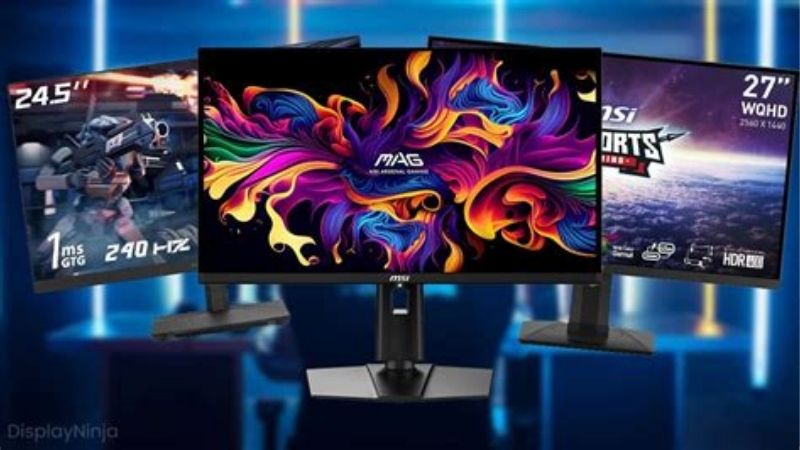
Best overall for PS5 Pro: MSI MAG 274QPF X30MV at $319.99 on MSI’s US store. It provides two HDMI 2.1 inputs, manufacturer-listed PS5 VRR and 1440p/120Hz compatibility, and substantial local dimming. Choose it for HDR-heavy story games as well as competitive titles. The trade-off is VA-panel viewing behavior and possible local-dimming halos, rather than the per-pixel lighting of OLED.
For a lower upfront price: ASUS ROG Strix XG27ACS at $229 from ASUS US. Its 27-inch Fast IPS display is a practical 1440p gaming and desktop screen. Its HDMI 2.0 port does not establish Sony’s HDMI VRR compatibility, so consider it primarily a 1440p/120Hz-capable candidate that must pass the console’s output test.
For deep blacks: Samsung Odyssey OLED G6 G61SH, with a $599.99 US manufacturer storefront price observed during research, or the higher-refresh ASUS ROG Strix OLED XG27ACDNG at $699. Both target OLED enthusiasts. Neither model’s PC refresh-rate number means the PS5 Pro outputs 240Hz or 360Hz; the console’s relevant ceiling is 120Hz output in supported games.
Six 1440p gaming monitors compared
| Product | Price (USD, retailer, date) | Key verified specs | Best for / compatibility | Main drawback |
|---|---|---|---|---|
| MSI MAG 274QPF X30MV | $319.99, MSI US Store, Oct. 27, 2026; promotional listing, in stock when checked | 27-inch Rapid VA Mini-LED, 2560 x 1440; HDMI 2.1 x2 / DP 1.4a up to 300Hz; 1,152 zones; HDR peak 1,000 nits; HDMI FRL lane rate not published | Best overall console pick; MSI explicitly lists PS5 1440p/120Hz and VRR | VA off-axis behavior and possible local-dimming blooming |
| ASUS ROG Strix XG27ACS | $229.00, ASUS US Store, Oct. 27, 2026 | 27-inch Fast IPS, 2560 x 1440; HDMI 2.0 up to 144Hz; DP 1.4/USB-C up to 180Hz; 400-nit HDR peak; HDMI 2.0 nominal TMDS 18Gbps class | Lower-cost console-and-PC option; verify 1440p/120Hz directly on PS5 Pro | PS5 HDMI VRR not established; limited HDR contrast |
| MSI MAG 274QPF X32 | $279.99, MSI US Store, Oct. 27, 2026; in stock when checked | 27-inch Rapid IPS, 2560 x 1440; HDMI 2.1 FRL 6G x2 / DP 1.4a up to 320Hz; 400-nit HDR peak; no Mini-LED | Mixed PC esports and PS5 Pro use; test VRR on the actual console | 320Hz brings no console-only advantage over 120Hz |
| Samsung Odyssey OLED G6 G61SH (LS27HG612SNXZA) | $599.99, Samsung US storefront, Oct. 27, 2026; delivery availability depends on ZIP | 27-inch class QD-OLED (26.5-inch viewable), 2560 x 1440; HDMI 2.1 x1 / DP 1.4; panel up to 240Hz; HDR peak 400 nits; HDMI bandwidth not published | OLED blacks with a matte-like glare-reducing treatment; test 120Hz/VRR | One HDMI input and location-dependent availability |
| ASUS ROG Strix OLED XG27ACDNG | $699.00, ASUS US Store, Oct. 27, 2026 | 26.5-inch QD-OLED, 2560 x 1440; HDMI 2.1 FRL x2 / DP 1.4 DSC up to 360Hz; HDR peak 1,000 nits (manufacturer claim, limited window); exact FRL lane rate not published | Premium PS5 Pro plus high-refresh PC, with USB-C 90W and 3-year burn-in-inclusive warranty | Price premium mostly benefits non-console use |
| LG UltraGear 27GS95QE-B | $699.99, LG USA monitor catalog, Oct. 27, 2026; confirm stock with retailer | 27-inch class WOLED, 2560 x 1440; HDMI 2.1 x2 / DP 1.4; up to 240Hz; VESA DisplayHDR True Black 400; HDMI bandwidth not published | Alternative OLED panel technology and dark-room play; test 120Hz/VRR | Stock uncertainty and OLED image-retention considerations |
Prices were checked on October 27, 2026 and can change; confirm the exact variant at checkout. They are observed US storefront listings, not guaranteed delivered prices, and do not include local tax or shipping. A stated monitor refresh rate is not a Sony-tested console output mode. HDMI 2.1 labeling alone does not establish the link’s full bandwidth or compatibility with every VRR mode.
How we selected these monitors
We prioritized panel resolution, usable HDMI inputs, the console’s actual output modes, meaningful HDR hardware, price traceability, and warranty clarity. The selection includes IPS, Mini-LED VA, and two types of OLED to expose genuine trade-offs instead of ranking six nearly interchangeable high-Hz displays. All prices and specifications below are sourced from Sony, monitor manufacturers, and US storefront listings; we did not perform in-house input-lag measurements, pixel-response tests, or console handshake testing.
We distinguish three levels of compatibility evidence. First, Sony documents that PS5 can test 1440p at 60Hz and 120Hz, with HDR and VRR status determined separately. Second, MSI explicitly names PS5 1440p/120Hz and VRR in the X30MV product specifications. Third, for monitors whose manufacturer primarily advertises PC Adaptive-Sync, we treat Sony-specific VRR as unconfirmed until the buyer runs the PS5’s test. This is especially important for HDMI 2.0 models and for screens with multiple, differently capable ports.
Best overall: MSI MAG 274QPF X30MV
The MAG 274QPF X30MV is the most complete match for this keyword because its compatibility information is unusually specific. MSI identifies 1440p at both 60Hz and 120Hz in Console Mode and explicitly lists VRR support for PS5 and Xbox. The two HDMI 2.1 ports accept QHD signals, while the panel’s 300Hz ceiling is a separate PC-oriented specification. For a PS5 Pro buyer, that distinction is more useful than marketing language about speed.
The more consequential feature is its Mini-LED system. MSI specifies a Rapid VA panel with 1,152 local-dimming zones, a typical contrast ratio of 4,500:1, VESA DisplayHDR 1000, and a claimed 1,000-nit HDR peak. That is substantial hardware for rendering bright effects against dark scenes; it is not the same as guaranteeing measured brightness in every game or window size. Zone boundaries can sometimes glow around small bright objects, and off-center VA viewing can alter the image compared with IPS. It is a credible HDR-focused alternative to OLED without an OLED panel’s burn-in considerations.
MSI’s $319.99 US promotional listing is the decisive value comparison: only $40 above its $279.99 IPS X32 sibling while providing a substantially different HDR backlight. If your desk faces a bright window or you dislike changing OLED care settings, the Mini-LED is the more straightforward choice. If you mostly play PC shooters in SDR and care more about viewing angles, the X32’s IPS panel may suit you better. MSI’s US store lists a three-year manufacturer warranty, but confirm the policy for your exact purchase.
Buy if: console VRR evidence and HDR impact matter more than extremely wide viewing angles. Skip if: local-dimming halos or VA-panel characteristics bother you. Price perspective: at $319.99, it is $40 over the X32 and well below the $599.99 Samsung OLED storefront listing.
Lower-cost IPS: ASUS ROG Strix XG27ACS
At $229 from ASUS US, the XG27ACS has a simple appeal: 27-inch QHD resolution, an adjustable stand, a Fast IPS panel, and useful PC connections without the price of OLED. ASUS specifies up to 180Hz on DisplayPort or compatible USB-C video input but up to 144Hz over its HDMI 2.0 connection. A PS5 Pro uses HDMI, so the 180Hz headline is not its console refresh rate. It is still worth considering for 120Hz-capable games if the PS5’s 1440p output test passes.
Here the main caveat is VRR. ASUS advertises Adaptive-Sync and PC G-SYNC compatibility, but this does not establish that the PS5 Pro will enable HDMI VRR with this exact monitor. Sony’s guidance specifically describes VRR compatibility in the context of supported HDMI displays. If tear-free variable refresh is a priority, the documented MSI X30MV is safer on paper. If you primarily play 60fps console games and also use the display for browsing, homework, or an ordinary PC, this less expensive IPS screen is sensible.
ASUS lists a 400-nit HDR peak and VESA DisplayHDR 400 certification, but there is no evidence of a Mini-LED full-array local-dimming system here. Expect the basic IPS trade-off: stable viewing angles and responsive desktop use versus grayer blacks in dark rooms. The USB-C port provides only 7.5W power delivery, not the charging capability of a typical laptop docking display. The manufacturer specification lists VESA mounting and stand height adjustment, while region-specific warranty length should be confirmed separately.
Buy if: $229 fits your spending limit and you accept a 1440p/120Hz compatibility check. Skip if: PS5 VRR is non-negotiable. Price perspective: it saves $50 against the MSI X32 and about $91 against the X30MV, with less certain console VRR capability and weaker HDR hardware.
IPS for a fast gaming PC too: MSI MAG 274QPF X32
The MAG 274QPF X32 is a different proposition from the Mini-LED X30MV despite nearly identical naming. MSI lists a Rapid IPS panel, 320Hz maximum refresh, two HDMI 2.1 FRL 6G inputs, and DisplayPort 1.4a. That port-level information is unusually welcome: unlike the ASUS HDMI 2.0 pick, this model has an explicitly described HDMI 2.1 FRL link. However, the US specification we reviewed does not explicitly certify PS5 VRR for this variant. Confirm the 1440p/120Hz and VRR results with the console’s built-in test.
For PC gamers, 320Hz can meaningfully change the purchase calculation if their games and hardware render at very high frame rates. For a PS5 Pro owner, the console’s 120Hz output setting is the relevant limit, making the extra panel headroom mainly a future-proofing benefit for a connected PC. Its 400-nit claimed HDR peak and DisplayHDR 400 classification are modest compared with the X30MV’s locally dimmed Mini-LED hardware. A fast IPS panel also avoids the off-axis contrast change that some people notice on VA.
MSI US listed the X32 at $279.99 in stock when checked, with a three-year manufacturer warranty. It lacks USB-C video, a USB hub, and built-in speakers in the published specifications, so plan on HDMI video plus headset or separate audio. If you alternate between console and desktop esports, its dual HDMI ports and adjustable stand are practical. Console-only buyers should seriously consider paying $40 more for the X30MV’s documented Sony VRR support and HDR hardware.
Buy if: fast competitive PC gaming shares the desk with PS5 Pro. Skip if: HDR movies and console adventures are your priority. Price perspective: at $279.99, it is $50 above the ASUS XG27ACS and $40 below the Mini-LED X30MV.
OLED with glare control: Samsung Odyssey OLED G6 G61SH
The Samsung Odyssey OLED G6 G61SH, identified on the US manufacturer storefront as LS27HG612SNXZA, targets buyers who want deep OLED blacks without paying for a 360Hz esports flagship. Samsung describes a 27-inch-class QD-OLED panel with QHD resolution, up to 240Hz panel refresh, FreeSync Premium, and a glare-reducing surface. Its regional product specifications list one HDMI 2.1 input and one DisplayPort 1.4 connection, while the US storefront advertises a three-year warranty. For PS5 Pro, use HDMI and test all available 1440p/120Hz, HDR, and VRR modes rather than assuming PC sync support translates directly.
OLED pixels dim individually, avoiding the zone-blooming pattern of Mini-LED, which is a visible advantage for very dark scenes, subtitles, and night maps. Samsung’s published information also describes safeguards against static-image retention. OLED still involves usage and warranty considerations: repeated bright HUD elements and PC taskbars create a different ownership pattern than varied cinematic content. Samsung’s regional product sheet refers to normal-use burn-in coverage; confirm the US policy applicable to this exact SKU before buying rather than extrapolating from another country.
The directly opened Samsung US product page displayed a $599.99 storefront price, although promotional search listings have shown lower figures and shipping availability depends on location. We therefore use the directly observed US page price rather than silently presenting a search discount as a guaranteed sale. At that level, this is mainly an OLED picture-quality choice, not a refresh-rate upgrade over the console’s output. Its single HDMI input is also less flexible for owners of two consoles.
Buy if: you prefer QD-OLED black levels and Samsung’s anti-glare approach. Skip if: you need multiple HDMI consoles plugged in or guaranteed delivery in your ZIP. Price perspective: compare the live checkout total with the $319.99 Mini-LED X30MV and the $699 ASUS OLED before deciding.
Premium PC and console OLED: ASUS ROG Strix OLED XG27ACDNG
The XG27ACDNG is an appealing upgrade for a desk that hosts both PS5 Pro and a powerful gaming PC. ASUS specifies a 26.5-inch viewable QD-OLED panel at 2560 x 1440, 360Hz panel refresh, two HDMI 2.1 FRL ports, and a DisplayPort 1.4 connection with DSC. The published signal range reaches 360Hz over compatible HDMI or DisplayPort input, but that number belongs to the monitor and computer connection, not the PS5 Pro’s 120Hz setting.
The model adds practical features that most cheaper console displays omit: USB-C video with 90W power delivery, a three-port USB hub, and ASUS OLED Care+ utilities. These features matter if you attach a laptop for daytime work, then switch to console gaming. ASUS lists VESA DisplayHDR True Black 400 and up to 1,000 nits of claimed HDR peak brightness; peak values can depend on the test window and mode, so they should not be compared directly with full-screen brightness or with MSI’s HDR1000 figure without matched measurements.
Its three-year warranty explicitly includes panel burn-in according to ASUS US specifications, a meaningful distinction when evaluating a high-priced OLED used for static desktop applications. The $699 US storefront price is approximately $379 above the MSI X30MV and $100 above the Samsung’s displayed $599.99 listing. Those differences are defensible for a high-refresh PC plus USB-C workstation setup, but not merely to obtain 120Hz on PS5 Pro. An OLED display can still show VRR flicker in some dark, fluctuating-frame-rate scenes; verify behavior using your own games during the return window.
Buy if: you want premium QD-OLED plus a genuine fast-PC and USB-C workflow. Skip if: the console is your only source. Price perspective: at $699 it is the most feature-rich desktop companion here, not the least expensive route to 1440p/120Hz.
Alternative OLED character: LG UltraGear 27GS95QE-B
LG’s 27GS95QE-B provides a different OLED experience from Samsung’s and ASUS’s QD-OLED options. It uses an OLED panel marketed for QHD gaming at up to 240Hz, with DisplayHDR True Black 400, two HDMI 2.1 inputs, DisplayPort, and height/tilt/pivot adjustment. LG’s US support page lists two years for both parts and labor. The US monitor catalog showed $699.99 during research, although the individual product page did not consistently expose an immediately purchasable offer, so treat availability as something to confirm rather than guaranteed stock.
Its selling point is OLED contrast with a panel and surface treatment that may appeal to gamers who find QD-OLED reflections or ambient-light black levels distracting. Manufacturer figures alone do not prove which OLED is brighter in identical PS5 HDR content, and there is no independent matched-mode benchmark in this comparison. Sony’s console still needs to confirm 1440p/120Hz and VRR on the active HDMI input. Do not infer PlayStation HDMI VRR from an LG statement specifically about NVIDIA G-SYNC operation on PC GPUs.
For anyone who spends many hours in static office windows, consider the burn-in risk and how the two-year warranty’s detailed terms apply to image retention. Turn on the display’s care features and avoid using permanent bright UI elements unnecessarily. The LG is most compelling when local pricing falls below the $699.99 catalog figure or when you have a strong preference for its OLED presentation. If all models cost their listed prices, the $319.99 Mini-LED X30MV offers a much easier console-focused recommendation.
Buy if: you prefer LG’s OLED implementation and can confirm fresh US stock. Skip if: you need a predictable current checkout offer or a low price. Price perspective: at the observed catalog price, it is nearly identical in cost to the more PC-featured ASUS XG27ACDNG.
What PS5 Pro actually needs from a 1440p monitor
1440p at 120Hz matters more than 240Hz or 360Hz branding
Sony’s video-output settings describe 1440p support for 60Hz and 120Hz, and a separate 120Hz Output toggle for games that support high-frame-rate modes. A monitor accepting 300Hz over HDMI does not make a PS5 Pro game output 300fps. A title may render internally at a lower or variable rate and present through 60Hz or 120Hz output. Buy higher-than-120Hz monitor hardware for a connected PC, not because it lifts Sony’s console cap.
HDMI 2.1 is useful, but feature support must be tested
Manufacturers use HDMI 2.1 labeling across implementations with different active link rates and optional features. The MSI X32 specifically lists FRL 6G, and ASUS describes FRL on the XG27ACDNG without publishing the exact lane rate in the reviewed specifications. Other models list only the HDMI version. That is why we avoid assigning an invented 48Gbps figure to a product or promising that every HDMI 2.1 port enables VRR. HDMI 2.0 can carry some 1440p/120Hz signals, but Sony VRR compatibility cannot be assumed from those timings alone.
HDR needs light control, not a logo alone
A basic IPS display claiming DisplayHDR 400 can accept and process an HDR signal but does not automatically gain the black-level control of OLED or a full-array Mini-LED panel. The X30MV’s 1,152 zones allow localized brightness control; the Samsung, ASUS, and LG OLEDs can extinguish individual pixels. Both approaches have limits: blooming and viewing behavior for VA Mini-LED, and brightness management or retention considerations for OLED. Choose based on your room, game mix, and ownership habits instead of only the largest peak-nit marketing figure.
Panel size and desk distance still matter
All six products use a roughly 27-inch QHD format, which provides a comfortable combination of console sharpness and readable PC desktop UI at a normal desk distance. A larger 32-inch QHD display creates larger pixels without adding detail, while a 4K screen gives finer spatial detail if the graphics pipeline and viewing distance justify it. PS5 Pro owners should not assume a native 1440p screen is always the optimum way to appreciate every visual upgrade; a well-matched 4K display may be more suitable if maximum image detail is the goal.
How to verify 1440p, 120Hz, HDR, and VRR on PS5 Pro
- Connect the PS5 Pro directly to the monitor with the console’s supplied HDMI cable or a certified Ultra High Speed HDMI cable. Use the specific HDMI port identified in the monitor’s manual as supporting the desired features. Remove intermediary capture devices or receivers during initial testing.
- Open Settings > Screen and Video > Video Output on the console. Check the connected HDMI device information before forcing any display mode.
- Run Test 1440p Output. Sony says this checks SDR and HDR at 60Hz and 120Hz as well as VRR where available. Record which combinations pass; a successful 60Hz test is not proof of 120Hz or VRR.
- Set Resolution to 1440p once supported. Set 120 Hz Output to Automatic or the currently offered enabled option, then launch a game with an actual 120Hz mode. Check the monitor’s on-screen information display for the active signal.
- Enable VRR only when the console reports a compatible HDMI display. In games with a known VRR implementation, confirm behavior on the monitor. If unsupported, leave it off rather than assuming a PC FreeSync label means success.
- For HDR, use the console’s HDR settings and the monitor’s HDR preset. Compare carefully with SDR in a familiar game scene. If the picture looks washed out, verify HDR support on that HDMI port, recheck the selected preset, and rerun the console adjustment rather than maximizing every monitor slider.
If the console reports only 1080p or 60Hz, first retry a direct cable connection, verify the monitor input’s HDMI mode, and rerun Sony’s 1440p test. Avoid firmware flashing, undocumented service menus, or custom EDID devices as an initial fix. For reproducible failures with a supported mode, consult the specific manufacturer’s support materials and consider the retailer’s return period.
Buying checklist before you pay
- Check the full model code, not just the brand and screen family; X30MV and X32 use different panel and HDR technologies.
- Verify 2560 x 1440 native resolution and an HDMI input that accepts at least 1440p/120Hz.
- Demand Sony-specific VRR evidence or test the exact display during the return window if HDMI VRR is essential.
- Compare real HDR architecture: standard IPS, zone-based Mini-LED, or self-emissive OLED.
- Read the US warranty, including OLED image-retention exclusions, and confirm the relevant seller’s return terms.
- Check whether the monitor includes the HDMI cable, has the stand adjustment you need, and supports your external speakers or headset.
- Use the specific US storefront price and condition shown at checkout. Do not compare a refurbished or clearance unit directly with a new model.
Frequently asked questions
Will a 1440p monitor make PS5 Pro games run at 120fps?
No. A 1440p/120Hz display can show a 120Hz signal, but a game must offer a compatible high-frame-rate mode for that output to be meaningful. The PS5 Pro does not turn every 30fps or 60fps title into 120fps merely because the monitor supports it. Check the game’s graphics settings and the console’s active signal. Panel refresh rate, HDMI output frequency, and rendering frame rate are related but different quantities.
Do I need HDMI 2.1 to play at 1440p and 120Hz?
Not always. Some HDMI 2.0 monitors can accept 2560 x 1440 at 120Hz, which is why the XG27ACS remains an option. The additional uncertainty is console VRR and which color or HDR combinations are available. Sony recommends testing all supported modes through Test 1440p Output. If a purchase depends on VRR, prioritize a model explicitly documented for PS5 rather than relying on the HDMI version printed on the box.
Should I buy OLED or Mini-LED for PS5 Pro HDR?
OLED is especially strong at separating small bright objects from a true black background because pixels emit light independently. Mini-LED can deliver high peak highlights through many dimming zones, but halos may appear around bright details. The $319.99 MSI X30MV offers a convincing HDR hardware package at a lower price than the listed OLED options. OLED may be preferable if dark-room contrast is your first priority and you accept its retention precautions.
Is a $699 monitor worth it for console gaming alone?
Usually not solely for 1440p/120Hz. The ASUS XG27ACDNG justifies its price through QD-OLED image quality, 360Hz PC capability, 90W USB-C, and its burn-in-inclusive warranty, while the console cannot exploit all of that refresh-rate headroom. If you never connect a PC or laptop, start by comparing the $319.99 Mini-LED X30MV against an OLED’s visible black-level benefits. The right premium depends on your lighting and game preferences.
Final thoughts
For most PS5 Pro owners shopping specifically for 1440p, buy the MSI MAG 274QPF X30MV if its US price remains near the verified $319.99 promotion: it combines documented 1440p/120Hz and PS5 VRR with unusually capable Mini-LED HDR hardware. Choose the $229 ASUS XG27ACS when you prioritize a cheaper IPS desktop and can live without verified PlayStation VRR. The $279.99 MSI X32 makes more sense when a high-frame-rate PC also uses the monitor. Move to the $599.99 Samsung OLED or $699 ASUS QD-OLED only when OLED contrast, glare handling, or desktop connectivity justifies the premium. Test the exact HDMI modes and current price before committing.









