Key takeaways
- Enormous multitasking space whether desktop or portable.
- Desktop kits include speakers and VESA mounts out of the box.
- Portable models fold and travel as one attached unit.
- USB-C single-cable options simplify laptop docking.
Search for a “tripple monitor” setup and you’ll quickly find two very different products wearing the same name: matching three-panel desktop kits that build a panoramic wall, and portable triple-screen attachments that bolt onto a laptop lid. Both chase the same goal, more pixels in front of your face, but they suit completely different workflows and budgets.
This review sorts through the confusion, covering desktop 3-packs like the Kado 27″ sets alongside portable extenders such as the Mobile Pixels Trio and KYY panels, so you can decide which flavor of triple monitor actually fits your desk and your life.
Our top picks




As an Amazon Associate we earn from qualifying purchases at no extra cost to you. Ratings are shown as listed on Amazon.
🎮 Get More From Your Setup — Free
Prime Gaming gives you free PC games every month, in-game loot, and a free Twitch channel sub — plus fast free shipping on all the gear above. New members get a 30-day free trial.
Watch: Tripple Monitor: Review & Buyer’s Guide — Video Review
Design & Build
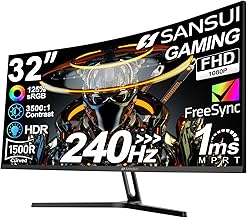
The desktop route is anchored by kits like the Kado Triple Monitor 3-Pack 27″ and its curved 1500R sibling. These are full-size FHD panels with VESA mounts and built-in speakers, designed to sit permanently on a desk or arm. Build quality feels appliance-grade, and the curved version wraps the display around you for a genuine cockpit effect. The portable camp, led by the Mobile Pixels Trio 3 Pro and KYY 15.6″ extender, folds two auxiliary panels flat against a laptop. Their appeal is a built-in kickstand and single-cable tidiness, though the aluminum and plastic hinges are inherently more delicate than a bolted desktop stand.
Performance
For sheer visual quality, the desktop 27″ panels win on size and the 75Hz refresh keeps scrolling smooth, while the QHD screens on the Mobile Pixels Trio 3 Pro punch above their portable class with a sharp 1400P resolution. The KYY and Vixtan-style FHD IPS extenders deliver clean 1080P with wide viewing angles, ideal for reference material off to the side. Connectivity separates the field: the Mobile Pixels rig runs over a single USB-C with 65W pass-through, whereas the Kado desktop kit uses standard HDMI and the KYY notes a driver requirement, so factor setup effort into your choice.
Pros & Cons
- Enormous multitasking space whether desktop or portable.
- Desktop kits include speakers and VESA mounts out of the box.
- Portable models fold and travel as one attached unit.
- USB-C single-cable options simplify laptop docking.
- Desktop 3-packs demand serious desk depth and a capable GPU.
- Portable panels add weight and can need drivers.
- Cable management on desktop trios gets messy fast.
Alternatives to Consider
If you want the panoramic feel without three separate screens, a single 49″ ultrawide covers similar territory with one cable and no bezels. Travelers who only occasionally need extra space might prefer a lone 15.6″ portable monitor over a full triple attachment. And gamers should note that driving three 27″ panels at once asks a lot more from a graphics card than a single high-refresh display.
Frequently Asked Questions
Can my laptop power a portable triple monitor?
Modern USB-C laptops usually can, especially models like the Mobile Pixels Trio with pass-through charging. Older or thin ultrabooks may struggle to drive two extra panels on battery alone.
Do I need a strong GPU for a desktop 3-pack?
For office work, no, integrated graphics handle three 1080p screens. For gaming across all three, you’ll want a mid-range or better discrete GPU.
Are the Kado kits truly identical panels?
Yes, buying a matched 3-pack ensures consistent color and height, which is far cleaner than mixing mismatched monitors.
Which is better for travel?
The portable extenders win easily, they attach to your laptop and fold flat, while desktop kits are strictly stationary.
Verdict
Your ideal triple monitor comes down to mobility. For a permanent battlestation, the Kado 27″ 3-packs deliver the most screen for the money, with the curved version worth the premium for immersion. Road warriors should choose the Mobile Pixels Trio 3 Pro for its single-cable QHD panels, or the KYY extender on a tighter budget. Decide where you’ll actually use it, then pick accordingly.