Key takeaways
- 1080p gaming: the CPU matters most here because frame rates are high and less GPU-limited; a fast gaming chip pays off directly.
- 1440p and 4K: the GPU becomes the bottleneck, so a mid-range CPU like the Ryzen 5 9600X often keeps pace with pricier chips.
- Avoid mismatches: pairing a top CPU with a weak GPU wastes money, and vice versa; aim for balance based on your target resolution.
- Future GPU upgrades: a slightly stronger CPU can be worth it if you plan to upgrade the graphics card later on the same platform.
The processor is the quiet workhorse of a gaming PC. While the graphics card gets most of the attention, the CPU determines your minimum frame rates, how smoothly fast-paced games feel, and whether your system will still keep up with a GPU upgrade two years from now. Choosing the wrong one can leave you bottlenecked, stuttering in CPU-heavy games, or paying for cores you will never use. Getting it right means understanding what actually drives gaming performance versus what just looks impressive on a spec sheet.
This guide breaks down how to pick a gaming CPU in 2026: which specs matter, why cache and clock speed often beat raw core counts for games, how to match a processor to your GPU and resolution, and how to plan the platform around it. By the end you will be able to choose a chip that maximizes frames per dollar rather than overspending on the wrong strengths.
Our top picks
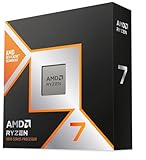
 AMD RYZEN 7 9800X3D 8-Core
3D V-Cache design boosts gaming performance notably
96MB L3 cache improves thermal headroom for higher clocks
Drop-in compatible with existing AM5 motherboards
No cooler included, requiring a separate purchase
8-core count trails higher core-count chips for heavy rendering
 AMD Ryzen™ 5 9600X 6-Core
Zen 5 architecture delivers smooth, high frame rate gaming
DDR5-5600 support pairs with the latest fast memory
PCIe 5.0 support future-proofs motherboard compatibility
No cooler included, so plan to buy one separately
Needs a new AM5 motherboard if upgrading from AM4
 AMD Ryzen 9 9950X3D 16-Core Processor
- AMD Ryzen 9 9950X3D Gaming and Content Creation…
- Max
- Form Factor: Desktops , Boxed Processor
 AMD Ryzen 5 5500 6-Core
Bundled Wraith Stealth cooler skips a separate cooler purchase
Unlocked multiplier allows overclocking for extra performance
19MB combined cache helps with multitasking workloads
Needs a discrete graphics card since it lacks integrated graphics
Older AM4 platform limits future motherboard upgrade paths
 AMD Ryzen 7 7800X3D 8-Core
Large 96MB L3 cache boosts gaming frame rates
8 cores and 16 threads handle heavy multitasking
5nm process balances performance with efficiency
No cooler included, unlike some rival bundles
Requires a compatible AM5 motherboard and DDR5 memory

 Intel® Core™ i7-14700KF New Gaming Desktop Processor
- Game Without Compromise
- 20 cores (8 P-cores plus 12 E-cores) and…
- Up to 5.6 GHz with Turbo Boost Max…
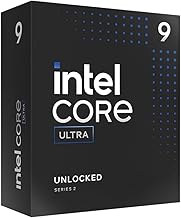
 Intel® Core™ Ultra 7 Processor 270K Plus
- Next‑Gen Platform Support: Compatible with Intel 800 Series…
- High‑Performance Core Configuration: Features up to 24 cores…
- Ultra‑Fast Boost Clocks: Reaches up to 5.5 GHz…
As an Amazon Associate we earn from qualifying purchases at no extra cost to you.
Our recommended gear spans the range most gamers shop within, from the value-oriented AMD Ryzen 5 5500 and Ryzen 5 9600X up to gaming-focused powerhouses like the Ryzen 7 7800X3D and Ryzen 7 9800X3D, alongside strong Intel options such as the Core i7-14700K. The X3D chips in particular are worth noting for their large gaming cache, which we explain below.
⚡ Save on Your Next PC — Amazon Prime
Prime members get fast free shipping on the systems above, plus early access to Prime Day & Black Friday PC deals. New members get a 30-day free trial.
Watch: How to Choose a Gaming CPU (2026 Guide) — Video Review
What Actually Matters for Gaming
Games care about a specific mix of CPU traits: strong single-core performance, high clock speeds, and fast access to cache and memory. They rarely use more than six to eight cores effectively, which is why a chip optimized for gaming can beat a workstation processor with far more cores. When comparing CPUs for play, weight per-core speed and cache heavily, and treat very high core counts as a bonus that mainly benefits streaming, editing, and multitasking rather than frame rate.
Cores, Threads, and Clock Speed
Cores are independent processing units; threads are the workloads each core handles (many chips run two threads per core). For gaming, six cores is the practical floor in 2026 and eight is the comfortable sweet spot. Clock speed, measured in GHz, is how fast each core runs, and higher is better for the single-threaded work games lean on. A modern 8-core chip at high clocks like the Ryzen 7 9800X3D will outperform a 16-core part in games precisely because games reward speed per core over sheer quantity.
Why Cache Matters (The X3D Advantage)
Cache is ultra-fast memory built into the CPU that stores data the processor needs immediately. Games generate lots of small, unpredictable data requests, and a large cache means the CPU spends less time waiting on slower system RAM. This is why AMD’s X3D chips, which stack extra cache onto the die, are gaming champions: the Ryzen 7 7800X3D and 9800X3D deliver class-leading frame rates in CPU-bound titles despite modest core counts. If gaming is your priority, a big-cache chip is often the smartest buy.
Matching CPU to GPU and Resolution
- 1080p gaming: the CPU matters most here because frame rates are high and less GPU-limited; a fast gaming chip pays off directly.
- 1440p and 4K: the GPU becomes the bottleneck, so a mid-range CPU like the Ryzen 5 9600X often keeps pace with pricier chips.
- Avoid mismatches: pairing a top CPU with a weak GPU wastes money, and vice versa; aim for balance based on your target resolution.
- Future GPU upgrades: a slightly stronger CPU can be worth it if you plan to upgrade the graphics card later on the same platform.
Platform, Cooling, and Longevity
A CPU is only as good as the platform around it. Check the socket (AMD’s AM5 and Intel’s LGA1700/1851 use different boards) and buy a compatible motherboard with the right chipset for the features you want. Factor in RAM type, since AM5 uses DDR5. Consider power draw and cooling: high-end Intel chips and overclocked parts run hot and need a capable air or liquid cooler, while some Ryzen chips like the 5500 include a stock cooler. Choosing a platform with an upgrade path, as AM5 offers, extends the life of your investment.
Tips
- If gaming is your main use, prioritize a high-clock, large-cache chip over one with more cores you won’t use.
- Match your CPU spend to your resolution: invest more in the GPU at 4K, more balanced at 1080p.
- Confirm socket and chipset compatibility before buying a motherboard, and check whether you’ll need a separate cooler.
- Choose a platform with a future upgrade path (like AM5) if you want to swap in a newer CPU down the line without a new board.
Frequently Asked Questions
How many cores do I need for gaming in 2026?
Six cores is the practical minimum and eight is the sweet spot for a smooth experience with headroom. Going beyond eight cores rarely improves frame rate and mainly benefits streaming, video editing, or heavy multitasking alongside your games.
Are AMD X3D chips really better for gaming?
In CPU-bound games, yes, often by a wide margin. Their extra stacked cache reduces waiting on system memory, so chips like the 7800X3D and 9800X3D post top-tier frame rates even against processors with more cores or higher raw clocks.
Does the CPU matter at 4K?
Less than at 1080p. At 4K the graphics card does most of the heavy lifting and becomes the bottleneck, so a solid mid-range CPU usually keeps up with far pricier chips. Spend the savings on a stronger GPU instead.
Do I need an aftermarket cooler?
It depends on the chip. Some Ryzen processors include a stock cooler that’s fine for stock speeds, while high-end Intel chips and any overclocking generally require a good aftermarket air or liquid cooler to run cool and quiet.
Conclusion
Choosing a gaming CPU comes down to matching the right strengths to how you play: prioritize fast cores and generous cache over raw core count, balance your spending against your target resolution, and build on a platform that leaves room to grow. A large-cache gaming chip is the standout choice for frame-rate chasers, while a capable mid-range part is plenty if your GPU does the heavy lifting at higher resolutions. Pick with balance in mind, cool it properly, and your processor will quietly deliver smooth frames for years.