Key takeaways
- Immersion: Curved panels bend the edges toward you for a wraparound field of view that heightens immersion, an effect that grows more pronounced as screen size increases.
- Geometry: Flat screens render straight lines perfectly true, while curves can subtly distort horizontals — a non-issue in games but noticeable in design and spreadsheet work.
- Ideal size: Curves pay off most on 32-inch and ultrawide panels; on smaller 24–27-inch screens the effect is minimal and flat is usually the more sensible choice.
- Viewing comfort: A curve keeps every part of a large screen roughly equidistant from your eyes, which can reduce strain and neck movement during long sessions on big displays.
- Competitive play: Flat panels give a neutral, predictable image many competitive players prefer, while some find a curve’s edge distortion distracting in fast esports titles.
- Desk fit and price: Curved ultrawides need more desk depth and often cost more, whereas flat panels are more universally sized, wall-mount cleanly, and span every budget.
What's inside
Screen shape has quietly become one of the most personal decisions in a gaming setup, and in 2026 the curved-versus-flat debate is livelier than ever. Curved panels promise a wraparound, immersive field of view that pulls you into the game, while flat screens deliver geometric accuracy and a familiar, distraction-free image that plenty of gamers still swear by.
The choice matters because it affects immersion, comfort, and how the picture looks in fast, competitive play — and unlike resolution or refresh rate, there’s no objectively “better” answer, just the right fit for your games and your desk. Curves shine on large, wide panels but can distort straight lines; flats stay true but feel less enveloping on big screens. Here’s how curved and flat gaming monitors really compare.
As an Amazon Associate we earn from qualifying purchases at no extra cost to you. Product prices and availability are accurate as of the date shown and are subject to change.


⚡ Save on Your Next PC — Amazon Prime
Prime members get fast free shipping on the systems above, plus early access to Prime Day & Black Friday PC deals. New members get a 30-day free trial.
Watch: Curved vs Flat Gaming Monitor: 2026 Guide — Video Review
Quick Verdict
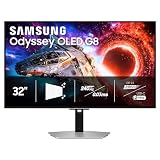
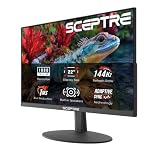
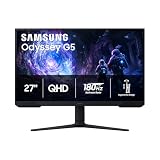
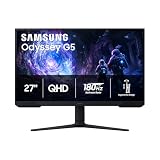
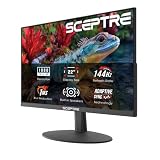
Curved is the pick for immersion on large and ultrawide panels — a Samsung Odyssey G55C or a 34-inch Sceptre ultrawide wraps the image around you for a cinematic, enveloping feel. Flat is the better call for competitive play, smaller screens, and any work involving straight lines or precise design, where geometric accuracy and a neutral, distortion-free image matter more than immersion.
Key Differences
- Immersion: Curved panels bend the edges toward you for a wraparound field of view that heightens immersion, an effect that grows more pronounced as screen size increases.
- Geometry: Flat screens render straight lines perfectly true, while curves can subtly distort horizontals — a non-issue in games but noticeable in design and spreadsheet work.
- Ideal size: Curves pay off most on 32-inch and ultrawide panels; on smaller 24–27-inch screens the effect is minimal and flat is usually the more sensible choice.
- Viewing comfort: A curve keeps every part of a large screen roughly equidistant from your eyes, which can reduce strain and neck movement during long sessions on big displays.
- Competitive play: Flat panels give a neutral, predictable image many competitive players prefer, while some find a curve’s edge distortion distracting in fast esports titles.
- Desk fit and price: Curved ultrawides need more desk depth and often cost more, whereas flat panels are more universally sized, wall-mount cleanly, and span every budget.
Curved Monitors: Wraparound Immersion
Curved gaming monitors are built to pull you into the world, and on the right panel the effect is genuinely captivating. A display like the Samsung Odyssey G55C with its aggressive 1000R curve, or a sweeping 34-inch Sceptre ultrawide, bends the edges of the image toward your peripheral vision so a racing sim, open-world adventure, or flight game feels like it surrounds you rather than sitting in a frame on your desk.
The curve also has a practical comfort benefit: on a large screen it keeps the far edges roughly the same distance from your eyes as the center, reducing the need to refocus and easing strain during marathon sessions. Curves make the most sense on big and ultrawide panels where the wraparound is dramatic. The trade-offs are more required desk depth, a usually higher price, and slight distortion of straight lines — minor for immersive gaming, but worth noting.
Flat Monitors: Accurate and Versatile
Flat panels are the dependable, do-anything choice, and for many gamers they’re still the right one. A flat screen renders every straight line exactly true, giving a neutral, predictable image that competitive shooter players often prefer and that anyone doing design, editing, or spreadsheet work will appreciate. There’s no edge distortion to adjust to and no wondering whether a curve is affecting your aim.
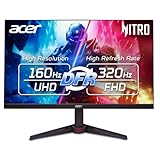
Flats are also more versatile in practice: they come in every size, fit standard desks and wall mounts without fuss, and span the entire price spectrum from budget to premium. On smaller 24–27-inch screens, where a curve adds little, flat is simply the smarter pick. For competitive gaming, mixed productivity, and setups where accuracy and flexibility matter more than wraparound immersion, a flat gaming monitor remains the sensible, no-compromise default.
Which Should You Buy?
- For For immersive single-player and sim games: pick curved because the wraparound field of view heightens the sense of being inside racing, flight, and open-world titles.
- For For competitive shooters: pick flat since its neutral, distortion-free image gives the predictable geometry many esports players prefer for aiming.
- For For a large or ultrawide screen: pick curved because the effect and comfort benefits scale up with size, making big panels feel more natural to view.
- For For design, editing, or office work: pick flat to keep straight lines perfectly true, which matters for precise creative and productivity tasks.
- For For a smaller 24–27-inch monitor: pick flat because the curve adds little at that size and flat panels are cheaper and more versatile.
Frequently Asked Questions
Are curved monitors better for gaming?
For immersive, single-player, and sim-style games on large or ultrawide panels, yes — the wraparound view boosts immersion. For competitive shooters and smaller screens, many players actually prefer a flat panel’s neutral geometry.
Do curved monitors cause distortion?
A curve can subtly bend straight horizontal lines, which is essentially invisible in games but noticeable in design work, spreadsheets, and photo editing. If accuracy for straight lines is important to you, a flat panel avoids the issue entirely.
What size is best for a curved monitor?
Curves pay off most at 32 inches and above, and especially on ultrawide panels where the wraparound effect is dramatic. On 24–27-inch screens the curve is mild and a flat monitor is usually the better value.
Is a curved monitor worth it for competitive play?
It’s a matter of preference. Some competitive players find the curve distracting and stick with flat for its predictable image, while others enjoy the immersion. For pure esports focus, flat is the more common choice.
Final Verdict
There’s no universal winner here — in 2026 the right shape depends entirely on your games and desk. Go curved for large and ultrawide panels where immersion is the goal and you play cinematic, sim, or open-world titles that reward a wraparound view. Stick with flat for competitive shooters, smaller screens, mixed productivity, and any work that needs true straight lines. Match the shape to how you actually play, and you’ll be happy with either.